Pink Snow Bunny 1.0.1 (CP)
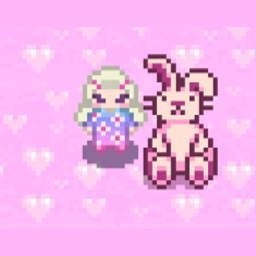
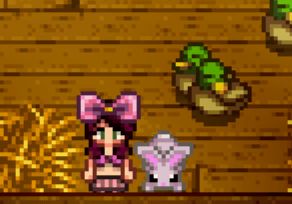
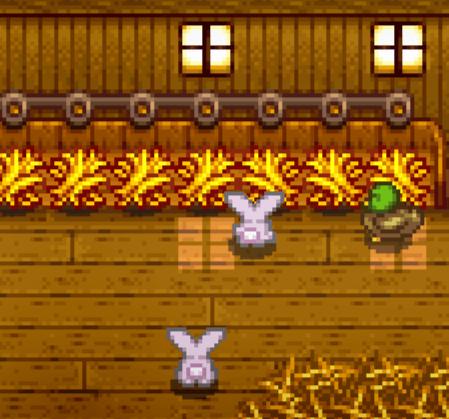
This mod replaces the Rabbits in Stardew Valley with a pink coquette retexture called Pink Snow Bunny. It brings a cuter, custom style to your farm without editing the original game files.
Requirements
-
SMAPI by Pathoschild: the community mod loader that allows Stardew Valley to run mods.
-
Content Patcher by Pathoschild: the framework that replaces images safely without overwriting the base files.
Installation
-
Install SMAPI by Pathoschild.
-
Install Content Patcher by Pathoschild.
-
Download this mod.
-
Unzip the download. Inside you will see a folder named Pink Snow Bunny (CP).
-
Place that folder into your Stardew Valley/Mods folder.
-
Do not place the entire zip file in Mods — only the folder inside it.
Finding the Mods folder
-
On Steam (Windows):
C:\Program Files (x86)\Steam\steamapps\common\Stardew Valley\Mods -
On Mac or Linux: check the Stardew Valley installation path and look for a folder named
Mods. -
If it does not exist, create one manually.
Features
-
Replaces all Rabbits with Pink Snow Bunny.
-
Works with new or existing saves.
-
Easy to install and remove.
-
Art and design by Abrah.
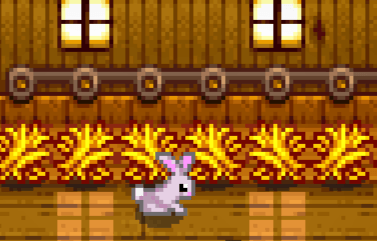
Abrah's pink snow bunny Team

Owner