Ultimate Gamepad Experience
- By
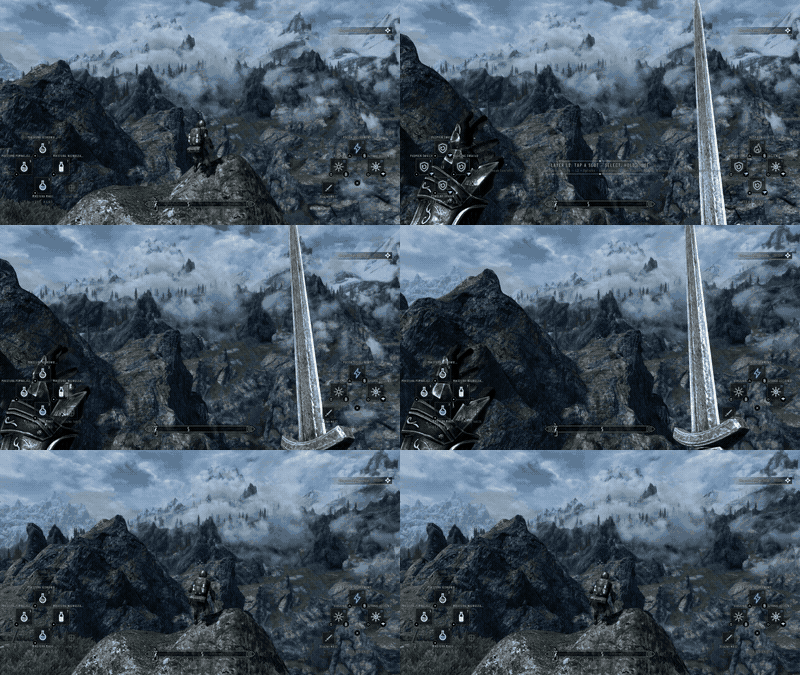
firstperson.gif
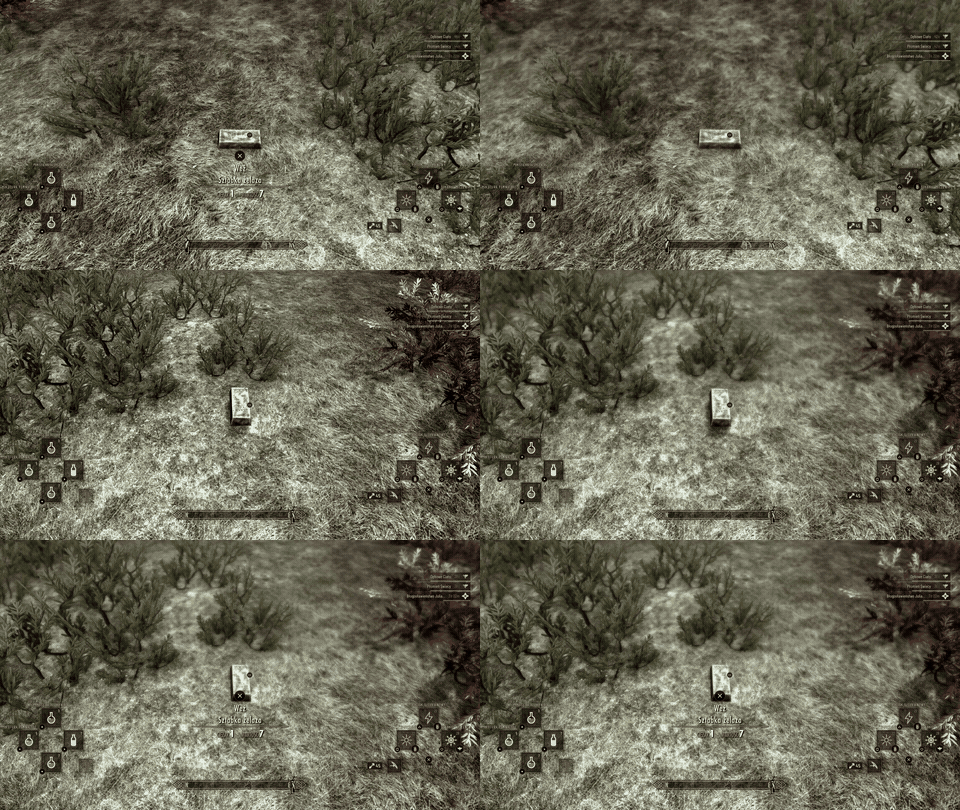
grab.gif
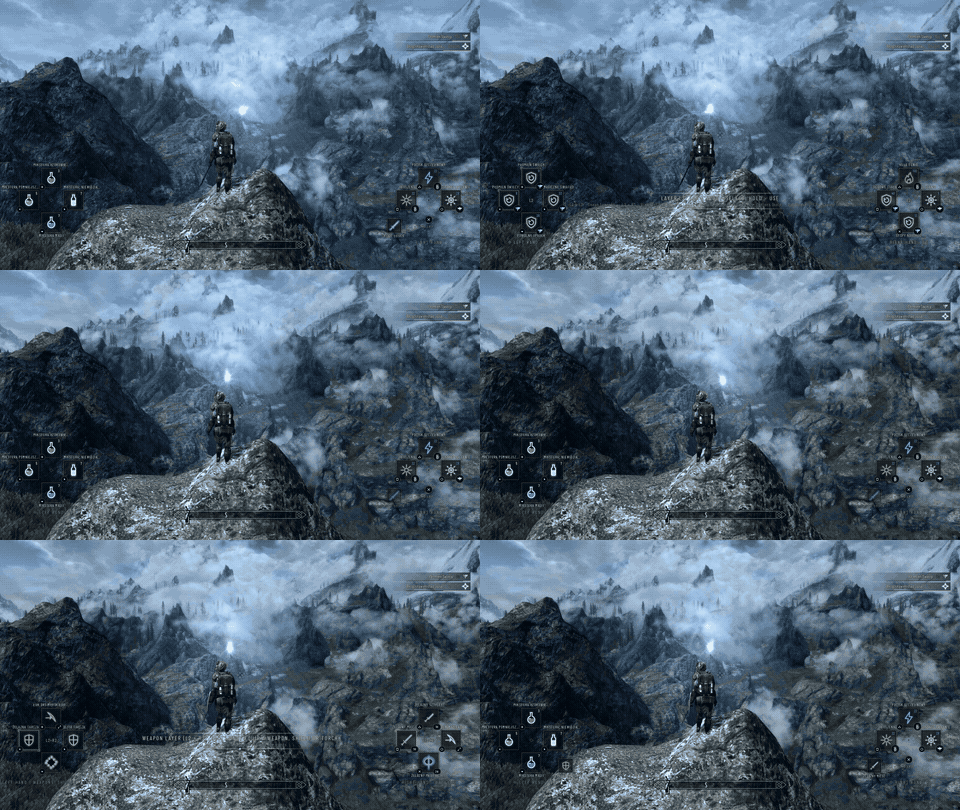
layers.gif
loot.gif
Description
Skyrim on a gamepad still means favorites menus: stop, scroll, pick, resume. With Ultimate Gamepad Experience (UGE) everything you use in a fight sits under your thumbs, with hold-modifiers giving you four layers of buttons - and the rest of the game is rebuilt around the pad too.
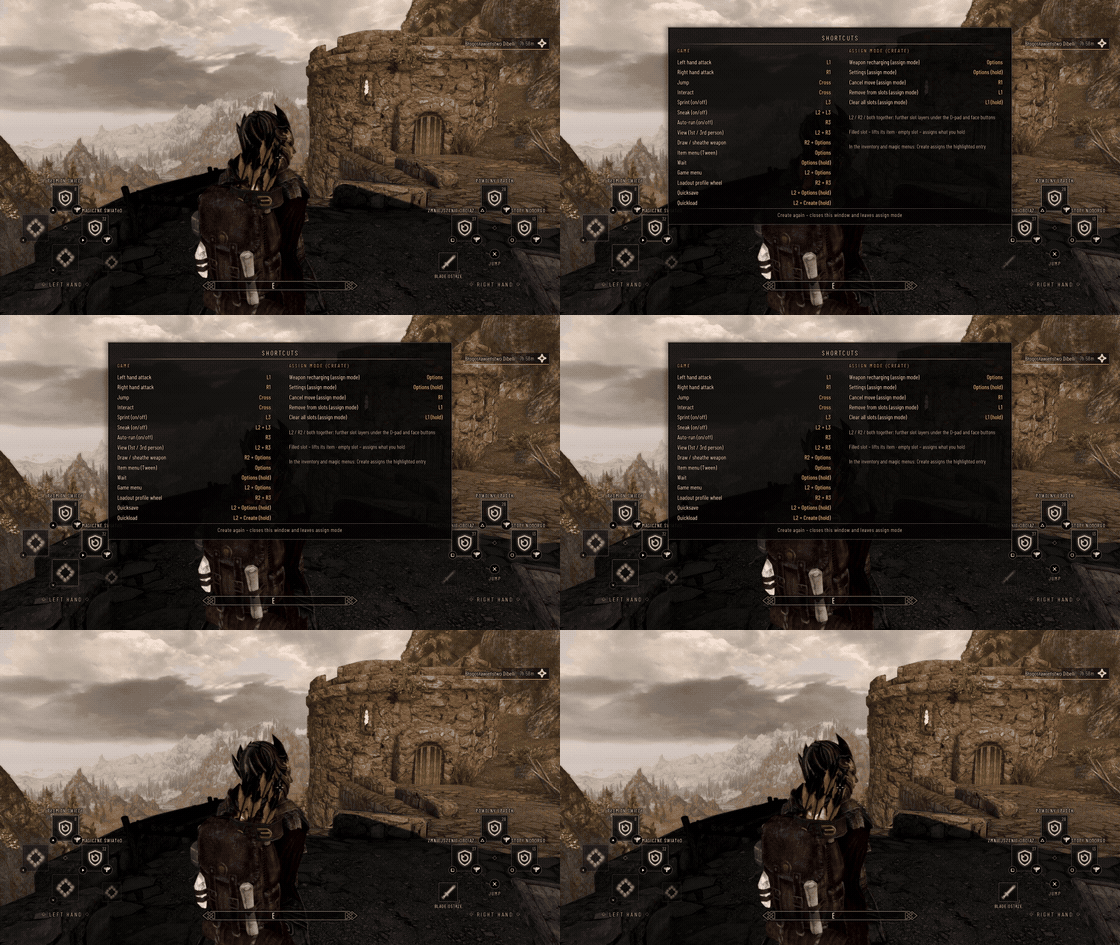
To access shortcuts press Create, from there you can navigate your way through the mod.
## The action bar
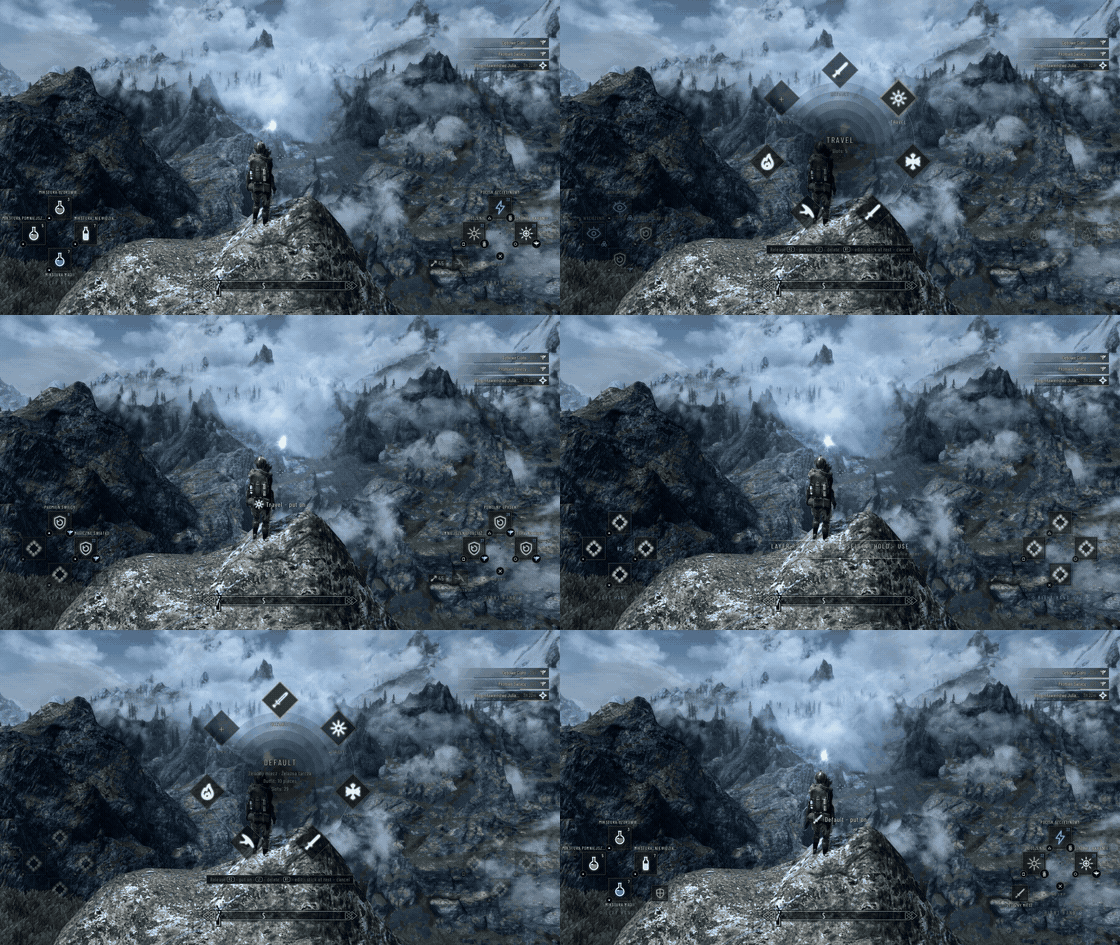
- 32 slots: D-pad = left hand, Square / Triangle / Circle / Cross = right hand, times four layers - none, L2, R2, L2 + R2. Hold a modifier and the layer lights up on screen, with a tooltip of what it offers.
- Anything on any slot: spells, scrolls, shouts, powers, weapons, shields, torches, potions, food, poisons, ammo. Only the game's own rules apply (a shield always goes to the left hand, a two-handed weapon takes both).
- Tap selects, hold uses, Double tap to equip in both hands, Double tap and hold to equip in both hands and use/cast from both hands - Potions and food are used on the tap; fire-and-forget spells cast on the tap, hold to charge and aim; double-tap casts with both hands; concentration spells and shouts work as you would expect; a shield blocks while held.
- Assign mode: press Create (Xbox: View), lift an item from any slot, drop it on another (or swap), or assign from the inventory, magic and favorites menus.
- Small, readable L3 / R3 markers show the weapon in each hand, with the enchantment charge and, for bows and crossbows, the arrows left. Cooldown veils on powers and shouts, automatic potion refills, arrow cycling on the bow slot.
- Loadouts: hold R2 + R3 - time slows, a wheel appears, flick the stick, let go: weapons and slot layout switch together. Keep up to ten (there is an on-screen keyboard for naming them).
## Quick loot
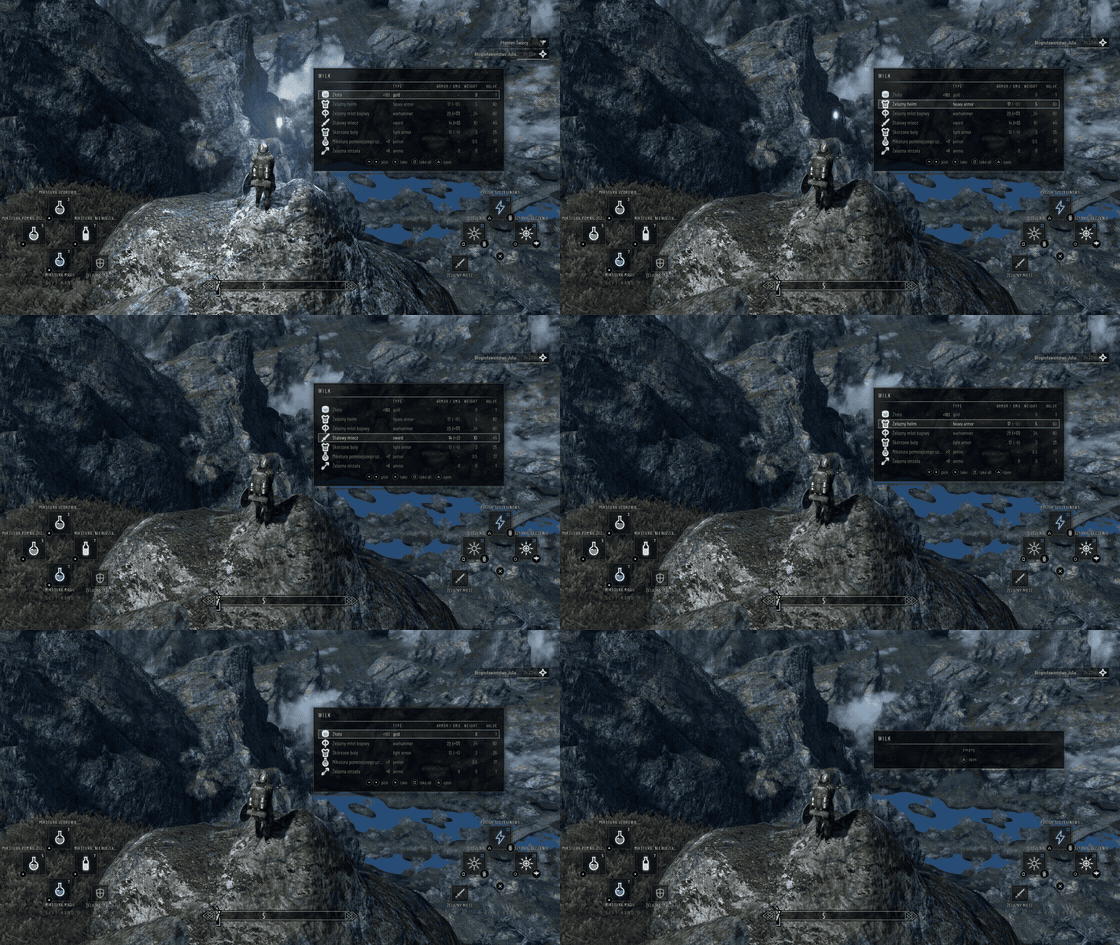
Aim at a container or a body and its contents appear next to the crosshair: type, armor rating or damage - with a green or red number in brackets showing how much better or worse it is than what you wear or hold -, weight and value.
D-pad picks, Cross takes, Square takes everything, Triangle opens it normally. Crime containers only list their contents (taking them is still stealing). The window can be moved anywhere on screen.
## Movement and camera, rebuilt for sticks
This replaces True Directional Movement and Better Jumping with code written for this mod:
- Third person: the camera orbits freely, the character runs where the left stick points, turning in place first when you ask for the opposite direction. Turn speed depends on what you are doing.
- Blocking, aiming, casting and wards face the camera; a melee swing started near an enemy turns toward it.
- Sprint jump (the camera keeps the sprint's wide view, no zoom-in glitch), coyote time off ledges, and jump momentum that keeps your take-off speed in the air.
- L2 + R3: tap switches first / third person instantly; hold and push the left stick to zoom exactly like the game's own zoom - and a tap from first person returns you to the distance you had before.
- In first person your arms are centered in the frame (both hands equally far from the edges); the right stick turns the whole character, as it should.
## HUD that belongs in Skyrim
- Drawn by the mod itself with Dear ImGui into the game's frame - no Flash, no HTML, no UI framework. Measured cost on a test machine: about 0.3 ms per frame, including everything the mod does that frame.
- Active effects list: every potion, spell, shout, blessing and poison on you, once, with its school or type icon, the time left and a bar; harmful ones in red, ending buffs blink.
- Optional health / magicka / stamina bars, compass scaling and bottom placement, everything movable in a built-in layout editor, colors and themes, scale, opacity, fading modes.
- The school emblems are the real ones from the spell tomes.
- PlayStation or Xbox button names and glyphs everywhere - in the HUD, tooltips, settings and every message.
- Fully translated: English, Polish, German, French, Spanish, Italian, Portuguese, Russian, Chinese, Japanese and Korean.
## Everything else
- Grab button (Square): pick up a loose item or body with one press, let it go with the next.
- Rumble as information (pad vibration, mixed with the game's own): bow at full draw, spell charged, shout ready again, heartbeat under 25 % health. Strength adjustable.
- Aim assist (off by default, two strengths): a gentle pull toward an enemy near the crosshair while aiming; the stick still steers.
- Weapon recharging window, map notes (add, edit and delete markers on the world map), an on-screen keyboard for every text field including the console, own slot sets for werewolf and Vampire Lord.
- Character profiles: save your UI settings and button bindings per character, and import them on another one.
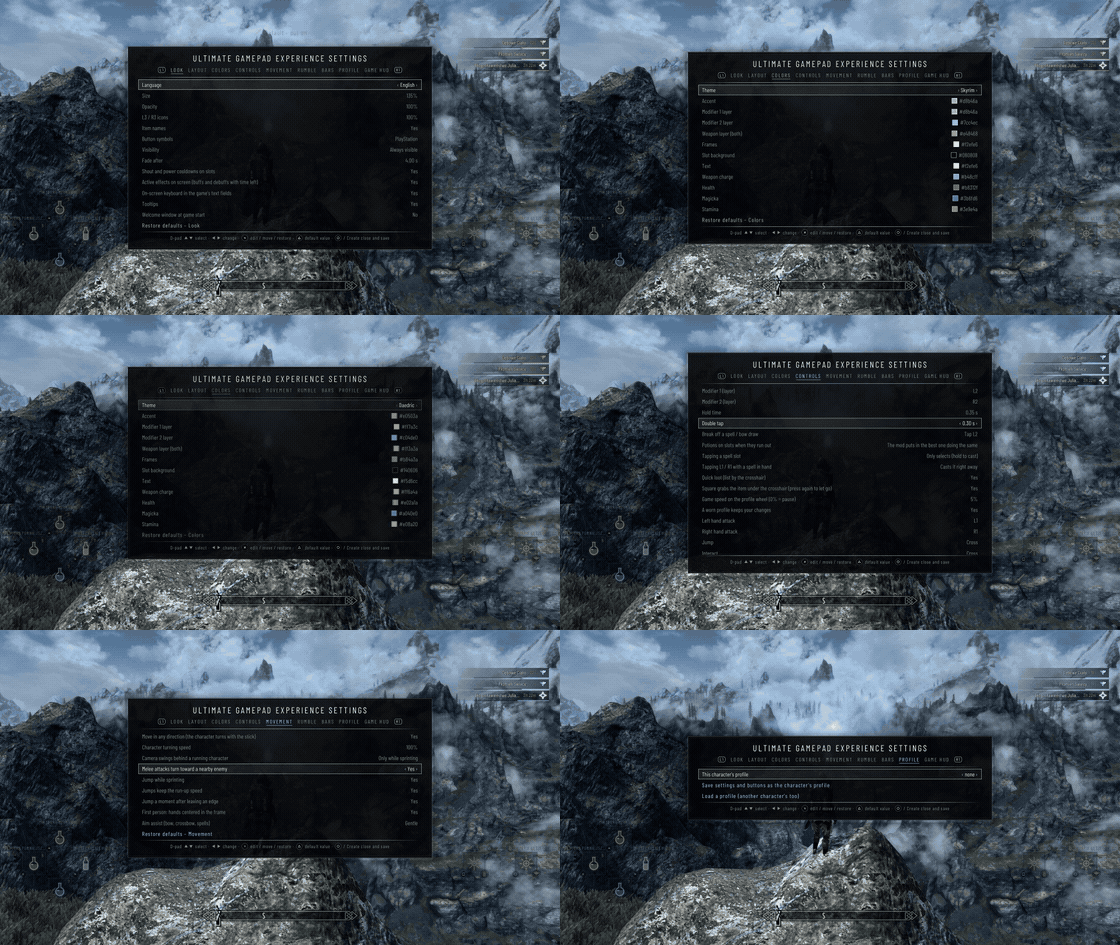
- Everything is configurable in game: a settings window with tabs (look, layout, colors, controls, movement, rumble, bars, profile, game HUD) - rebind every action with modifiers, tap or hold. No INI editing, no MCM, no keyboard needed.
## Requirements and installation
- Skyrim Special Edition 1.5.97 or Anniversary Edition 1.7.104 (main target, tested), with SKSE64 for that version.
The game addresses for both are inside the DLL, so Address Library is not needed.
- A gamepad that Skyrim already sees (Xbox, or DualSense / DualShock through Steam Input or any XInput wrapper).
- Install with MO2 / Vortex as any mod, or copy the `SKSE` folder into `Data`. Nothing else is required, and nothing else is replaced: the mod writes no plugin (ESP) and changes no game files.
- Uninstall: remove the files. Your saves are not affected (the mod's data lives in an SKSE co-save).
## Compatibility notes
- UGE replaces True Directional Movement and Better Jumping: disable them. Mods that react to L1 / R1 / L2 / R2 will not see those buttons while UGE owns them.
- The inventory / magic assign helpers target the vanilla item lists (lists replaced by SkyUI are not supported); everything else - HUD, movement, slots - works with any menu mod.
- By default UGE hides the game's charge meters and arrow counter (its own markers replace them) and can move and resize the compass; both are options you can turn off.
- SE 1.5.97 is built in but less tested than 1.7.104. Other game versions are not tested. The Vampire Lord support is lightly tested.
## License, credits
Released under the MIT License (see the included license file): you may use, modify and redistribute the code, including in other projects, as long as the copyright notice stays with it.
Not covered by it: the five magic school emblems in the HUD are traced from Skyrim's own spell tome textures. They belong to Bethesda, are used only to show the game's own symbols, and stay subject to Bethesda's terms for mods. Screenshots and GIFs on this page show game content as well. The Elder Scrolls and Skyrim are trademarks of ZeniMax Media Inc.; this is an unofficial fan creation.
Built with Dear ImGui (MIT), nanosvg (zlib), CommonLibSSE-NG (MIT), nlohmann/json, fmt, spdlog and DirectXTK (MIT), Barlow Condensed and Noto Sans (SIL OFL). All license texts are in the download.
Ultimate Gamepad Experience Team