



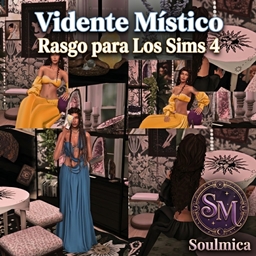
Mystic Tarot Reader | Translation by SoulMica
Add a touch of intuition, spirituality, and mystery to your Sims, transforming them into characters deeply connected to the world of tarot and the esoteric.
- 15
- October 4, 2026
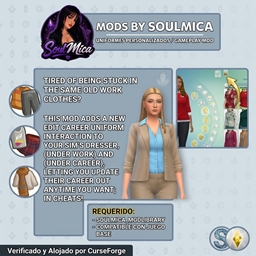
Custom Uniforms – Soulmica Spanish Translation
You'll finally be able to manage your Sims' work uniforms quickly and with great ease.
- 9
- October 4, 2026
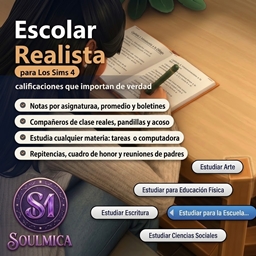
Realistic school -- translation By SoulMica
Realist School restructures the educational experience for children and adolescents, adding a more comprehensive academic system featuring realistic assignments, detailed grade tracking, school schedules, and consequences for academic performance.
- 1
- October 3, 2026
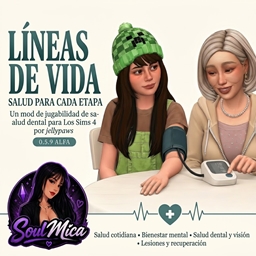
Realistic Health – Translation by SoulMica
Transform your Sims' health into a system that is far more comprehensive and integrated into their daily lives! Lifelines adds illnesses, diagnoses, medical appointments, treatments, mental health, injuries, medical expenses, and progressive recovery. Ever
- 44
- September 30, 2026
Mystic Tarot Reader | Translation by SoulMica
Add a touch of intuition, spirituality, and mystery to your Sims, transforming them into characters deeply connected to the world of tarot and the esoteric.
- 15
- October 4, 2026
Custom Uniforms – Soulmica Spanish Translation
You'll finally be able to manage your Sims' work uniforms quickly and with great ease.
- 9
- October 4, 2026
Realistic school -- translation By SoulMica
Realist School restructures the educational experience for children and adolescents, adding a more comprehensive academic system featuring realistic assignments, detailed grade tracking, school schedules, and consequences for academic performance.
- 1
- October 3, 2026
Realistic Health – Translation by SoulMica
Transform your Sims' health into a system that is far more comprehensive and integrated into their daily lives! Lifelines adds illnesses, diagnoses, medical appointments, treatments, mental health, injuries, medical expenses, and progressive recovery. Ever
- 44
- September 30, 2026