SpinWheel
- By
Turn your livestream into a wheel of chaos! Streamer Wheel lets Twitch chat commands, new followers, and subscriptions trigger a wheel that applies bonuses or penalties directly inside The Sims 4. Available in English and French.
Capture dâécran 2026-07-22 203510.png
1.png
Capture dâécran 2026-07-22 203715.png
Capture dâécran 2026-07-22 203358.png
Description
What if your Twitch chat could decide your Sim’s fate?
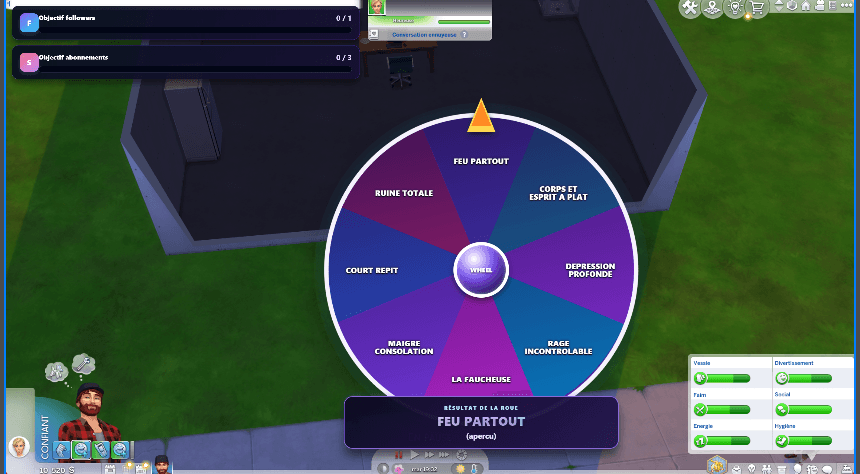
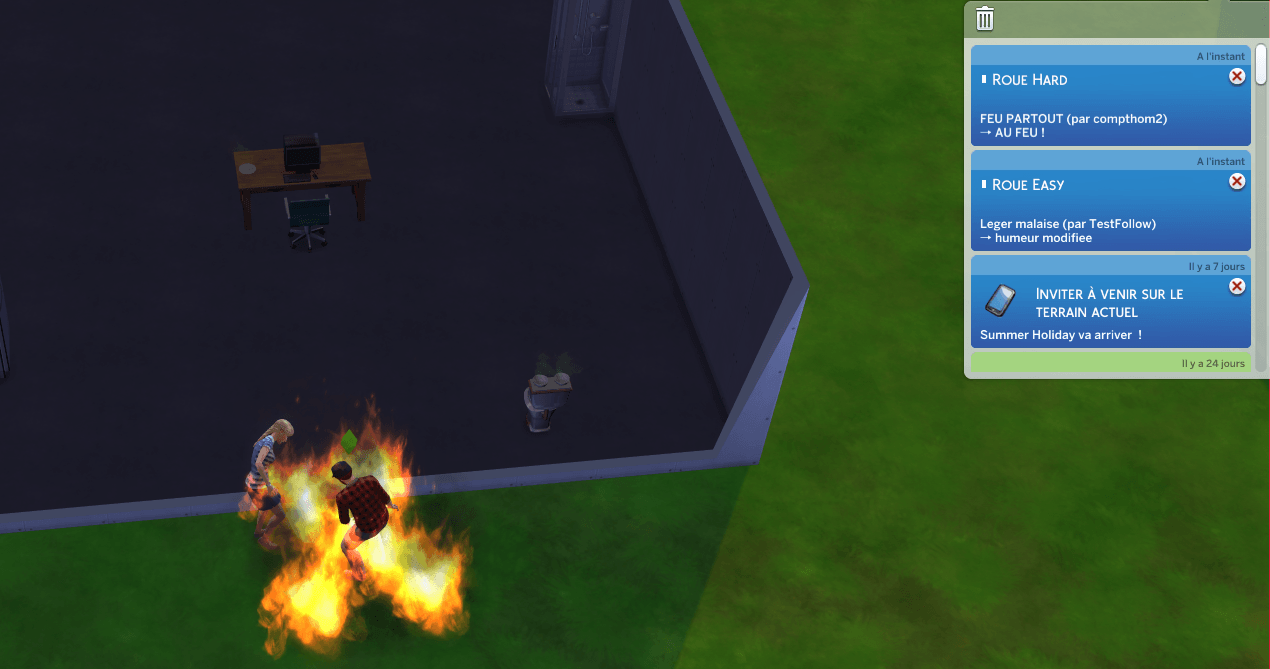
Streamer Wheel connects your Twitch livestream to The Sims 4. When a viewer uses the configured chat command, a follower goal is reached, or enough subscriptions are received, the wheel appears in OBS, spins, and selects an event that is applied directly to the active Sim or household.
Possible outcomes include:
- gaining or losing Simoleons;
- filling or draining needs;
- changing the active Sim’s mood;
- helpful bonuses and nasty penalties;
- fires and other disasters on harder wheels;
- follower and subscription goal bars for OBS;
- a customizable Twitch chat command;
- an anti-spam delay to prevent nonstop wheel triggers;
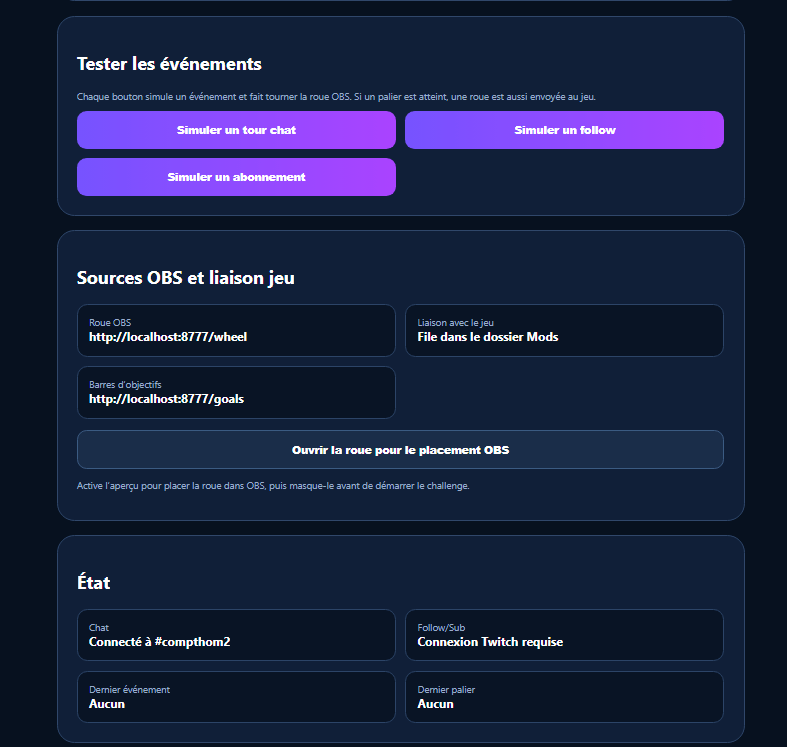
- follower and subscription test buttons for checking everything before going live.
Each trigger can use a different difficulty:
- Easy: manageable consequences for a more relaxed challenge;
- Normal: a riskier mix of bonuses and penalties;
- Hard: major financial losses, drained needs, emptied household funds, fires, and other game-changing disasters.
Example setup:
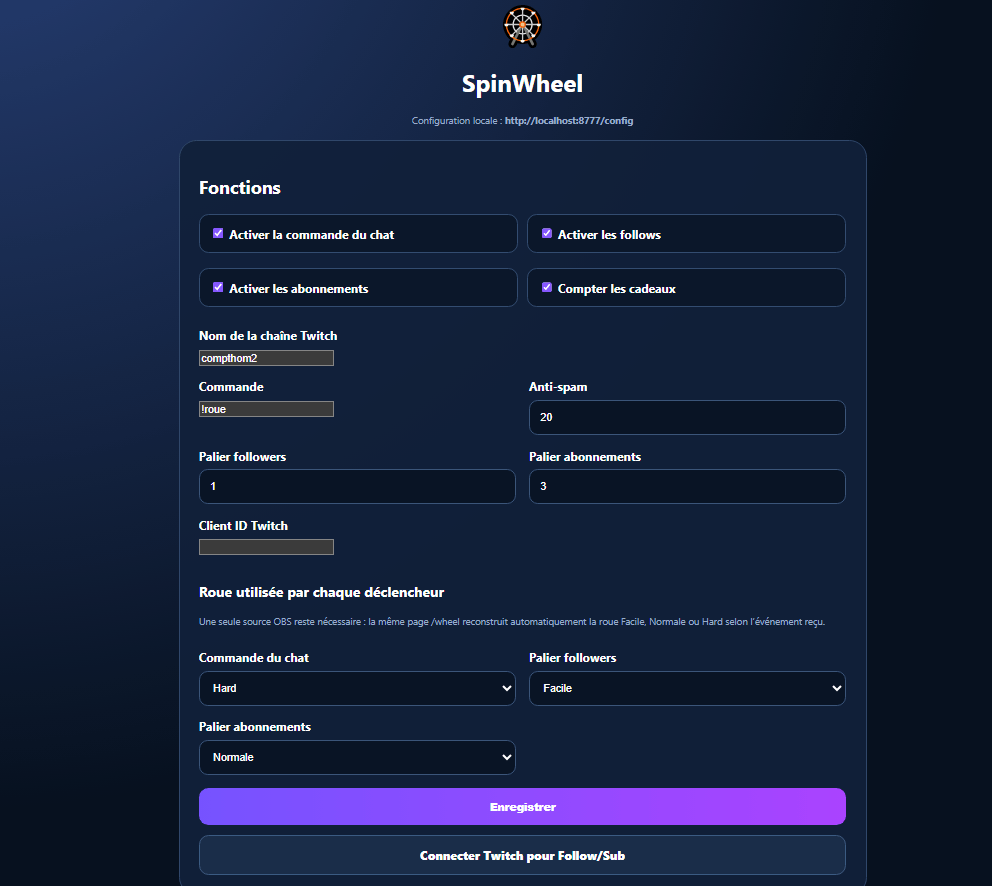
- chat command → Easy wheel;
- follower goal → Normal wheel;
- subscription goal → Hard wheel.
You do not need multiple wheel sources in OBS. A single browser source automatically updates its segments and difficulty depending on the event that triggered it.
Everything is managed from a simple local configuration page. Streamers can independently enable or disable:
- Twitch chat commands;
- follower events;
- subscription events;
- gift subscriptions;
- OBS goal bars.
The wheel stays hidden while inactive, appears when triggered, displays the result, and automatically disappears after the reveal.
Streamer Wheel is available in English and French.
SpinWheel Team