No Gold Highlights
- By
Removes the gold “new content” highlight from CAS and Build/Buy category icons for a cleaner interface.
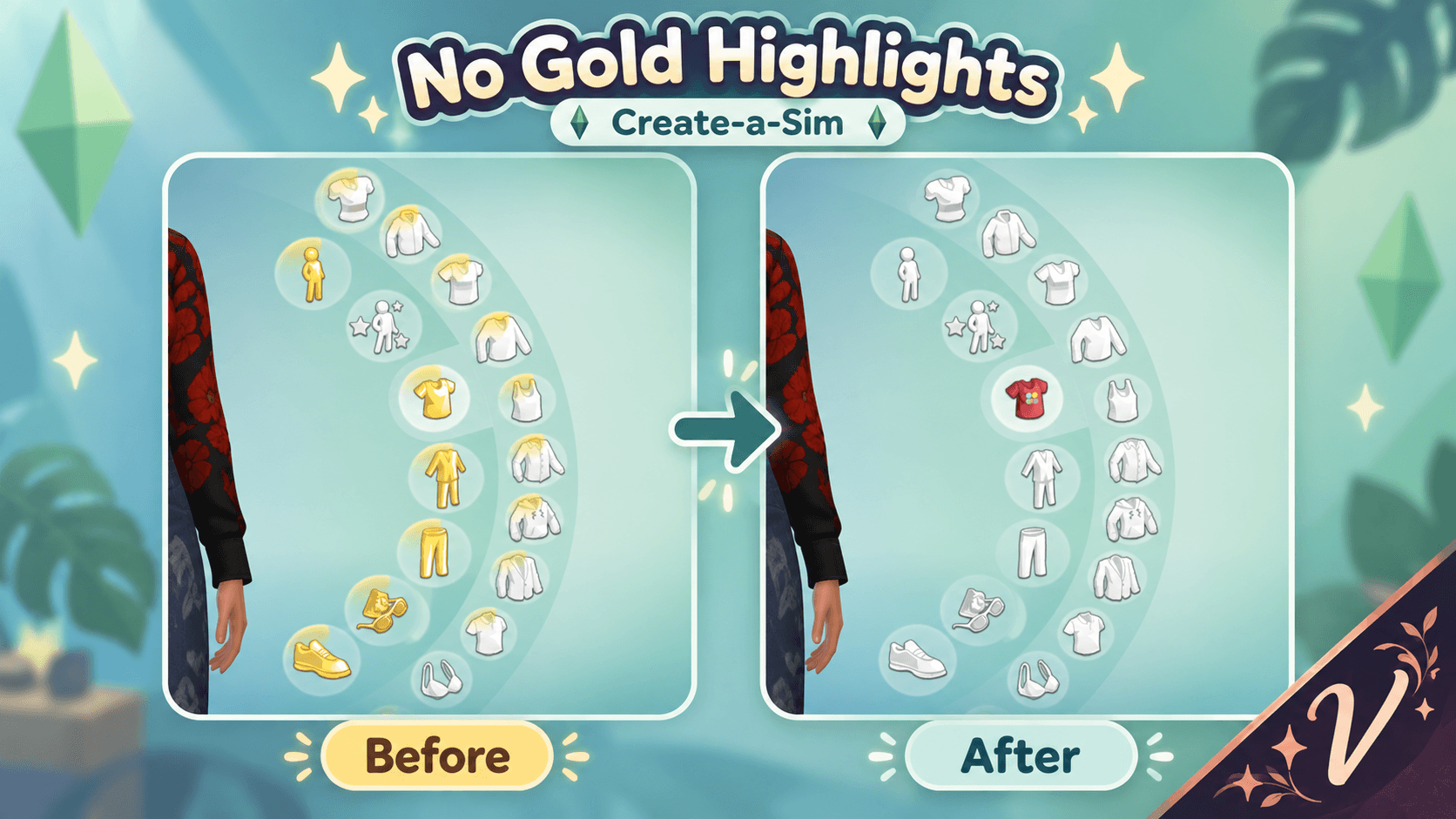
Imagem do ChatGPT 6 de out. de 2026, 14_19_19-1.png
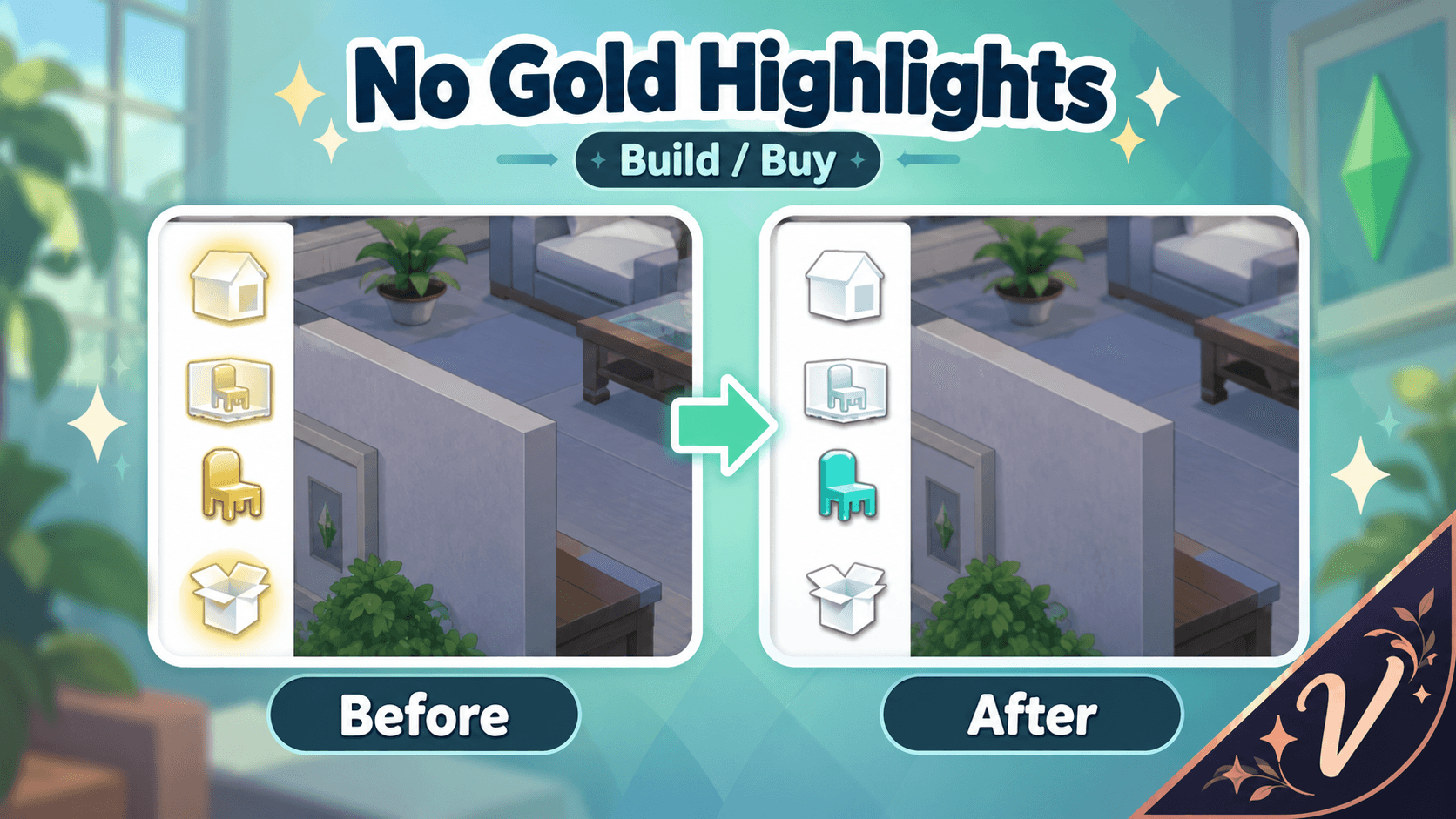
Imagem do ChatGPT 6 de out. de 2026, 14_19_20-2.png
Description
No Gold Highlights
Tired of category icons staying gold even after you've already checked everything?
No Gold Highlights removes the gold “new content” highlight from Create-a-Sim and Build/Buy, giving the interface a cleaner and more consistent look.
✨ Features
- Removes gold highlights from CAS category icons.
- Removes gold highlights from Build/Buy category icons.
- Works automatically while installed.
- No gameplay changes.
- No interactions or buffs.
- Does not modify your saves.
- No script required.
The mod works by overriding UI resources used by the game for these category highlights.
⚠️ Important
This mod intentionally disables the gold “new content” highlight entirely.
That means the highlight will also remain hidden when the game genuinely has new items for you to view — not only when the gold highlight gets stuck.
🌍 Languages
No translations are required.
No Gold Highlights does not add any text, notifications, interactions or STBL resources, so it works independently of the game's language.
📦 Requirements
- The Sims 4 Base Game
- No packs required
- No XML Injector
- No script mod
- Custom Content and Mods must be enabled
A Base Game-only installation has not been tested separately.
🖥️ Compatibility
The mod has been tested in-game with the gold highlight removal working in:
- Create-a-Sim
- Build/Buy
Because this is a UI override, another mod replacing the same UI resources may conflict with No Gold Highlights.
Major The Sims 4 updates that modify CAS or Build/Buy UI files may also require an update to this mod.
📥 Installation
- Download the file.
- Extract the ZIP.
- Place the
.packagefile in:
Documents > Electronic Arts > The Sims 4 > Mods
- Make sure Custom Content and Mods is enabled in Game Options.
When replacing an older development version, remove the old file first.
Deleting localthumbcache.package is also recommended when updating from an older version.
💚 Version 1.0.0
This is the first public release of No Gold Highlights.
The gold highlight removal has been confirmed working in both CAS and Build/Buy.
☕ Support
No Gold Highlights is completely free.
If you enjoy my mods and would like to support future projects, you can support my work here:
🌙 Patreon / Mod Page
https://www.patreon.com/EPL89/posts/no-gold-v1-0-0-171614798
☕ Buy Me a Coffee
https://www.patreon.com/cw/EPL89/membership
No Gold Highlights Team