⚔️ Medieval Plumbobs Override
- By
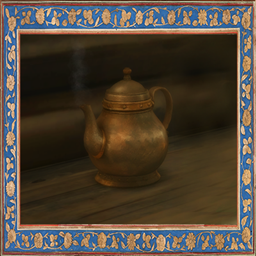
This override replaces all standard Plumbobs in The Sims 4 with a medieval-style Plumbob.
✨ WHAT'S INCLUDED:
This override replaces all standard Plumbobs in The Sims 4 with a medieval-style Plumbob.
The replacement includes:
👤 Regular Sim Plumbob
🧙 Plumbobs for all occult types
👥 Group Plumbob
🏰 Club Plumbob
<figure>
 </figure>
📦 FILES INCLUDED:
[LonelySpell] Medieval Plumbobs Override MERGED
— All Plumbob replacements are combined into one package file.
[LonelySpell] Medieval Plumbobs Override SEPARATED
— Each Plumbob replacement is provided as a separate package, allowing you to choose which Plumbobs you want to replace.
⚠️ Choose ONE version only. Do not install the MERGED and SEPARATED versions at the same time, as this will cause conflicts.
⚠️ IMPORTANT NOTES:
This is a default replacement and will conflict with any other Plumbob overrides.
The merged file already contains all the required replacements. Do not install additional Plumbob files from this set.
⚙️ INSTALLATION:
-
Place the .package file in your Override folder inside your Mods folder.
-
If the Override folder doesn't exist, create it.
-
Make sure Custom Content and Mods are enabled in your game settings.
👻 HOW TO MAKE PLUMBOBS TRANSPARENT
1. Find Default.ini
Go to:
The Sims 4 → Game → Bin → Default.ini
I recommend making a backup of the file before editing it.
2. Open Default.ini
Open the file with Notepad or another text editor and find:
<figure>
 </figure>
3. Change the transparency value
Change the final value to 1.00 in the relevant Plumbob.
After saving the file, restart the game.
🏰 I hope this little override helps make your medieval and fantasy saves feel even more immersive!
✨ **Find me here:**
💎 Patreon
🌿 Tumblr
🌙 Boosty
More medieval & fantasy content coming soon! ⚔️✨
⚔️ Medieval Plumbobs Override Team