

![[KKM]Angel Halo Crystal Cone logo](https://media.forgecdn.net/avatars/thumbnails/1509/779/64/64/638980615535172508.png)
This mod is a replacement type mod. It replaces the crystal cone that appears above the player character's head. After installing it according to the usage guide below, you can successfully see it in the game. Please note that the pak file should be placed in the mod folder, and there should be only this one mod for replacing the crystal cone—otherwise, it will not display.
How to Use:
1. Download the main .pak file and drop it into your mod folder. Note: Only one crystal cone mod works at a time—delete other cone mods first.
2. For Steam: Right-click the game in your library > Manage > Browse Local Files. Go to game > bin, open the default file. In the "plumbBob" section, set playeractivecolor (first line) to 1.00, 1.00, 1.00, 1.00. Save, then launch the game.
3. Rules: No reselling, reuploading, or claiming this as your own. Recoloring is allowed—check A Mi’s tutorial for that.
in game
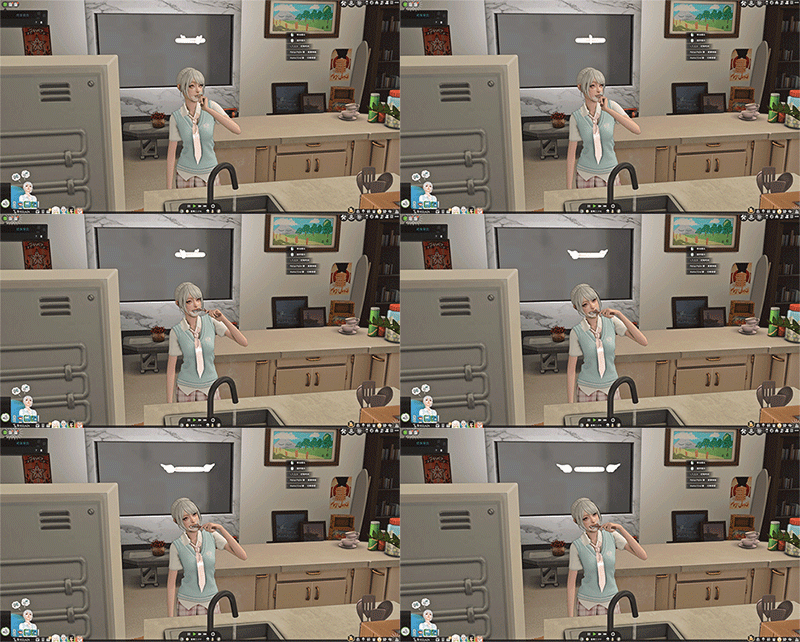
The [KKM]Angel Halo Crystal Cone Team

![[KKM]A32 v1&v2 bow hair claw clip project image](https://media.forgecdn.net/avatars/thumbnails/1631/879/256/256/639045871423184212.png)
![[KKM]H14 hairstyle project image](https://media.forgecdn.net/avatars/thumbnails/1631/856/256/256/639045860253531143.png)
![[KKM]H7 Japanese-style high-layer straight hair project image](https://media.forgecdn.net/avatars/thumbnails/1583/334/256/256/639024929339276395.png)