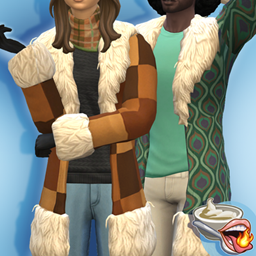
If you use MCCC's Dresser module to populate your townies with saved outfits, you know the struggle of manually saving each outfit for every single category, for every single Sim. Or maybe you're trying to find dresser files that other kind souls have posted and noticed they often use a bunch of DLCs you don't own, leaving you with some Sims walking around in their undies.
The Dresser Helper is a quality of life script mod that automates this entire process. With a single command, you can now save an entire household's worth of outfits directly to your mc_dresser.cfg file!
Don't know what a mc_dresser.cfg file is for?
It's basically a list of looks MCCC will apply to Sims instead of the EA randomly generated outfits. You just need to click on a computer, go to MCCC settings and change these:
- MC Dresser → Outfit Settings → Only Use Saved Outfits → Enabled
- MC Population → Populating Settings → Run Dresser → Enabled
- MC Dresser → Ages To Run On Age-Up → Enable the age groups you want
It's great for making the game realistic and immersive. Also very usefull when setting up townies for historical gameplay.
Requirements
How it Works
The mod automates the exact process of executing MCCC commands to save a Sim's outfits while simultaneously rotating through the clothing categories they are currently wearing. It performs the identical sequence of steps you would normally do manually (just completely automated and in a fraction of the time).
How to Use it
There is no UI (so no pie-menu cluttering). You will type commands directly into the cheat console (Ctrl + Shift + C).
Note: Make sure you have a human Sim in the active household selected before running these commands.
dh.savehousehold → Saves ALL outifits from every sim in the household (every slot of every category)
dh.saveall [FirstName] [LastName] slots → Saves ALL outfits from that specific sim (every slot of every category)
dh.saveall [FirstName] [LastName] → Saves the outfit in the first slot of every category for that specific sim
Installation
- The usual drill for a script mod: just drop the [SpcyYogrt]DresserFileHelper.ts4script file in your Documents\Electronic Arts\The Sims 4\Mods folder.[How to install script mods]
- One folder level deep is fine (e.g. Mods\MCCC Helper) Any deeper than that might make the mod not work.
- I think this goes without saying but you need MC Command Center by deaderpool for this mod to work. It does nothing without it.
Join me on Patreon to see all my other mods! It's free!
https://www.patreon.com/cw/SpcYogrt
(I reply faster to comments left on Patreon.)
Disclaimers
Built to complement MC Command Center by dearderpool. Not affiliated with or endorsed by that mod's creator. Does not use any code from the original mod, only automates the input of commands already made publicly available. Does not edit any code from the original mod.
The code for this mod was made with the help of AI tools. I am not a programmer, my contribution to this project was designing the core logic for the mechanics, managing the development steps, and thoroughly testing the mod. While I don't take credit for the code, if you encounter any issues, please leave a comment and I will help you.