GalleryPrototype v.1.1 Win
- By
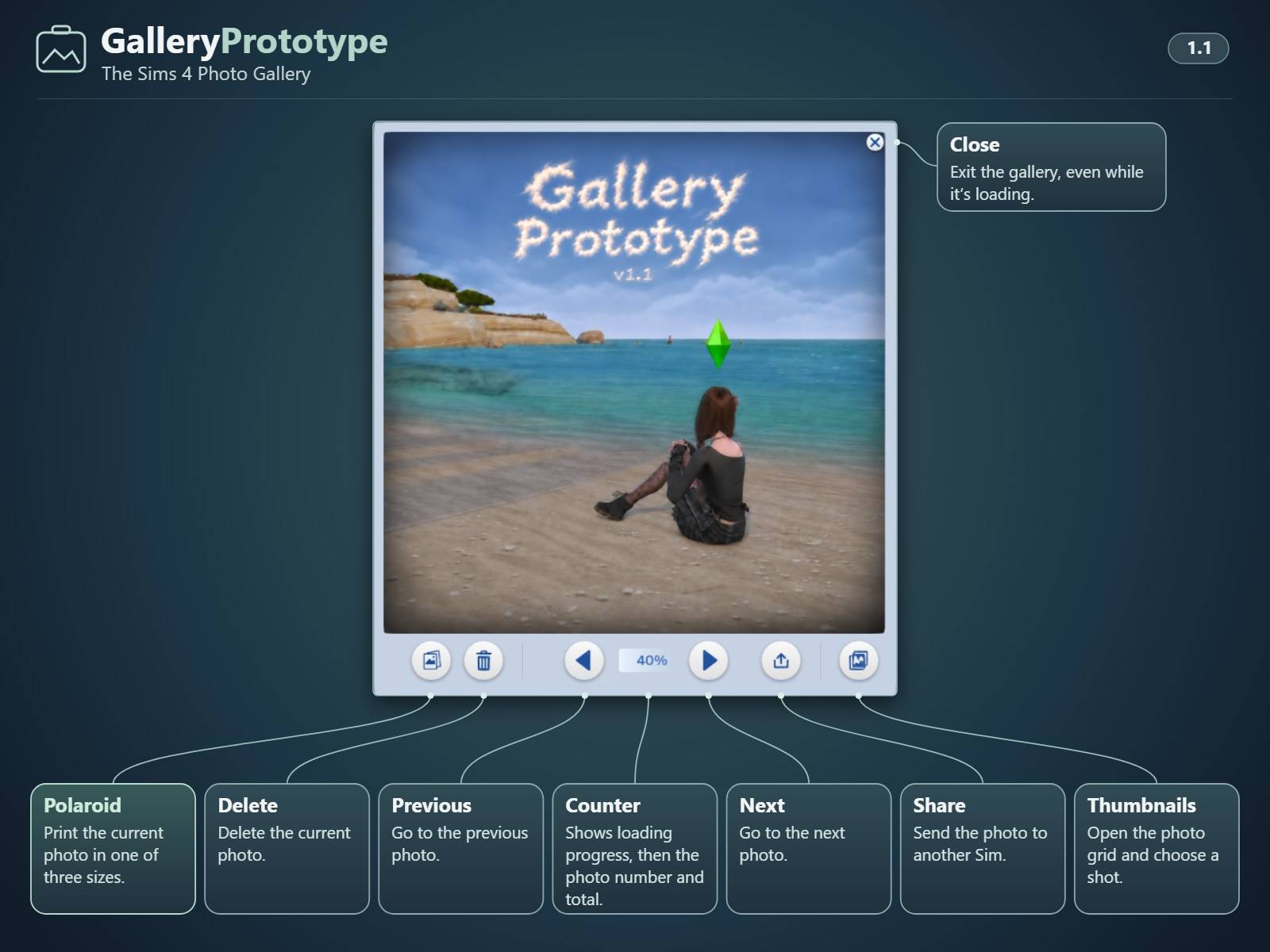
GalleryPrototype_1-1_Interface_EN.jpg
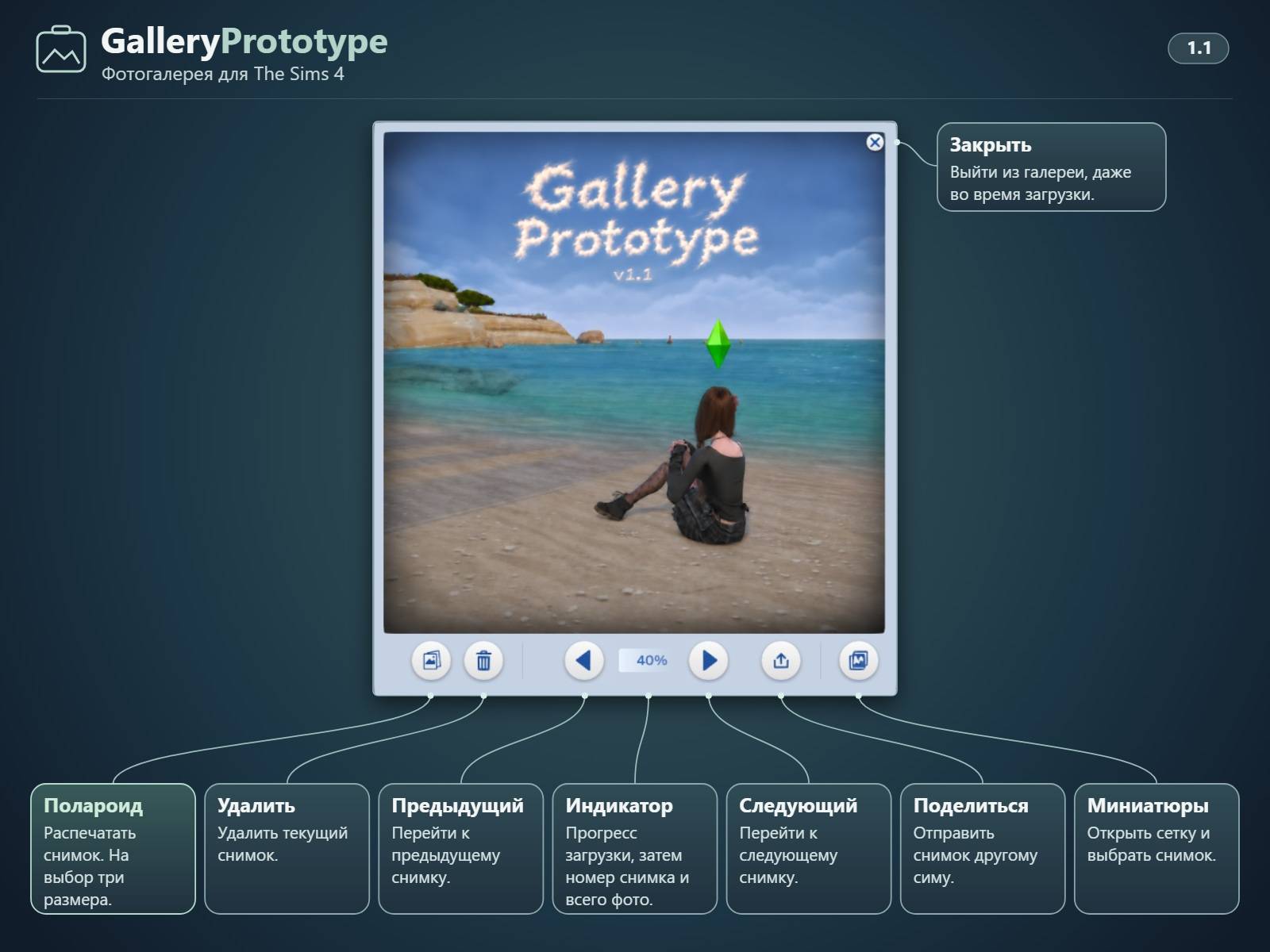
GalleryPrototype_1-1_Interface_RU.jpg
Description
GalleryPrototype 1.1 is here! 🎉
In 1.0, your Sims got their own photo gallery on their phones. In 1.1, the Gallery opens faster, and your favorite photos can come off the screen and go up on the wall.
📷 What’s new in 1.1?
-
Faster gallery loading — Photos now load in batches. In testing with the same 29-photo album, the first opening dropped from 6.2 to 4.65 seconds. Reopening dropped from 4.8 to 3.0 seconds, making it 1.6× as fast as before. Load times vary with album size and system performance.
-
Polaroid-style prints — Open a photo, tap Polaroid, and choose a small, medium, or large print. It goes straight into your Sim’s inventory, ready to hang on the wall. The picture stays on the print after you save and reload the game.
-
Print photos from other Sims — Your Sim can print a photo someone sent them without asking the sender to make and gift a physical copy. Keep the photo in the Gallery and print it whenever you want.
-
A refreshed Gallery interface — A redesigned toolbar, updated thumbnail styling, and new loading artwork. The counter shows loading progress, then switches to the current photo number and total. You can close the Gallery even while it’s still loading.
Everything from 1.0 is still there. Each Sim has their own album, and you can browse, share, and delete photos. Framing and camera filters still carry over when you share a photo. The Gallery itself doesn’t take pictures. It collects supported shots you take in-game.
📥 Download & installation
Version — GalleryPrototype 1.1
Price — Completely free ❤️
Required — XML Injector
Platform — Windows PC only for this release. macOS is not supported.
Download the ZIP attached to this post.
-
Close The Sims 4 completely.
-
If you’re updating, remove the old
Mods/GalleryPrototypefolder and any duplicate copies of the mod. -
Extract the new
GalleryPrototypefolder directly intoMods. -
Make sure Custom Content and Mods and Script Mods Allowed are enabled, then restart the game.
-
Open your Sim’s phone and tap Gallery.
If another mod replaces the same phone panel, you can remove just GalleryPrototype_PhoneUI_Stage32e_OneClick.package. The Gallery icon will use the standard submenu, and Camera → Gallery will still work.
Updating from 0.9 or 1.0? Replace only the mod folder inside Mods. Leave your Screenshots, saves, and GalleryPrototype data folders where they are so your albums stay intact.
A note about deleting photos — When the last remaining reference to a photo is deleted, its original PNG may be permanently removed. It does not go to the Windows Recycle Bin. Back up any screenshots you want to keep.
🐛 Found a bug?
Please tell me what happened and how I can reproduce it. If you can, press Ctrl + Shift + C in-game and run gallery.report.
The report is saved as a TXT file in The Sims 4/GalleryPrototype/Reports/. It’s designed to exclude your actual photos, saves, and album contents. You can review it before sharing it.
❤️ A note about supporting my work
GalleryPrototype is free, and so are my other mods. No paywalls, no paid early access, and no mods hidden behind subscriptions. If you enjoy my work and want to support it, voluntary donations are always appreciated, never expected.
Thank you to everyone who tried 0.9 and 1.0. I started this mod because I wanted photos to feel like part of my Sims’ lives. Seeing a photo one Sim sent to another end up on their wall is exactly the kind of little moment I wanted to make possible. 💜
— Ty_Noelle
GalleryPrototype is an independent, fan-made modification for The Sims 4, developed with AI assistance. It is not affiliated with or endorsed by Electronic Arts or Maxis.
GalleryPrototype v.1.1 Win Team