Book Cover Picker
- By
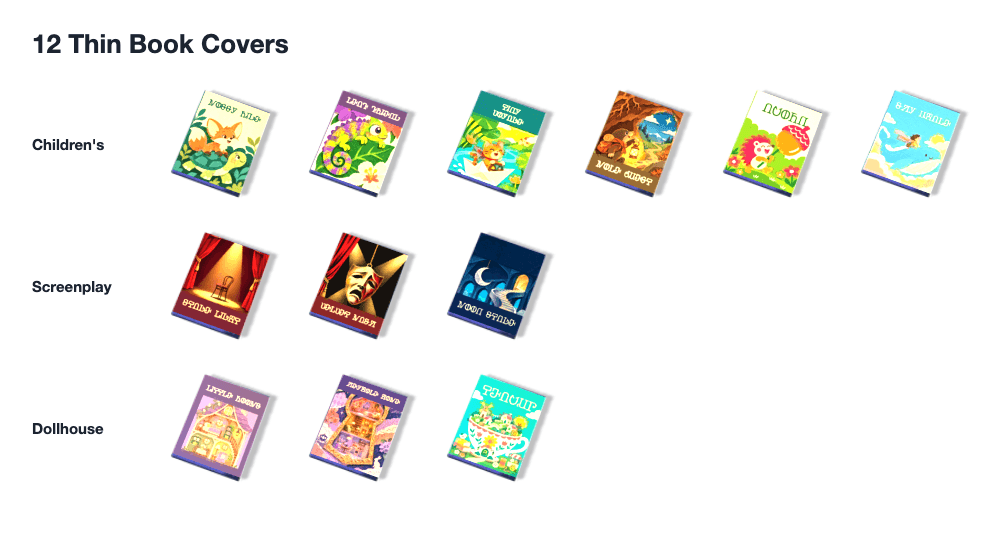
01-thin.png

02-thick.png
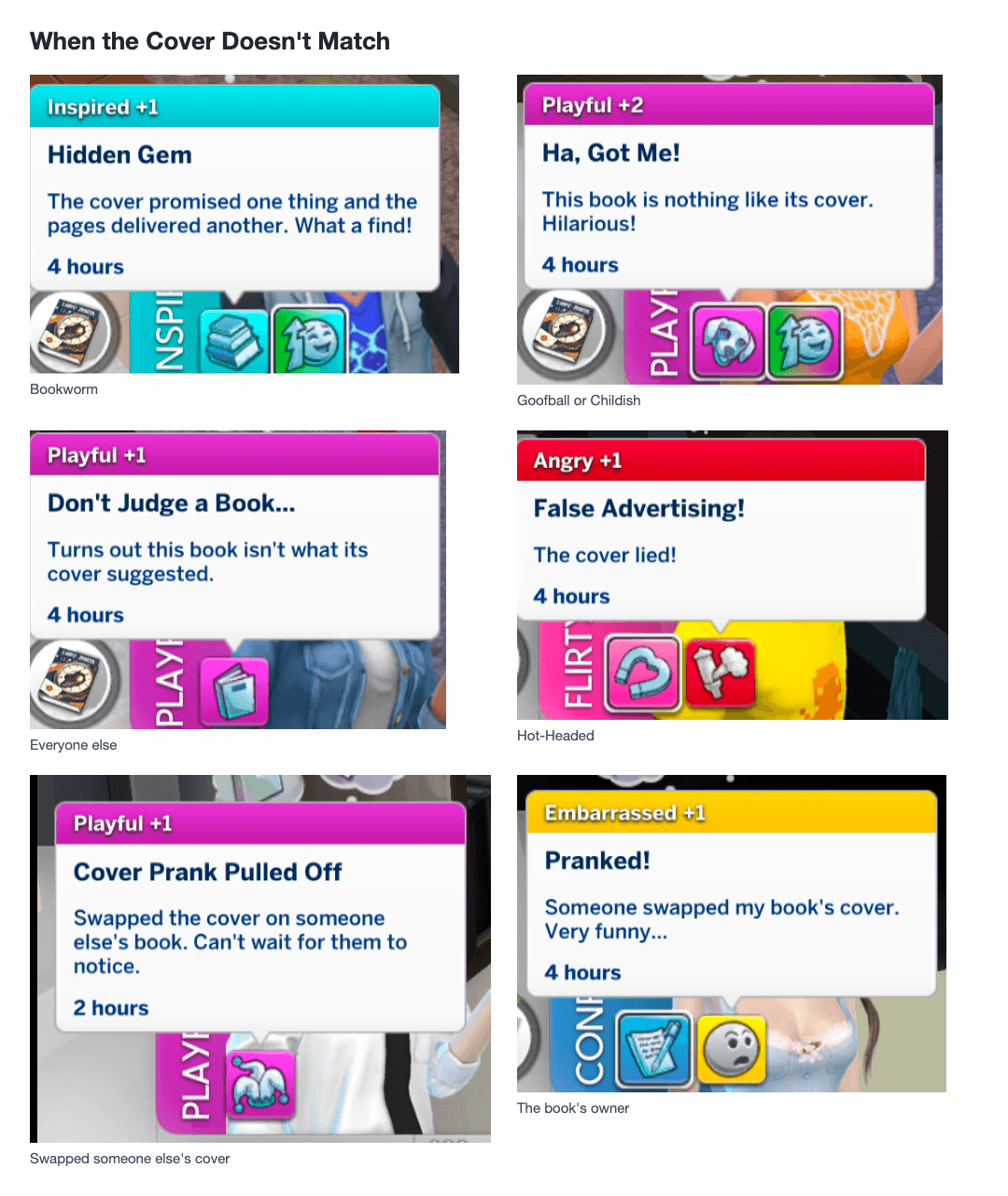
03-moods.png
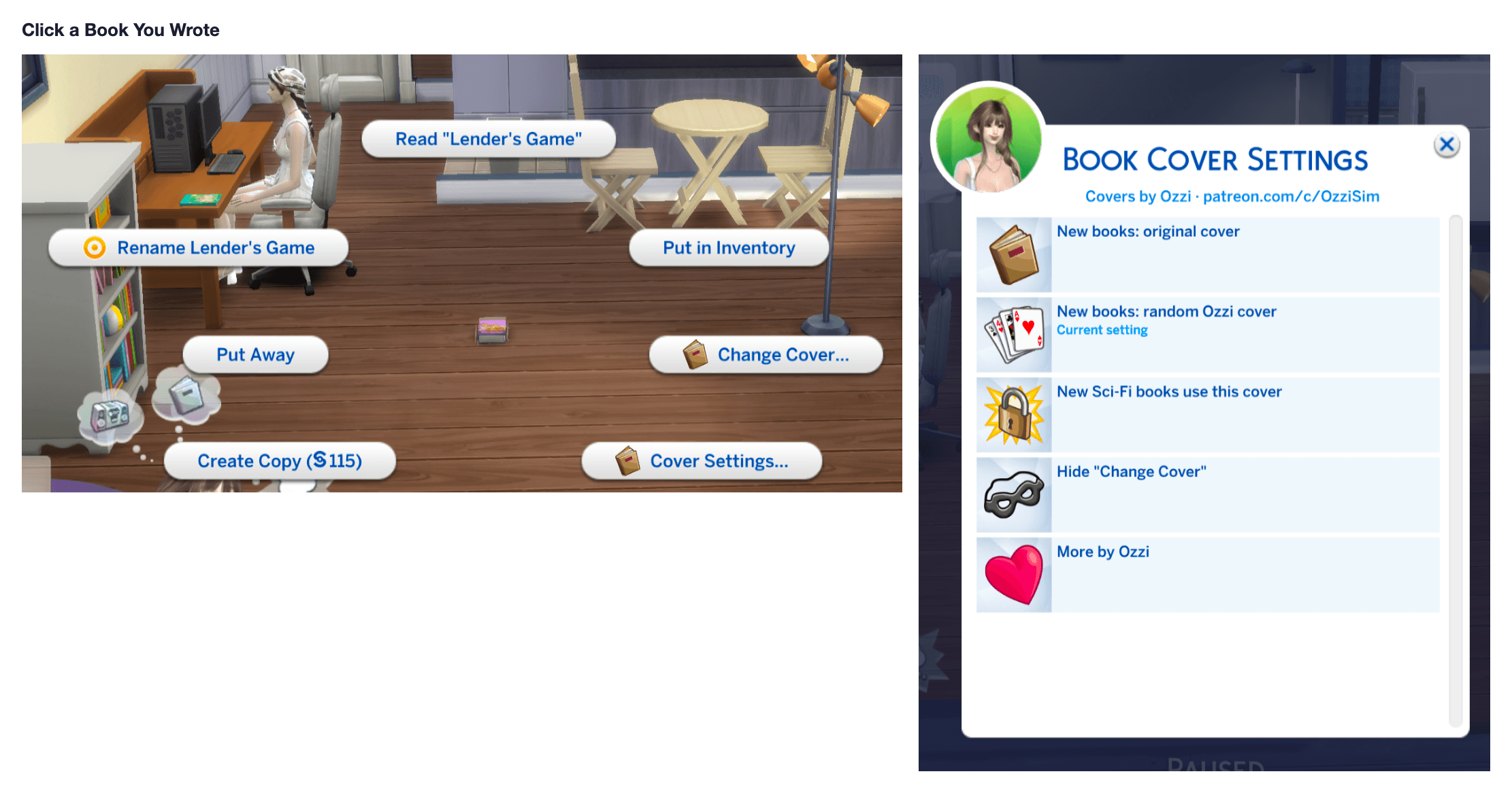
04-menus.png
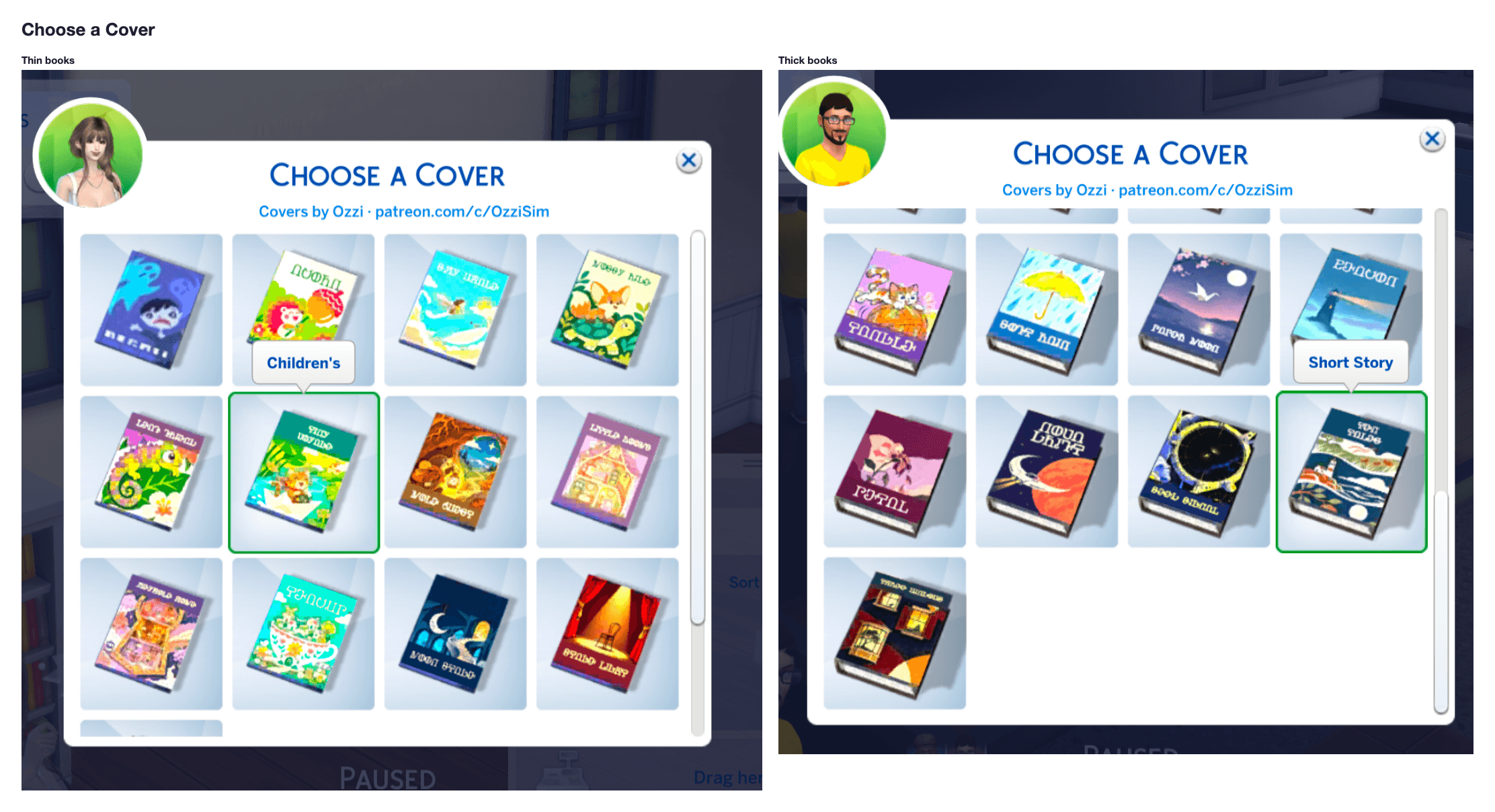
05-pickers.png
Description
Right-click any book your Sim has written and pick a new cover for that book alone. The rest of the shelf stays as it is.
What you can do
1. Change Cover, on a book in the world or in a Sim's inventory. Thick books and thin books each have their own set.
2. 36 covers: 24 for thick books (two styles each for sci-fi, fantasy, mystery, biography, non-fiction, poetry, short story, and romance) and 12 for thin books (children's, screenplay, dollhouse). Switch back to the original cover any time.
3. Cover Settings, on the same menu. New books can keep the game's cover, get a random cover, or always use one cover for one genre. Books written before you installed this are left alone.
4. Hide Change Cover if you only want the automatic covers. Cover Settings stays, so you can turn it back on.
5. A small moodlet the first time a Sim reads a book whose cover doesn't match the book. Bookworm, Goofball, Childish, Snob, and Hot-Headed each react in their own way.
6. Swap a mismatched cover onto someone else's book and it counts as a mischief prank. The owner notices when they read it.
Requirements
1. The Sims 4 base game. No expansion, game pack, or stuff pack.
2. Script mods enabled, and mods enabled.
Install
-
Download the zip.
-
Put both ozzi_BookCover.package and ozzi_BookCover.ts4script in Documents/Electronic Arts/The Sims 4/Mods. They can sit in one folder directly inside Mods. Do not bury them in a second folder.
-
In Game Options → Other, turn on Enable Custom Content and Mods, and turn on Script Mods Allowed.
-
Restart the game. A restart is required after any script mod install or update.
The menu, settings, and moodlets are in English. With the game set to Simplified Chinese, those lines are in Chinese. Cover names stay in English.
Removing the mod does not damage a save. Books go back to their original covers.
Book Cover Picker Team