Age Your Sims
- By
Age up the Sims around you without switching households, chasing down birthday cakes, or opening the cheat console. Pick individual Sims from a list, or move an entire life stage forward at once.
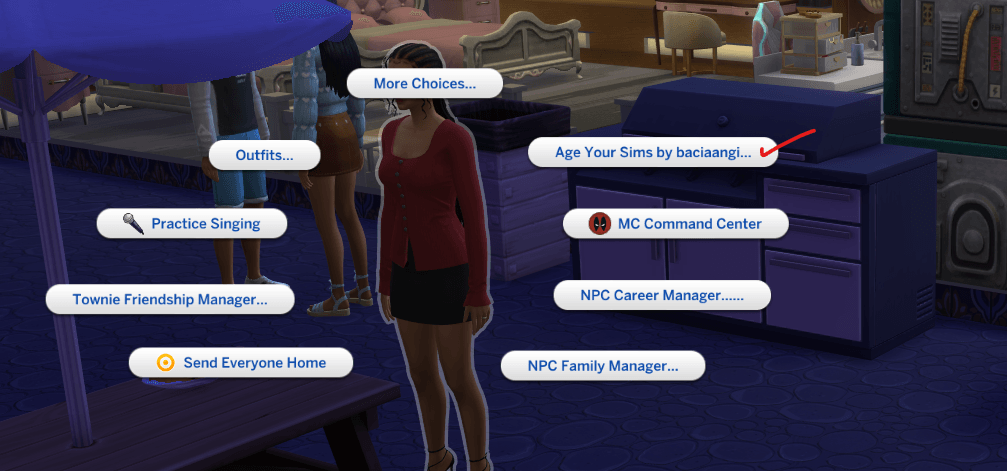
age up menu.png
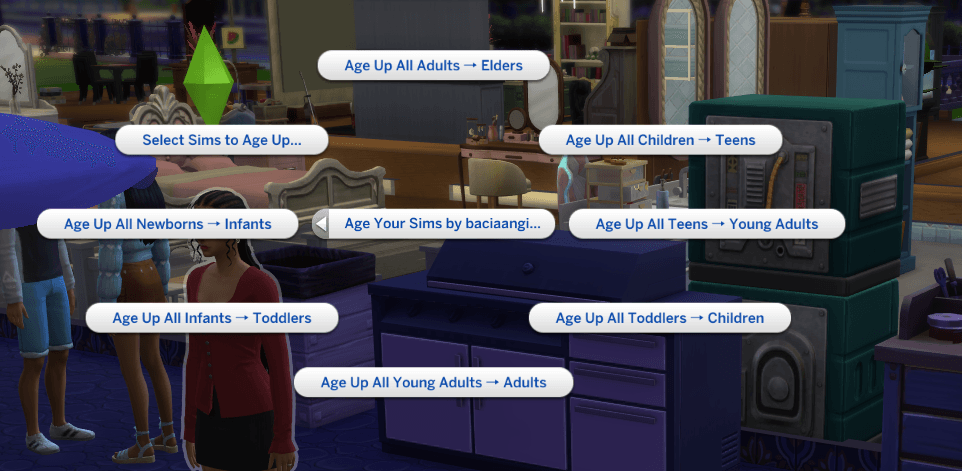
options.png
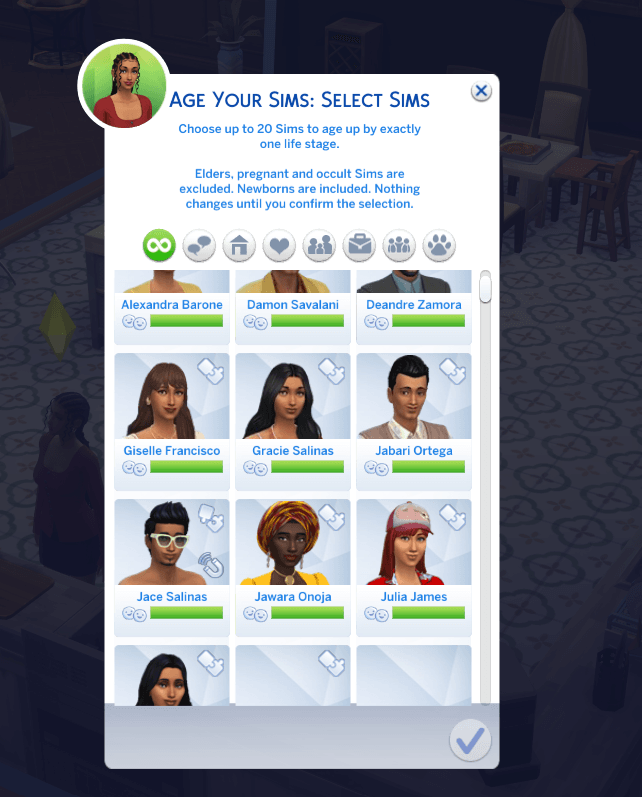
selection.png
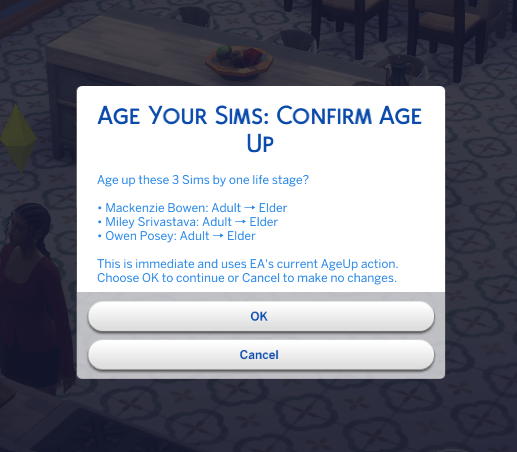
confirmation.png
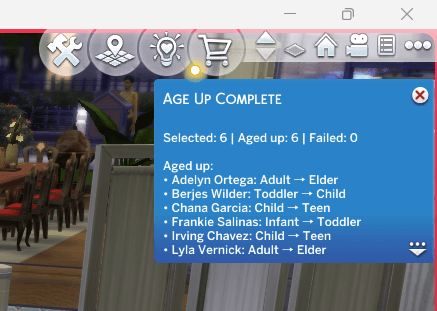
success.png
Description
Changelog 12/Sep/2016
-You can now access the mod via any mailbox. To open the main menu, simply click on any mailbox or your active Sim and select Age Your Sims by Baciaangi.
Age Your Sims
Age up the Sims around you without switching households, chasing down birthday cakes, or opening the cheat console. Pick individual Sims from a list, or move an entire life stage forward at once.
Every Sim advances by exactly one life stage. Nothing skips ahead.
What it does
Click any Sim (Child or older) and open the mod's pie menu.
Select Sims to Age Up... Opens a picker showing every eligible Sim in the world, sorted by life stage, with their current age, what they'll become, and their household. Tick up to 20 and confirm.
Age Up All ... One-click bulk actions for a whole life stage:
- Newborns → Infants
- Infants → Toddlers
- Toddlers → Children
- Children → Teens
- Teens → Young Adults
- Young Adults → Adults
- Adults → Elders
Who gets skipped
| Skipped | Why |
|---|---|
| Elders | Nothing to age into |
| Pregnant Sims | Aging mid-pregnancy is untested |
| Occult Sims | Several occult types have their own aging rules |
| Ghosts and deceased Sims | Not eligible for aging |
| Pets and other non-human Sims | Different aging ladder entirely |
Occult coverage includes Aliens, Vampires, Mermaids, Spellcasters, Werewolves and Fairies. A vampire currently in human form is still recognised and skipped.
Please note
The mod lists all Sims in your world except the active sim, including your own active household. They appear in the picker with their household name shown, and you can untick them — but the bulk "Age Up All ..." actions will act on all eligible sims including your active sim, so read the confirmation list before accepting.
Aging up is not reversible by this mod. If you're unsure, save first.
Installation
This mod needs both files:
Baciaangi_AgeYourSims.packageBaciaangi_AgeYourSims.ts4script
- Enable Custom Content and Mods and Script Mods Allowed in Game Options → Other, then restart the game.
- Place both files in your
Modsfolder, either directly or in a single subfolder preferably. Script mods will not load if buried more than one folder deep. - If you're updating, delete the previous version's files first. Leaving an older
.ts4scriptalongside a newer one causes both to load and behave unpredictably.
⚠️ Requirements
- XML Injector script
Script mods do break when EA changes the underlying code. If a patch lands and things stop working, let me know.
The Age Your Sims Team