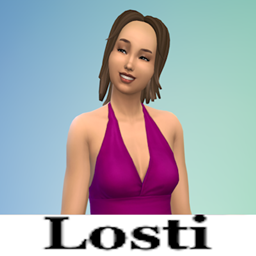
Description
Get a new cool Shirt! :D
Installation Instructions
- Download mod file.
- Locate your Sims 4 Mods folder. The default location is usually: "Documents/Electronic Arts/The Sims 4/Mods".
- Copy the files into the Mods folder.
- Launch the Sims 4 game.
- Check you ticked User-difined content (Or as it is called in English) and script-mods.
Please note that custom content or mods is created by third-party modders and is not officially supported by Electronic Arts. Make sure to download custom content or mods from trusted sources and always follow the installation instructions provided by the creators to ensure a smooth gaming experience.
Happy simming!
Updates
26.08.2024:
- I deleted the "Pride" swatches
Losti's Kim Shirt Team