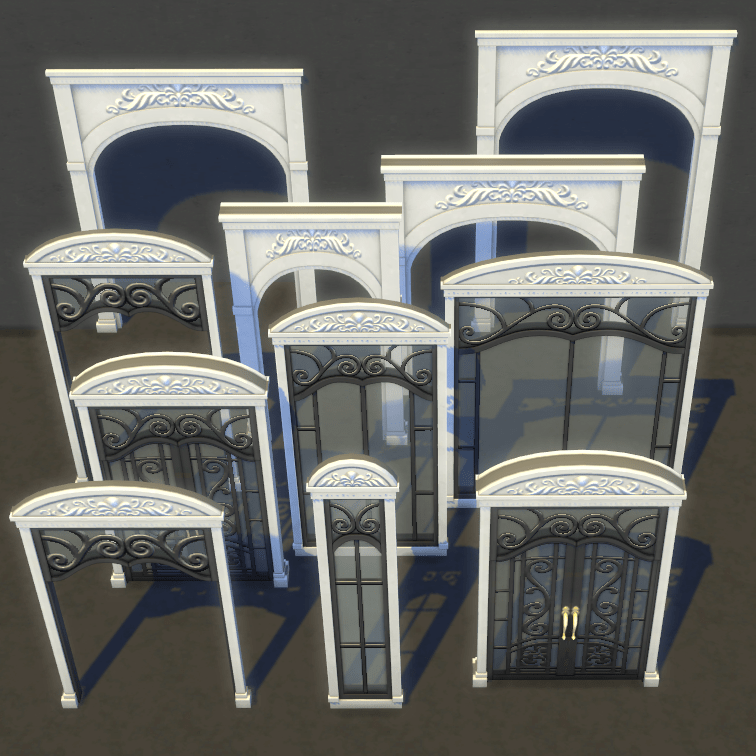
Upscale Window and Door Addon
I got the idea for these during a build where I wanted a shorter version of the ironwork door. Took some time and work, but was able to make these not only fit well with the already in game walls and arches, but they should slot in well too!
• Upscale Archway of Prominence with a 2-Tile Version
• Tall Upscale Archway of Prominence (full wall height)
• Taller Upscale Archway of Prominence
• Upscale Iron Scrollwork Arch
• Shorter Upscale Iron Scrollwork Arch & Door
• Taller Ventana De Longing; All Sizes
• Slot Override for Ventana De Longing for All Sizes
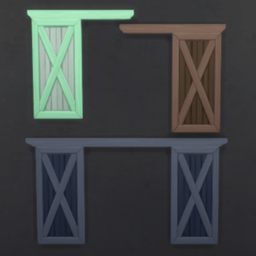
The shorter versions I’ve made can be used on the Short walls with the MOO cheat.
Compatibility & Functionality
- See 'Wiki' link above for details
About My Objects...
Most of my objects are texture-reliant, meaning that they use textures that are already in-game instead of using new textures. This is why you will see that a lot these require the original pack to use. Textures have a tendency to take up a lot of space so texture-reliant objects mean space for more CC!

How do I install this?
If using the Curseforge app, all you have to do is click the orange install button and you’re ready to play! If you aren’t in the app, you’ll need to go through the Relations tab and download the files that show as dependencies in the dropdown box; these are what’s going to allow my mod to function in your game.
Do NOT put any ts4script files more than one folder deep.
Will this work with other mods?
Most of mods are new or injected content and should not conflict with other creator’s mods. If there are any resources that could potentially conflict, they will be listed above.
I'm having issues with this content, what should I do?
Check out the information HERE.
Find more search tools and resources on my site BrazenLotus.com!








Upscale Window and Door Addon Team

Owner