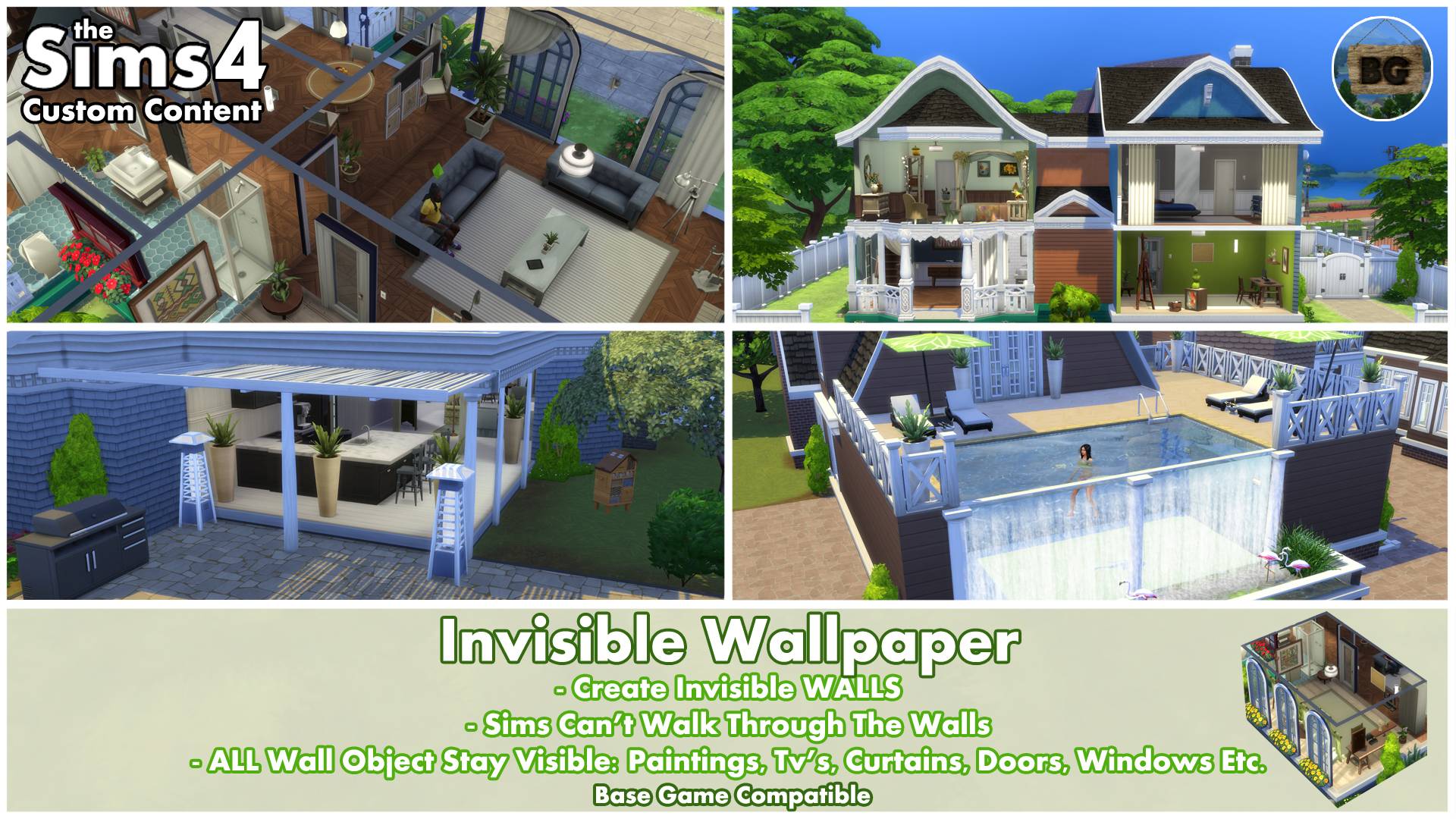
ℹ️Invisible Wall (Wallpaper)
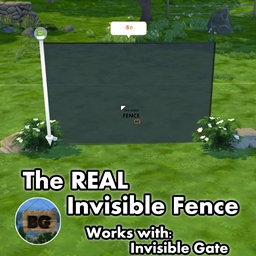
My next new invisible mod for The Sims 4, is this invisible wallpaper!In the past I've seen some people ask about such a thing and now it's finally possible to actually make one. In the Examples section, I've listed a few things where you can use it for, but there might be much more possibilities. Above all though, this is the perfect solution for people being incredibly bad at choosing which wallpapers to use. :)
Lighting in rooms
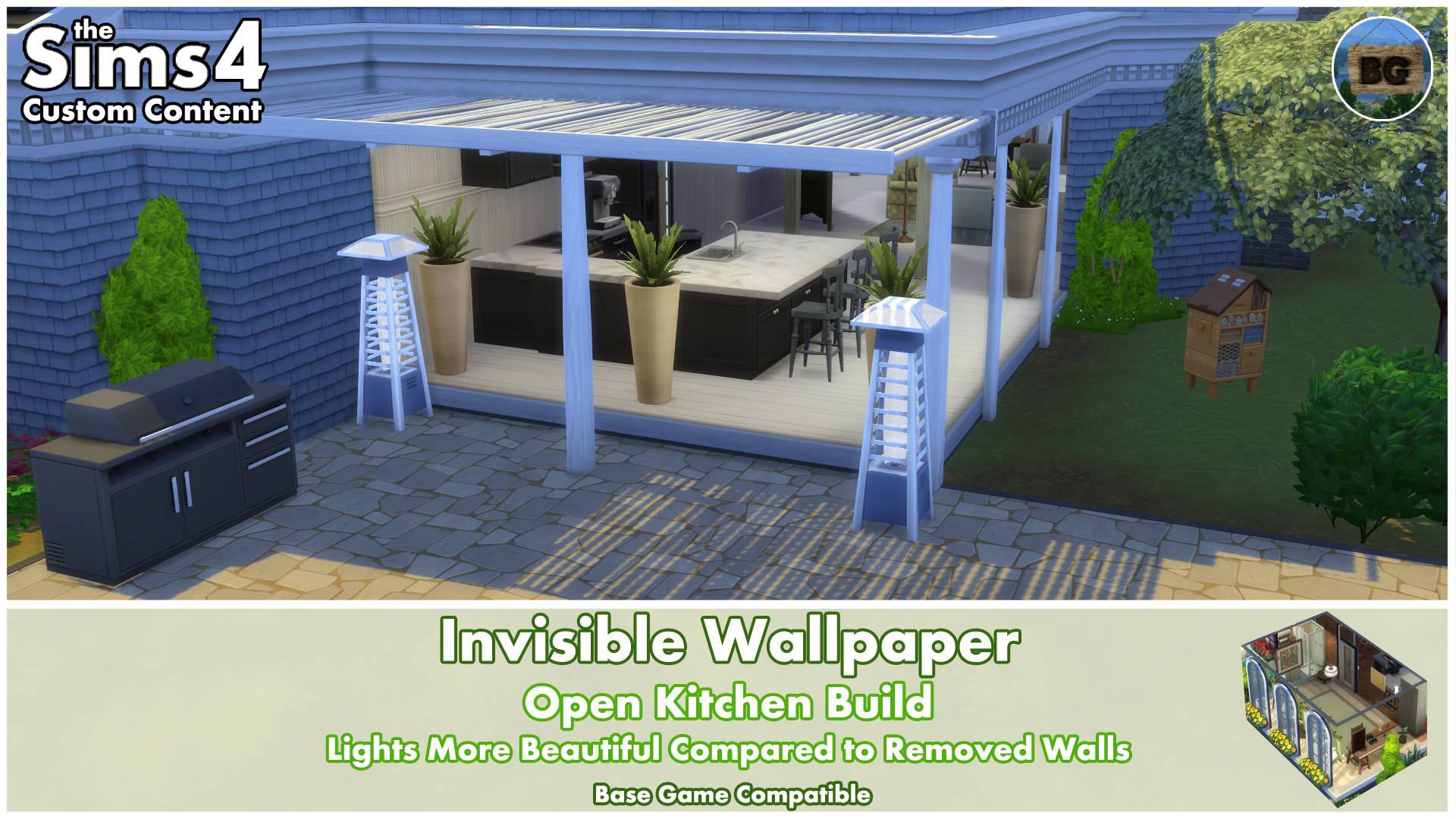
By using the Invisible Wallpapers, the game keeps seeing these rooms as an inside area. When removing an entire wall, lights placed in these rooms won't really work any more as it is now considered as an outside area. This makes these rooms to become really dark. Using my Invisible Wallpapers, adds both outside lights to the room as well as keeping the lights inside the house active.
Take a look at my Doll House and Open Kitchen examples.
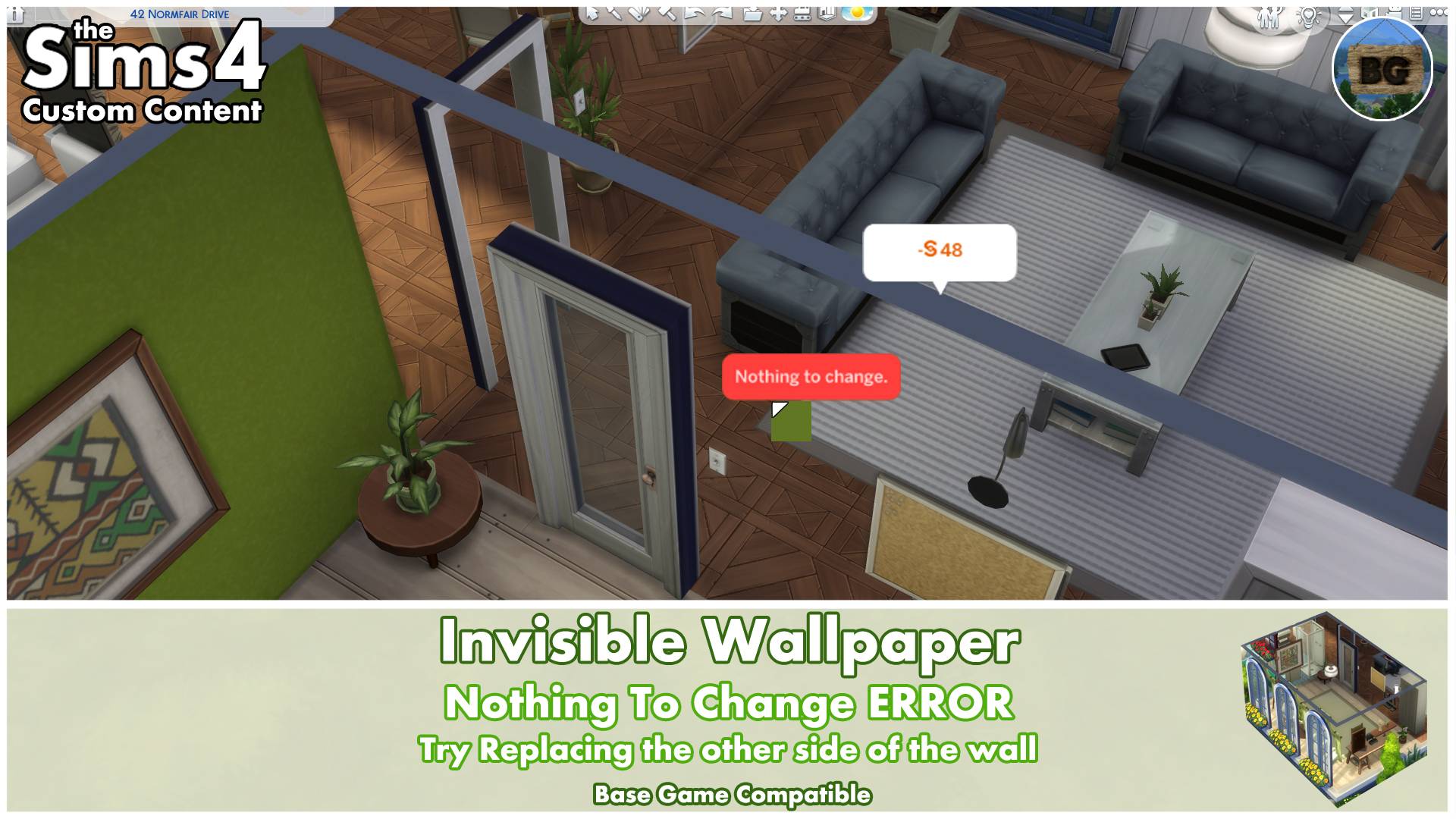
🚨'Nothing To Change' pop-up🚨
When replacing wallpapers with Invisible Wallpapers, it matters which side you've replaced.If you want to replace it with the former wallpapers after going into live mode and you get the pop-up saying "Nothing to change", it means you've replaced the wallpaper on the other side of the wall. So simply turn the camera to the other side of the wall and try again.
🔎Search Tags
The following search tags can be used to find it in game:
Bakie, Invisible, Wall and Wallpaper.
====================================
EXAMPLES
If you can't think of a reason why you need this, then look at the examples below.
Build/Live Mode Wall View Options
In build and live mode you can choose between 3 viewing options: All Walls Up, All Walls Down & Cutaway Wall View. The last two wall views, make most wall objects to disappear, except for the functional ones and some but not all decorations.
My Invisible Wallpaper only removes the walls. All other wall objects stay visible. So not only the decorative wall objects, but also all doors and windows! You also have a better view at where the rooms end compared to the Wall Viewing Options, because of the markings of the walls on the ceiling.
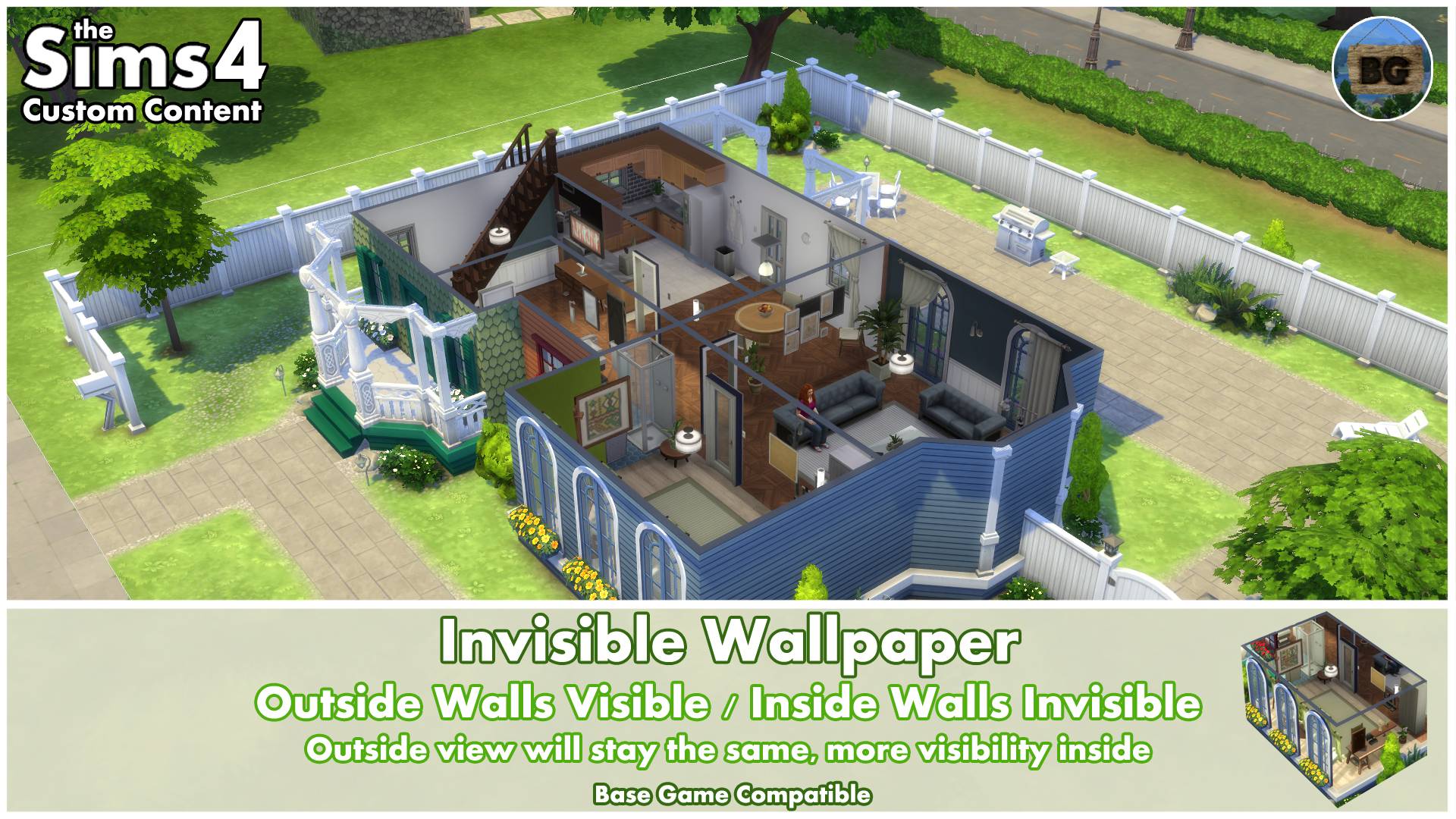
Below an example when using the Invisible Wallpaper on all walls in the 'All Walls Up' option, as well as an example on which I've used the invisible wallpaper only on the inside walls. This keeps the outside of your build the way it is.
All Walls:

Only Inside Walls:
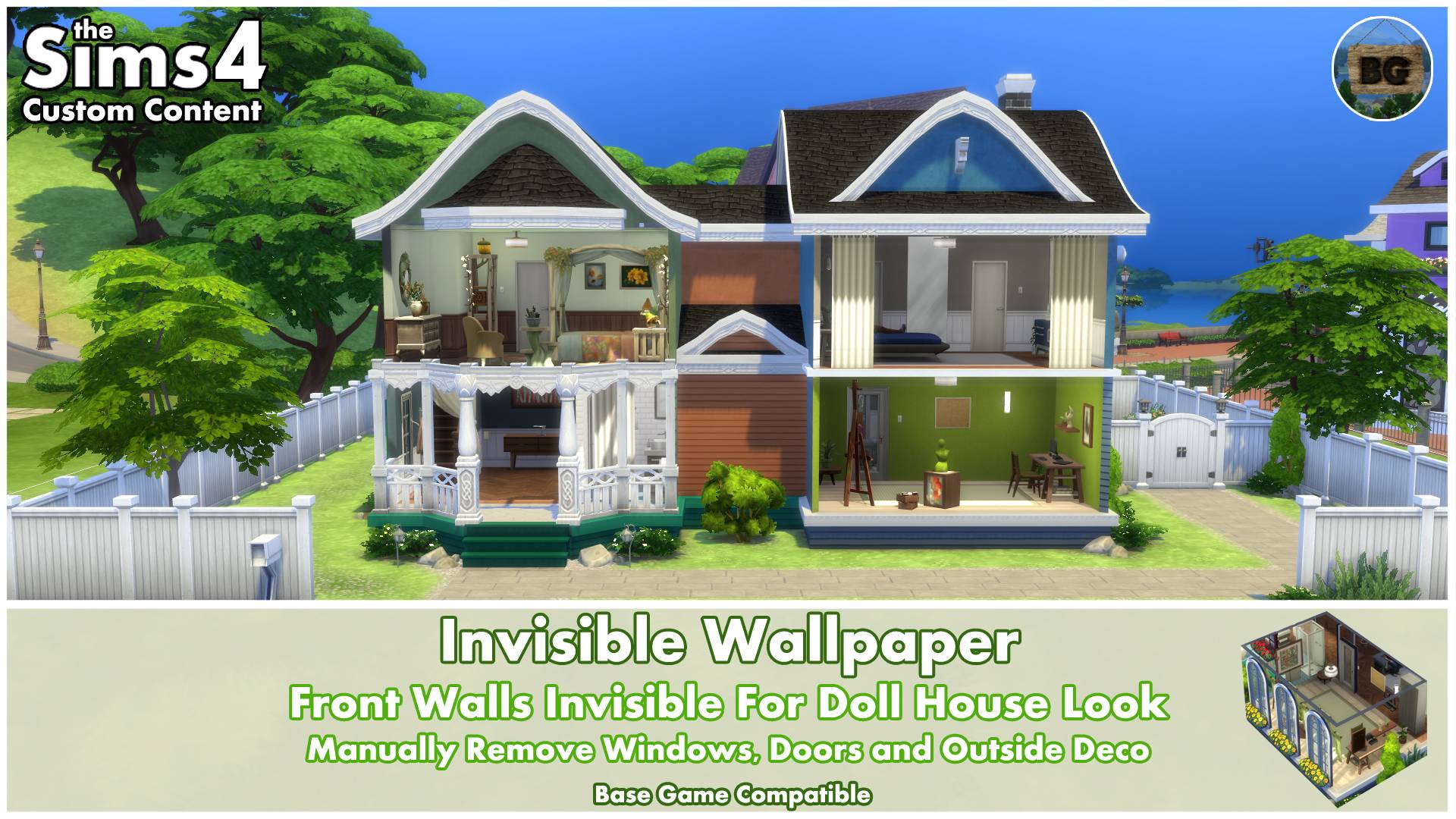
Doll House Look
The fact lights keep their function, makes the Invisible Wallpaper perfect to use for a Doll House look in game. Just remember that you still need to manually remove all objects you don't want to see, like doors, windows and outside decorations.
Open Kitchen
Another great example where the light really makes a difference, is when using it for an open kitchen build. Keep in mind that your Sims can't walk through these invisible walls, though it looks to be possible. It's just a decorative look.
Infinity Pool
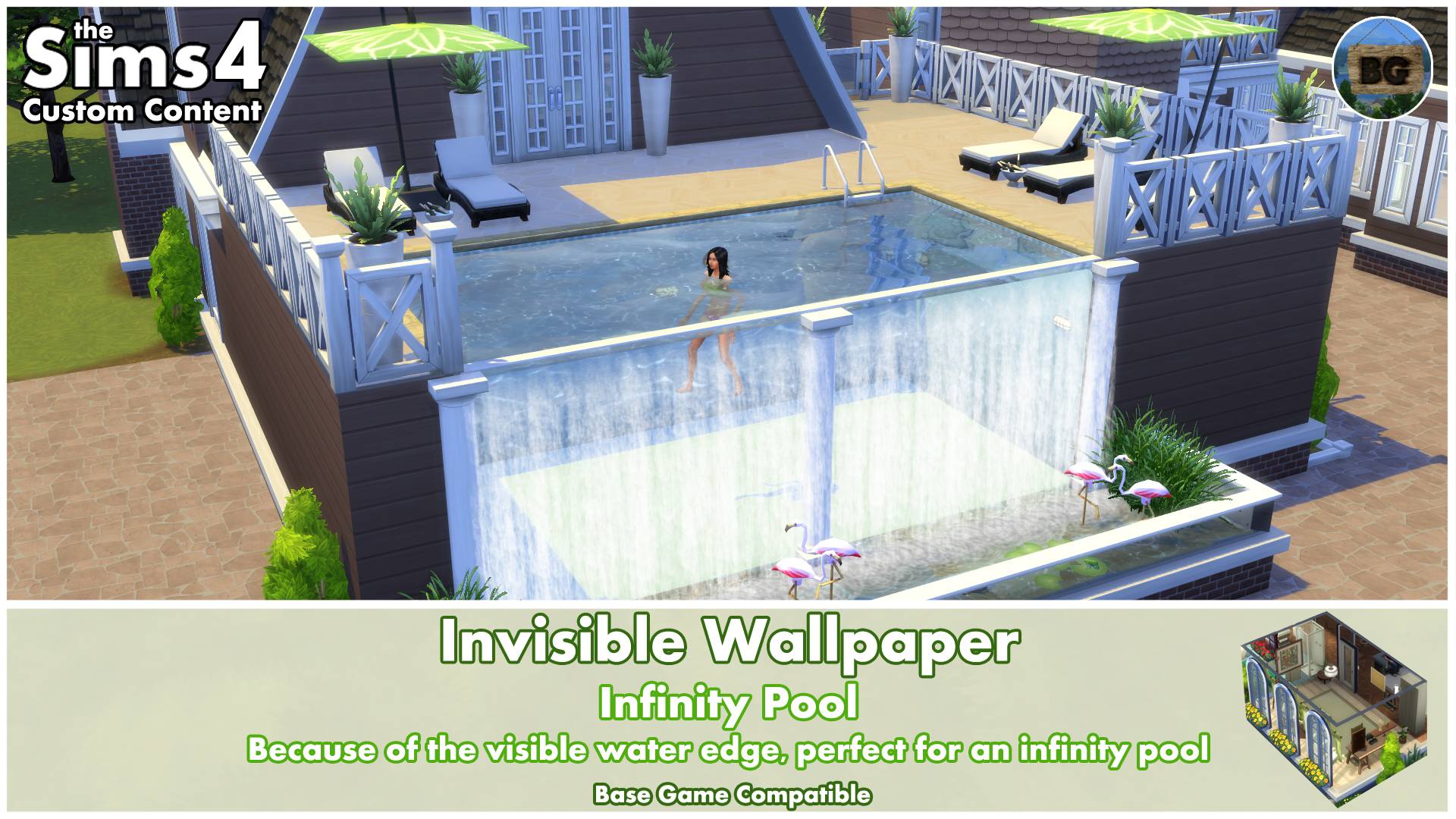
When your pool has walls that can be painted with wallpapers (so when placing a pool into a room on the first floor), you can also use the Invisible Wallpaper to create an infinity pool.Because of the invisible wall, you see exactly where the water edge is. By using a nice water effect, in this case one of my own waterfall mods, you can create a very cool looking infinity pool.
(The waterfall mod hasn't be updated and uploaded to CurseForge yet, but will be in the 'near' future)
❌Using Invisible Walls for creating balconies on apartments
I've also tried to make balconies on apartments, but this isn't possible unfortunately.When trying to change the inside wallpaper, only the entire room could be changed, just as with glass walls. And if you do replace it, the outside of the building will not change.So it can't be used for creating balconies unfortunately. Just so you know!😉
====================================
ℹ️EXTRA INFO
Short notes
• This wallpaper is Base Game Compatible.
• It's a standalone wallpaper, so it won't override any other wallpapers in game.
• It can be found by going to Build Mode > Wallpapers - Misc
• You can also find them by typing "Invisible Wallpaper" into the search bar.
• The object's catalog thumbnails, shows 'Invisible Wallpaper' in text with my "BakieGaming" icon in the lower right corner.
Pack Requirements
Base Game Compatible
Game Version
1.116.240.1020
====================================
If you've got some more ideas on where this Invisible Wallpaper can be used for, then be sure to let me and everybody else know in the comments section.
___________________________________
Want to share my mods?
You may share my creations, but always give me credit and don't upload my creations anywhere else. Just link back to this page.
I would also appreciate it if you could add my video (if available) instead of (only) the thumbnail.
Want to support my work?
https://www.patreon.com/BakieGaming
====================================