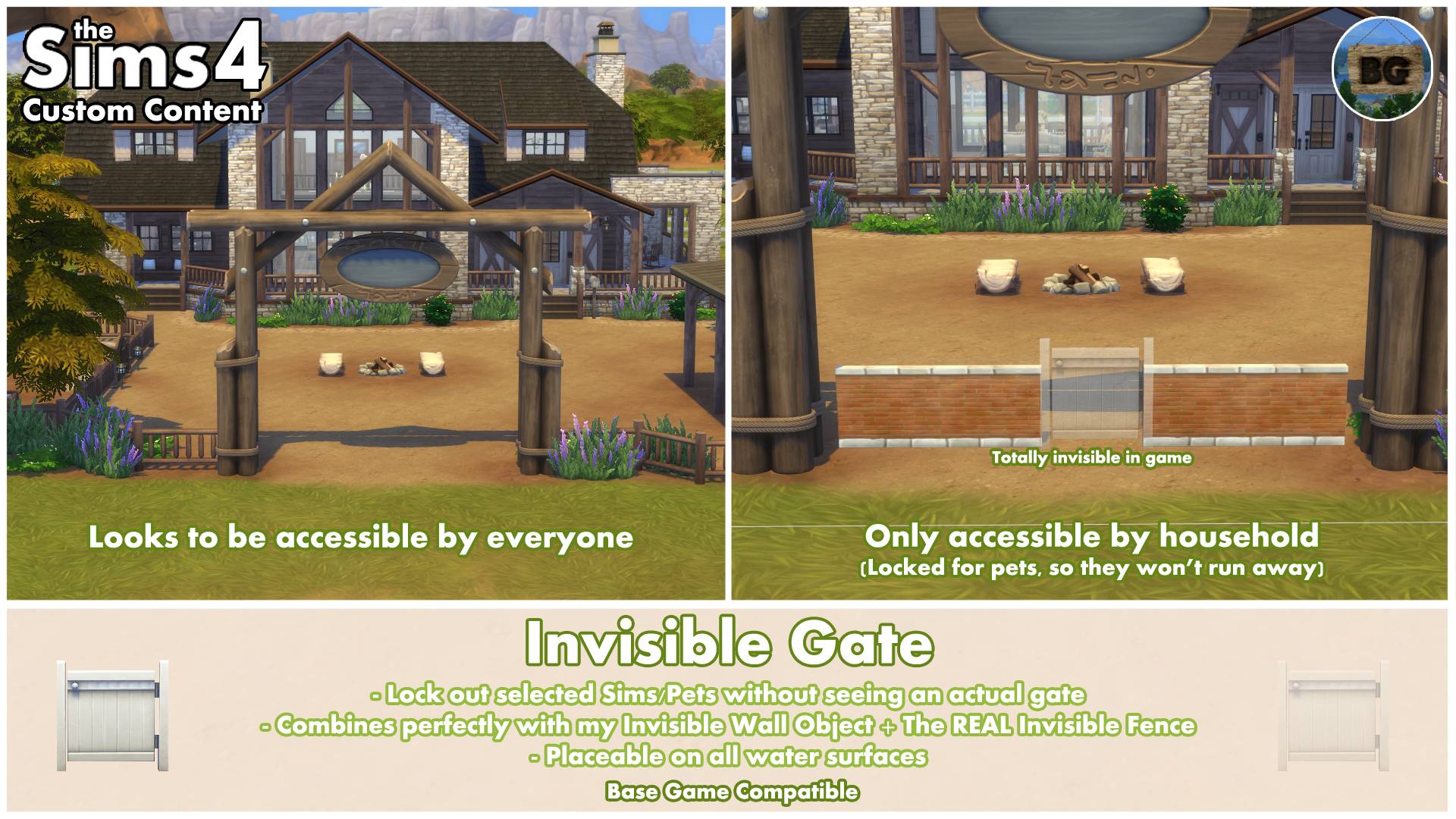
ℹ️Invisible Gate
This invisible gate works exactly the same as every other gate in game. Except for the fact that it doesn't need to be placed in between fences placed with the fence tool*.
This makes it possible to place it in between my Invisible Wall Objects or any other objects in game without using the 'Move objects on' cheat.
*Fence tool
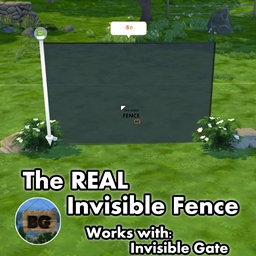
As it also still works with fences created with the fence tool, it's a perfect addition to my Invisible REAL Fence.
When placed in between normal visible fences, there're a few things you should keep in mind. First of all, just as normal gates, this invisible gate will also cut out a part of the fence. As my invisible gate has no posts on the sides, this can look a bit weird with some of the fences.
Fixing weird fence cut-outs:
To fix a weird fence cut-out, manually delete one part of the fence, so the game will create a fence post on each side of the opening. Now place my invisible fence slightly in front or at the back of the gate (a quatre tile). Where you should place it, depends on if the posts will disappear. Sims will still be able to use the gate.
If they walk around the gate, in between the fences, use my Invisible Wall Objects to block those routes around it. Sometimes you might want to delete two parts of a fence and place the invisible gate in the middle as some pets will need that space to go through.
Placement (Water surface)
I've already explained that it can be placed as an object on it's own in between other objects and in between fences created with the fence tool. But there's another thing I've added, which is placing the object on the water surface. This way you can lock certain swimmable areas for who-ever you want to. For example, lock it for everyone but your household to create secret entrances to your castle. ;)
As with swimming pools, you can also build an invisible wall with invisible gate around your entire pool to only give access to it for your household.
Gate Options
To be able to get gate lock options, a Sim must be selected and the gate has to be closed (When a Sim go's through, you can't click the gate until it's closed again after your Sim went through. You can try to click the open gate though). Hover over the area where the gate has been placed until a gear icon appears, then click the invisible fence for the option menu to open.
Disabled functions
This object can't be stolen by a burglar, repossessed or recycled.
Small 'problems'
In some circumstances a shadow of the gate will pop-up for a split second even though it doesn't has one. This mostly happens when zooming in or out or while placing the object. I can't fix this at the moment.
Also the sounds of the gate opening and closing are still there. It's attached to the animation of the gate, which I can't delete either. If you're zoomed out a lot, listen to music while playing the Sims or just with a lot of other game sounds playing, you won't even notice this probably.
🔎Search tags
The following search tags can be used to find it in game:
Bakie, Invisible, Gate and Fence
Combine with my Invisible Wall Objects & Invisible REAL Fence
This Invisible Gate can perfectly be used together with my Invisible Wall Objects and Invisible REAL Fence.
====================================
ℹ️EXTRA INFO
Short notes
• This object is Base Game Compatible.
• It's a standalone object, so it won't override any other objects in game.
• It can be found by going to Build Mode > Gates
• You can also find it by typing "Invisible Gate" into the search bar.
• The object's catalog thumbnails, show the text 'Invisible Gate' with my "BakieGaming" icon in the lower right corner.
Pack Requirements
Base Game Compatible
Game Version
1.116.240.1020
====================================
📺YouTube Video
To watch the video, which was made back when I've made the first version of this mod, click the following link:
Invisible Gate
====================================
Don't forget to download the Invisible Wall Objects & Invisible REAL Fence either!
___________________________________
Want to share my mods?
You may share my creations, but always give me credit and don't upload my creations anywhere else. Just link back to this page.
I would also appreciate it if you could add my video (if available) instead of (only) the thumbnail.
Want to support my work?
https://www.patreon.com/BakieGaming
====================================