



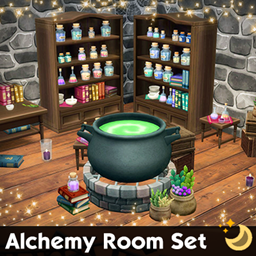
Alchemy Room Set
- 533
- Build / Buy
33 Maxis Match decor & surface items for your witchy Sims! Furniture can go on any floor or ground. Decors can go on any surface, floor, or ground.
- 533
- October 30, 2026
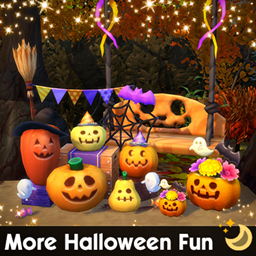
More Halloween Fun
- 525
- Build / Buy
5 more Maxis Match Halloween decor items for the autumn season. Large items like furniture can be placed on any floor or ground. Decors can go on any surface, floor, or ground.
- 525
- October 27, 2026
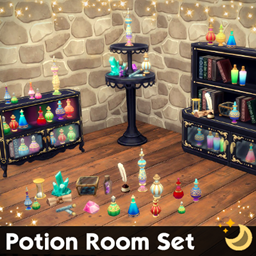
Potion Room Set
- 835
- Build / Buy
25 Maxis Match decor & surface items for your witchy Sims! Furniture can go on any floor or ground. Decors can go on any surface, floor, or ground.
- 835
- October 23, 2026
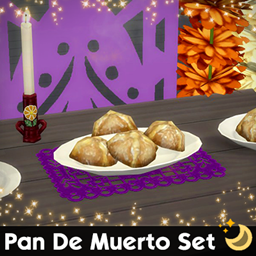
Pan De Muerto Set
- 116
- Build / Buy
6 Maxis Match decor items for Dia de los Muertos. Can go on any surface, floor, or ground.
- 116
- October 23, 2026
Alchemy Room Set
- 533
- Build / Buy
33 Maxis Match decor & surface items for your witchy Sims! Furniture can go on any floor or ground. Decors can go on any surface, floor, or ground.
- 533
- October 30, 2026
More Halloween Fun
- 525
- Build / Buy
5 more Maxis Match Halloween decor items for the autumn season. Large items like furniture can be placed on any floor or ground. Decors can go on any surface, floor, or ground.
- 525
- October 27, 2026
Potion Room Set
- 835
- Build / Buy
25 Maxis Match decor & surface items for your witchy Sims! Furniture can go on any floor or ground. Decors can go on any surface, floor, or ground.
- 835
- October 23, 2026
Pan De Muerto Set
- 116
- Build / Buy
6 Maxis Match decor items for Dia de los Muertos. Can go on any surface, floor, or ground.
- 116
- October 23, 2026