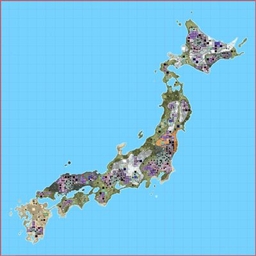
Here comes a Map for 7 Days to Die 1.0 in the shape of Japan.
Features:
- The Size of the Map is 14k
- Players can travel between many different Areas over Landbridges
- Not all Traders are in their specific Biomes
- Many big Cities and Towns to explore
- A lot of Wilderness-POIs placed by Hand on the Map
- Some secret Loot Chests and Areas to find
- Players can loot a lot of Buildings, Bunkers, Bridge etc.
Installation
Download & unzip the File and put the Folder “Japan Undead One” into your Generated Worlds-Folder: OS(C:)/User/”YourUserName”/AppData/Roaming/7DaystoDie/GeneratedWorlds (create it if it's missing!)
If the Folder “AppData” is not showing up just unhide your “YourUserName”-Folder!
Attention!
If your Game is not on your C-Drive i recommend to install the Map directly into your Game-Folder where “Navezgane” is to find (or maybe 7D can’t find the Map):
…/Steam/steamapps/common/7DaystoDie/Data/WorldsChoose the Map in the Game Menu and Start the Game.
The Map: Japan Undead One Team


Owner