


Enemy Scaling Control
banner-1600x900.png
Description
Enemy Scaling Control
No more scaled up enemies when your mates aren't even near you!
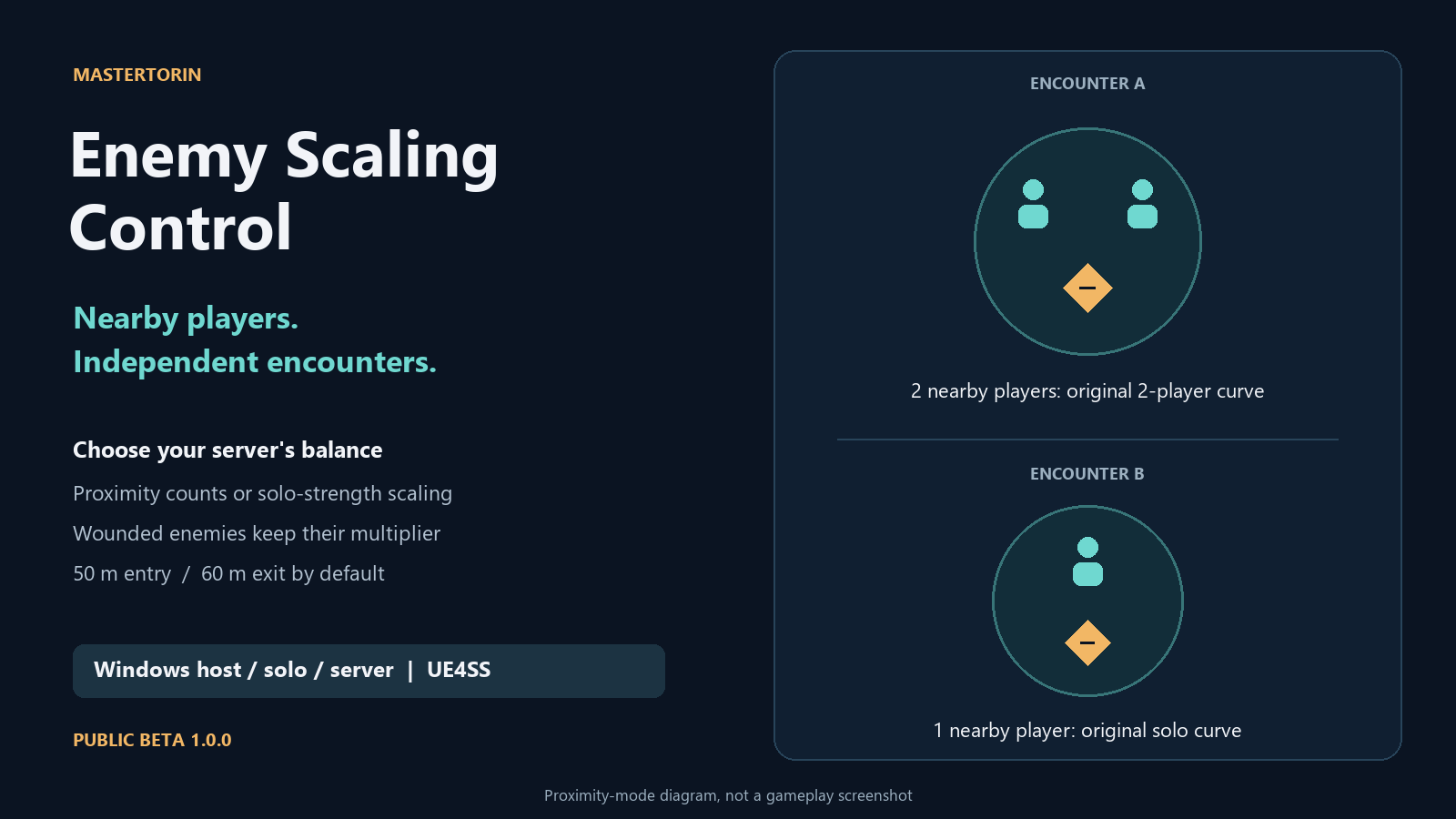
Your mate is sorting chests back at base while you're out exploring. Enemy Scaling Control lets your Windows dedicated server scale enemy health around the players near each encounter. Separate groups get independent counts, and players fighting together still use the game's original multiplayer health curves.
Server-only installation. PC + Xbox cross-play verified. Windows dedicated servers. Public beta 1.0.0.
What it does
- Counts living players near each eligible enemy independently.
- Keeps distant groups from contributing to each other's proximity count.
- Uses the game's original ordinary, miniboss or boss health curve for that count.
- Includes an optional solo-strength mode that disables the multiplayer scaling component.
- Lets you adjust the range, exit buffer, update interval and change delay.
- Requires no installation of this mod on joining players' machines.
For example, with the default range, two players fighting together near one enemy use its two-player health curve. Another player fighting elsewhere can use the solo curve for their own enemy. The minimum effective count is always one.
Normal area progression, power-level scaling and world difficulty still apply. This mod does not balance encounters around your equipment, change enemy levels, or alter loot, XP or player stats.
How proximity mode works
Players enter an enemy's count within 50 metres and remain counted until they move beyond 60 metres. This exit buffer prevents the count from bouncing as someone moves around the boundary. Distance includes height.
The server checks once per second. A different count must persist for two seconds before the mod changes the multiplier; the game's own health refresh can add a short delay. Dead and disconnected players stop contributing once their server state updates.
Combat lock: once an enemy is wounded, its current multiplier stays in place until it is fully healed. This prevents movement during a fight from repeatedly changing that enemy's scaling. Enemies first discovered while already wounded are left alone until healthy. Let the server detect a healthy encounter before attacking if you want proximity scaling applied to it.
Some enemies opt out of multiplayer health scaling or use unsupported runtime data. Those enemies are skipped rather than forced into the system.
Choose your mode
- Proximity — the default: nearby players determine each eligible enemy's health multiplier.
- Solo strength: set
Mode = 'disabled'to hold the multiplayer scaling curves at their solo values, regardless of connected player count. Area and world difficulty still apply. - Stock game behavior: set
Enabled = falseand restart to stop applying either mode.
All settings are startup settings. Stop the server before editing, then restart. There is no in-game menu or hot reload.
Requirements
- A Windows dedicated server running a compatible Dragonwilds build, or solo/host mode.
- A compatible UE4SS for RSDragonwilds installation on that server: https://www.nexusmods.com/runescapedragonwilds/mods/4
- Tested server executable: CL254097, internal project version 1.0.1.3, UE5.6.1.
- Tested loader: UE4SS 3.0.1 Beta f6d5f942, including its game-thread loop API.
UE4SS is a separate download. Mod Menu and RuneSchema are not required. This release is not supported on Linux, listen servers, single-player games or joining clients. The internal project version above does not establish support for every similarly numbered public game release.
Installation
- Stop the dedicated server cleanly and back up its saves, mods and configuration.
- Install and verify a compatible UE4SS loader on the server.
- Extract the EnemyScalingControl folder into
RSDragonwilds/Binaries/Win64/ue4ss/Mods. - Check that the result contains
EnemyScalingControl/Scripts/main.lua. Keep the included emptyenabled.txtfile: it enables the mod. Avoid a double-nested mod folder. - Edit
EnemyScalingControl/Scripts/scaling_config.luaif you want different settings, then start the server.
You do not need to add a mods.txt entry when using the included enabled.txt. Manual installation is the supported workflow; dedicated-server deployment through a mod manager has not been tested.
Settings
Edit Scripts/scaling_config.lua inside the mod folder:
return {
    Enabled = true,
    Mode = 'proximity',
    RadiusMeters = 50,
    HysteresisMeters = 10,
    UpdateIntervalMs = 1000,
    ChangeDelaySeconds = 2,
}
RadiusMeters: entry range; 5–500 metres.HysteresisMeters: extra distance before a counted player leaves; 0–100 metres. With 50 + 10, the exit boundary is 60 metres.UpdateIntervalMs: time between scans; 500–10000 milliseconds.ChangeDelaySeconds: how long a changed count must persist; 0–30 seconds.
Keep the quotes around 'proximity' or 'disabled'. Invalid settings are
rejected and logged. Example configs for proximity, solo strength and stock
behavior are in the separate optional Documentation download.
Multiplayer and consoles
Install this mod on the server only. Joining players do not need this mod or UE4SS for its server-side implementation. Do not try to install it on a console.
PC + Xbox cross-play has been verified in live two-player combat. MasterTorin played on PC with a second player on Xbox on 28 October 2026, using the Windows dedicated server with this mod installed server-side.
Other console platforms have not been specifically tested. The release remains a public beta; the detailed test notes distinguish live gameplay observations from measurements of exact enemy health multipliers.
Checking it is running
Open ue4ss/UE4SS.log on the server and search for [EnemyScalingControl].
Startup should report ACTIVE v1.0.0 mode=proximity (or your selected mode),
followed by STABLE after roughly a minute. Proximity telemetry reports player,
managed-enemy and combat-lock counts.
The mod has passed isolated native-actor tests for separated groups, grouping, distance boundaries, wounded locks, full-heal resets, deaths, disconnects, garbage collection, save/reload and both modes. Private-server one- and two-player combat also produced scaling updates and locks without mod faults in the observed checks. The logs are aggregate-only: they do not prove a particular boss's exact HP, multiplier or nearby count. The detailed TESTING.md record is in the optional Documentation download.
Compatibility and known issues
- Other mods that replace enemy AI data or edit multiplayer health curves may conflict. Game and UE4SS updates require compatibility checks.
- A single enemy fault is isolated and retried. A shared-curve integrity failure or other global error stops further updates; check ERROR lines before continuing troubleshooting.
- One duplicate green-dragon report remains unexplained, with no established link to this mod. The script contains no actor-spawn calls. Please report a reproducible encounter, location and rough time if it happens again.
- Broad boss/quest compatibility and large-world performance have not been certified or benchmarked.
Updating or removing
Back up your custom config before updating: extraction can overwrite it. Stop the server, replace the mod files, review and reapply your settings, then restart. Never run two copies of the mod.
To restore stock behavior, stop, set Enabled = false and restart. To uninstall,
stop, remove the EnemyScalingControl folder and any explicit mods.txt entry you
added for it, then start the server. Removing files or editing settings while the
process runs does not undo runtime changes.
Feedback, credits and permissions
Include game, UE4SS and mod versions, your config, other AI/health mods, the enemy type and a rough time when reporting an issue. Redact relevant log excerpts: complete server logs and configuration files can contain passwords and player IDs.
MasterTorin: project direction, server administration and live playtesting. OpenAI Codex generated the implementation, documentation, diagrams and cover art, with iterative tests and AI-agent reviews. The mod makes no runtime AI-service calls. UE4SS is a separate dependency and is not bundled.
Original code, documentation and artwork are MIT licensed. You may modify and redistribute them with the license notice. Game assets and trademarks are not relicensed. This is a free, unofficial community mod, with no Jagex affiliation or endorsement.
Enemy Scaling Control Team
