Easy Crafter + Crate Label
- By
Invent item list.png
Mod Menu.png
Screenshot 2026-10-18 132433.png
Description
**Requires UE4SS (experimental-latest build).** Install steps are further down.
I kept forgetting what went into what. You go to make a Paladin's Platebody, you're 2 Padded Cloth short, and then you're off checking which station makes Padded Cloth and what that needs. This mod puts that answer in the game's own tooltips. While I was at it I added names on storage chests, because opening every chest to find my ore got old fast.
## What it does
**Crafting benches** (Armour Bench, Blacksmith's Bench, Crafting Table etc.)
Hover an ingredient under Requirements. The tooltip shows which station makes it, what one craft takes, and how much you need in total for what you're missing. If you already have enough it just says so.
**Workstations** (Furnace, Kiln, Loom, Spinning Wheel, Tannery and so on)
Hover an input slot and it lists what that station can make. It only shows recipes using items the game has already shown you, so no spoilers. Put something in a slot and the list narrows to recipes that use it. Anything you can make right now from your bag goes to the top. Long lists are split into pages, press Left / Right to flip through them. Cooking stations are left alone, there are far too many recipes for a tooltip.
With something loaded it also shows other recipes at that station that make the same thing, marked (alternative).
**Storage chests**
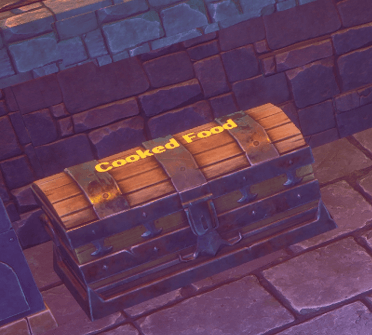
Rename a chest (Ash, Oak or Iron) and the name gets written on the lid, so you can read it from across the room. Want one chest a different colour? Put the colour first when you rename it:
- [red] Ores
- [green] Food
Colours: yellow, white, red, orange, green, cyan, blue, purple.
All the item and station info comes from the game itself, so it matches what's actually in your game.
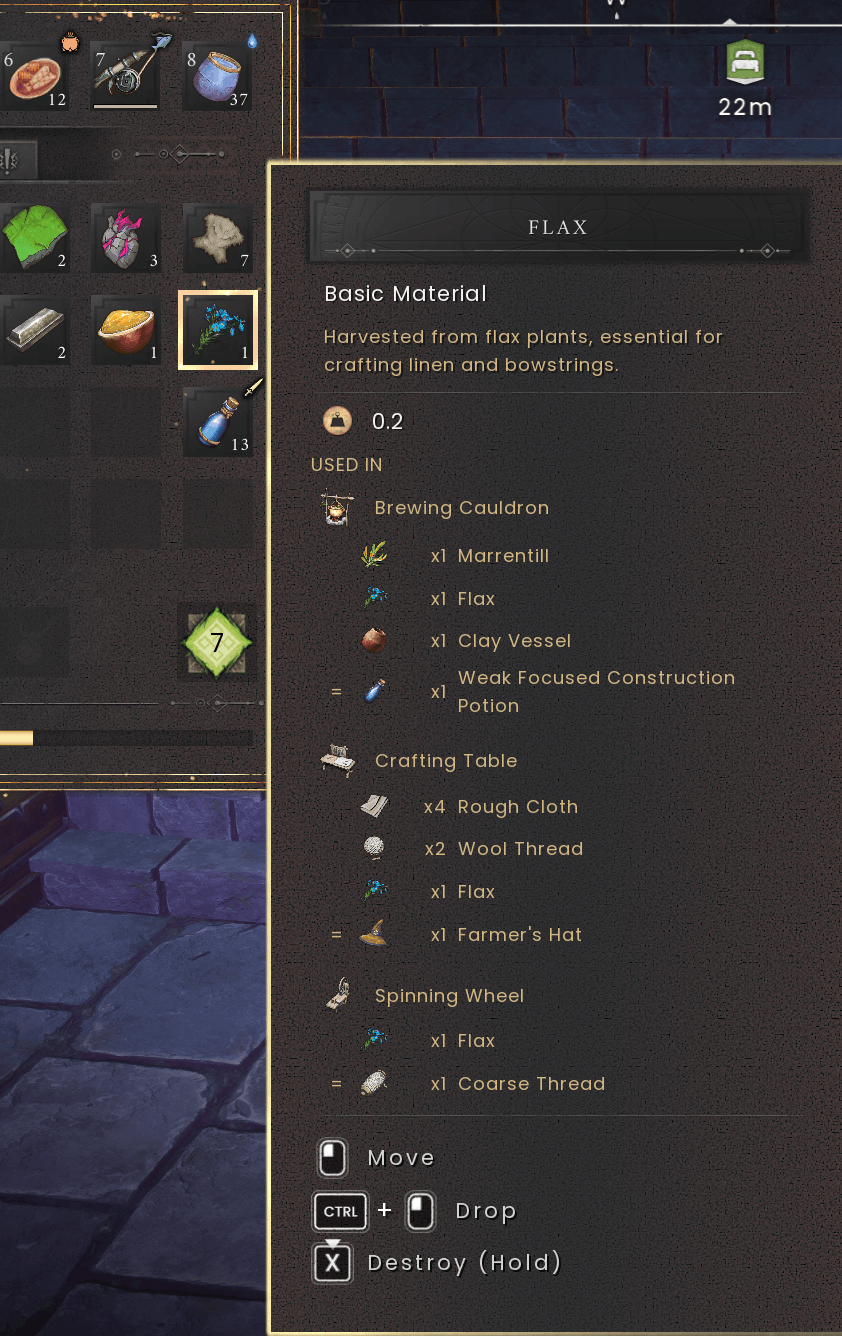
Items in your bag: hover any item in your backpack, hotbar or a chest and the tooltip shows a USED IN section: every station that uses it and what it turns into. Long lists flip with Left / Right.
## Settings (F7)
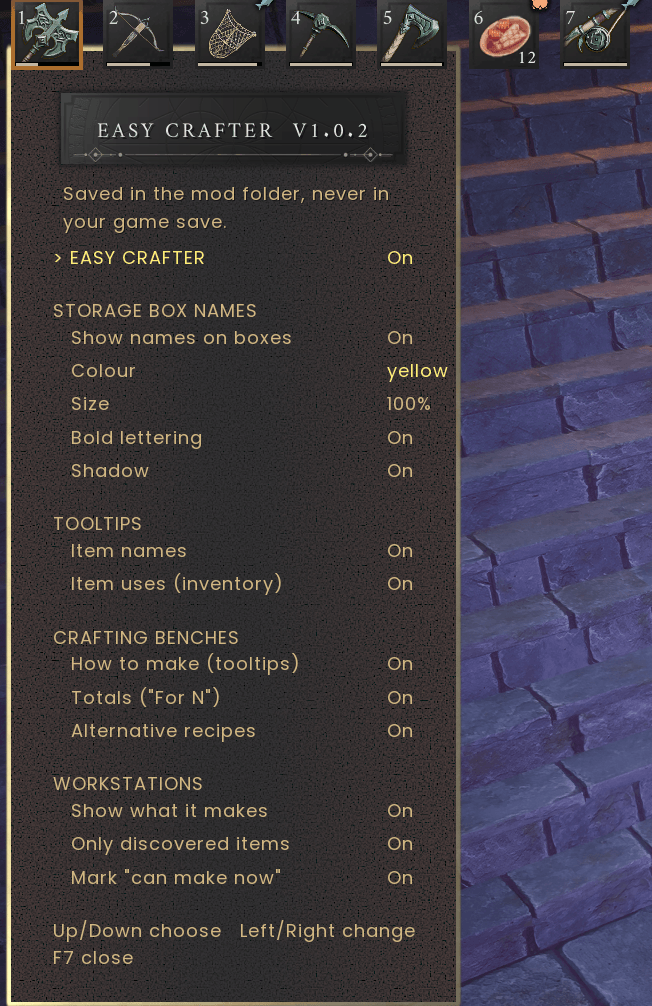
Press F7 in game. It's keyboard only:
The top line, EASY CRAFTER, turns the whole mod off. With that off the game looks exactly like it does without the mod.
## Install
**1. UE4SS (only once)**
1. Close the game.
2. Search for "RE-UE4SS" on GitHub and open its Releases page. Pick the release called **experimental-latest**, not the one GitHub marks as "Latest" (that one's from 2024 and too old for this game).
3. Scroll down to "Assets" and download the file starting with UE4SS_v3.0.1- (ignore the files starting with z).
4. In Steam, right click Dragonwilds > Manage > Browse local files, then open RSDragonwilds\Binaries\Win64
5. Unzip everything into that folder. You should now have dwmapi.dll and a ue4ss folder next to RSDragonwilds-Win64-Shipping.exe.
6. Start the game once and quit.
**2. This mod**
Copy the EasyCrafter folder from the download into RSDragonwilds\Binaries\Win64\ue4ss\Mods and start the game. That's it.
Playing on a dedicated server? Only install it on your own PC. It doesn't need to go on the server.
## Is it safe for my save?
Yes. It only reads game data and adds things to your screen. It doesn't change items, recipes, your inventory or your world, and nothing it does ends up in your save file. I checked my own saves before and after to make sure. Back up your saves anyway, same as with any mod.
Multiplayer: it only changes what you see. Friends won't see the tooltips or chest names unless they have the mod too.
## Uninstall
Delete the EasyCrafter folder from ue4ss\Mods. To remove UE4SS as well, delete dwmapi.dll and the ue4ss folder.
## Known issues
- Very long chest names get small to fit on the lid. Short names look best.
- A big game update can break things until I update the mod. If the game won't start after a patch, delete the EasyCrafter folder and wait for a fix.
Found a wrong recipe, number or station? Leave a comment with the item and station name. A screenshot helps a lot.
Easy Crafter + Crate Label Team