Ashenfallen modpack

A Modpack of QoL Updates
sigil.png

sigil.png

Ashenfallen.png

Ashenfallen.png

QoL Modpack.jpg

QoL Modpack.jpg

Description

Ashenfallen Modpack — Community Tools & Quality of Life Suite

Ashenfallen Modpack is a comprehensive, crash-safe quality-of-life, building, and storytelling suite for RuneScape: Dragonwilds.

From placing over 3,600+ static world models and creating custom branching NPC quests to navigating with an authentic Old School RuneScape minimap and automating chest storage, this pack brings modern RPG comfort and creative freedom to your sanctuary.

Each mod in the pack operates independently. You can run all seven mods together as an all-in-one suite or enable/disable individual tools in mods.txt to tailor your personal experience.


🏗️ Ashenfallen Base-Builder & Quest Creation Engine

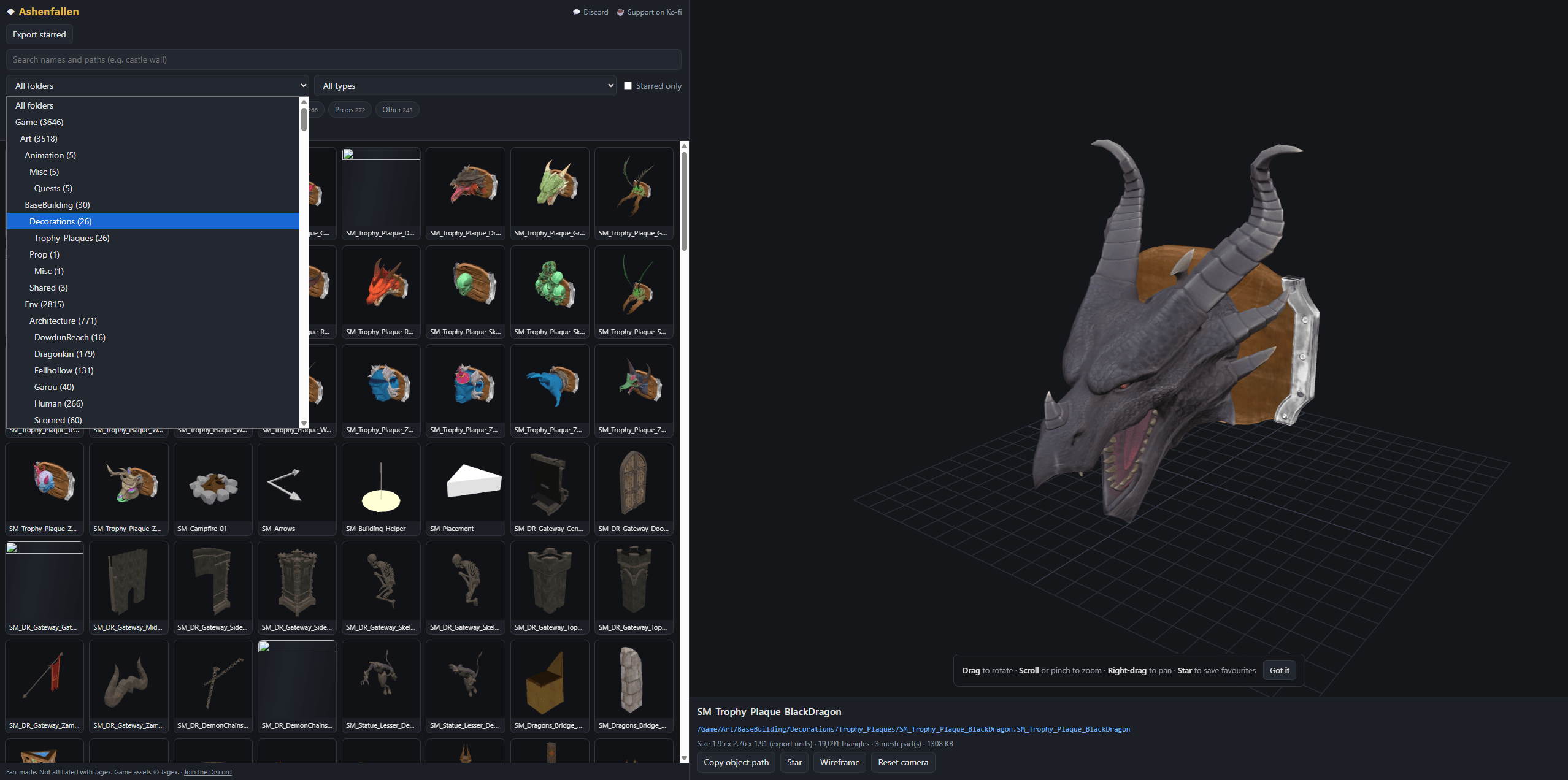
The modpack features a direct end-to-end bridge between external visual design and live in-game execution: via https://ashenfallen.com/base-builder

  1. Visual Design & Quest Storyboarding (External Base-Builder):

    • Layout bases, place walls, furniture, and monuments using the 3D model catalogue.
    • Place living NPC companions (Doric, Wise Old Man, Lumbridge Cook, Zanik, Vannaka, and more).
    • Author branching quest storyboards across 4 interactive tabs:
      • Tab 1: Story & Dialogue: Opening greetings, lore branches, and player response choices (1–4).
      • Tab 2: Objectives & 3D Coordinates: Configure item collection, monster slaying, or location scouting with 3D coordinate target picking.
      • Tab 3: Turn-In & Progress: Custom in-progress reminder barks, celebratory completion dialogues, and post-quest ambient lines.
      • Tab 4: Rewards: Configure real in-game item rewards, stack quantities, and experience bonuses.
    • Export your design as quests.json and placed.txt.
  2. In-Game Runtime Execution (CustomBuilds):

    • Reads your exported data and materializes custom structures directly inside the Unreal Engine 5 world.
    • Spawns interactive companions with animated 3D overhead markers:
      • [ ! ] (Iconic RuneScape Gold): Quest ready to accept.
      • [ ? ] (Silver / Blue): Quest actively in progress.
      • [ ? ] (Pulsing Bright Gold): Objectives fulfilled and ready for turn-in.
    • Real-time inventory evaluation: Scans your backpack for required items (e.g. Iron Ore, logs, relics) and grants tangible rewards directly into your inventory upon completion.
    • Supports daily repeatable quests ("repeatable": "daily") with automatic midnight calendar rollover.

📦 Included Mods & Detailed Features

1. Custom Builds (CustomBuilds)

Unlocks the entire game asset catalogue for freeform building, companion placement, and quest playback.

  • In-Game Browser (N): Press N to browse 3,600+ extracted static meshes and character models with high-resolution visual previews.
  • Real-Time Ghost Preview: Position models with dynamic collision-free previewing before confirming placement.
  • Precision Transform Gizmos:
    • Left Click: Confirm placement.
    • Right Click or Esc: Cancel placement or dismiss ghost.
    • Arrow Left / Arrow Right: Rotate Yaw by 15° (Hold Shift for 90°).
    • Arrow Up / Arrow Down: Tilt Pitch by 15° (Hold Shift for 90°).
    • Ctrl + Arrow Up / Arrow Down: Roll rotation by 90°.
    • + / -: Scale model size smoothly up or down.
    • Alt + Arrow Keys: Nudge model position horizontally by centimeters.
    • Alt + [+] / [-]: Nudge elevation vertically up or down.
    • End: Cycle magnetic snapping modes (EDGES flush to pieces, GRID base alignment, FREE placement).
    • Home: Reset tilt, roll, and scale to default.
  • World Management:
    • Insert: Pick up and reposition an already placed object or NPC.
    • Delete: Delete the placed custom object you are currently looking at.
    • Backspace: Undo last placement or deletion.
  • Companion Dialogue (E): Approach any placed companion NPC and press E to start conversation. Use keys 1, 2, 3, or 4 to choose your dialogue options.
  • Starter Quests Included: Includes built-in quests out of the box, including Doric's Iron Delivery and The Missing Chronicle.

2. OSRS Minimap (OSRSMinimap)

An authentic Old School RuneScape HUD overhaul with radar tracking and resource detection.

  • Ornate Dual-Ring Gold Frame: Detailed antique bronze outer bevel, brilliant RuneScape gold stroke, and inner highlight vector-rendered for any screen resolution.
  • Integrated Live Sundial Clock: Overlays the game's official Day/Night sundial clock directly onto the top-left rim of the minimap.
  • OSRS Compass Heading & Frustum Cone: White player arrow points in the character's facing direction with sweeping camera view cone and a crisp red North jewel ("N") at 12 o'clock.
  • AI & Monster Radar Dots:
    • 🔴 Red dots: Hostile creatures and aggressive enemies.
    • 🟡 Yellow dots: Neutral NPCs, villagers, and peaceful wildlife (sheep, cows, deer, rabbits).
    • ⭐ Quest Stars: Pinned quest objective tracking.
  • High-Value Resource Tracking (F9):
    • Trees: Oak, Willow, Maple, Yew.
    • Mining Rocks: Coal, Clay, Blurite, Adamant, Mithril, Runite, Rune Essence.
    • Anima Vents: Fire, Water, Earth, Air, Nature, Astral.
    • Fishing Spots: Surface fish and deep-water nodes.
  • Dual Shape Modes (F8): Toggle instantly between classic Circular Compass Mode and Rectangular Tablet Mode.
  • Zero World Map Conflict: Operates on an independent UI layer; opening the fullscreen World Map (M) smoothly hides the minimap without causing missing UI panels.

3. QuickStack (QuickStack)

Complete chest storage automation and wild gathering magnetism.

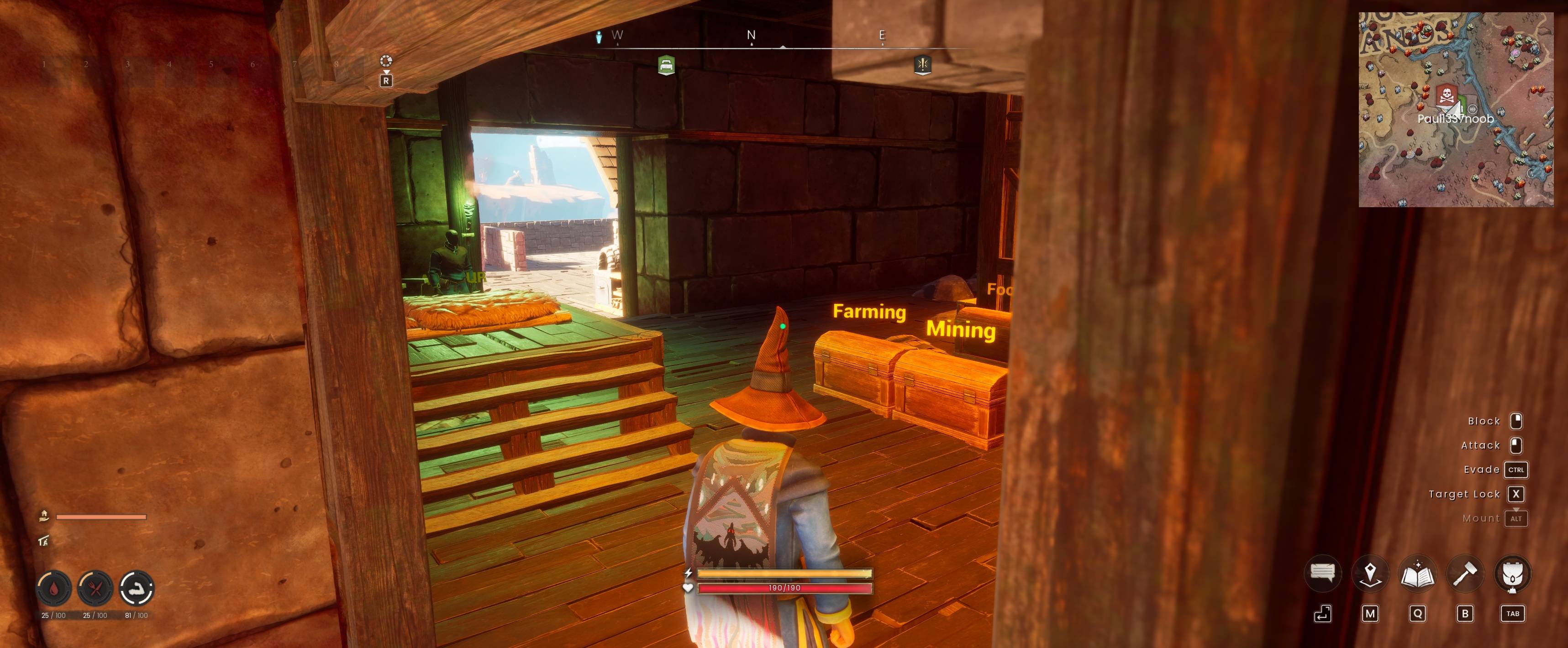
  • Chest Sorting & Aggregation (G Tap at Base): Consolidates fragmented stacks in memory, merges split quantities, and organizes items into dedicated category chests:
    • 🍎 FOOD: Raw and cooked meats, fish, bread, berries, rations (strictly protected from non-food items).
    • 📜 RECIPES: Cooking recipes, crafting plans, blueprints, skill tomes, Avernic scrolls (routed to bookshelves/desks or recipe chests).
    • 🪵 WOOD: Logs, timber, planks, bark, charcoal.
    • ⛏️ MINING: Ores, ingots, bars, stone, clay, gems.
    • 🌾 FARMING: Wild crops, seeds, saplings, herbs, flax, fibers, cloth, leather.
    • 🛡️ ARMOUR: Helmets, chestpieces, greaves, boots, capes.
    • ⚔️ EQUIPMENT: Weapons, bows, staves, shields, tools.
    • ✨ MAGIC: Runes, essences, staves, talismans, enchanted materials.
    • 📦 MISC: Gold coins, quest items, utility components.
  • Automatic 48-Slot Upgrade: Detected chests and crates are upgraded to maximum 48-slot tier (MaxSlotCount = 48) with high-tier chest meshes in-place.
  • Wild Gathering Magnet (G Hold): Continuously sweeps a 40-meter radius while sprinting, auto-harvesting wild crops (dwellberries, onions, flax, herbs, fallen branches) directly into your backpack.
  • Targeted Quick-Pull (Hover + [Hold G]): Hover your mouse cursor over any item in your inventory and hold G to pull all matching stacks from nearby chests within 100 meters.
  • Base Relocation Virtual Crate:
    • Ctrl + G: Pack base — sweeps all loose ground items within 150m into a virtual relocation crate.
    • Shift + G: Unpack base — deposits crate items organized into nearby chests.
  • Zero-Tolerance Safety Blacklist: Smelters, blast furnaces, campfires, cooking ranges, kilns, and anvils are strictly protected from being treated as chests. Hotbar slots, ammunition (arrows/bolts), and runes are never accidentally deposited.

4. Enhanced Reticle (EnhancedReticle)

Replaces the faint, semi-transparent vanilla white dot with a high-contrast, scalable crosshair.

  • Universal State Coverage: Seamlessly enhances 3rd-person roaming, utility magic, combat spell targeting, bow ADS, stealth crouch, and repair modes.
  • 100% Opacity Boost: Eliminates washout against bright skyboxes, snow biomes, deserts, and glowing spell effects.
  • 7 High-Contrast Color Presets (F1): Neon Green, OSRS Gold, Cyan, Crimson Red, Hot Pink, Amber Orange, and Pure White.
  • 5 Dynamic Size Scales (F2): 1.0x (Vanilla), 1.5x, 2.0x, 2.5x, and 3.2x (High-visibility).
  • Toggle Enhancement (F4): Instantly toggle between Enhanced Reticle and vanilla dot.

5. Telekinetic Woodcraft (TelekineticWoodcraft)

Arcane manipulation over felled tree trunks and firewood.

  • Single Log Grab & Carry (E or V): Aim at any fallen tree trunk or cut log to telekinetically lift and carry it. Press again to settle it flat on the ground.
  • Log Magnet (Z): Sends out an arcane pulse within a 50-meter radius, vacuuming all logs and trunks into a neat, parallel lumber yard stack directly in front of you.
  • Splinter Spell Multiplier (Shift + F6): Cycles the explosion radius of the Splinter utility spell (1.0x Vanilla $\to$ 2.5x Adept $\to$ 5.0x Archmage) to harvest an entire woodpile in a single cast.

6. AutoRun (AutoRun)

  • Hands-Free Traversal (Num Lock): Toggle continuous camera-oriented running without needing to hold W or Shift.
  • Natural Cancellation: Moving manually (W, A, S, D), clicking mouse buttons, jumping, or opening game menus (ESC, TAB, M, I) naturally disengages autorun.

7. Toolkit Mod Menu (ModMenu)

  • Pause Menu Integration: Injects a custom "TOOLKIT MODS" button directly into the native ESC Game Paused screen.
  • In-Game Dashboard Overlay (Ctrl + F8): Opens an Old School RuneScape styled Slate card displaying live status badges ([ENABLED] / [DISABLED]) and active keybinds.
  • Dynamic Config Detection: Reads mods.txt in real time each time the menu is opened.

🎮 Master Controls Cheat-Sheet

Keybind Mod Context / Action
[N] Custom Builds Open / close the in-game 3,600+ model catalogue browser
[Left Click] Custom Builds Confirm model placement
[Right Click] / [Esc] Custom Builds Cancel placement / dismiss ghost preview
[←] / [→] Custom Builds Rotate Yaw 15° (Hold Shift for 90°)
[↑] / [↓] Custom Builds Tilt Pitch 15° (Hold Shift for 90°)
[Ctrl] + [↑] / [↓] Custom Builds Roll rotation 90°
[+] / [-] Custom Builds Scale model larger / smaller
[Alt] + Arrows Custom Builds Nudge model position horizontally by centimeters
[Alt] + [+] / [-] Custom Builds Nudge model elevation vertically up / down
[End] Custom Builds Cycle snap modes: EDGES / GRID / FREE
[Home] Custom Builds Reset model tilt, roll, and scale to default
[Insert] Custom Builds Pick up and move an already placed piece
[Delete] Custom Builds Delete the placed model or NPC you are looking at
[Backspace] Custom Builds Undo last placement or deletion
[E] Custom Builds Talk to / interact with nearby NPC companions (Doric, Cook…)
[1], [2], [3], [4] Custom Builds Select dialogue choices during companion conversations
[F6] OSRS Minimap Toggle OSRS minimap visibility on / off
[F7] OSRS Minimap Force reload / reinitialize minimap widgets
[F8] OSRS Minimap Toggle shape: Circular Compass $\leftrightarrow$ Rectangular Tablet
[F9] OSRS Minimap Toggle resource icons & creature radar dots on / off
[PageUp] / [+] OSRS Minimap Zoom minimap in
[PageDown] / [-] OSRS Minimap Zoom minimap out
[ / ] OSRS Minimap Scale minimap HUD size smaller / larger
[G] (Tap) Quick Stack At Base: Quick-sort items into dedicated category chests & upgrade to 48 slots
In Wild: Instant harvest & ground magnetism for nearby flora/loot
[G] (Hold) Quick Stack Field Sprint: Continuous 40m vacuum magnetism for ground loot & plants
Hovering Item: Quick-pull all matching stacks from nearby chests
[Ctrl + G] Quick Stack Pack Base: Vacuum ground items within 150m into virtual Relocation Crate
[Shift + G] Quick Stack Unpack Base: Unpack Relocation Crate items categorized into nearby chests
[F4] Enhanced Reticle Toggle high-visibility crosshair on / off
[F1] Enhanced Reticle Cycle crosshair color (Neon Green, Gold, Cyan, Red, Pink, Orange, White)
[F2] Enhanced Reticle Cycle crosshair size (1.0x, 1.5x, 2.0x, 2.5x, 3.2x)
[E] or [V] Telekinetic Woodcraft Telekinetically grab, carry, or drop targeted log / trunk
[Z] Telekinetic Woodcraft [Log Magnet] Mass-gather all logs within 50m into a neat woodpile
[Shift + F6] Telekinetic Woodcraft Cycle Splinter spell explosion radius (1.0x $\to$ 2.5x $\to$ 5.0x)
[Num Lock] AutoRun Toggle continuous camera-forward autorun on / off
[ESC] Mod Menu Game Pause Menu displays active Toolkit Dashboard button
[Ctrl + F8] Mod Menu Toggle in-game toolkit status dashboard overlay
[Ctrl + R] UE4SS Engine Live hot-reload all Lua scripts without restarting the game

💻 Console Commands (F10 / ~)

Open the UE4SS developer console to execute diagnostic and quest tools:

Command Description
cb quest Display current active quest, objectives, and progression status
cb quest reload Hot-reload quests.json from disk without restarting the game
cb quest step Advance active quest objective progress by +1 (for rapid testing)
cb quest reset Clear completed quest history to replay quests
cb quest daily Trigger immediate daily reset check on all repeatable quests
cb find <text> Search all 3,600+ models by keyword and create a search category in N browser
cb base export Export all placed native building pieces to base.txt for Ashenfallen importing
cb clean Scan and remove duplicate companion actors near your base

📥 Installation

Prerequisites

This mod suite requires UE4SS (Unreal Engine 4/5 Scripting System v3.0+).

  1. Download UE4SS and extract its files (dwmapi.dll and the ue4ss/ folder) into your game binaries directory: ```text Steam/steamapps/common/RSDragonwilds/RSDragonwilds/Binaries/Win64/

Ashenfallen modpack Team

profile avatar
  • 2
    Projects
  • 59
    Downloads

More from Paul1337noob