
zBag
- By
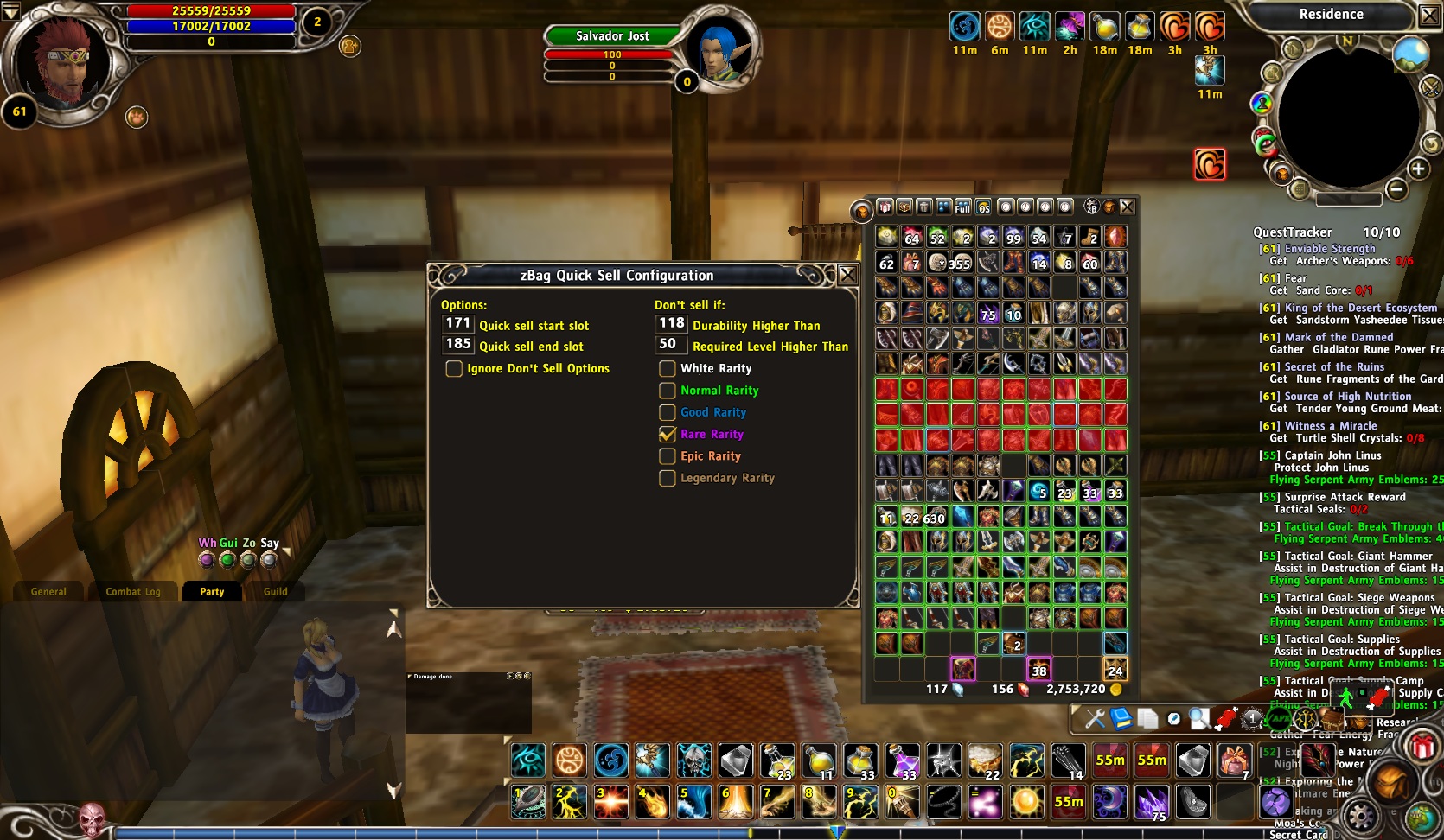
Quick Sell Configuration Options. Shfit+Click on the QS coin icon to bring up the configuration interface.
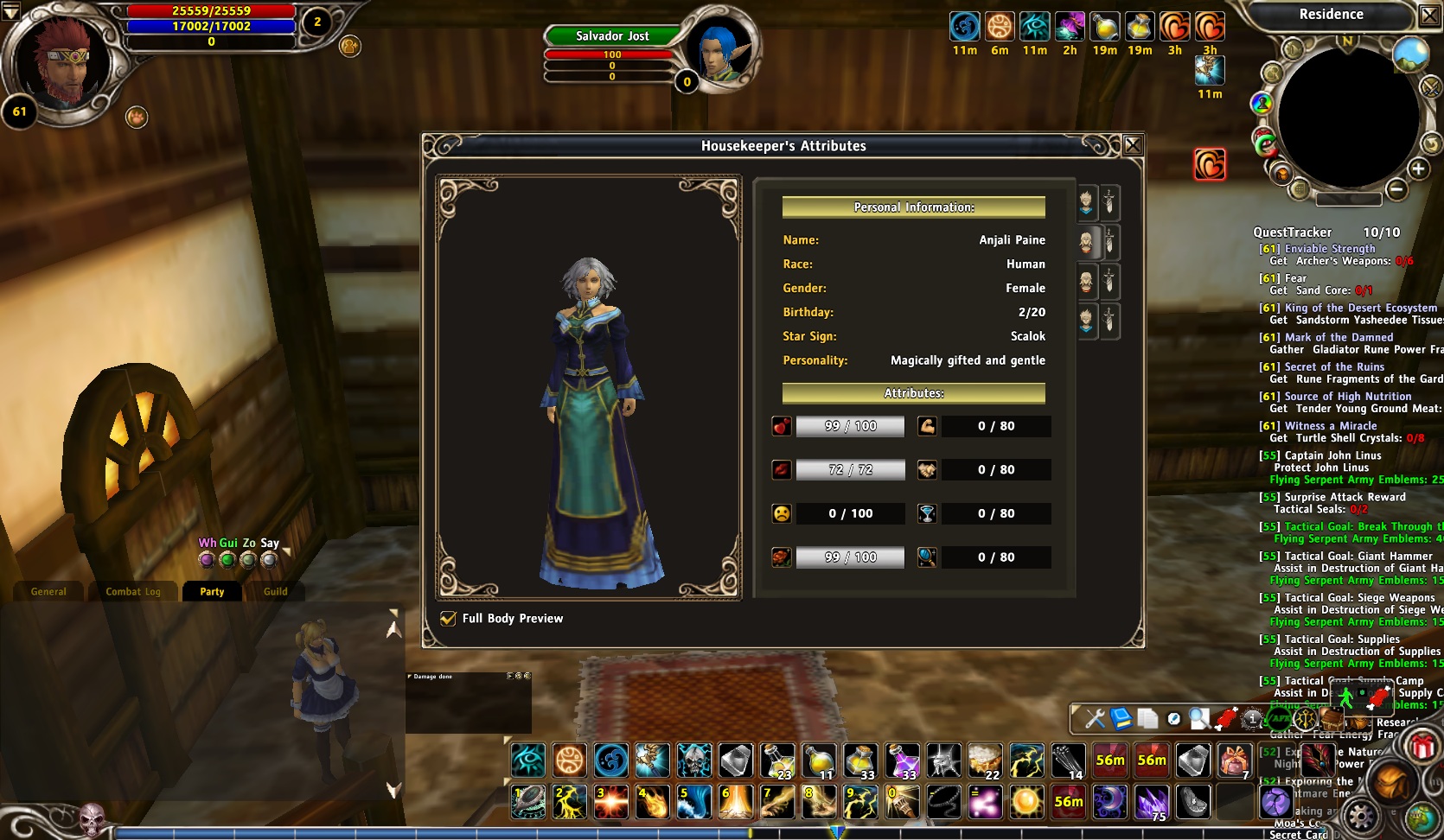
On the right, you can see little icons which allow you to access all your housekeepers attributes and inventories from a single interface. Simply talk to any of your housekeepers and it will bring up this interface.
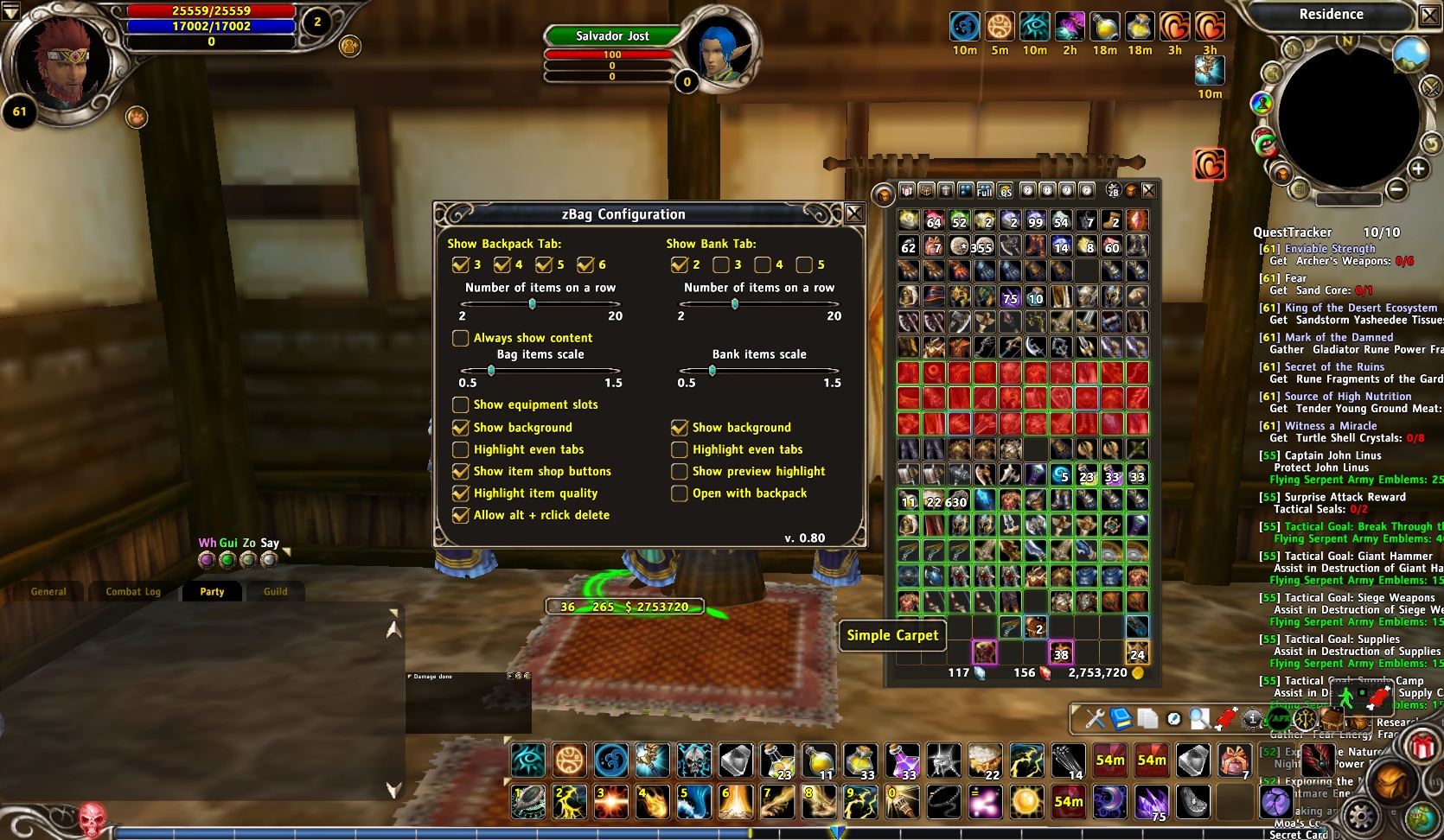
zBag Configuration Options. Click on the zB widget icon to bring up the configuration options.
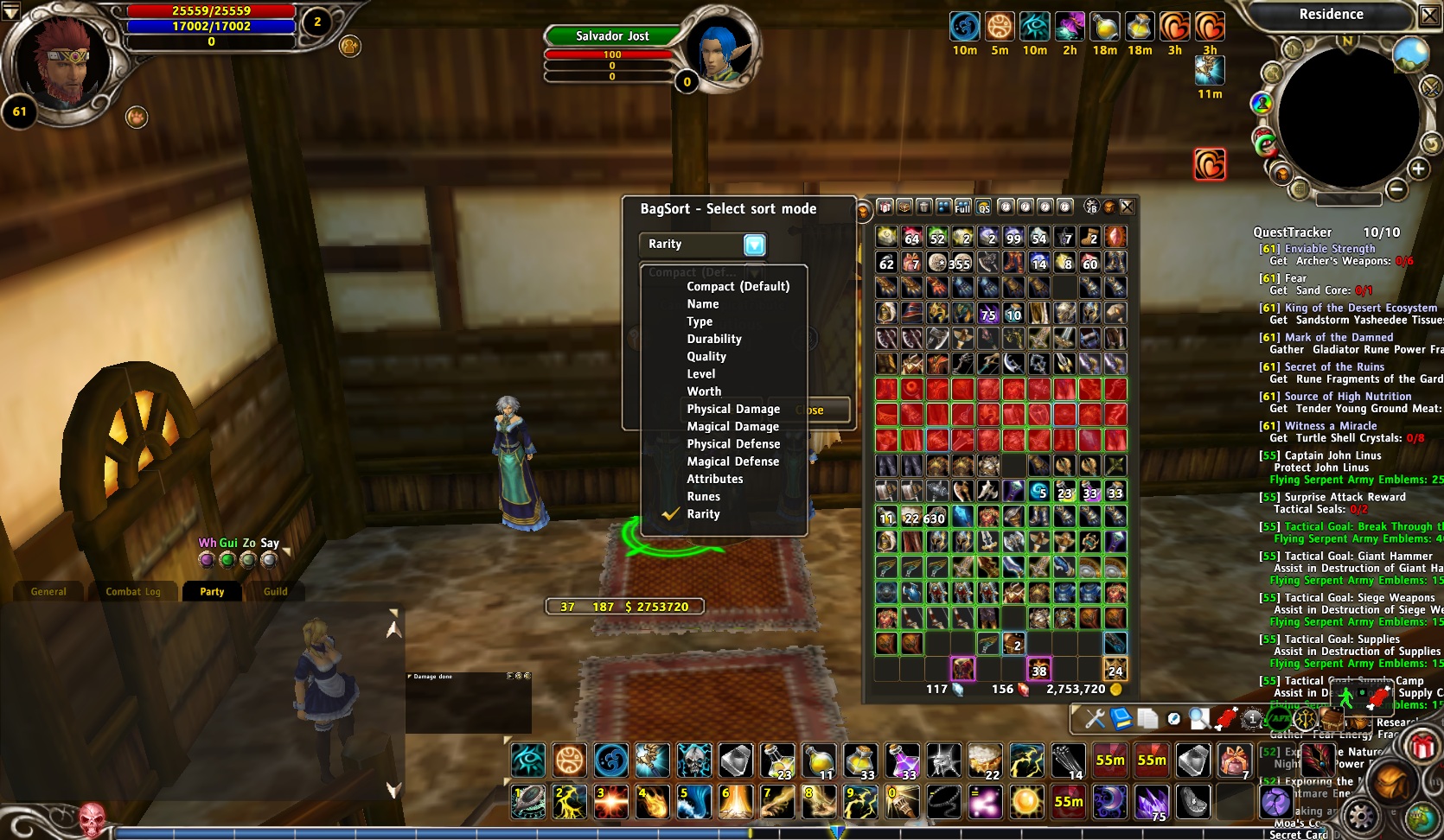
Different ways you can sort items in your bag. Shift+click on the full sort icon to bring up this configuration interface. You'll also notice one of my backpack tabs has expired (highlighted in red).
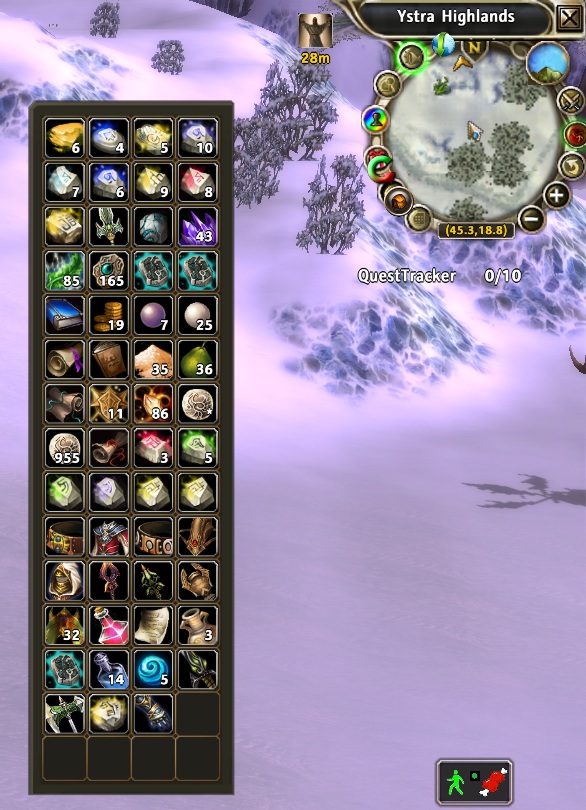
Example showing how the backpack can look when it is always open
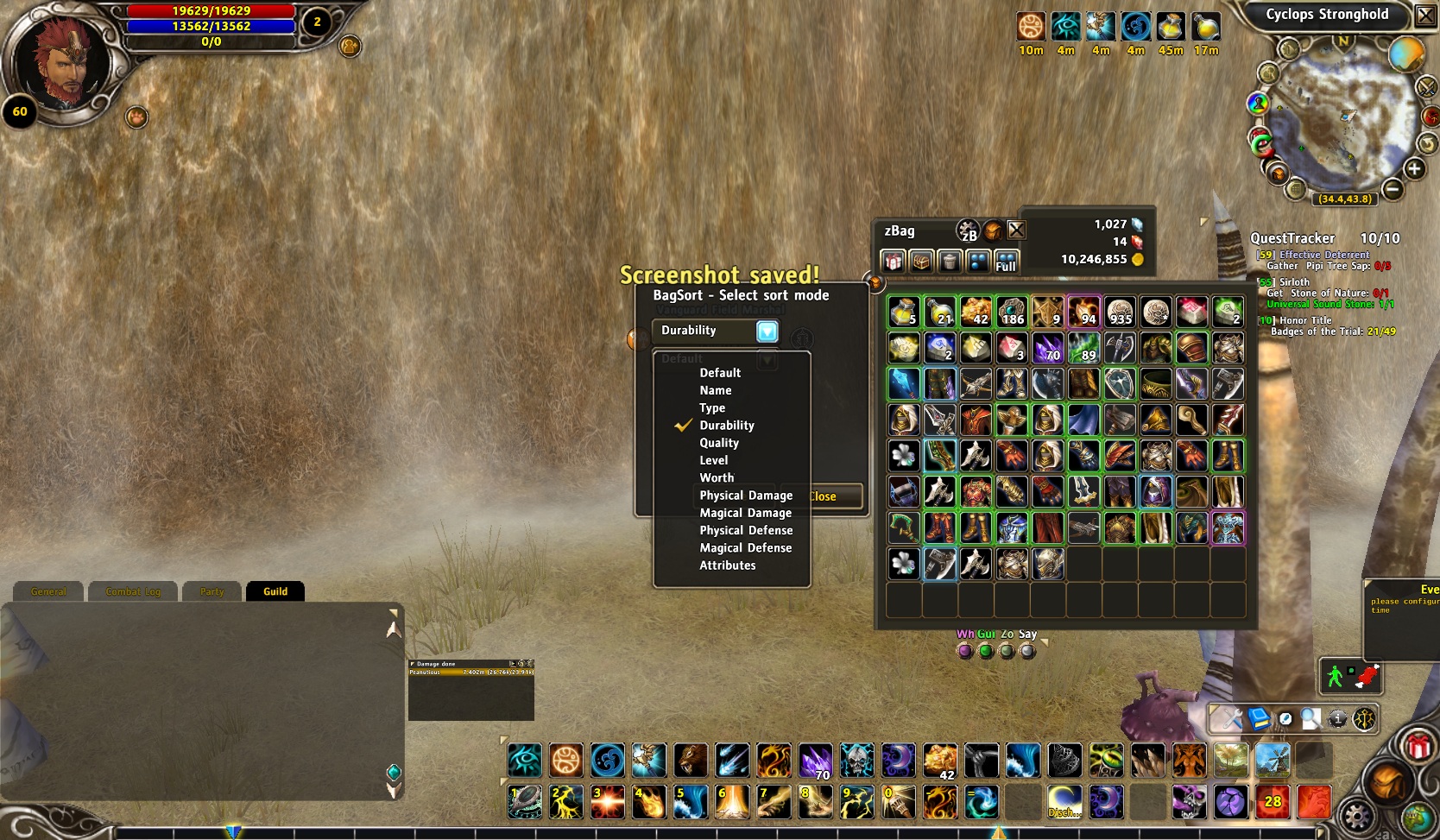
List of all the sorting options available in the v0.60 and later versions of zBag now that the BagSort addon is included. Hold down shift and click on the sort full icon to bring up this new interface.
Description
zBag replaces the default backpack, bank and house chest with a compacted interface without tabs.
Detailed Features
Backpack
- Show 2-6 backpack tabs on the screen at once
- Customize number of items per row (taller/wider backpack display)
- Ability to shrink/grow the size of each backpack item icon
- Option to always show backpack content (even when closed)
- Option to show slots for the equipment you are wearing
- Option to hide/show item shop backpack rental buttons
- Incorporated BagSort addon code. Shift+Click on Full bag sort icon to bring up a list of sorting options (name, type, quality, level, worth, physical damage, magical damage, physical defense, magical defense, attributes
- Option to allow Alt+Right-click on a bag item to delete that item
- Shift+drag window to temporarily place the zBag window above other windows
Bank
- Option to show 1-6 bank tabs on the screen at once (including item shop bank)
- Customize number of items per row (taller/wider bank display)
- Ability to shrink/grow the size of each bank item icon
- Option to always show bank content (even when closed)
- Option to show items in the house chest below bank content
- Option to show bank content every time you open your backpack
House Maids
- Interact with all your house maids from a single view (all inventories and attributes)
Store
- Option to sell multiple backpack items with a single click
- Ability to not sell items if: high durability, high level, specific rarity.
- Always sell / never sell lists
- Auto-attach an item when the mail window is open by Alt+Left-click on the bag item
Trade
- Quick pickup of all items when trading with another player
This addon is a continuation of the discontinued yBag addon. Many thanks to the original yBag author adisadicul on curse.com. Development had stopped on 13 Mar 2009 and I have been unable to make contact with the original author so I decided to pick up development. If adisadicul comes back, I'll gladly turn the code back over. Anyone else is also welcome to contribute to this code base. Per the terms of the license (GPLv3) I must tell you how to install this addon. Simply use the curse installer or download and extract this addon in your RoM addons folder such as: C:\Program Files\Runes of Magic\interface\addons\
zBag Team
