• Browse
    Browse all (120)
    • iconMinecraft
    • iconThe Sims 4
    • iconWorld of Warcraft
    • iconMinecraft Bedrock
    • iconArk Survival Ascended
    • iconHytale
    • iconinZOI
    • iconStarCraft II
    • iconKerbal Space Program
    • iconStardew Valley
    • iconAmerican Truck Simulator
    • iconHogwarts Legacy
    • iconTerraria
    • iconWildStar
    • iconWorld of Tanks
    • iconPalworld
    • iconRunes of Magic
    • iconRift
    Hytale New Worlds Contest
  • Create
    MOD AUTHORS
    • Become an Author
    • Start a Project
    • Project Submission Guide
    MODDING TOOL DEVELOPERS
    • Apply for an API Key
    • Documentation
    • Terms & Conditions
    SOCIAL
    • Join Our Discord!
    • Authors Discord
    Hytale New Worlds Contest
  • Studios
    GAME DEVELOPERS
    • Unlock Modding for Your Game
    • Documentation
    Hytale New Worlds Contest
  • Help Center
  • Our Blog
  • Follow Us
    • Discord
    • Instagram
    • Reddit
    • TikTok
    • Twitter / X
    • YouTube
  • Surprise Me
  • Legacy
  • Go Premium
  • Get CurseForge App
Quest compiling...
DiscoverBrowse All
  • Runes of Magic
  • Addons
Sample for XBar Addon Management logo

Sample for XBar Addon Management

  • By
    matif525matif525
  • Addons
Add your GUI and Popup information in XBar!
Install via App
Total Downloads
5.4K
Last Update
Feb 4, 2012

Sample for XBar Addon Management
Install via App

Details

Downloads
5,496
Created
1 decade ago
Updated
1 decade ago
Project ID
32474
License
Creative Commons License By-Nc-Sa 3.0

Game Versions

    4.0.2.2440

informative placeholder

Categories

  • Development Tools

Main File

4.0.2.2440

Two or More Pages Sample
Latest release
  • R
  • Feb 4, 2012

Recent FilesView all

Game

Two or More Pages Sample
Latest release
  • R
  • Feb 4, 2012

  • Description
  • Files
  • Gallery (3)
  • Relations
  • Issues
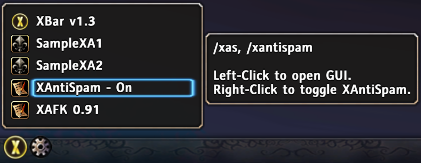
  • Thumbnail <p>In popup, you can use Left/Right-Click.<br>
You can add any function you need in popup menu, like toggle your addon, open GUI...<br>
There is a tooltip for your addon, you can add any information which you want, like author, usage, description...</p>
    In popup, you can use Left/Right-Click.
    You can add any function you need in popup menu, like toggle your addon, open GUI...
    There is a tooltip for your addon, you can add any information which you want, like author, usage, description...

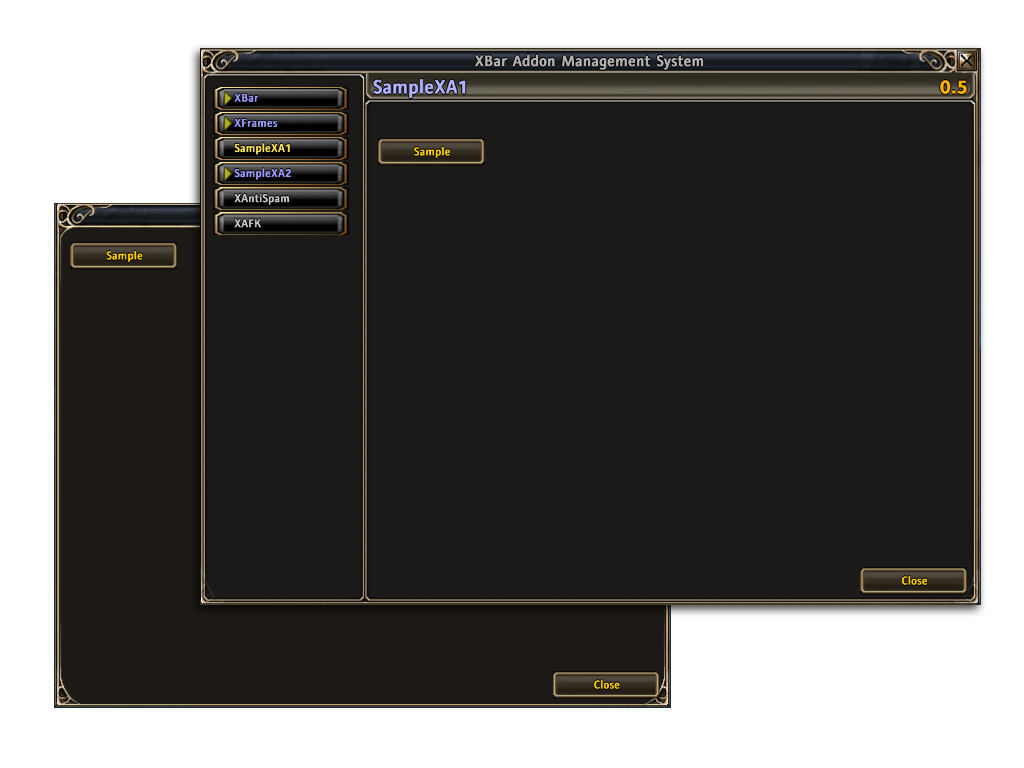
  • Thumbnail <p>You can also use UICommonFrameTemplate or other backdrops.</p>

    You can also use UICommonFrameTemplate or other backdrops.
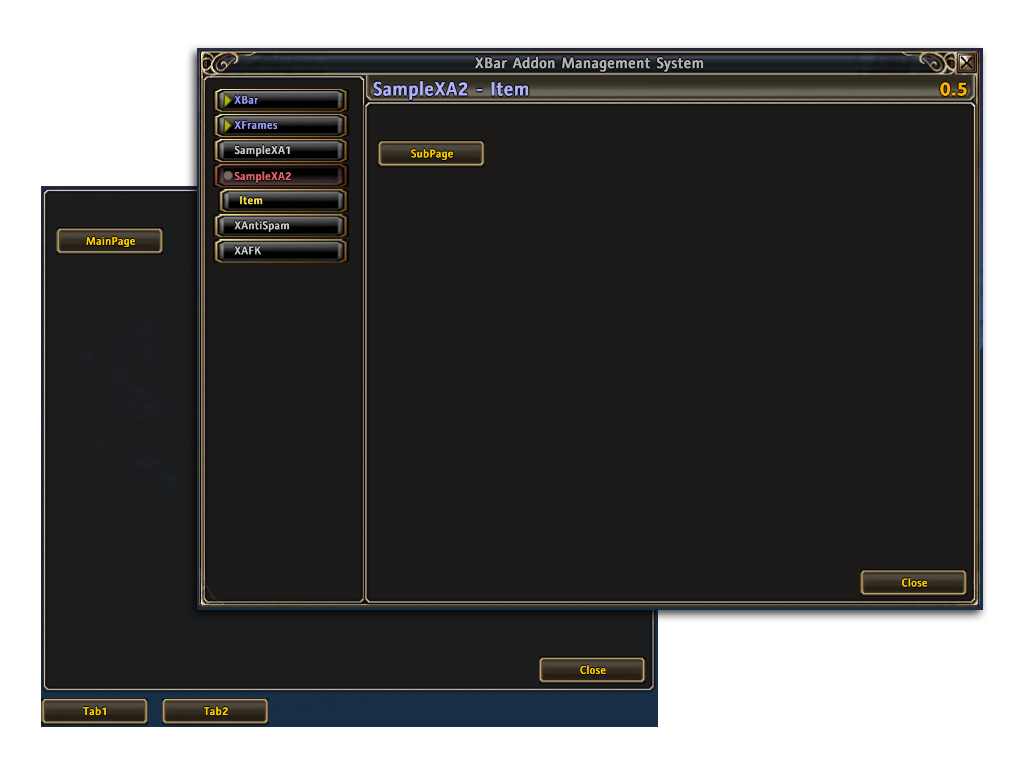
  • Thumbnail <p>There are 3 levels for page in XBar Addon Management list.</p>

    There are 3 levels for page in XBar Addon Management list.

Runes of MagicDiscoverBrowse
CurseForge - a world of endless gaming possibilities for modders and gamers alike.
Download the best mods and addons!
  • Games
    • All games
    • Minecraft
    • World of Warcraft
    • The Sims 4
    • Starcraft II
    • Kerbal Space Program
    • Minecraft Dungeons
    • World of Tanks
  • Create
    • Start a project
    • Project submission guide
    • Author Rewards Program
    • Apply for an API Key
    • 3rd Party API T&C
  • Community
    • Join Our Discord!
    • Ideas Portal
    • CF blog
    • Newsletter
    • Roadmap
    • Bukkit forums
    • CurseForge Servers
  • Support
    • Knowledge base
    • Troubleshooting
    • Contact us
  • Companions
    • Overwolf
    • CurseForge for Studios
    • Tebex
    • Nitro
  • Terms of Service
  • Privacy Policy
  • Licenses
  • Mod Author Terms
© 2026 Overwolf. All rights reserved.