Swap

Interupt
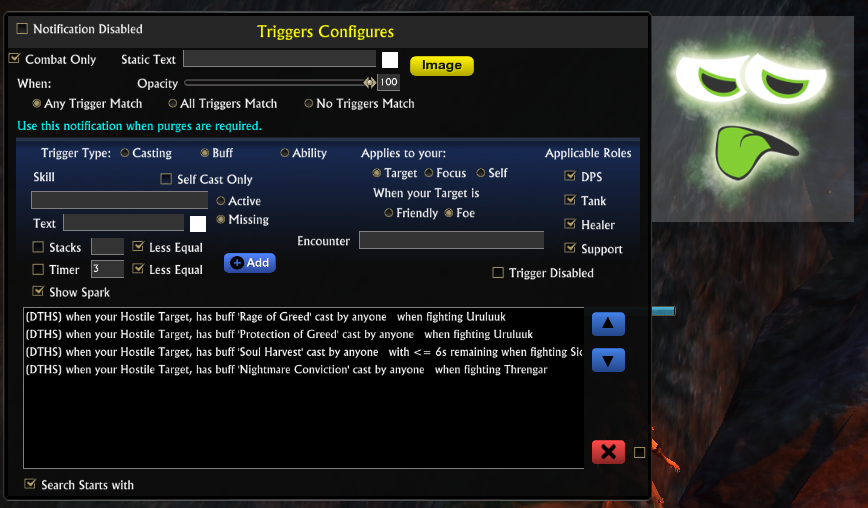
The dialog for configuring the trigger
Purge
This is the first step in creating a notification. Select an image!
Debilitate
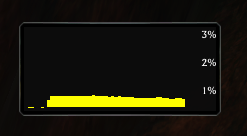
Cpu monitor

Move
Minimap Icon
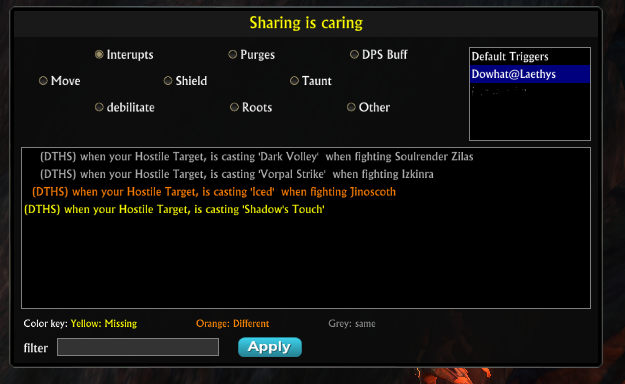
Dialog for sharing
DPS
Root
Shield
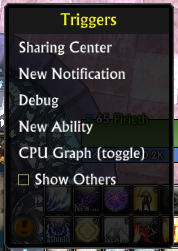
Minimap Menu
Description
Welcome to triggers, a new way to think about alerts!
Triggers was designed around the concept that a screen icon could be displayed or hidden based on multiple conditions. We call this icon a notification and the conditions to display the icon are triggers. This concept allows us to create a notification that takes on meaning, like interrupt or purge, and have a single image association with that meaning. Triggers comes with 8 standardized notifications but you can create as many notifications as you want.
Triggers default alerts:
- Interrupts
- Move
- Purge
- Shields
- DPS buffs
- Debilitate
- Roots
- Taunts
Triggers is a user friendly screen alert system, similar to KaruulAlert . In fact you will find some of your favorite icons from KaruulAlert , (KaruulAlert has not been updated in 2+ years) Kudo's to the great work that team has done on Karuul's. In comparison you will find that Triggers is very similar to KaruulAlert.
Trigger Features:
- Triggers are stored globally, shards and accounts share the same triggers. No more transferring and trying to figure out how to move your alerts!
- Triggers can be specified by your spec or a partial match on your spec(role) name. Thus you can have two warriors share the same spec specific alerts!
- Triggers can be specified by your Role (dps, tank, heal, support) This allows you to have those interrupt alerts as DPS but not Heals.
- Triggers sharing is simple, Open the sharing dialog, select a user to inspect their alerts. Click an alert to download it.
- Friendly screen alignment and notification snapping accessed VIA the map icon left click action.
- CPU graph - just so you can watch how smooth and optimized Triggers is! hehe, more for my own debugging purposes.
- Unlimited notifications! You can create as many notifications as you want!
- Triggers gives cookies when you're good!
OMG R99 has a bran new look!
r99 - The configuration screen has a new look and feel, Say goodbye to all those checkboxes and radio buttons. The new UI uses toggle buttons. This allows buttons to take on more meaning and be more clear to the user. I hope you all enjoy this new UI but it may take a little time to get used to it.
The Triggers Team