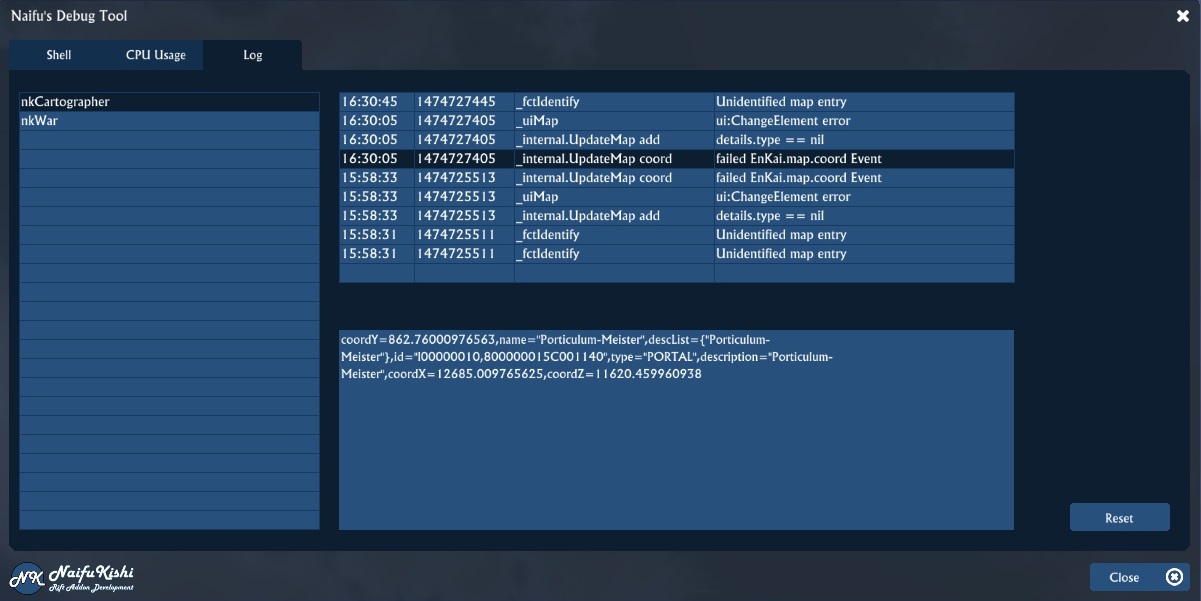
You can log all your important information with nkDebug
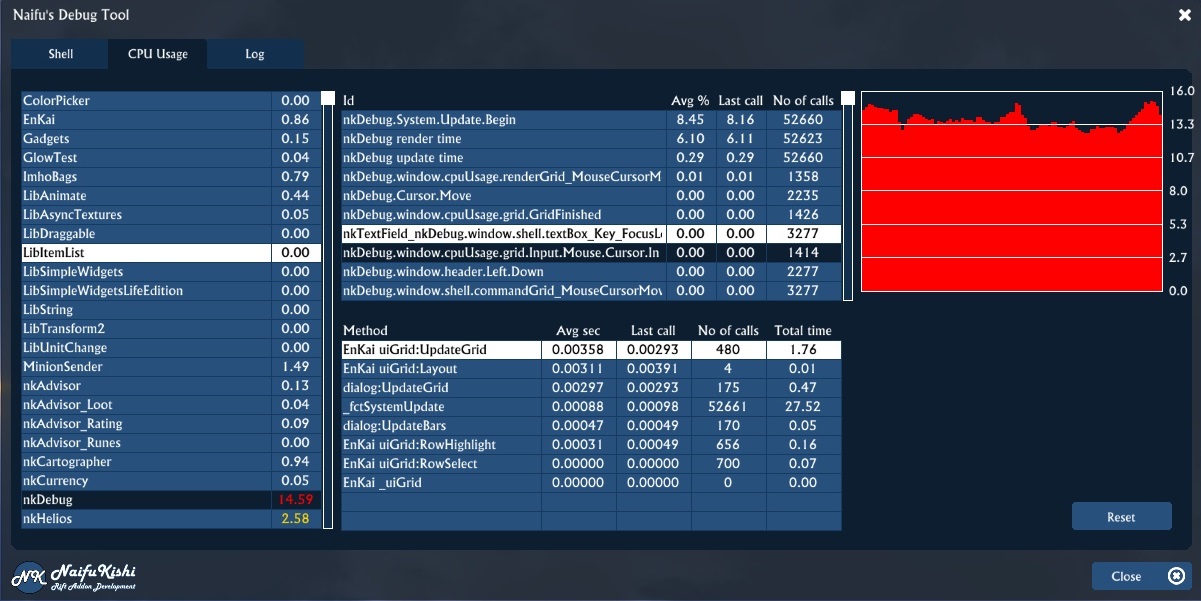
The performance of addons can be measured and analyzed with nkDebug
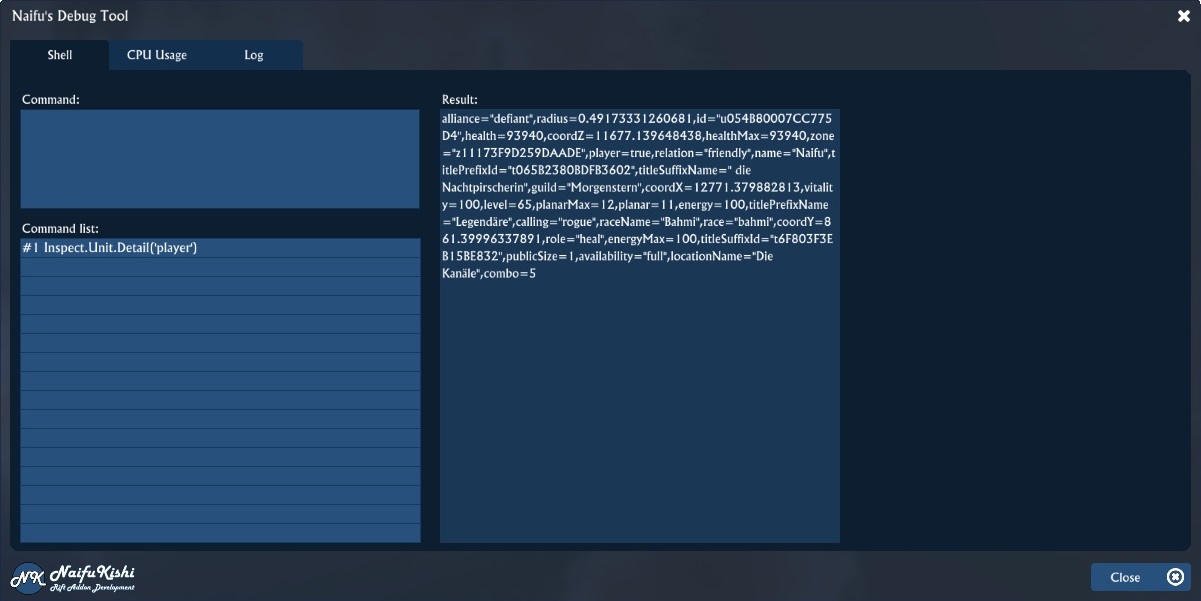
This image shows the command shell part of nkDebug
Description
nkDebug is a small tool to help addons developers during the development process.
Shell
In the shell tab you can test script commands. Simply enter the command in the textfield and hit enter. if the script has a result it will be display in the output area to the right. For example entering Inspect.Unit.Detail('player') will show your details in the result area.
A history of all commands will be maintained and shown. You can click on a past command to view it's result again.
Using the keys Up and Down you can scroll down previous commands in the command textfield.
Finally you can also run commands from the command line by using /nkDebug <command>. The result will be tracked and shown in the nkDebug addon window.
Performance tracking
For this it features an UI which shows you the load of all loaded addons in a list. You can click on one of the entries and a graph will show you how this addon's performance is changing over time.
Below the graph there is another list which can show you the performance of certain methods in your addon. This list includes the values method name, avg. run time, last run time, no of calls and total time of method duration. Using these values you can spot the methods in your addon which take the most time quite easily.
For the method performance part to work you'll need to include two lines into every method (or at least in the methods you want to debug). One at the very beginning and one at the end of these methods:
- At the beginning of the method -
local debugId if nkDebug then debugId = nkDebug.traceStart (addon name, method name) end
- At the end of the method -
if nkDebug then debugId = nkDebug.traceEnd (addon name, method name, debugId) end
If nkDebug is loaded it will start to record this method's performance and calls. If not nothing will happen at all. Instead of entering the addon name all of the time you could include the following line at the very beginning of every lua file of your addon (it has to be the first line at the very top):
local addonInfo, privateVars = ...
Then you can use addonInfo.identifier as addon name and it will automatically read the identifier out of your RiftAddon.toc file.
Addon log
The second feature of nkDebug is an addon log. You can log messages and informations in your addon for later review. Simply use the following command in your addon:
if nkDebug and nkDebug.logEntry then nkDebug.logEntry (Inspect.Addon.Current(), category, message, details) end
category helps you identify the source of the log message within your addon. Using the function name is very helpful.
message can be an error message or some basic informations
details can be anything you want. You can event put in large tables.
You can view log messages in the UI of nkDebug.
API errors
All API errors will be tracked and logged in the log tab. If more than 15 errors happen in a short time frame the logging of Rift API errors will be stopped.
Adding a dependency in your addon
To make sure nkDebug is loaded before your addon please add the following to the toc of your addon:
Dependencies = { nkDebug = {"optional", "before"} }
The nkDebug2 Team


Owner