
ElvUI_xScarlifeUI
- By
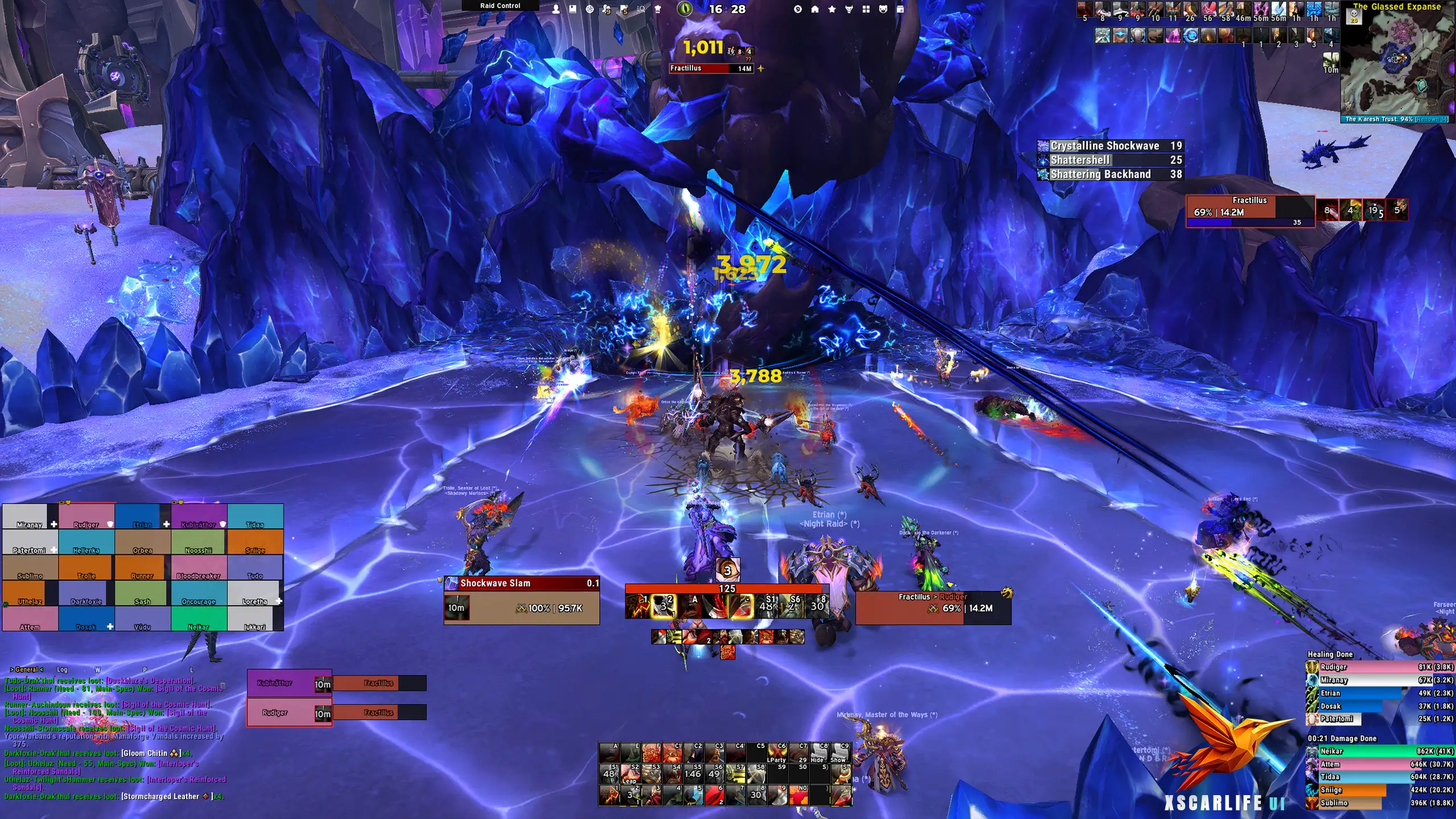
ElvUI-xScarlifeUI - Warrior.webp
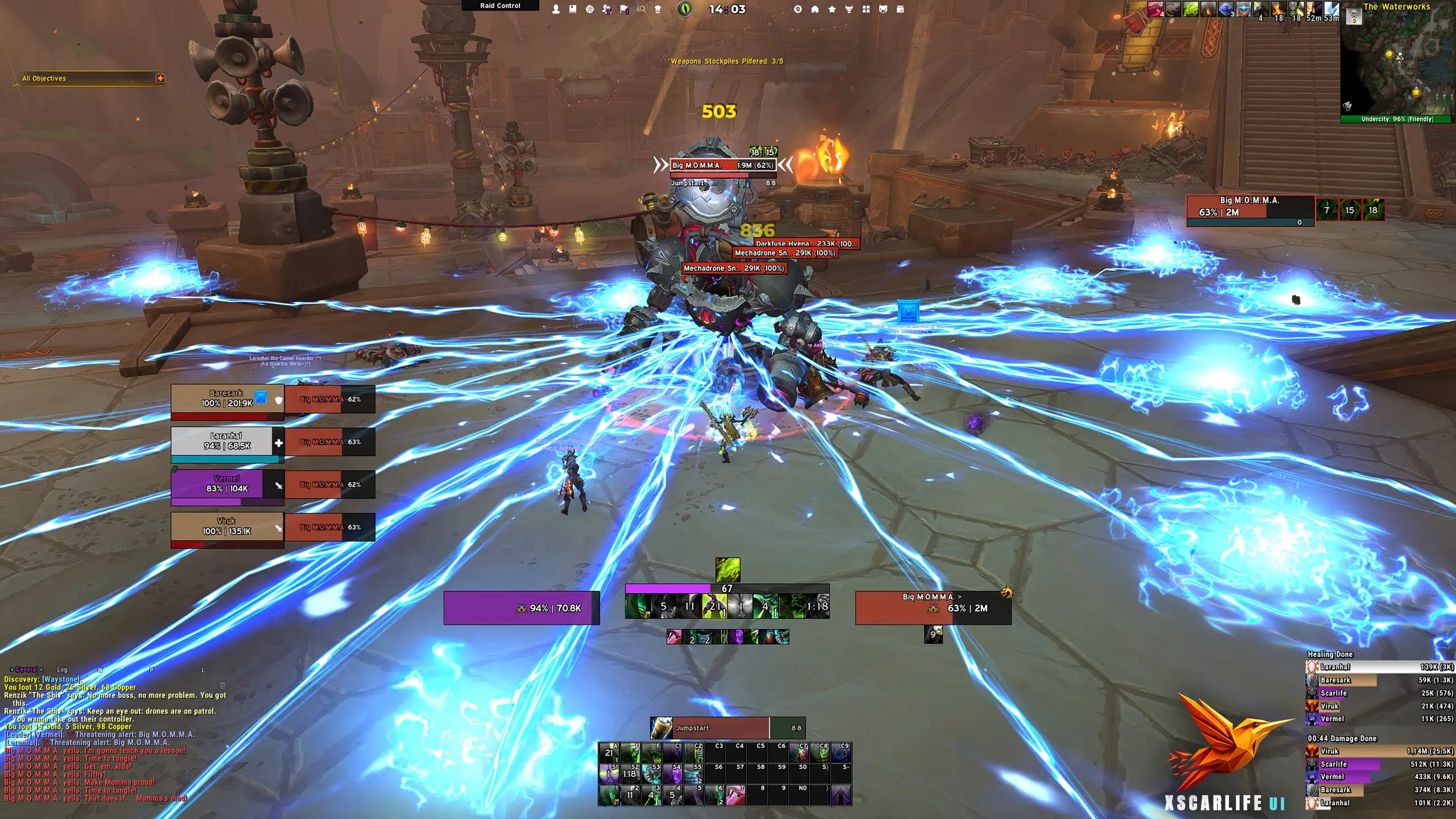
ElvUI-xScarlifeUI - Demon-Hunter.webp
Description
ElvUI_xScarlifeUI
A complete ElvUI setup for World of Warcraft, with an easy-to-use installer.
xScarlifeUI is my personal ElvUI setup that I've been using and refining over the years. I've made it available for anyone who prefers a clean, organized interface without having to configure everything from scratch.
The installer takes care of the initial setup, including the layout, unit frames, action bars, and other interface elements.
Whether you're starting with ElvUI for the first time or simply looking for a different layout, xScarlifeUI gives you a ready-to-use starting point that you can further customize to your liking.
Features
- Complete ElvUI Layout: A preconfigured interface with unit frames, action bars, nameplates, and other essential UI elements.
- Easy Installation: A step-by-step installer that handles the configuration for you.
- Clean and Organized: An interface designed to keep important information visible without unnecessary clutter.
- Additional AddOn Profiles: Preconfigured settings for supported addons to maintain a consistent layout.
- Customizable: You're free to adjust the interface to match your own preferences.
Supported WoW Versions
xScarlifeUI supports the following versions of World of Warcraft:
- World of Warcraft Retail
- World of Warcraft Classic
- World of Warcraft Classic Era
- World of Warcraft Forever
Please make sure you're using the correct version of ElvUI and the required addons for your WoW client.
Required AddOns
The following addons are required for the complete xScarlifeUI setup:
- ElvUI
- Details! Damage Meter
- BigWigs Bossmods
- ElvUI WindTools (Retail only)
Some addons or features may not be available on every WoW version.
Installation
- Back up your settings. I recommend making a backup of your WTF folder before installing.
- Install the required addons. Make sure ElvUI and the other required addons are installed and up to date.
- Install ElvUI_xScarlifeUI. Download it through CurseForge or install it manually in your AddOns folder.
- Launch World of Warcraft. Make sure all required addons are enabled.
- Follow the installer. Complete the on-screen installation steps to configure your interface.
Important: xScarlifeUI was originally designed for a 2560×1440 resolution. While it can be used at other resolutions, you may need to reposition or resize certain elements.
Installation Guides
Need help getting everything set up?
- Video Guide: Watch on YouTube
- Written Guide: xScarlife Gaming Website
Support & Feedback
Having trouble with the installation, found a bug, or have a suggestion?
Feel free to join the xScarlife Gaming Discord.
I do my best to help with installation issues and keep xScarlifeUI updated as ElvUI and World of Warcraft continue to evolve.
If you enjoy using xScarlifeUI, consider leaving a comment or sharing it with others!
Credits
Special thanks to Repooc for helping me develop the original installer plugin and to the TukUI Discord community for their assistance and support.
ElvUI_xScarlifeUI Team


