FTB Ultimine Addition (Forge/NeoForge/Fabric)
- By
Lock the ability to use ultimine under conditions! Making the player experience more fun by completing some challenges to obtain the excavation skill.
Ultimine is locked until you earn it. Clear mining challenges, learn shapes and unlock it, tier by tier.
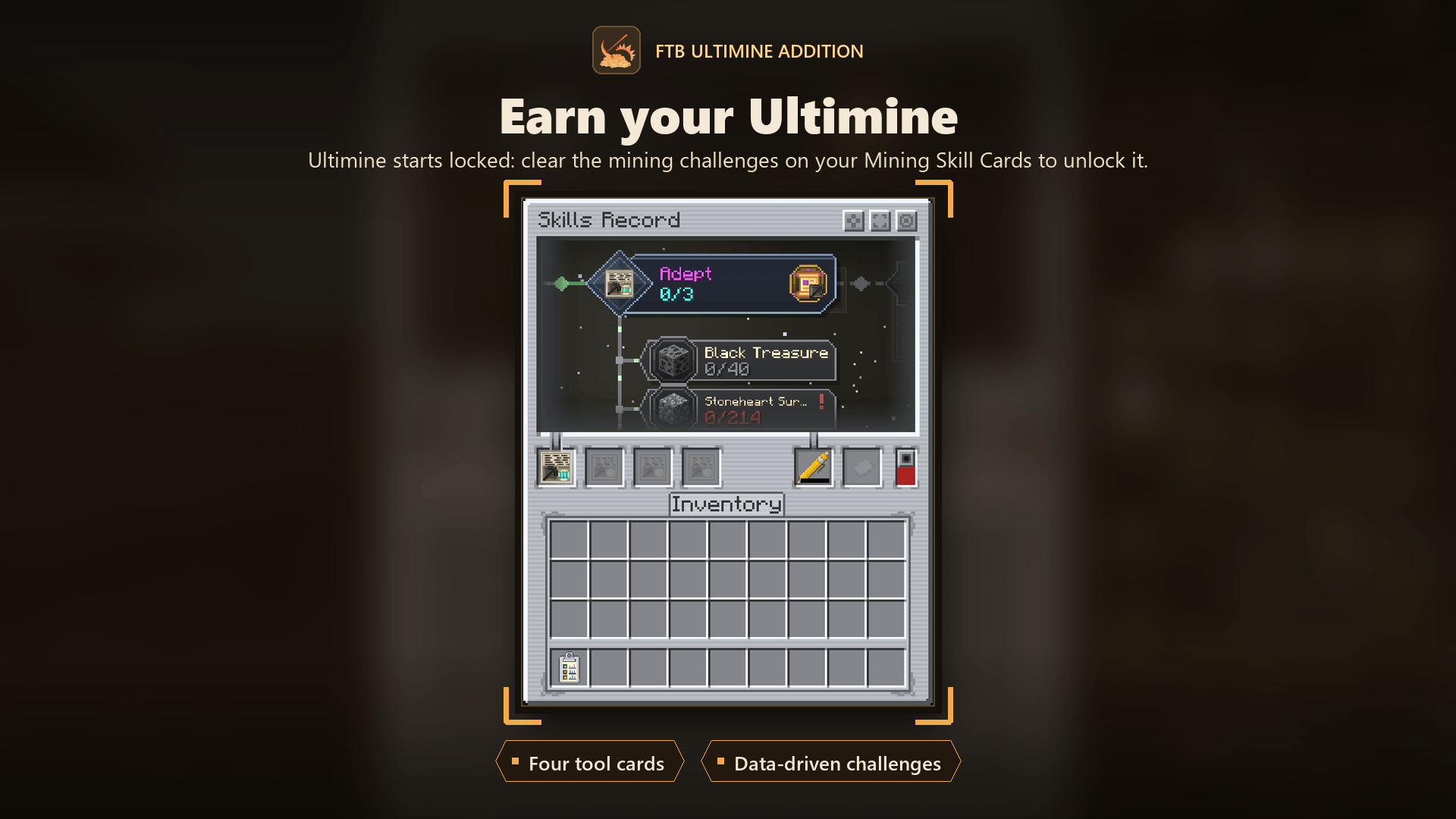
Ultimine starts locked: keep Mining Skill Cards in your Skills Record and clear their mining challenges to unlock it.
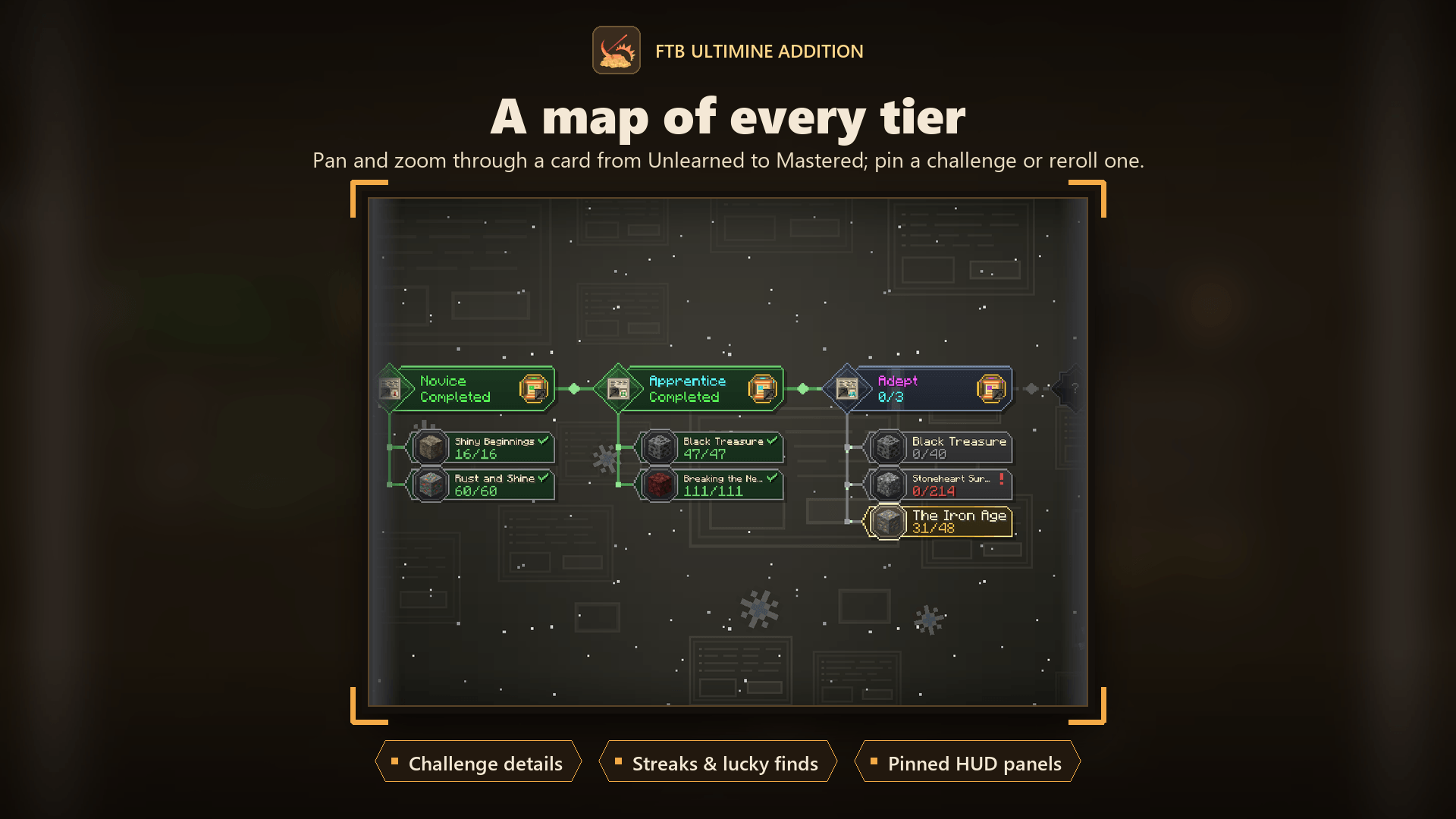
The card viewer lays out a card from Unlearned to Mastered; pan, zoom, pin a challenge or reroll one you dislike.
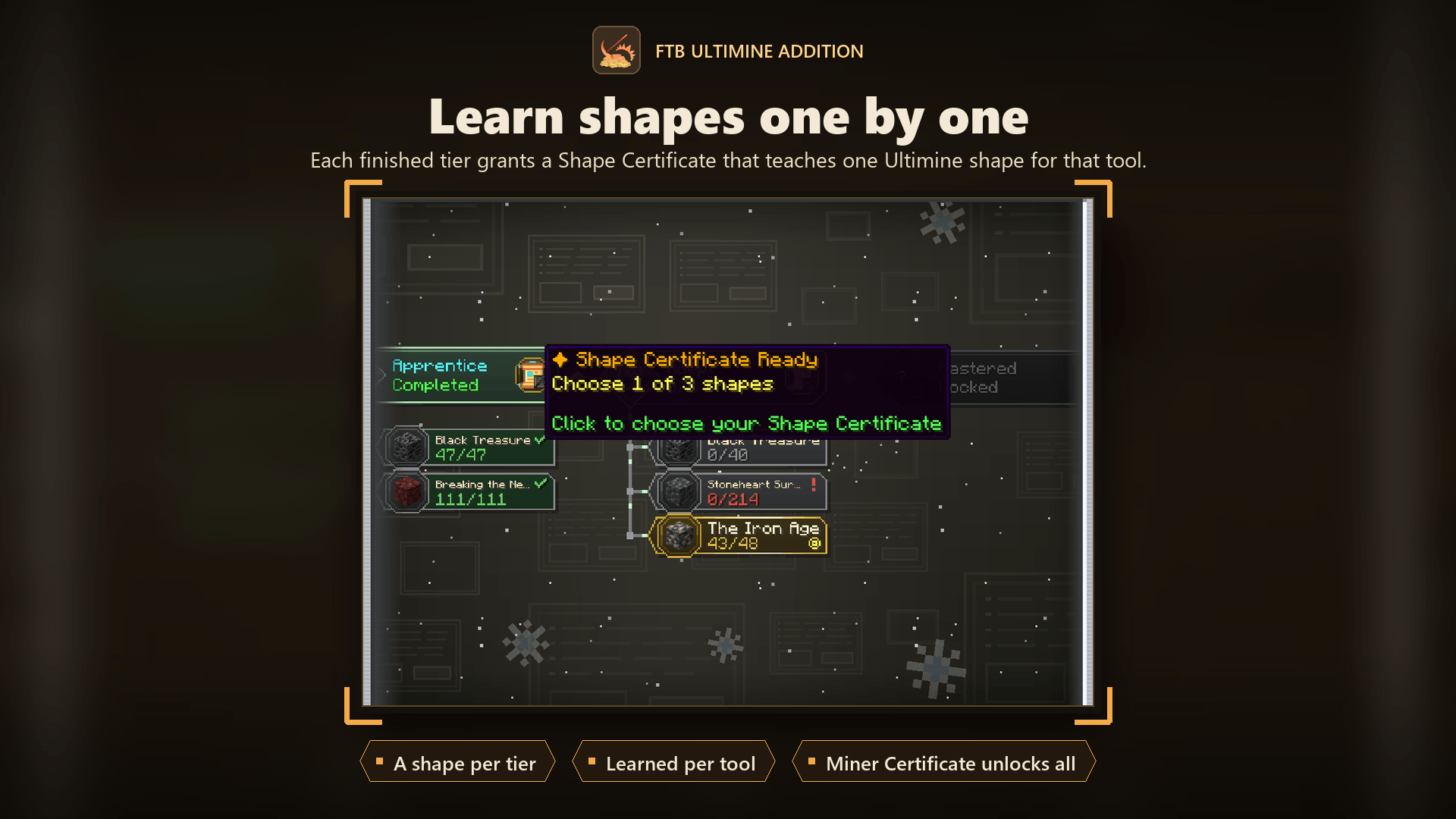
Each finished tier grants a Shape Certificate that teaches one Ultimine shape for that tool.
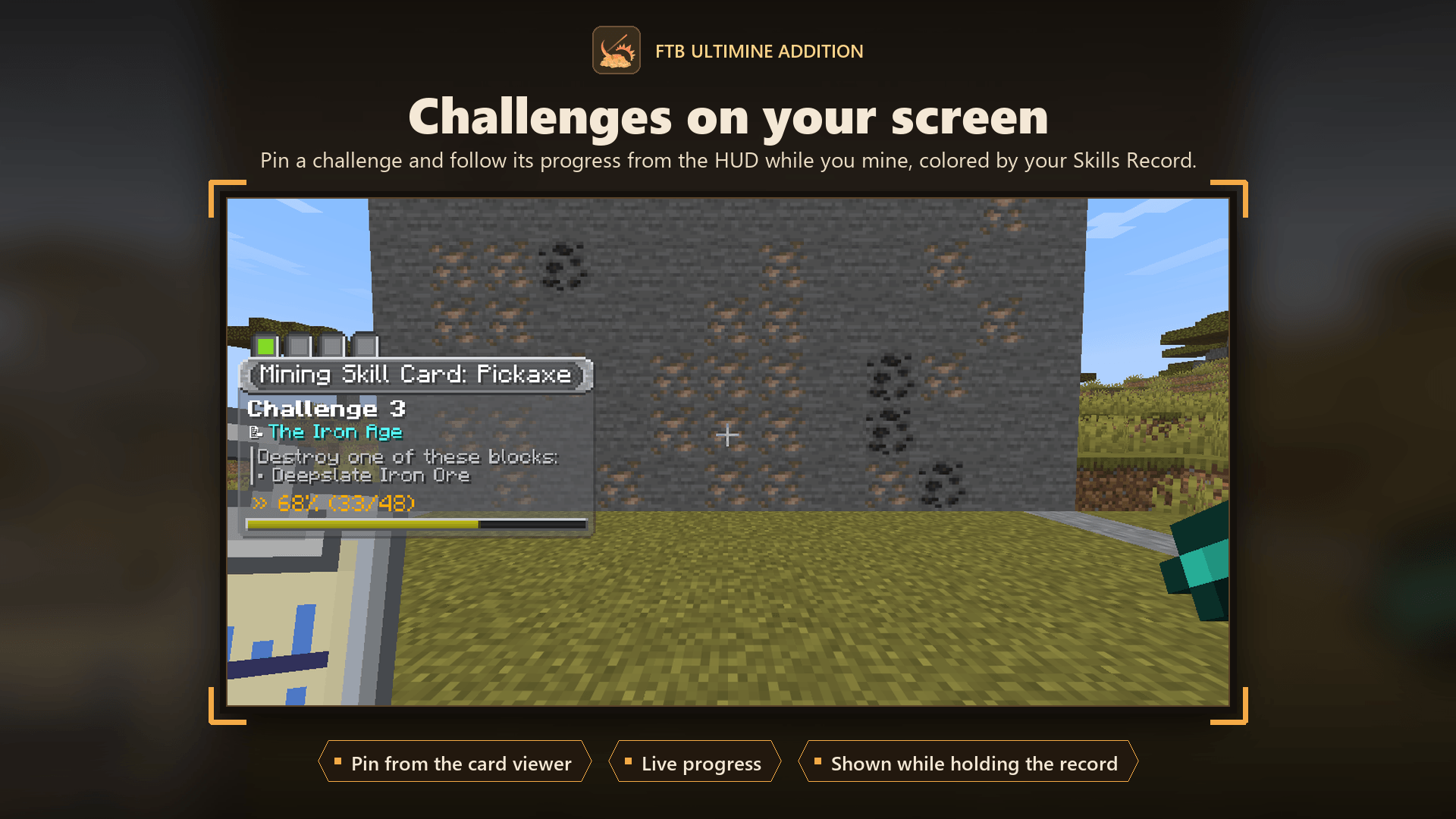
Pin a challenge and follow its progress on the HUD while you mine, colored by your Skills Record.
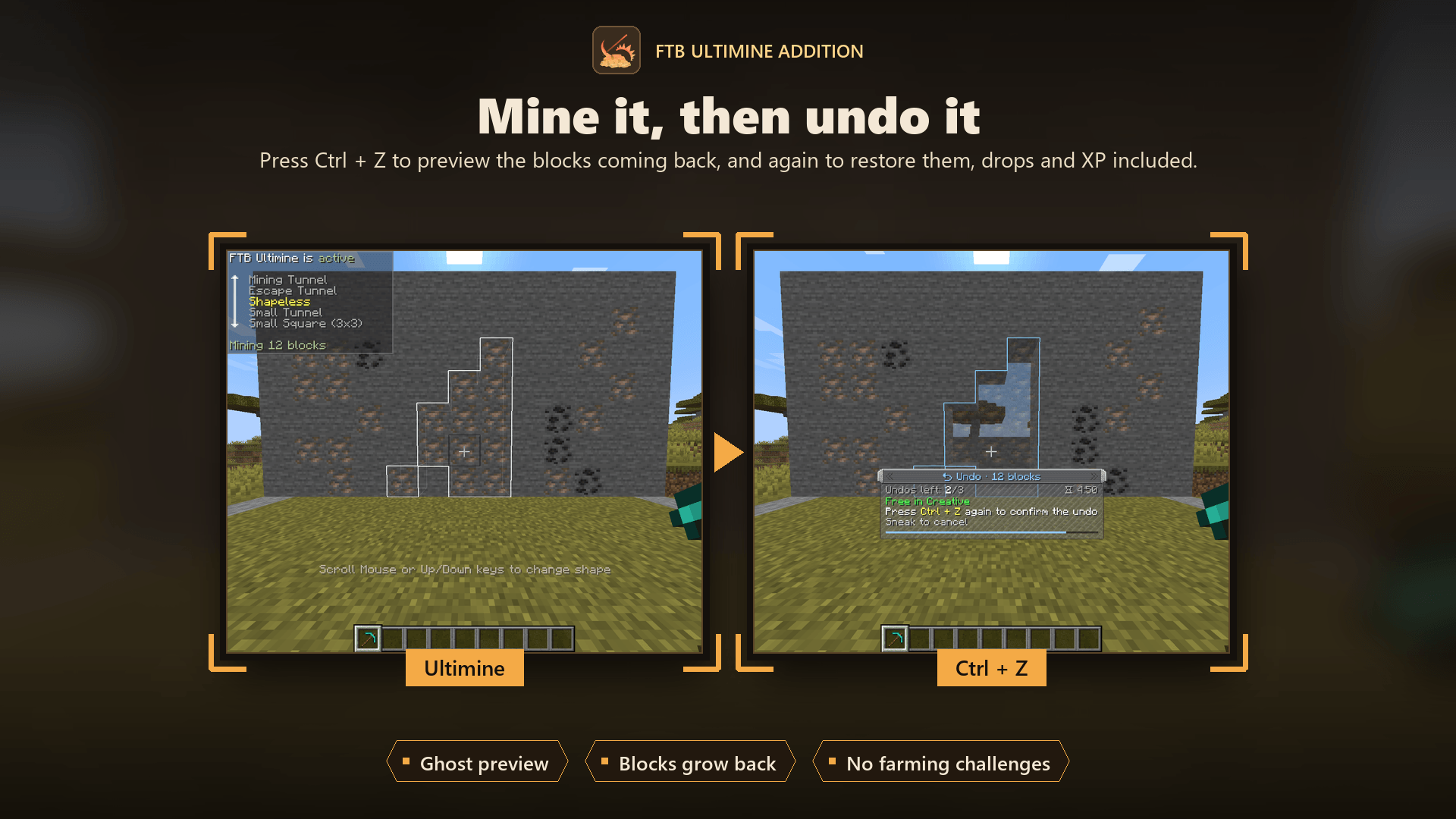
Press Ctrl + Z to preview the mined blocks as ghosts, and again to restore them, drops and XP included.
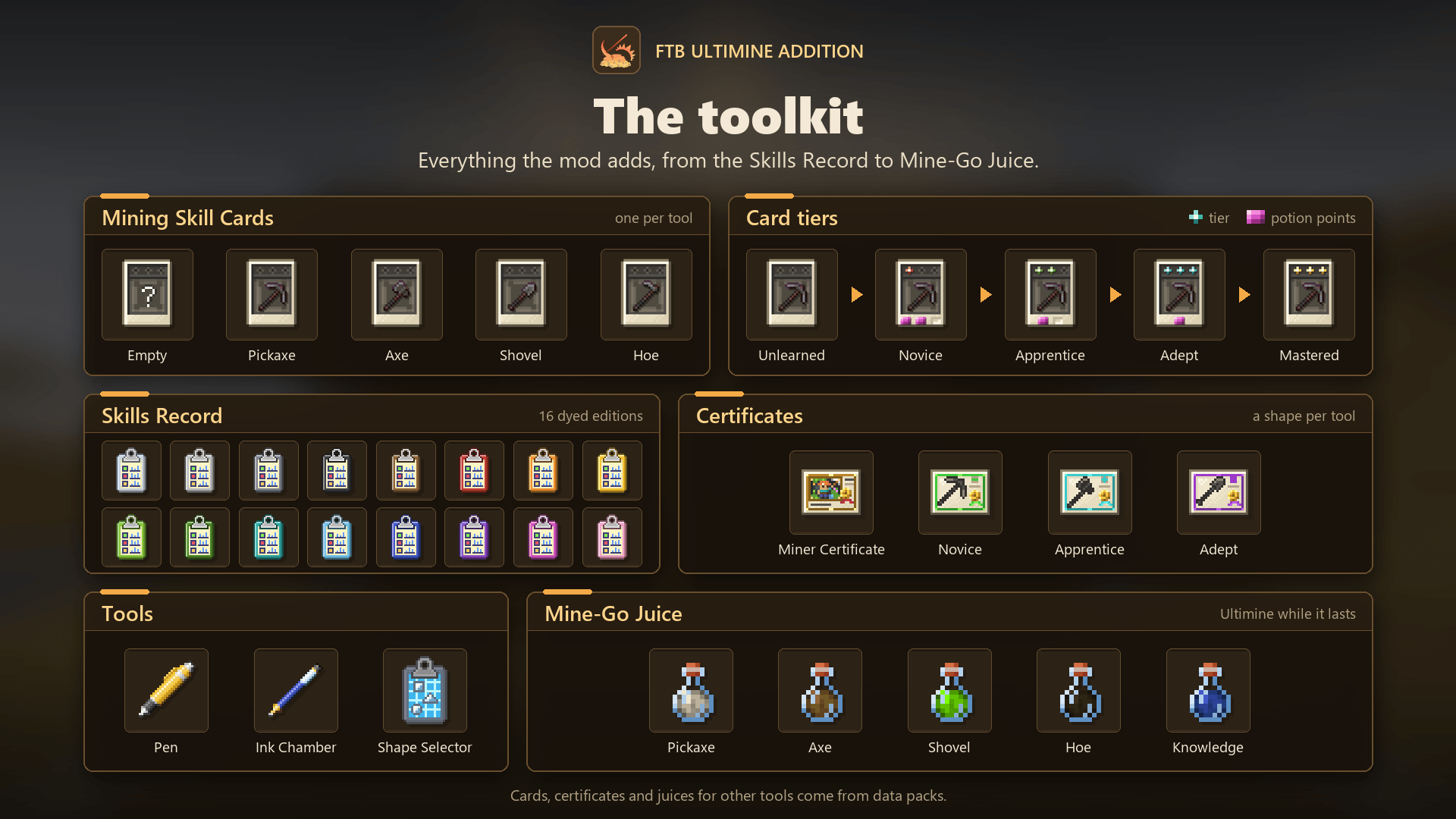
Every item the mod adds: Skills Record editions, Mining Skill Cards and their tiers, certificates, tools and Mine-Go Juice.
Description






✨ About
Ultimine is locked until you earn it. FTB Ultimine Addition is an add-on for FTB Ultimine that turns vein mining into a skill you work towards: clear mining challenges, learn Ultimine shapes one tool at a time, and unlock the full power tier by tier.
- 🔒 Locked by default: no Ultimine until a player has earned it
- 🎯 Challenges to clear: mining goals for the pickaxe, axe, shovel and hoe
- 📜 Shapes to learn: each finished tier teaches one Ultimine shape for its tool
- ✏️ Shapes of your own: draw them in the Shape Designer and share them
- ⭐ Perks and prestige: a perk for the tool at each tier, and Mastered cards that start over for a lasting bonus
- 📅 A daily challenge for the whole server
- ↩️ Ultimine undo: put a wrongly mined vein back
- ⚙️ Made for modpacks: synced server settings, and challenges, card types, shapes and rewards from data packs
📸 Screenshots are in the Gallery tab. The full guide is on the wiki.
⛏️ How it works
- Craft a Skills Record. It's a clipboard that holds your Mining Skill Cards and a Pen, and tracks your progress.
- Add Mining Skill Cards. There's one card per tool: pickaxe, axe, shovel and hoe. Each card gives you mining challenges for its tool, like "break 48 Iron Ore".
- Mine to clear challenges. Keep the Skills Record with you and break the blocks a challenge asks for. The Pen uses ink as you progress, so keep it filled.
- Tier up. Clearing a tier's challenges moves the card up: Unlearned → Novice → Apprentice → Adept → Mastered.
- Unlock Ultimine. Each finished tier grants a Shape Certificate that teaches one Ultimine shape for that tool. Master all four cards to craft the Miner Certificate, which unlocks every shape for good.
📋 Skills Record
- 🗂️ Holds everything: four Mining Skill Cards, a Pen and an Ink Chamber
- ⌨️ Opens with R, or by using it
- 🗺️ A card viewer that maps a card from Unlearned to Mastered; pan, zoom, and right-click a challenge or a tier for its menu
- 🎨 16 colored editions: craft it with a dye; each has its own motif, animated background and HUD colors
🎯 Challenges
- 📖 All the details: each challenge's description, the blocks it needs, its progress, its reward and when you finished it
- 📌 Pin challenges to follow them on your HUD while you mine
- 🎲 Reroll an unstarted challenge you don't like, once per tier, for a little ink
- 🔥 Streaks and lucky finds add bonus points as you mine
- 🛠️ Tools from other mods count too, even ones their mod left out of the tool tags
📜 Shape Certificates
- 🏅 One certificate per tier for every card, and you choose which Ultimine shape it teaches
- 🧰 Learned per tool: a pickaxe shape doesn't unlock the axe
- 🔀 Shape Selector: pick the active shape, and star your favourites so cycling only goes through those
✏️ Shape Designer
- 🧱 Draw a shape of your own from the Shape Selector, up to five layers deep, with a 3D preview you can turn
- 🗃️ Keep a few, and load, replace or delete them
- 📋 Copy and paste as JSON to share a shape; the JSON is also a data pack shape file
- 🔐 No shortcut: you learn your shape only for the tools you can already Ultimine with
⭐ Perks and prestige
- 🎁 A perk at each tier: pick one of two for the card's tool, from small comforts at Novice (Magnet, Vigor, Sated, Thrifty) to stronger ones at Apprentice (Reach, Fortune, Insight) and Adept (Expanse, Frenzy, Tireless)
- 🔁 Prestige: start a Mastered card over for 5% more blocks in that tool's Ultimines, up to five times
- 📈 Tool affinity: a tool counts the blocks Ultimined with it and earns a small bonus of its own
📅 Daily challenge
- 🌍 One challenge for the whole server each day (or week), no card needed
- 🤝 Teams share it: what one member does counts for the teammates who are online (FTB Teams or vanilla teams)
- 🏆 Its own reward: experience and a while of Mine-Go Juice for its tool
🧪 Mine-Go Juice
- ⚗️ A potion brewed from your cards that lets you Ultimine with its tool while the effect lasts
- 🎁 A short taste on tier up, so you can try your new power right away
↩️ Ultimine undo
- 👻 Preview first: press Ctrl + Z to see the blocks coming back as see-through ghosts
- 🌱 Press Ctrl + Z again to restore them; they grow back into place one after another
- ⚖️ No duplication: the items and XP they dropped are taken back, and restored blocks never count for challenges again
- 📜 Undo history: Ctrl + H lists what you can still undo; stripping, tilling and paths can be undone too
- 🕔 The last 5 operations within 5 minutes can be undone, and all of it is configurable
⚙️ For servers and modpacks
- 🖥️ In-game config screens:
/ultimine_addition config, or from the mod list / Mod Menu - 🌐 Server settings sync to every player, and changes apply live
- 🧩 Data packs: add or change challenges (with conditions, chains and stages), Mining Skill Card types for other tools, Ultimine shapes and rewards
- 🪝 Hooks: function tags, and KubeJS events, for every step of a player's progress
- 📊 Statistics:
/ultimine_addition statsand a leaderboard, with milestone advancements
🎮 Playstyle modes
Server owners can choose how players unlock Ultimine (general.playstyle_mode):
| Mode | How it works |
|---|---|
| Modern (default) | The full experience: Mining Skill Cards, Shape Certificates and the Skills Record. |
| Legacy | The original rules: unseal a Miner Certificate by mining a set number of ores. |
The mode can be changed while the server runs, and it applies at once.
📦 Requirements
| Minecraft | Loaders | Requires |
|---|---|---|
| 26.1.2 | NeoForge, Fabric | FTB Ultimine, CoolCatLib |
| 1.21.1 | NeoForge, Fabric | FTB Ultimine, CoolCatLib |
| 1.20.1 | Forge, Fabric | FTB Ultimine, CoolCatLib |
The Fabric versions also need Fabric API.
CoolCatLib is one mod now. It used to be two, CoolCatLib: Core and CoolCatLib: Canvas. Since 26.1.2-7, 2101.2.0.6 and 2001.2.0.6 this mod needs the merged CoolCatLib: remove both old jars when you update.
Optional: JEI (recipes and info for every item), Curios (NeoForge/Forge) or Trinkets (Fabric) for a Skills Record slot, FTB Teams for team daily challenges, and KubeJS for script events.
⌨️ Controls
| Key | Action |
|---|---|
| R | Open the Skills Record you carry |
| Ctrl + Z | Preview an undo, and press again to confirm it |
| Ctrl + H | Show the undo history |
| FTB Ultimine's key (default: the grave key, left of 1) | Ultimine, once you've unlocked it |
All keys can be changed in the controls menu.
FTB Ultimine Addition (Forge/NeoForge/Fabric) Team
Owner