Forever Chatbox
- By
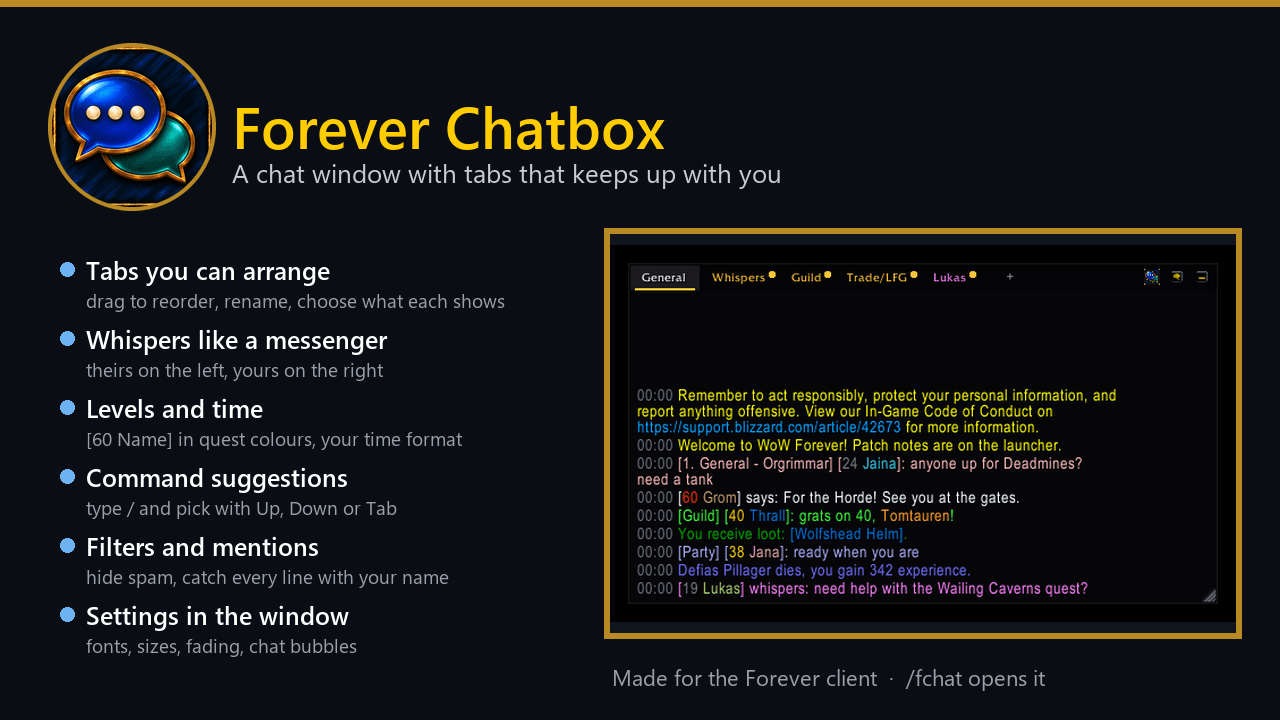
A modern chat window for WoW Forever: tabs you can drag, a tab per whisper, player levels, command suggestions, bubbles while hidden, and filters for gold spam and repeated lines.
summary.png
01-chat-window.png
02-whisper-conversation.png
03-hidden-bubbles.png
04-whispers.png
Description
Forever Chatbox
A quieter, modern chat for WoW Forever. One dark, clean window in place of the game's chat windows, with a tab for everyone who whispers you, and a filter that hides gold spam and repeated lines while it keeps what matters to you.
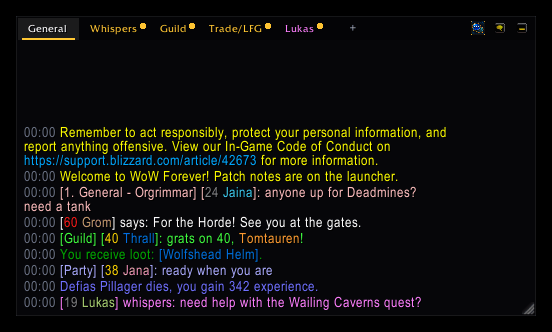
- Tabs: General, Whispers, Guild and Trade/LFG to start with. Right-click a tab to choose what it shows, rename it,
move it or close it;
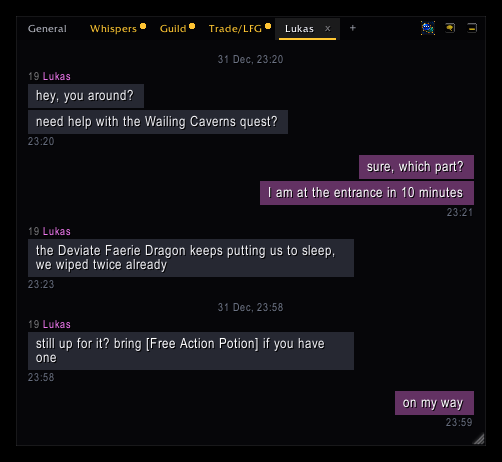
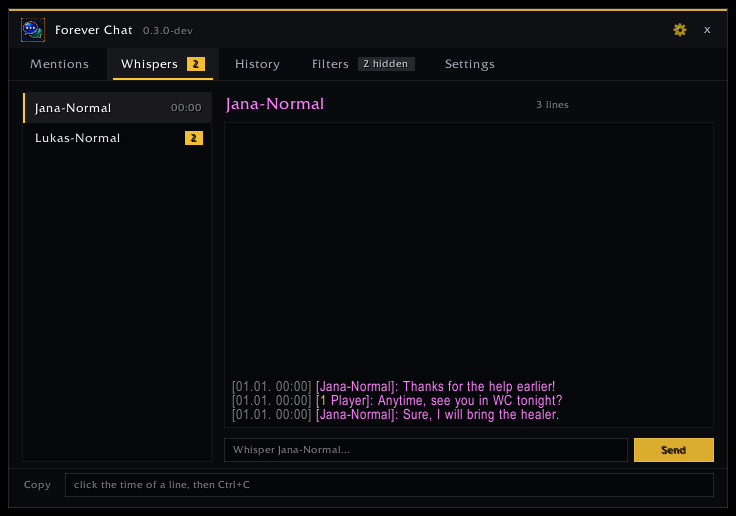
+adds one. Drag a tab along the bar to put it where you want it. - Whispers like a messenger. Everyone who whispers you gets a tab: click it and you are typing to them. The tab shows the talk as bubbles: their lines on the left under their name, yours on the right. Lines sent close together share one time, a longer pause gets a time in the middle. A gold dot shows new talk on a tab you are not looking at.
- Player levels in front of names (
[60 Thrall]), coloured like quest difficulty, for your group, guild, friends,/whoresults, name plates and players you target or point at. Strangers are looked up with a quiet/who, one per key press out of combat, and the answer stays out of your chat. - Your time format: 14:05, 14:05:09, 2:05 PM or 2:05:09 PM, or no time at all. Click the time of a line to copy it.
- Command suggestions. Type
/and a list shows the matching commands with a short help; Up/Down or Tab picks one. With Forever Console loaded it knows its whole catalogue. - Your font and size, with a preview: the game's chat font, Friz Quadrata, Arial Narrow, Morpheus, Skurri, and every LibSharedMedia font another addon brings.
- The combat log on a tab of the same window.
- Hide the chat completely (a button, a key binding or
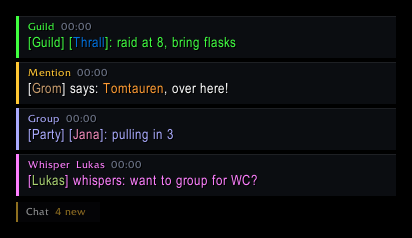
/fchat quiet): whispers, your name, party/raid and guild lines then come up as small bubbles at the bottom left that fade away. Click one to open the chat on that tab and reply. - Fades when the mouse is away; the text stays. The last 300 lines come back after a relog.
Less spam, nothing missed
- In public channels, Say and Yell it hides the same line posted again by the same player within a minute, gold sellers, boosts and web addresses, and words you add. Guild, group, whispers and your own lines are never hidden, and the Filters tab lists what was hidden and why.
- Your name and words you watch are coloured, play a sound, flash the taskbar and collect on the Mentions tab.
- Whispers are kept as conversations with a reply box, Battle.net whispers too.
- History keeps the last 2000 lines across sessions, with search and channel buttons.
How to use it
- Install it and log in: the Forever Chatbox window takes the place of the game's chat at the bottom left.
- Drag the empty part of the tab bar (or Alt+drag a tab) to move the window, the corner to resize it.
- The gear opens the Settings tab: time format, levels, font and size, fading, bubbles, command suggestions.
Commands
| Command | What it does |
|---|---|
/fchat |
opens the overview window (unread whispers or mentions first) |
/fchat mentions, whispers, history, filters, settings |
opens that tab |
/fchat search <text> |
the history with that text |
/fchat hide <word>, /fchat unhide <word> |
your words that hide a public line |
/fchat watch <word>, /fchat unwatch <word> |
watched words that count as a mention |
/fchat on, /fchat off |
filter and highlight |
/fchat quiet |
hides or shows the chat window (bubbles while hidden) |
/fchat chat on, /fchat chat off |
the Forever Chatbox window in place of the game's (after /reload) |
/fchat reset |
puts the chat window back at the bottom left |
/fchat log |
the combat log tab |
/fchat minimap |
shows or hides the minimap button |
Good to know
- Made for WoW Forever.
- With Chattynator or another chat window addon on, Forever Chatbox leaves the chat window to it and says so; the filters,
mentions, whispers and history still work.
/fchat chat offgives the game's chat back. - Works with Forever Tongues and Forever Console.
Help and feedback
Questions, bugs and ideas are welcome on the Forever Addons Discord: https://discord.gg/KjCvTQtcQr
- #help for questions about setting it up,
- #bug-reports when something is broken (the addon version and the error text help a lot),
- #feature-requests for ideas, and #releases to see every new version first.
Forever Chatbox Team