Forever Macros
- By
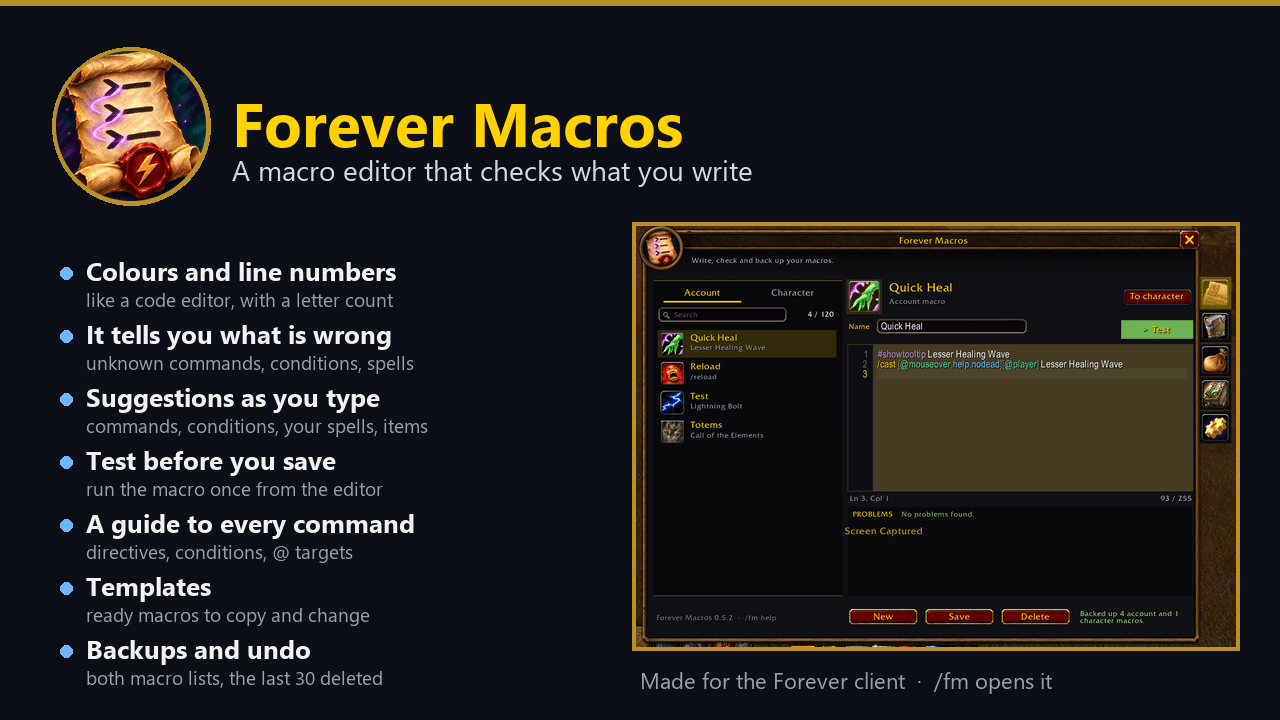
A macro editor for WoW Forever that checks what you write: colours, line numbers, suggestions, a problems list, a Test button, a guide to every command, templates and backups.
summary.png
01-editor.png
02-templates.png
03-guide.png
04-backups.png
Description
Forever Macros
A macro editor for WoW Forever that checks what you write. Forever Macros replaces the small macro window with
an editor that colours the macro, lists its problems while you type and explains every command. /fm or the minimap
button opens it.
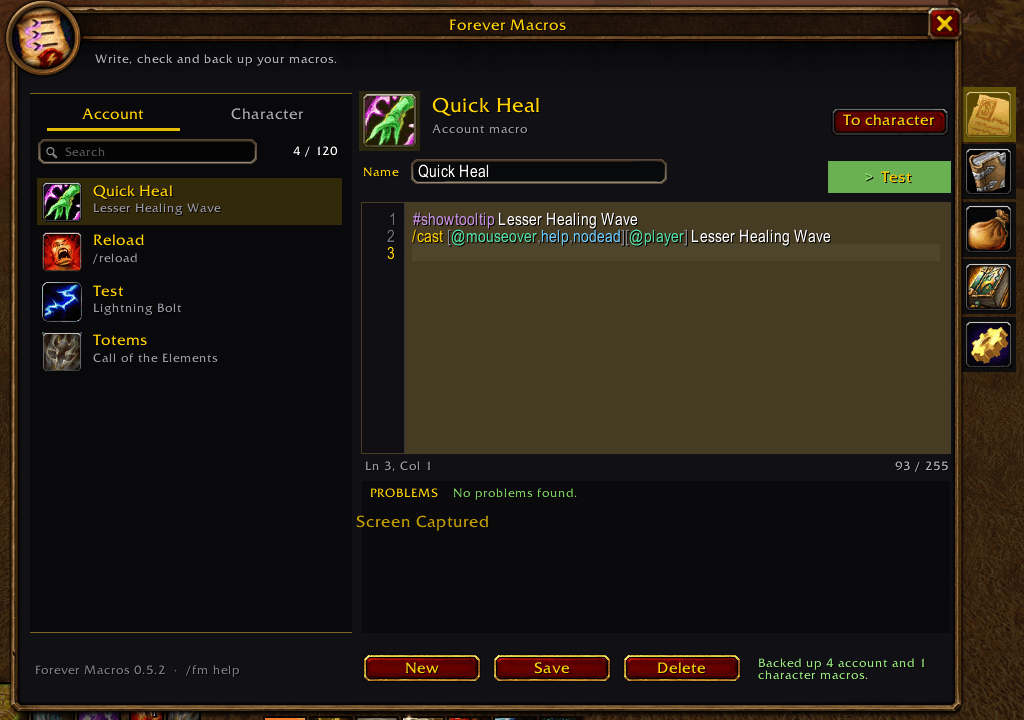
- It tells you what is wrong. Unknown commands (with the command you probably meant), bad conditions and units, spells you do not know, and more than 255 letters. Click a problem to jump to its line.
- Suggestions while you type. Commands, conditions, units, modifier keys, your spells and, for
/use, the items in your bags. Tab or Enter takes one. - Like a code editor. Line numbers, the current line marked, a cursor, long lines scroll sideways, and "Ln, Col" with the letter count.
- Test before you save. The Test button runs the text in the editor once (not in combat).
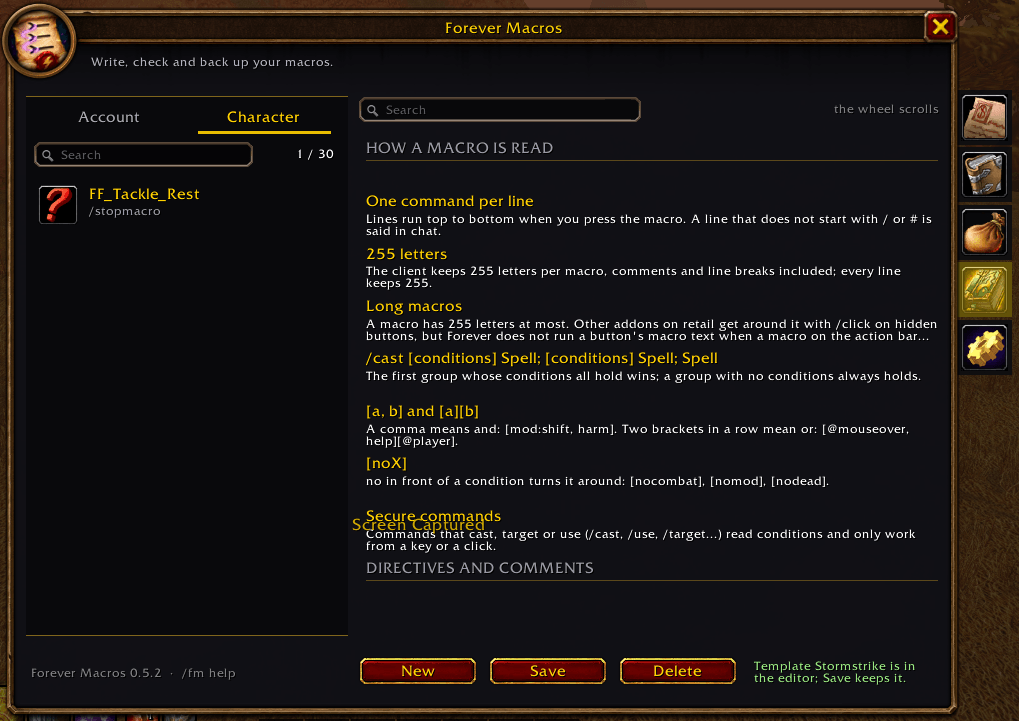
- A guide to everything. The Guide tab explains how a macro is read, every directive (
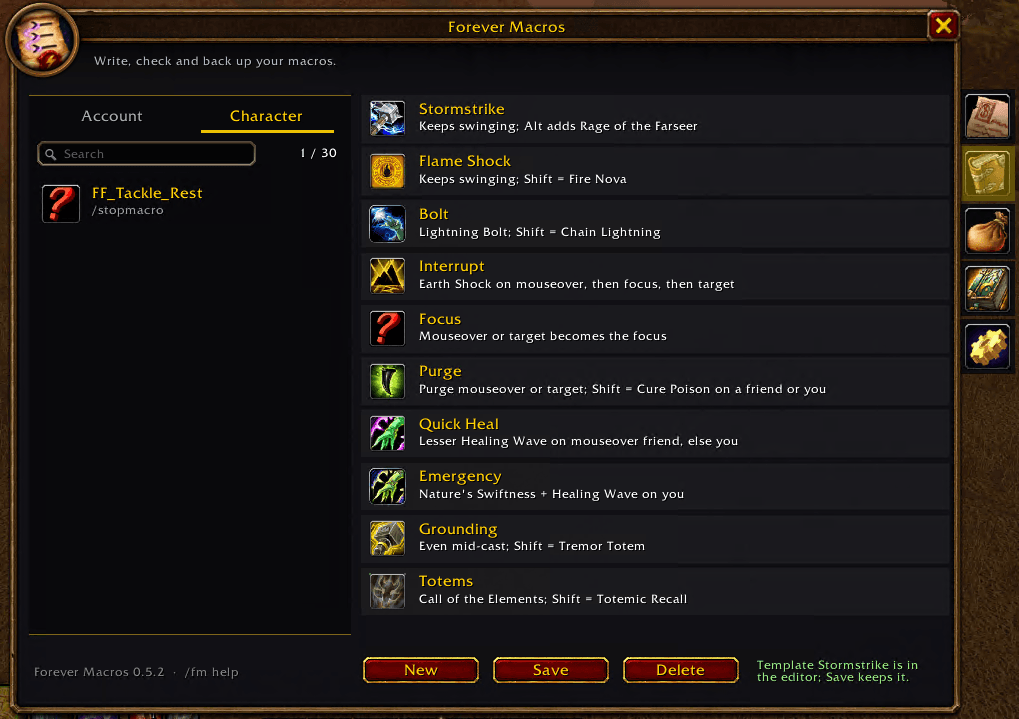
#showtooltip,#show), the commands by group, the conditions and the@targets, with a filter box. - Templates. Ready shaman macros and a few general ones, ready to copy and change.
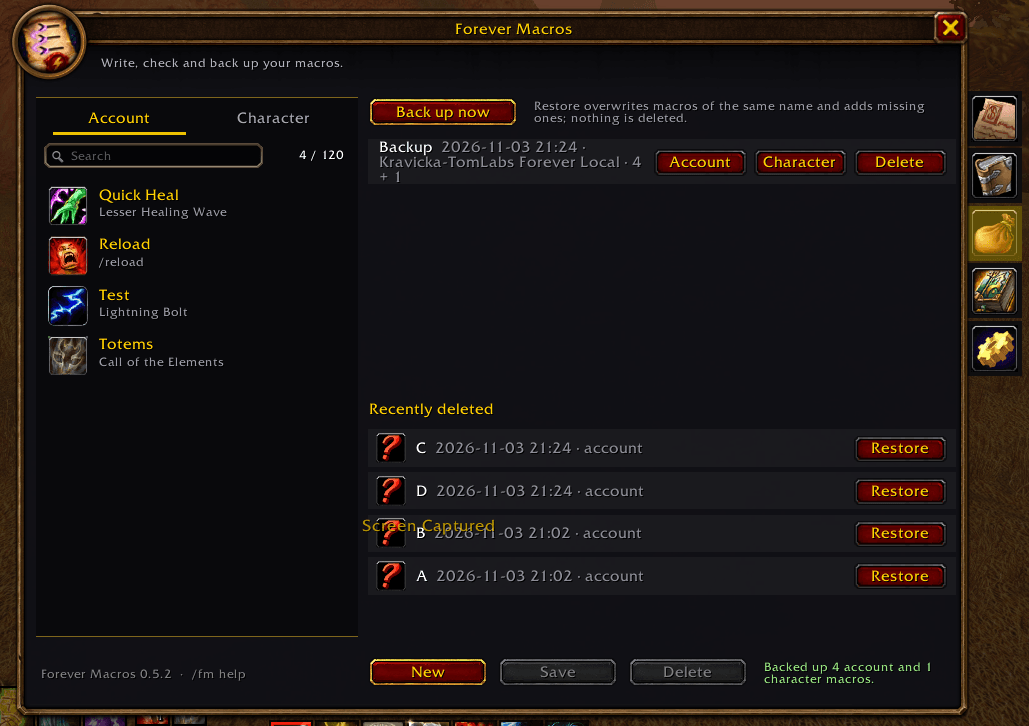
- Backups and undo. Back up both macro lists, restore the last 30 deleted macros, move a macro between the account and the character list.
- The rest. An icon picker that searches your spellbook by name, shift-click a spell to put it in, drag a row to an action bar. A save in combat waits until the fight ends.
Commands
| Command | What it does |
|---|---|
/fm |
open or close the window (or click the minimap button) |
/fm backup [name] |
back up all account and character macros |
/fm check <macro> |
list the problems of a saved macro |
/fm colors on \| off |
colour the macro text |
/fm suggest on \| off |
suggestions while you type |
/fm minimap on \| off |
show or hide the minimap button |
/fm replace on \| off |
the game's /macro opens Forever Macros |
/fm size <70-150> |
window size in percent |
/fm opacity <30-100> |
window opacity in percent |
/fm options |
open the settings |
Good to know
- Made for the Forever client (Interface 16001).
- A macro has 255 letters at most. Addons on retail get past that with
/clickon hidden buttons, but Forever does not run a button's macro text when a macro on the action bar clicks it. So split a long macro into two. - A line that starts with
#(other than#showand#showtooltip) is a comment; its letters still count. - Settings and backups are saved per account.
Forever Macros Team