Forever Speed
- By
A speedometer for your movement speed: a gauge with a sweeping needle, km/h and the percentage of run speed, five designs.
01-overview.png
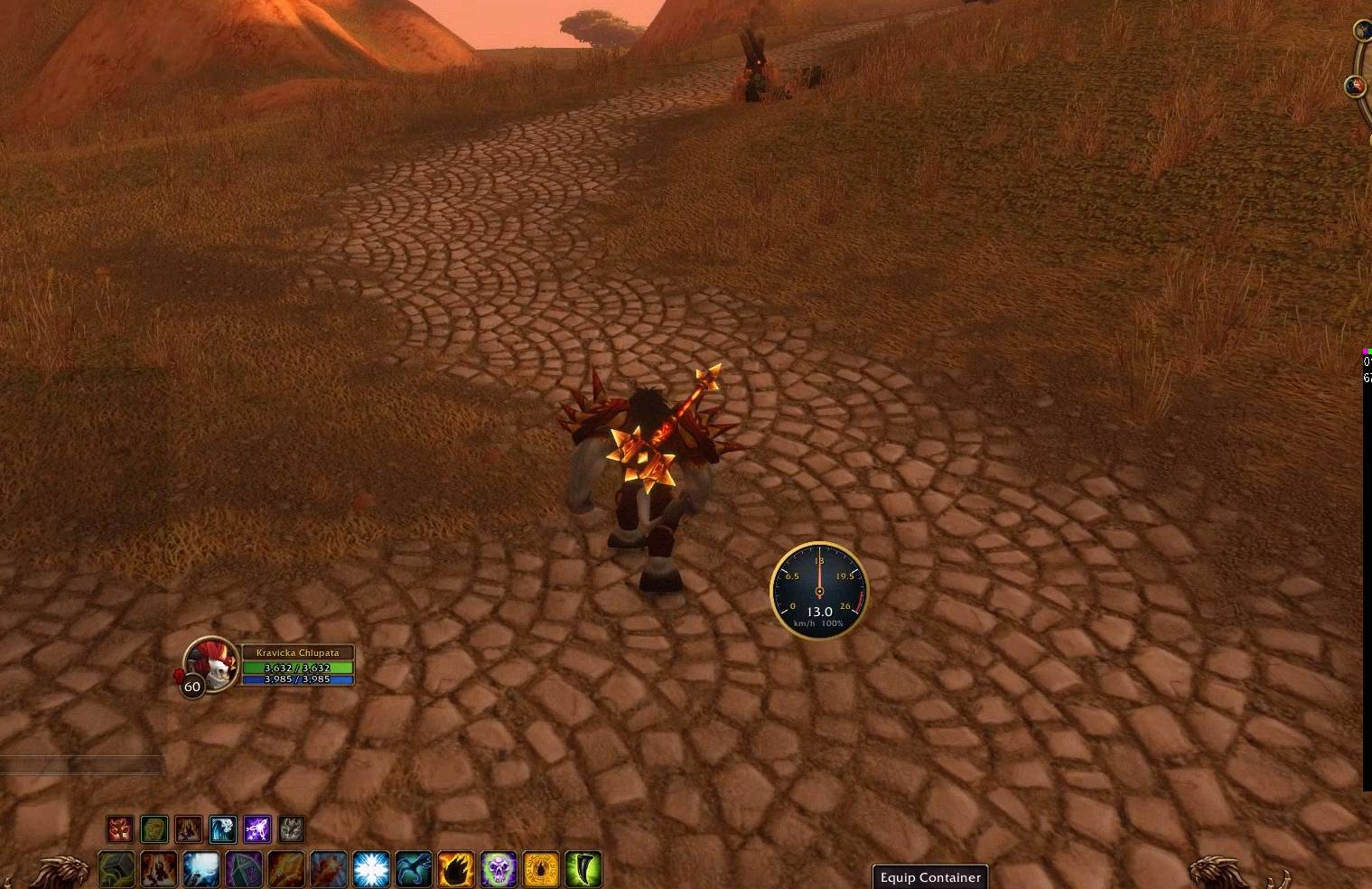
image2.jpg
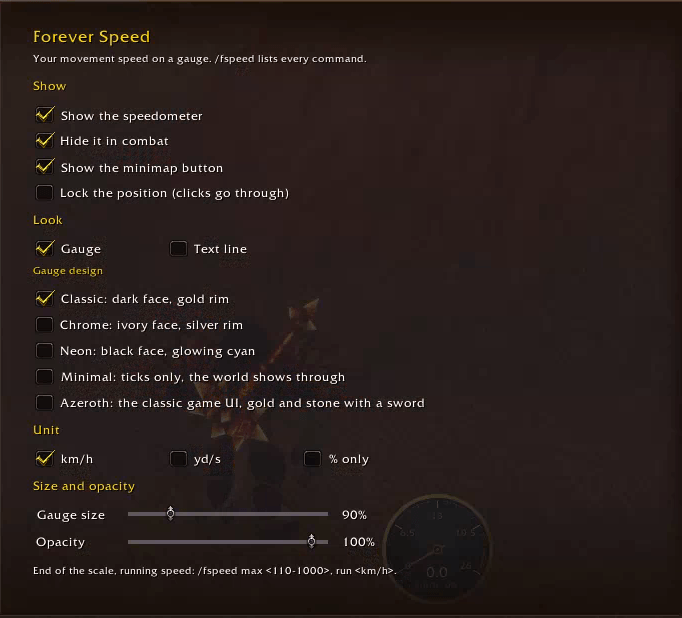
image (3).png

digital.png
Description
Forever Speed
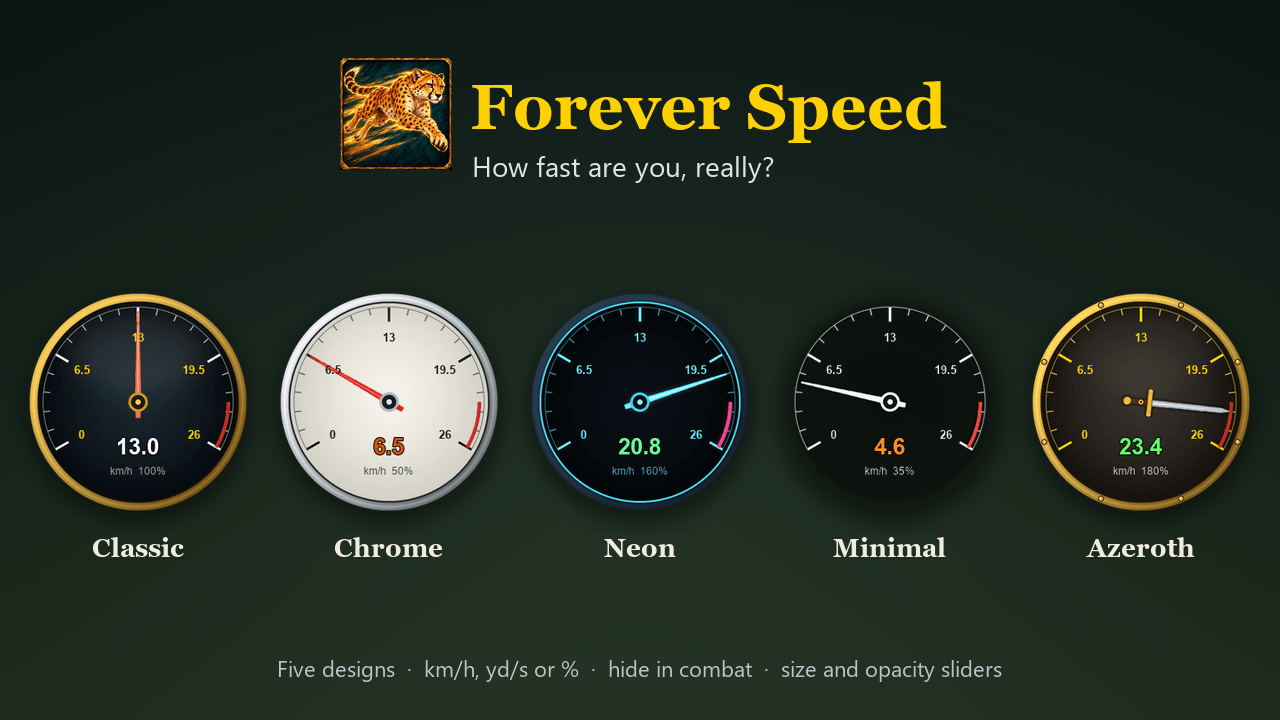
How fast are you, really? Forever Speed puts a speedometer on your screen: a round gauge with a needle that sweeps to your current speed, big digits and the percentage of the normal run speed. Compare running, Plainsrunning, mounts, sprint, slows and trinkets at a glance.
- km/h, yd/s or % only. Running is shown as 13 km/h by default, and everything else scales with it
(
/fspeed run 15changes that). - Colours that tell you something: the reading is orange when you are slowed and green when you are faster than running.
- The scale fits your unit: 0 to 200 % of the run speed by default,
/fspeed max <percent>for fast mounts.
Five designs
| Design | Look |
|---|---|
| Classic | dark face, gold rim |
| Chrome | ivory face, silver rim |
| Neon | black face, glowing cyan |
| Minimal | only the ticks and the needle, the world shows through |
| Azeroth | a riveted gold rim like the game UI, a stone face and a sword for the needle |
Or switch to a single line of text (/fspeed text) if you want it small.
Options
/fspeed, or a right click on the minimap button, opens the options in the game's AddOns settings:
- show or hide the speedometer, and hide it in combat (it comes back when the fight is over);
- the minimap button (a click shows or hides the gauge; drag it around the minimap);
- lock the position so clicks go through;
- gauge or text line, the design and the unit;
- sliders for the size (50–300 %) and the opacity (10–100 %).
Drag the gauge to move it. Everything is saved per account.
Commands
| Command | What it does |
|---|---|
/fspeed or /fspeed options |
open the options and list the commands |
/fspeed design classic \| chrome \| neon \| minimal \| azeroth |
choose the design |
/fspeed gauge / /fspeed text |
the gauge or a single line |
/fspeed kmh \| yards \| percent |
the unit |
/fspeed size <50-300> / /fspeed opacity <10-100> |
size and opacity in percent |
/fspeed max <110-1000> |
the end of the scale, in % of the run speed |
/fspeed run <km/h> |
what running is shown as |
/fspeed combat on \| off |
hide in combat |
/fspeed minimap on \| off |
the minimap button |
/fspeed lock / unlock / reset |
lock, unlock or reset the position |
/fspeed hide / show |
hide or show the speedometer |
Good to know
- In combat the game hides your speed from addons on Forever; the gauge then shows "-" until it can read it again.
- Made for the Forever client (Interface 16001); it also loads on the 1.12.1 client, where the speed is measured from your position on the map.
Forever Speed Team