Heartline - Health Bars & Damage Numbers
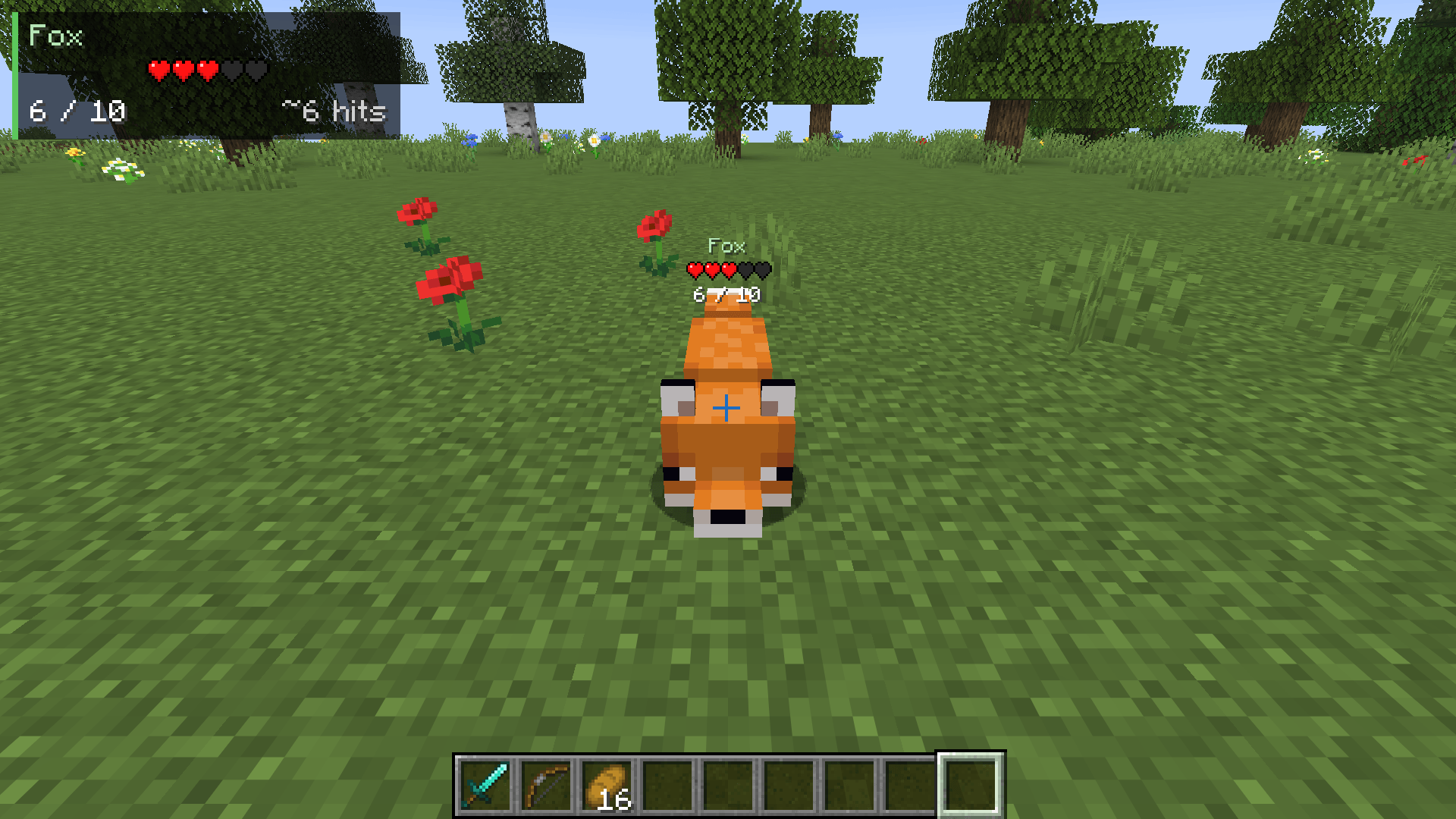
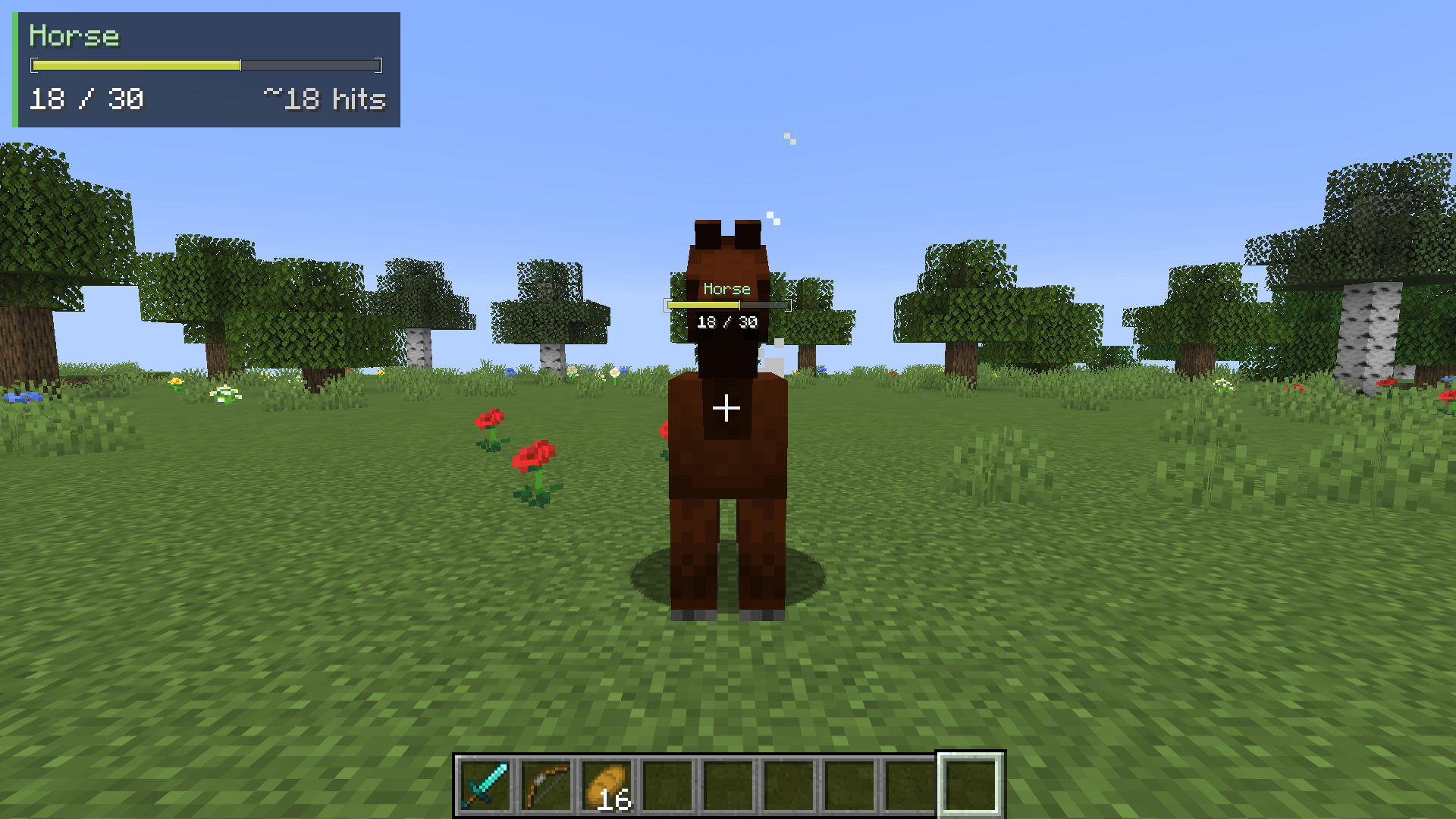
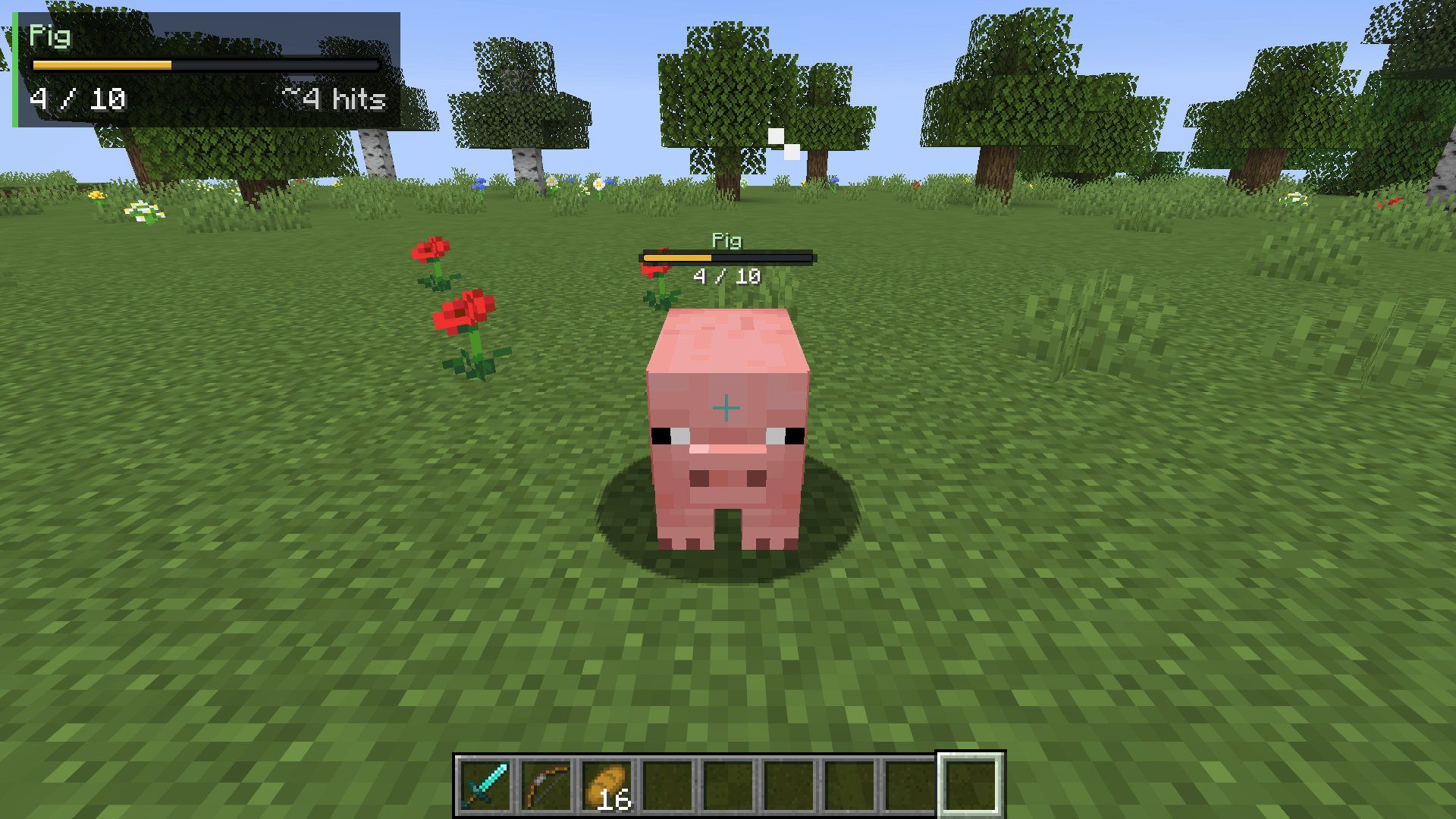
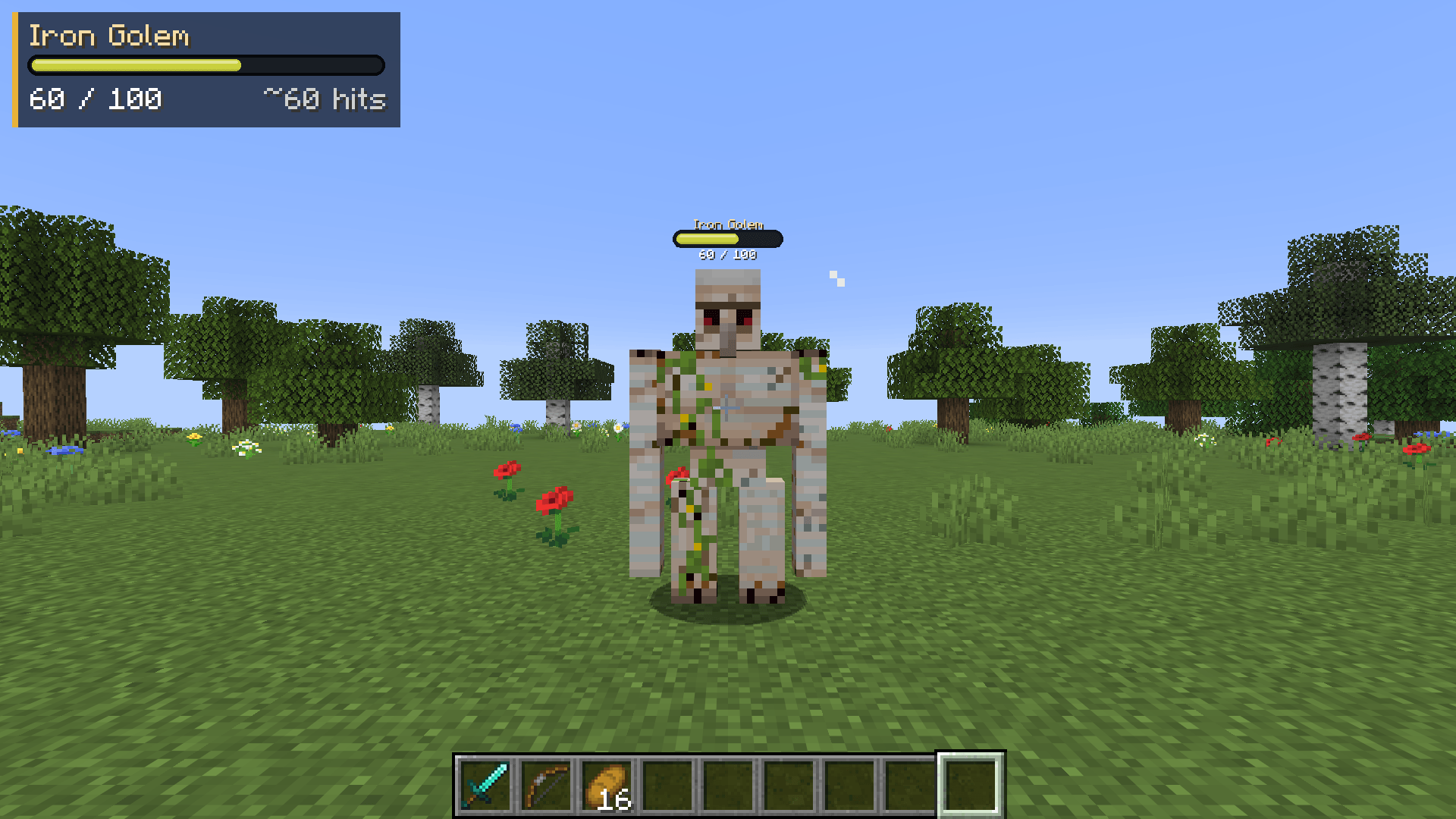
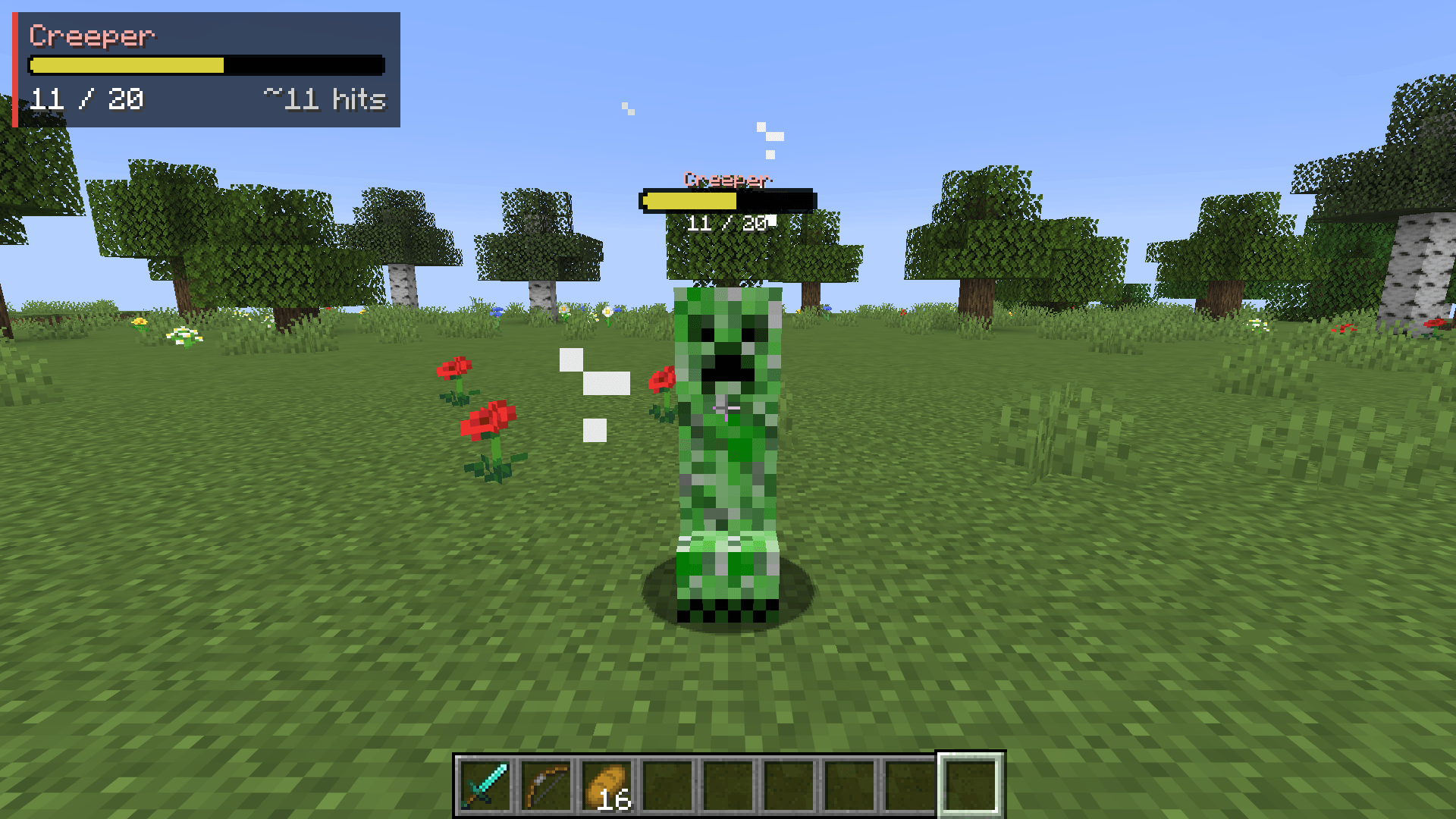
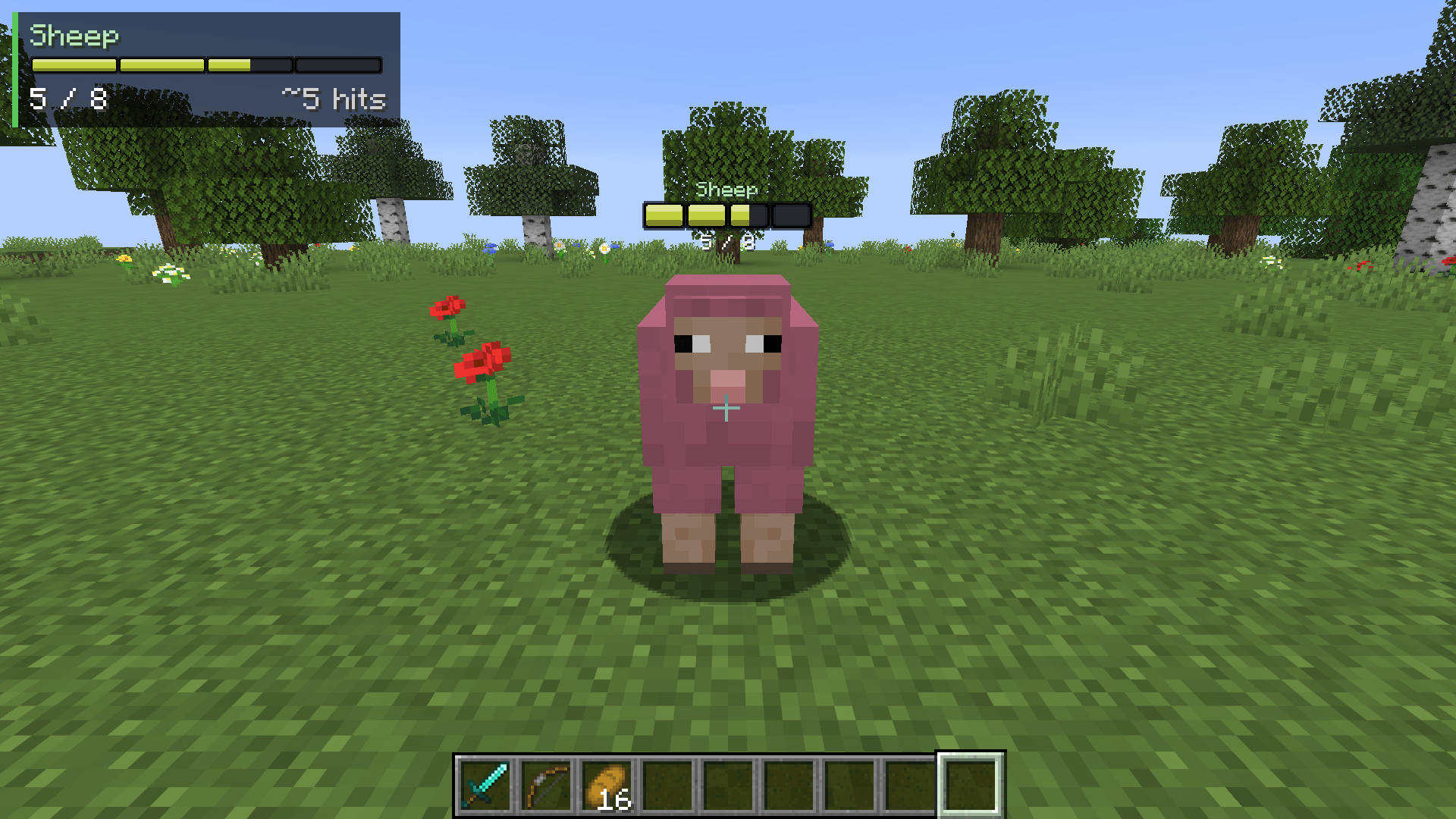
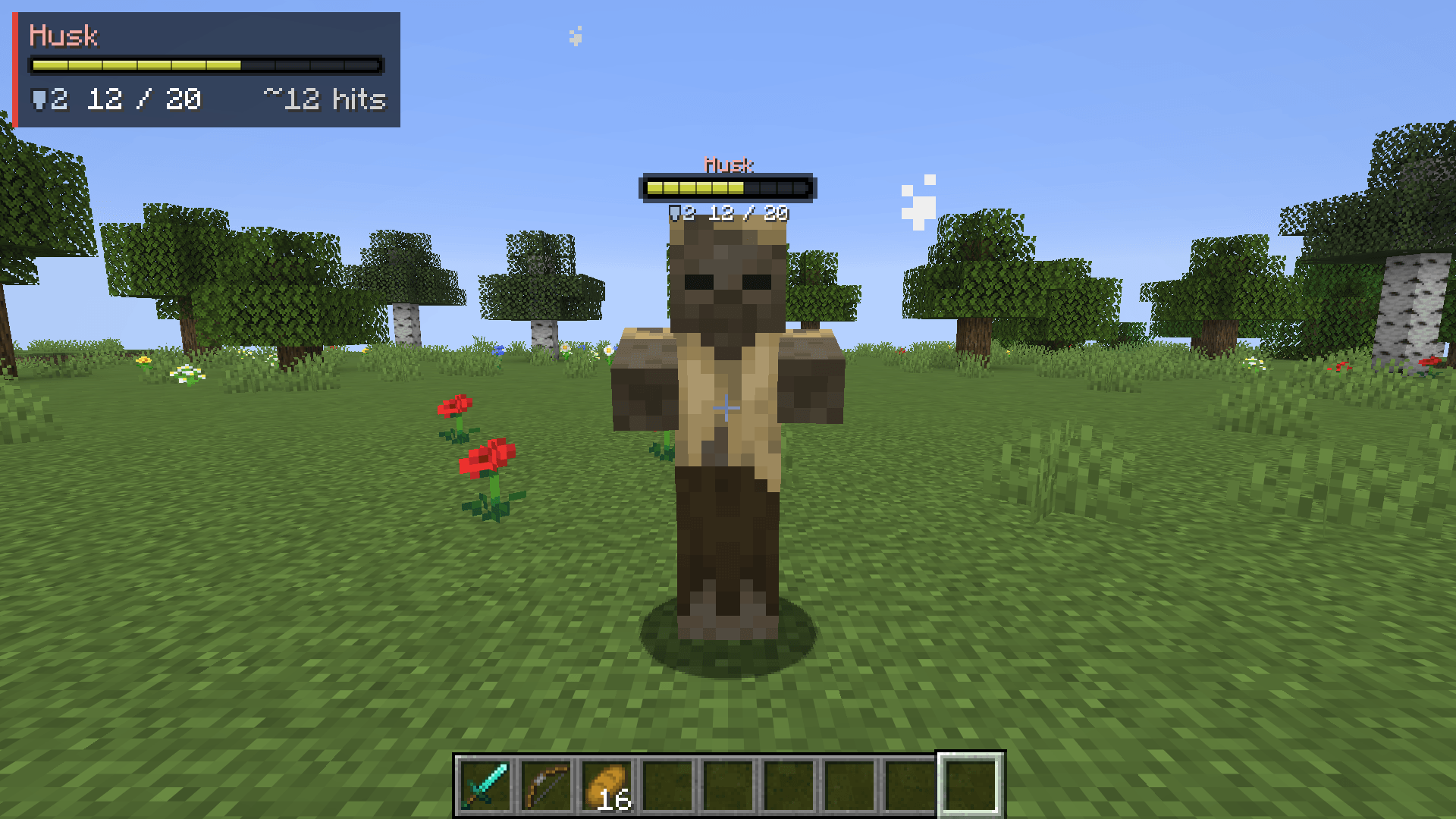
Health bars above every mob, damage numbers with gold crits and combo stacking, and a target panel that shows how many hits are left. 11 bar styles, pet alerts, fully configurable. Client-side, Fabric, NeoForge and Forge.
Description
Heartline
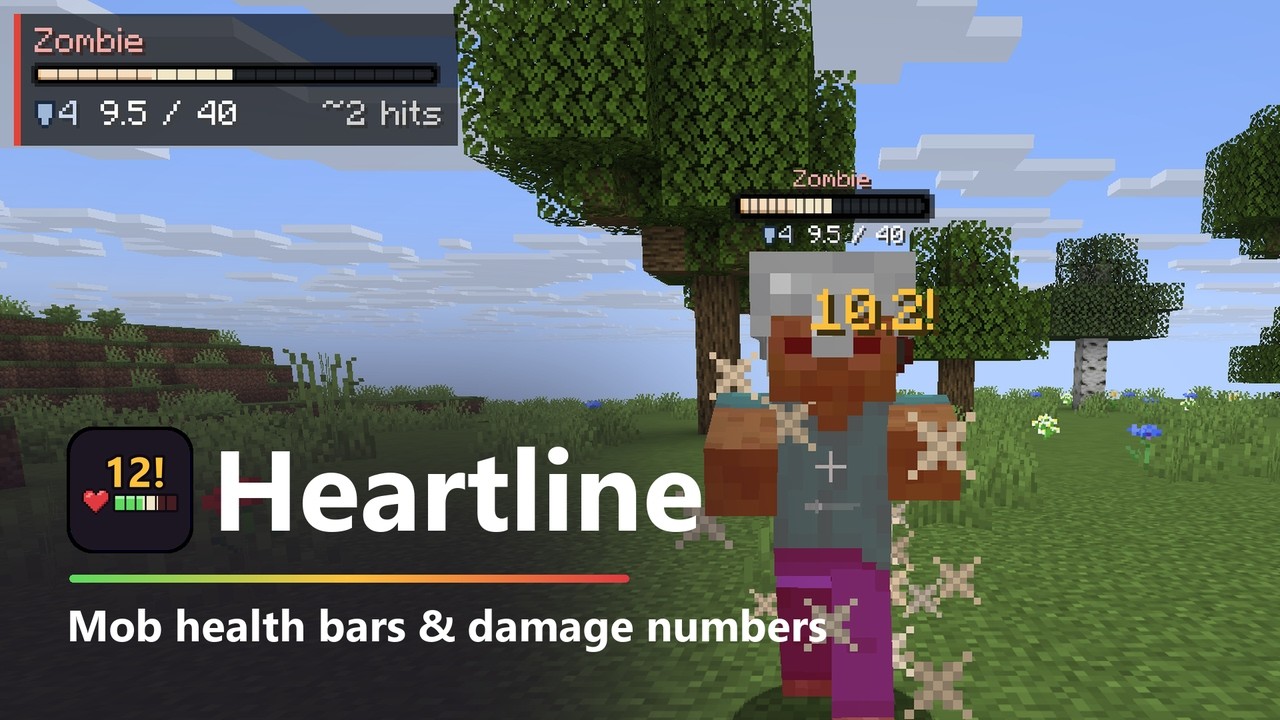
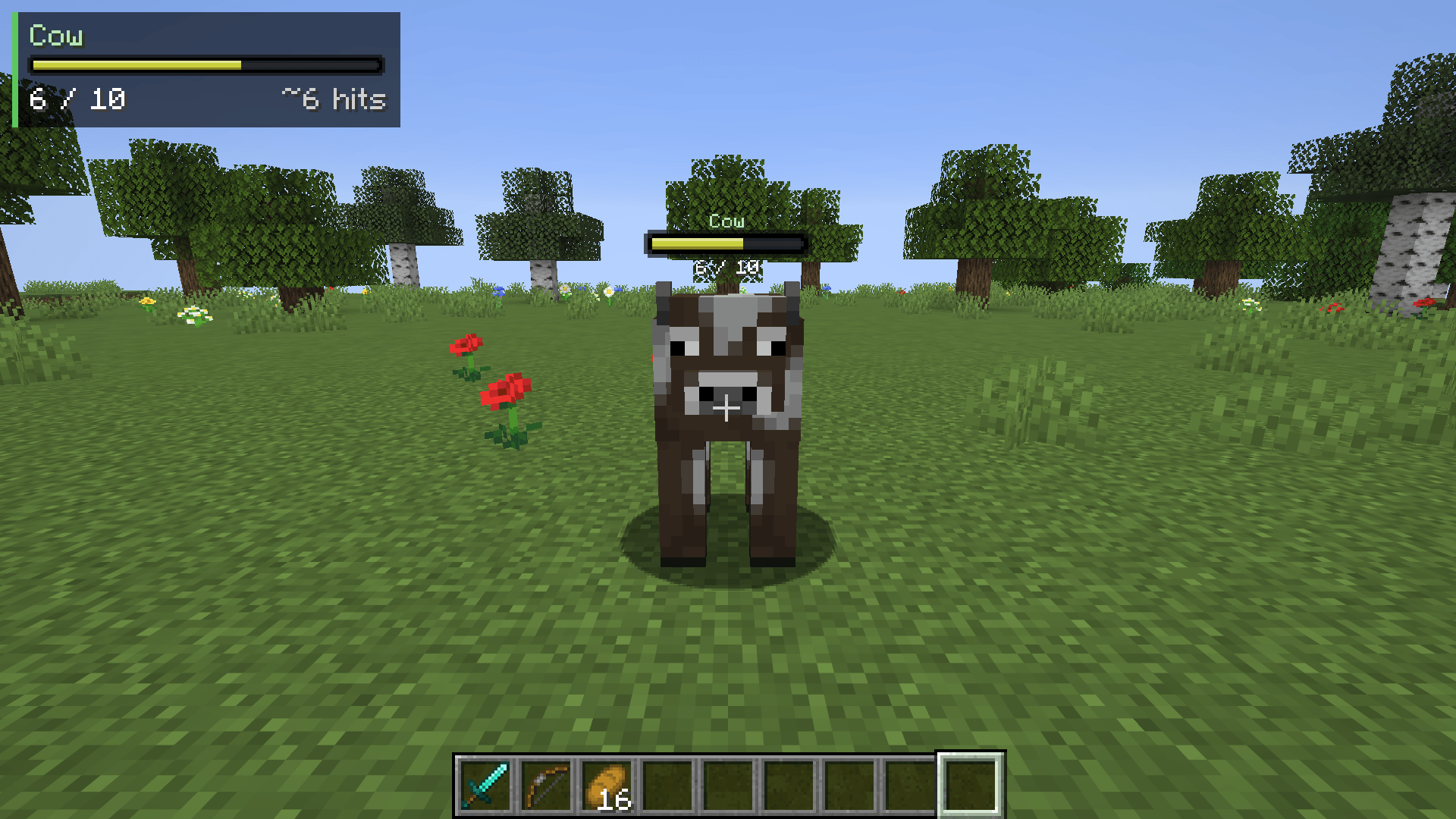
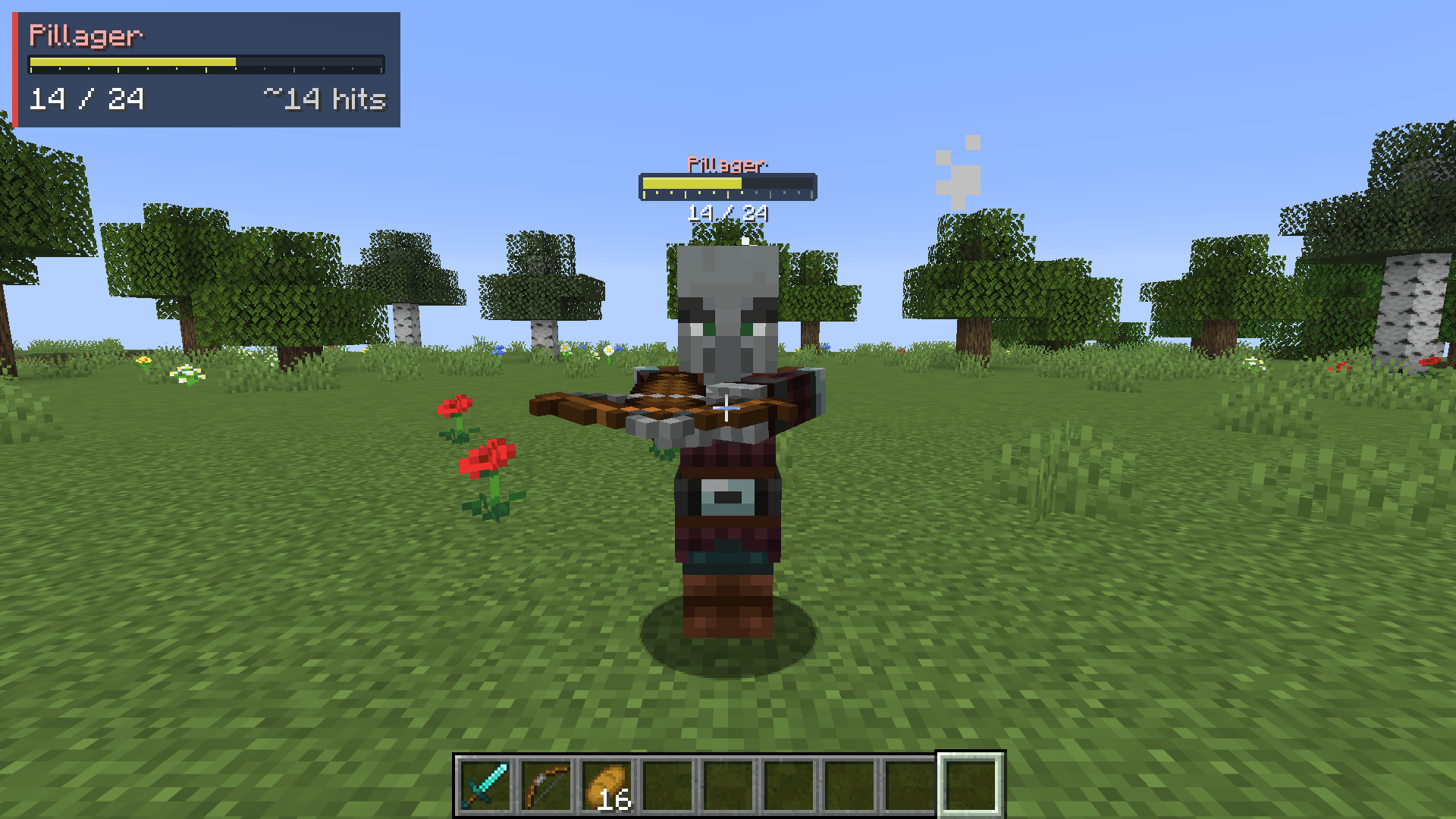
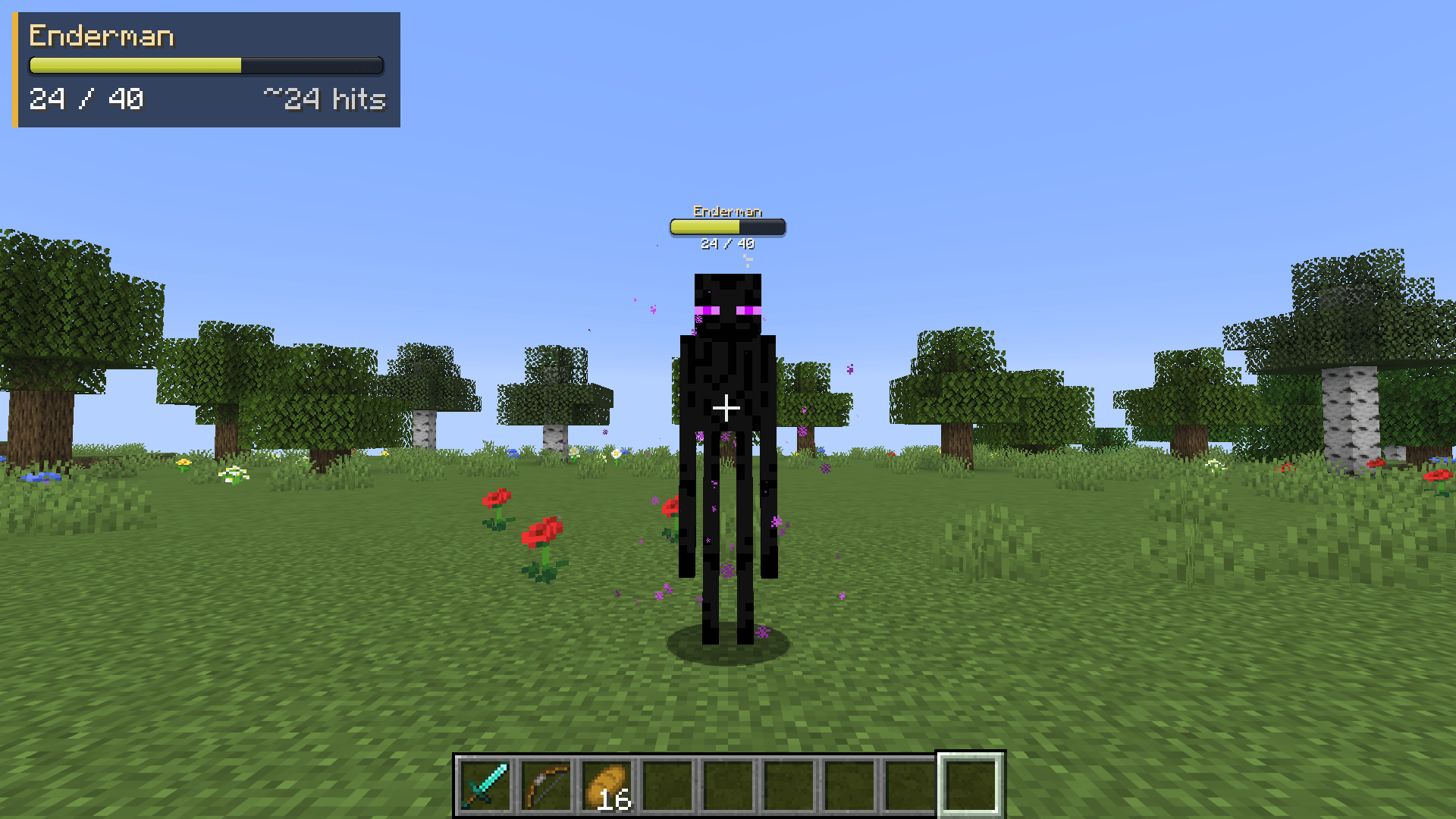
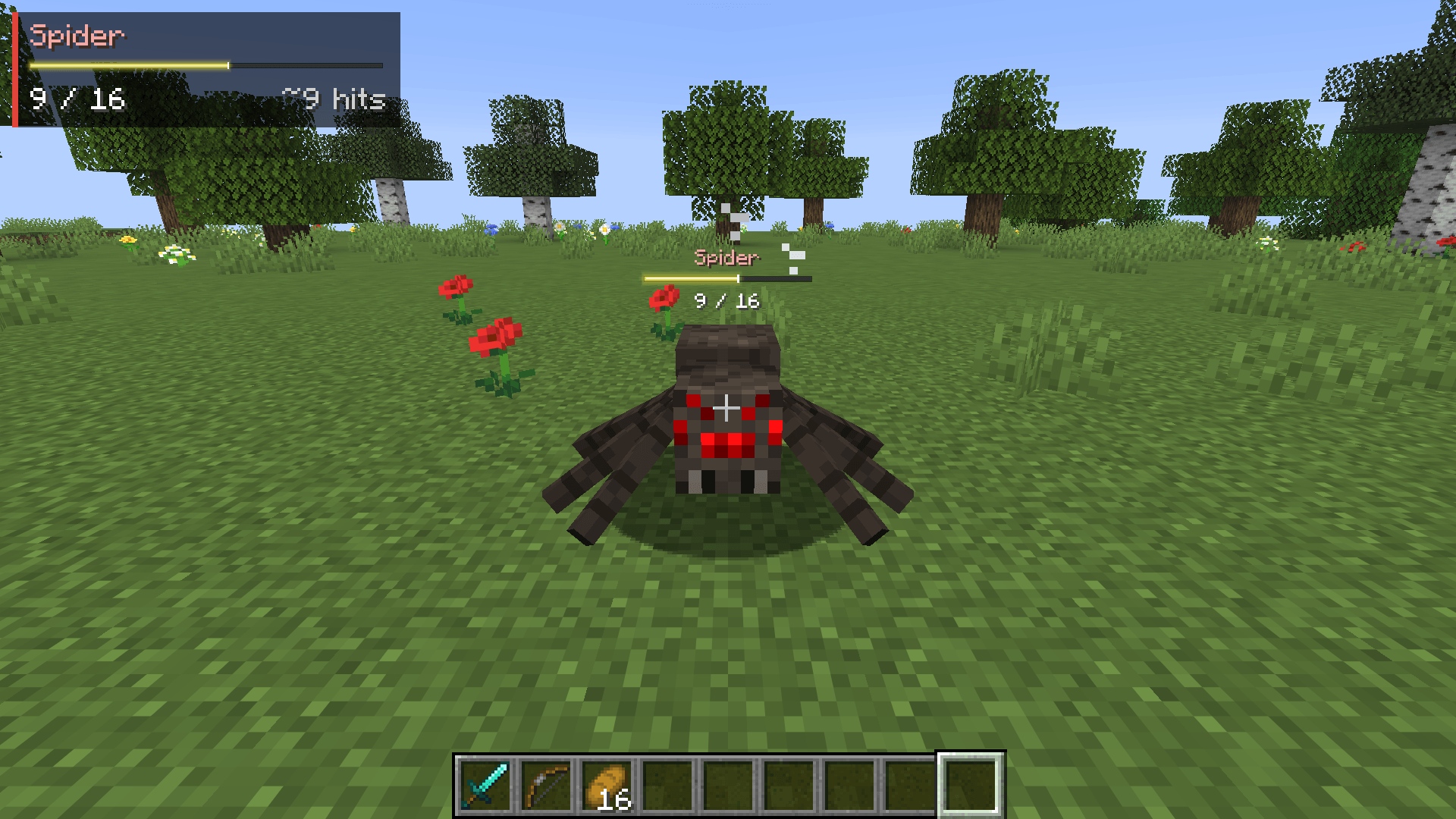
See every mob's health at a glance. Heartline puts a clean health bar above each mob, pops up damage numbers when you hit, and shows a target panel that tells you how many more hits a mob takes with whatever you're holding.
Heartline is a client-side mod for Minecraft on Fabric, NeoForge and Forge, so it works on any server. It is compatible with Mod Menu on Fabric.
Supported versions: 1.18.2, 1.19.2 and 1.20 to 26.3 on Fabric, 1.21 to 26.3 on NeoForge, and 1.16.5, 1.18.2, 1.19.2 and 1.20.1 on Forge.
Features
- Health bars above mobs - drawn flat on your screen, so they stay sharp and readable at any distance.
- 10 bar styles - Flat, Segmented (one notch per heart), Slim, Pip, Outline, Glass, Neon, Capsule, Gauge (a tick per heart) and Bracket.
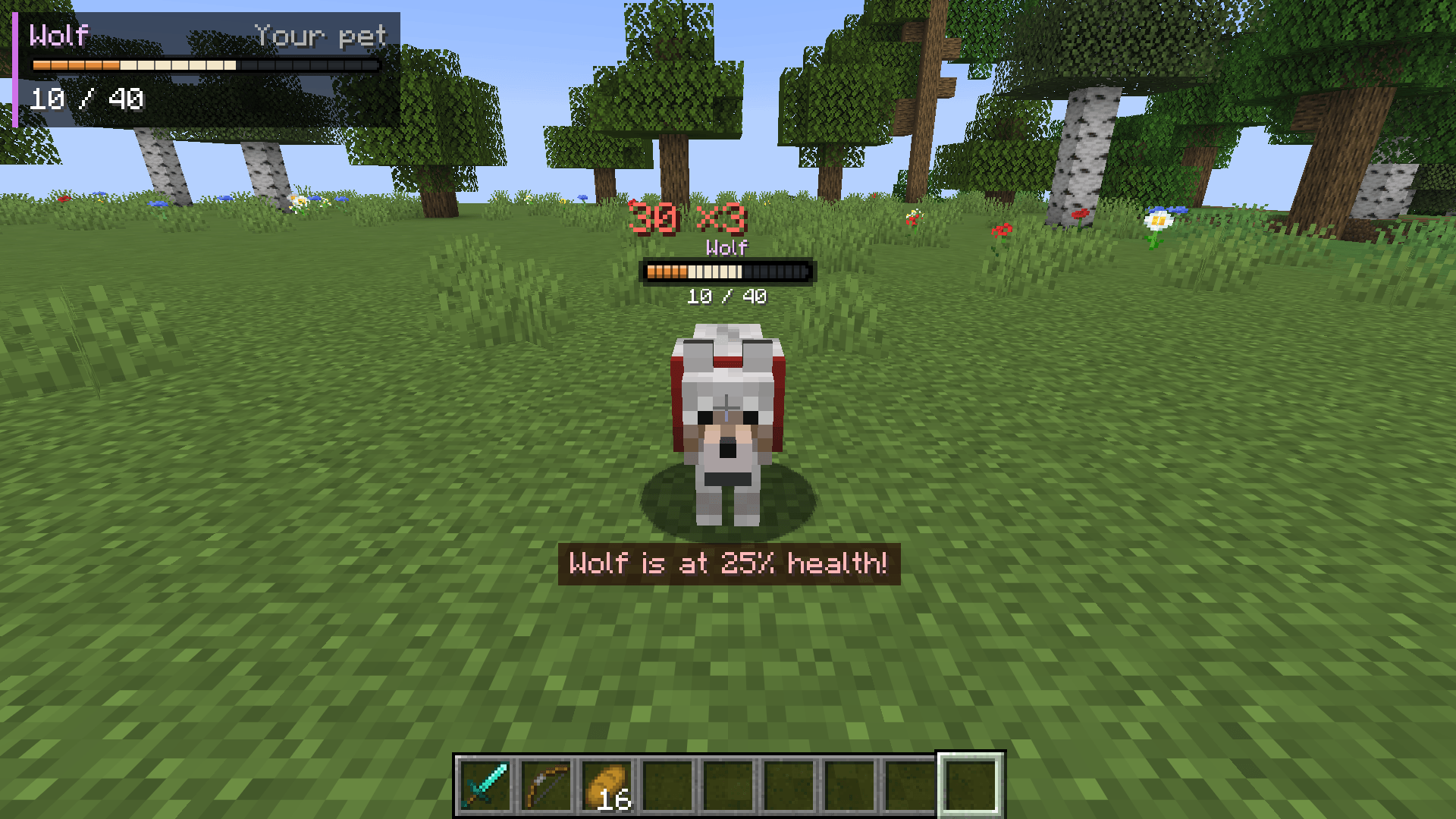
- Colors by health or by mob type - green to yellow to red as a mob gets hurt, or red hostile, yellow neutral, green passive, blue players, purple pets and bosses.
- Damage trail - the health a hit took stays visible for a moment, then drains away, so you can see how much each hit did. The bar flashes white on a hit and glows green on a heal.
- Damage numbers - numbers float up beside the mob. Your critical hits show in gold with a "!", heals show in green.
- Combos - quick hits on the same mob stack into one growing number with a hit count, like "20.3 x3", instead of a pile of small numbers.
- Target panel - name, health, armor and a hits-to-kill estimate for the mob you're looking at or fighting. The estimate updates the moment you switch items, and turns gold at "1 more hit!". Put it top left, top center, top right or next to your crosshair.
- Pet alerts - your tamed pets always show their bar, and a warning pops up when one gets low on health.
- Only when you want them - show bars always, only when a mob is hurt, only in combat, or only on the mob under your crosshair. Bars hide behind walls.
- Hide any mob type - type a mob's name in the settings to find it in any mod, browse the list sorted by mod, or look at a mob and press a key.
- Client-side only - there is nothing to install on a server.
Install
Fabric
- Install Fabric Loader for your version of Minecraft.
- Put Fabric API and the Fabric Heartline jar for your version in your
modsfolder. - Start the game.
Optional: add Mod Menu to get a settings screen (Mods > Heartline > Configure).
NeoForge
- Install NeoForge for your version of Minecraft.
- Put the NeoForge Heartline jar for your version in your
modsfolder. - Start the game. The settings screen is in Mods > Heartline > Config.
Forge
- Install Forge for your version of Minecraft.
- Put the Forge Heartline jar for your version in your
modsfolder. - Start the game. The settings screen is in Mods > Heartline > Config.
Keys
Both keys are unbound by default. Set them in Options > Controls > Key Binds > Heartline, or from the Key Binds… button in Heartline's settings.
| Key | What it does |
|---|---|
| Turn Heartline On/Off | Turns bars, panel and damage numbers on or off |
| Hide/Show Bars for Looked-At Mob | Hides the bars of the mob type under your crosshair, or shows them again |
Settings
| Setting | Range | Default | What it does |
|---|---|---|---|
| Heartline | on / off | on | Turns everything off at once: bars, panel and damage numbers |
| Bars Above Mobs | on / off | on | The bar above each mob. Turn off to use only the target panel |
| Show | Always / When Hurt / In Combat / Crosshair Only | When Hurt | When a mob's bar shows. The mob under your crosshair always shows its bar |
| Range | 8 - 64 blocks | 24 | How far away bars still show |
| Hide Behind Walls | on / off | on | Hide the bars of mobs you can't see |
| Style | Flat / Segmented / Slim / Pip / Outline / Glass / Neon / Capsule / Gauge / Bracket | Segmented | How the bar looks |
| Colors | By Health / By Mob Type | By Health | How the bar is colored |
| Bar Size | 0.5 - 2.0 | 1.0 | Makes the bars bigger or smaller |
| Bar Height | -0.5 - 1.5 blocks | 0.0 | Moves the bars up or down |
| Mob Names | on / off | on | Show the mob's name above its bar |
| Health Text | 14 / 20, 70%, Hearts, Off | 14 / 20 | How the health under the bar reads |
| Armor | on / off | on | Show a shield with the mob's armor points |
| Damage Trail | on / off | on | Show the health a hit took, then drain it away |
| Fade After | 1 - 30 s | 6 s | How long a bar stays after a mob was last hurt or healed to full |
| Hostile / Neutral / Passive Mobs, Players, Bosses | on / off | on | Which kinds of mobs get bars |
| Always Show My Pets | on / off | on | Your tamed pets always show their bars |
| Damage Numbers | on / off | on | Numbers float up when a mob gets hurt |
| Heal Numbers | on / off | on | Green numbers when a mob heals |
| Stack Combos | on / off | on | Quick hits add up into one number with a hit count |
| Number Size | 0.5 - 2.0 | 1.0 | Makes the damage numbers bigger or smaller |
| Target Panel | Top Left / Top Center / Top Right / Next to Crosshair / Off | Top Left | Where the target panel goes |
| Hits to Kill | on / off | on | Estimate how many more hits the mob takes with your held item |
| Pet Health Alert | on / off | on | Warn you when a tamed pet gets low on health |
| Alert Below | 10 - 60% | 30% | When the pet health alert shows |
Changes apply straight away and are saved when you close the screen. The screen also has a Reset to Defaults button, and a Hidden Mobs button: type a mob's name to search every mod, or pick a mod to hide or show each of its mobs, or all of them at once.
The settings live in config/heartline.json in your game folder. If the file is broken, the game still starts with the defaults and your old file is kept as heartline.json.broken.
License
MIT
Heartline - Health Bars & Damage Numbers Team