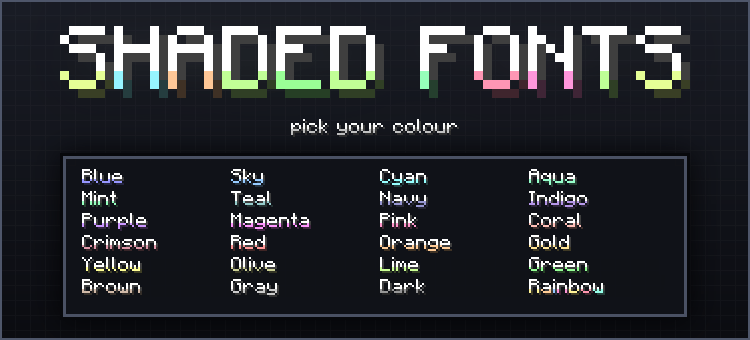
Minecraft's default text is flat white. Shaded Fonts gives every character a soft coloured shade along its lower edge the same crisp pixel font you already know, just with a tint that catches the eye. Item names, chat, signs, tooltips, the pause menu: all of it picks up the colour you choose.
It is a pure text pack. Nothing else in your world is touched.
Pick your colour
- Download the pack and open it — it will import straight into Minecraft.
- Go to Settings → Global Resources, or open your world's Resource Packs tab.
- Activate Shaded Fonts, then click the pack once more.
- A subpack list appears. Choose the colour you want and press Play.
Changed your mind? Click the pack again and pick another colour. You never need to re-download anything.
Available colours
Blue, Sky, Cyan, Aqua, Teal, Navy, Indigo, Purple, Magenta, Pink, Coral, Crimson, Red, Orange, Gold, Yellow, Olive, Lime, Green, Brown, Gray and Dark.
There is also Rainbow, which gives each letter its own hue, so a single word runs through the whole spectrum as you type it.