JEI QuickCraft
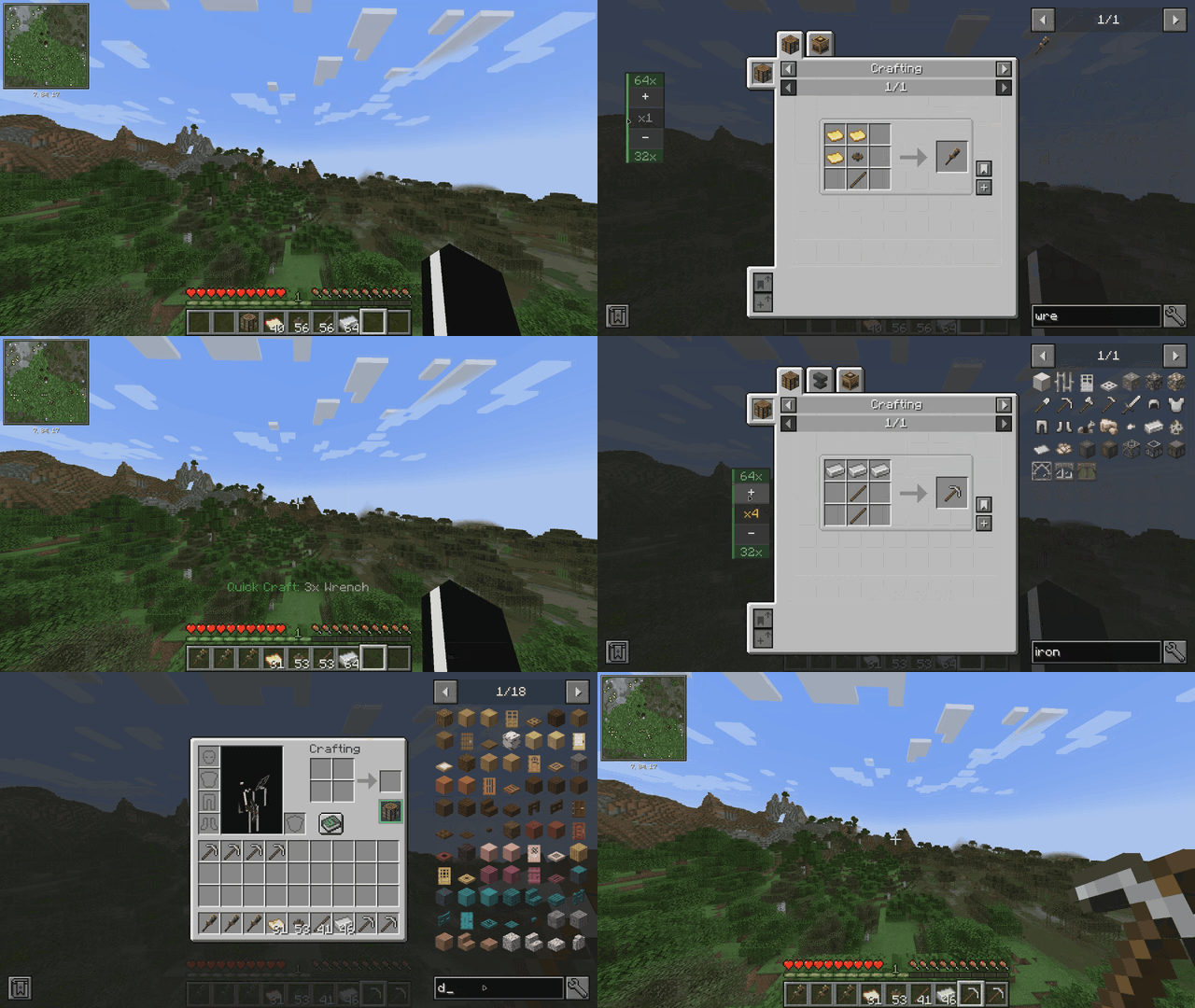


JEI QuickCraft is a utility addon for Just Enough Items that allows you to craft items directly from the JEI interface, eliminating the need to place and open a Crafting Table block.
How to Use
-
The CT Slot: Open your inventory (E). You will find a new dedicated slot labeled "CT" to the right of your character's crafting output.
-
Equip: Place a Crafting Table into this slot. When filled, the slot displays a green border indicating the mod is active.
-
Quick Craft: Browse any recipe in JEI and click the [+] Quick Craft button.
-
If you have the required materials: A 3x3 grid animation will play, and the crafted item will be added to your inventory.
-
If you are missing materials: A tooltip will appear listing the specific items and quantities needed.
-
- Quantity widget: Select amount of something you want to craft, if you don't like the position of it just right-click it and drag where you want it to be.
Features
-
Crafting Animation: A 3x3 grid appears on screen where ingredients pop in, glow, and the result moves to your hotbar.
-
Missing Item Detection: Detailed tooltips show exactly what is missing from your inventory.
-
Stack-Aware Logic: Correctly calculates if a single stack can satisfy multiple recipe requirements.
-
Inventory Integration: The Crafting Table remains in its dedicated slot and is not consumed during crafting.
Requirements
For Minecraft 1.20.1 (Forge)
• Forge: 47.2.0 or newer
• JEI: 15.20.0 or newer
For Minecraft 1.21.1 (NeoForge)
• NeoForge: 21.1.0 or newer
• JEI: 19.0.0 or newer
For Minecraft 1.21.1 (Fabric)
• Fabric Loader: 0.16.0 or newer
• Fabric API (required)
• JEI: 19.0.0. or newer
• Java 21
The JEI QuickCraft Team