ZSTDNET
- By
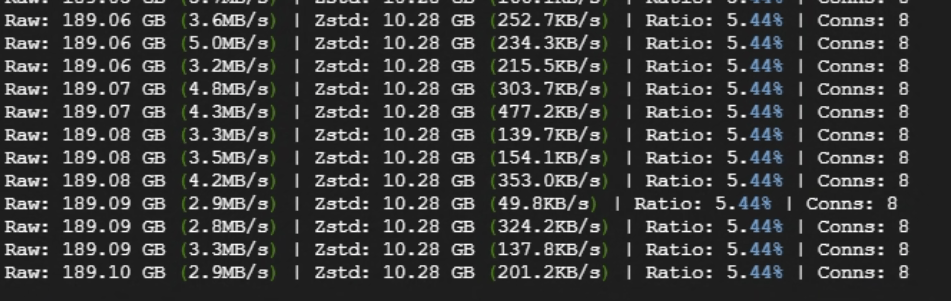
Use ZSTD to compress and relay traffic between the client and server, aiming to reduce public bandwidth usage in high-redundancy data scenarios.
å±å¹æªå¾ 2026-04-06 135837.png
å±å¹æªå¾ 2026-04-07 102436.png
2026-07-16 162357.png
Description
ZstdNet (v1.5.0)
ZstdNet is a Minecraft Java Edition mod that adds built-in Zstandard compression to Minecraft connections. It reduces public bandwidth usage while keeping the normal Minecraft server address and port.
Highlights
- Uses the Minecraft connection directly; no separate proxy or Zstd port is required.
- Works with both
online-mode=trueand offline servers. Vanilla handles account verification and encryption when enabled. - Supports dedicated servers and singleplayer worlds opened to LAN.
- Batches small packets briefly to reduce compression and framing overhead.
- Includes configurable compression levels, connection limits, real IP support through PROXY Protocol v2, an in-game HUD, and local traffic reports.
- Does not compress or manage UDP. Voice chat and other UDP mods keep using their own ports and settings.
- Detects KryptonFNP and safely leaves its compression active instead of replacing a shared compressor and risking a disconnect.
Installation
Install the matching ZstdNet build on the client and server when possible:
- Forge 1.20.1
- Fabric 1.20.1
- NeoForge 1.20.1
- Fabric 1.21.1
- NeoForge 1.21.1
Each Minecraft version and loader requires its corresponding JAR.
Players connect to the normal Minecraft address and port. For a dedicated server, forward FRP, NAT, or other TCP mappings to the port in server.properties. For a LAN world, friends connect to the actual game port shown by Minecraft.
Configuration
The server configuration is generated at:
config/zstdnet-server.propertiesCommon options include:
enabled=true
level=9
max_conn_per_ip=64
max_req_per_window=50
request_window=10s
ban_duration=1m
trust_proxy_protocol=false
trusted_proxy_ips=127.0.0.1,::1
level controls server-to-client compression and accepts values from 1 to 22. The client compression level is stored in the client configuration. The connection limit settings help reduce connection floods. Old external-proxy options such as auto_takeover, listen, target, and udp_direct_ports are no longer used.
HUD and Reports
Use the following commands in game:
/zstdhud on|off|toggle
/zstdreport today|session|24h|7d|30d
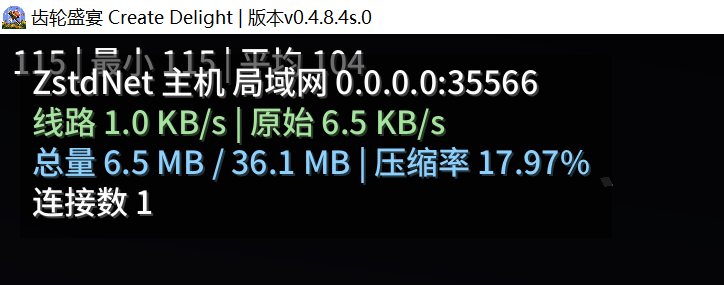
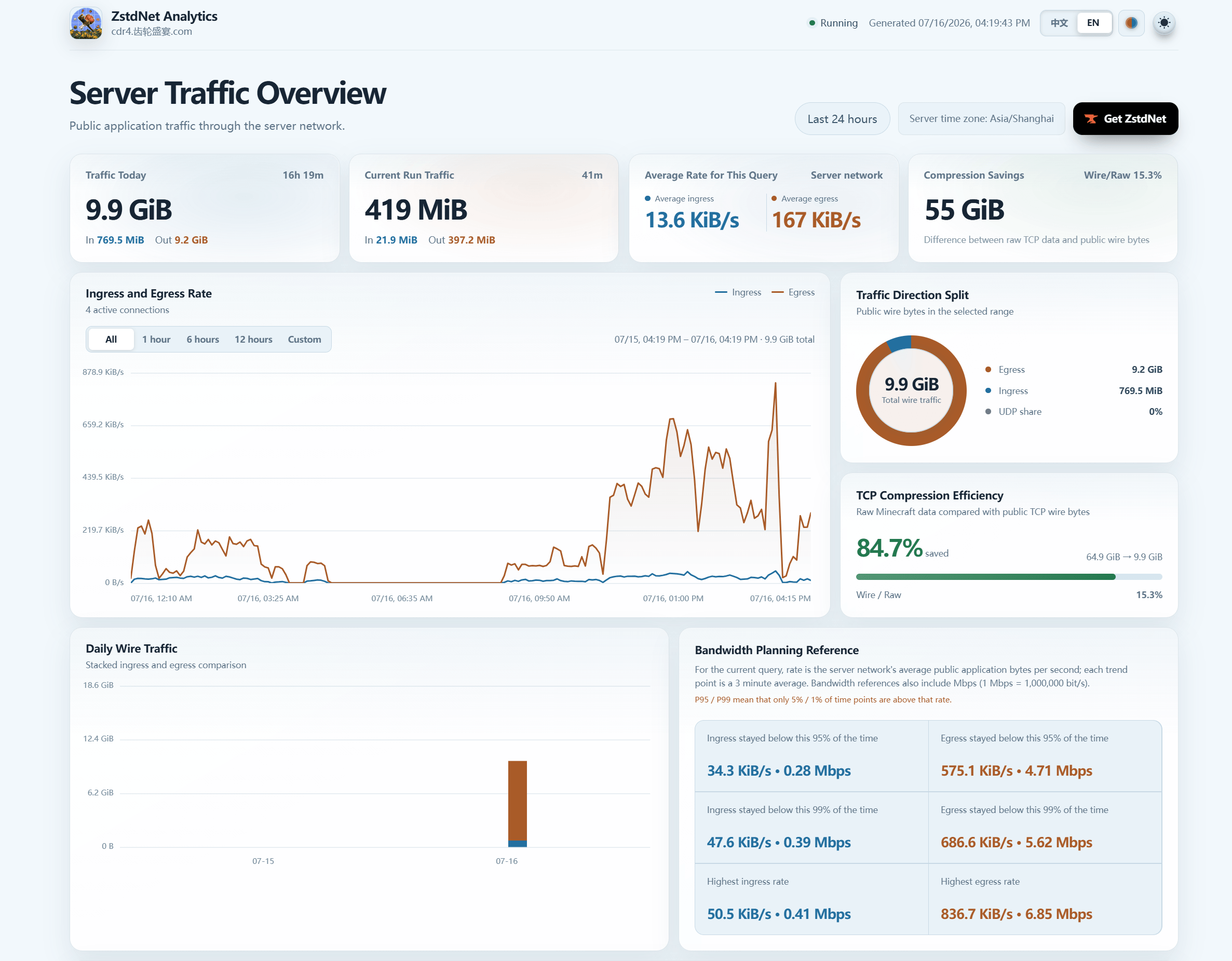
The HUD shows raw traffic, wire traffic, compression ratio, and connection count. Reports are generated locally as self-contained HTML files.
License
MIT License
ZSTDNET Team

Owner