Universal Config Manager
- By
01.png
02.png
03.png
04.png
05.png
Description
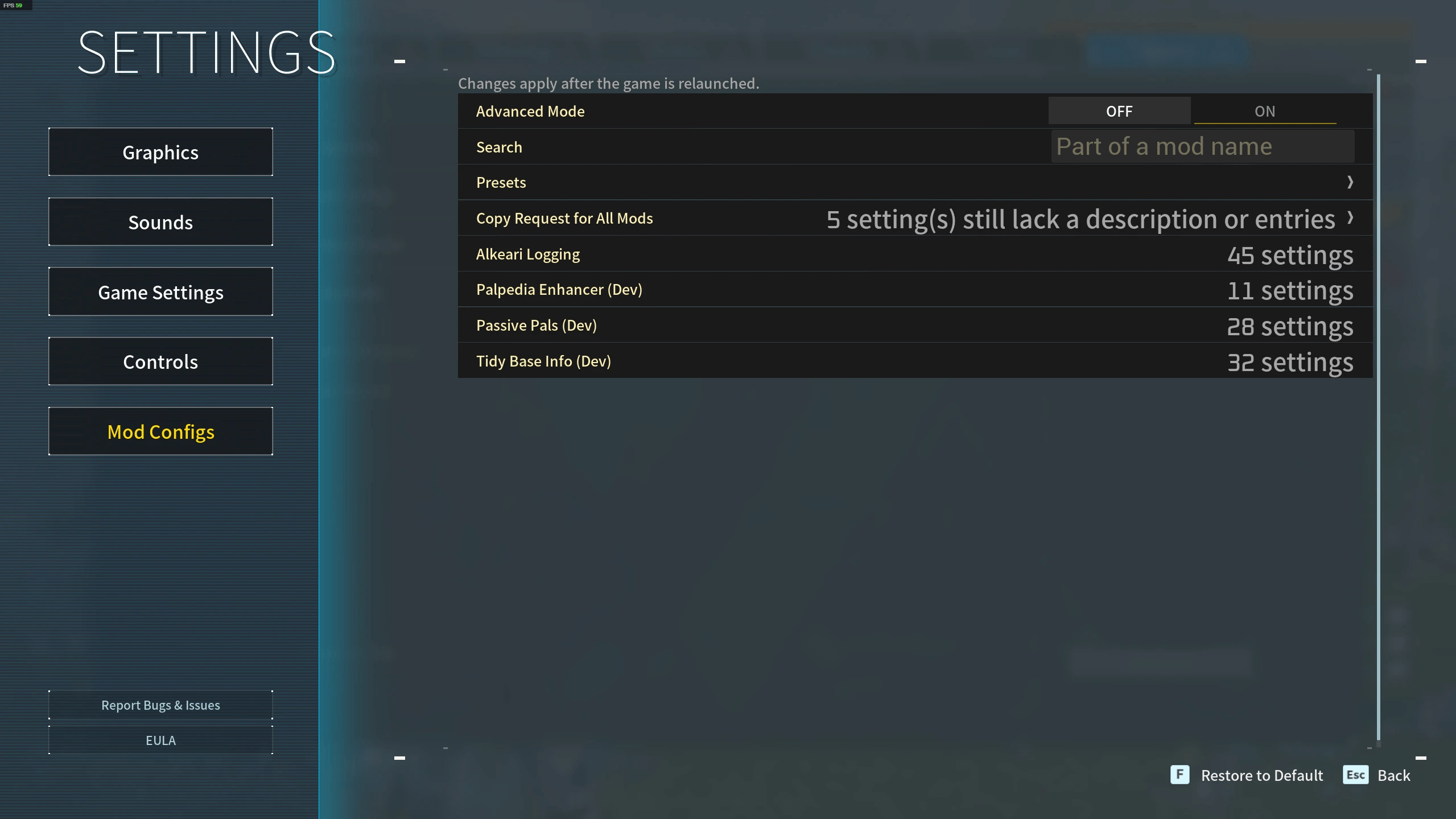
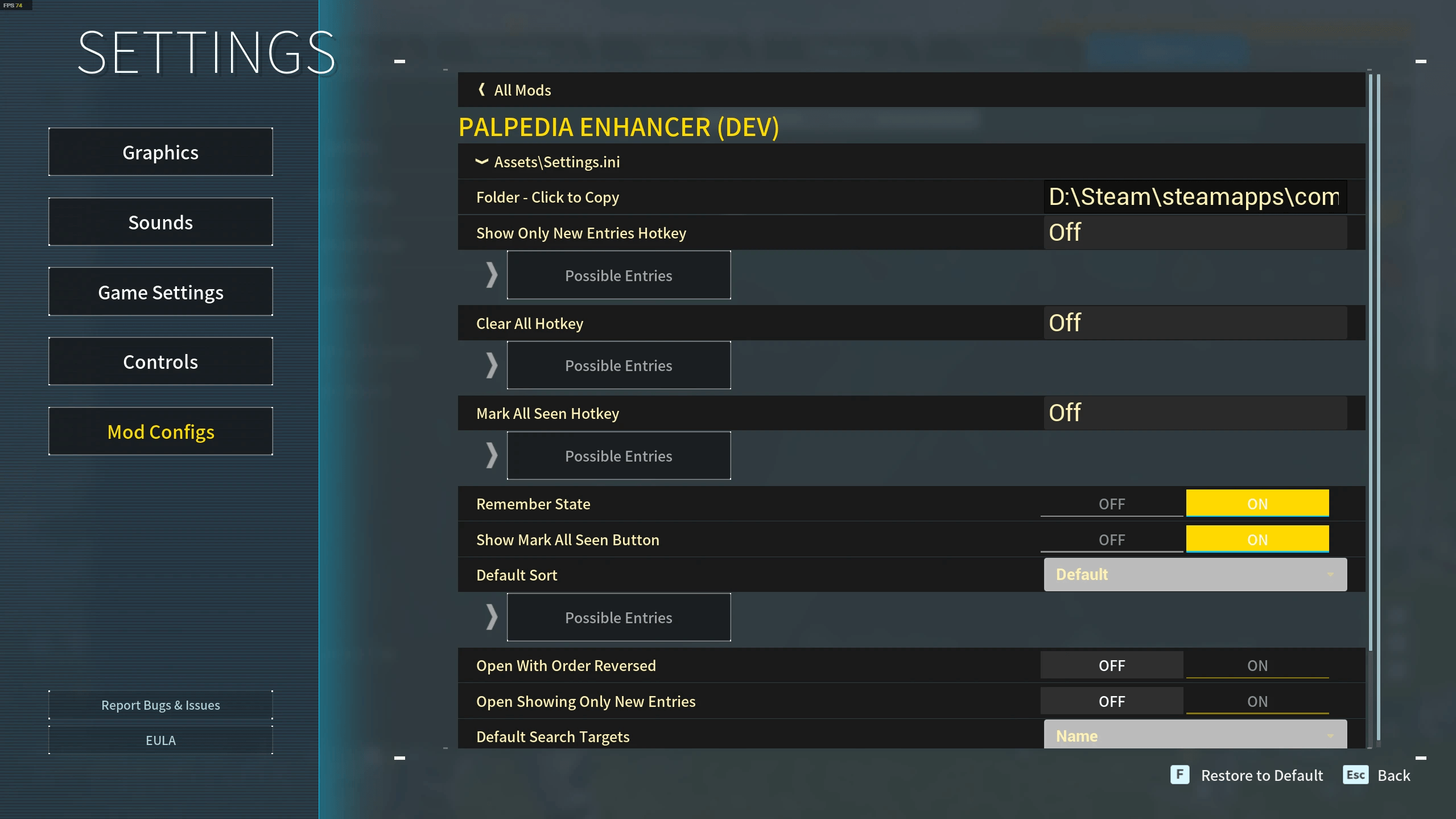
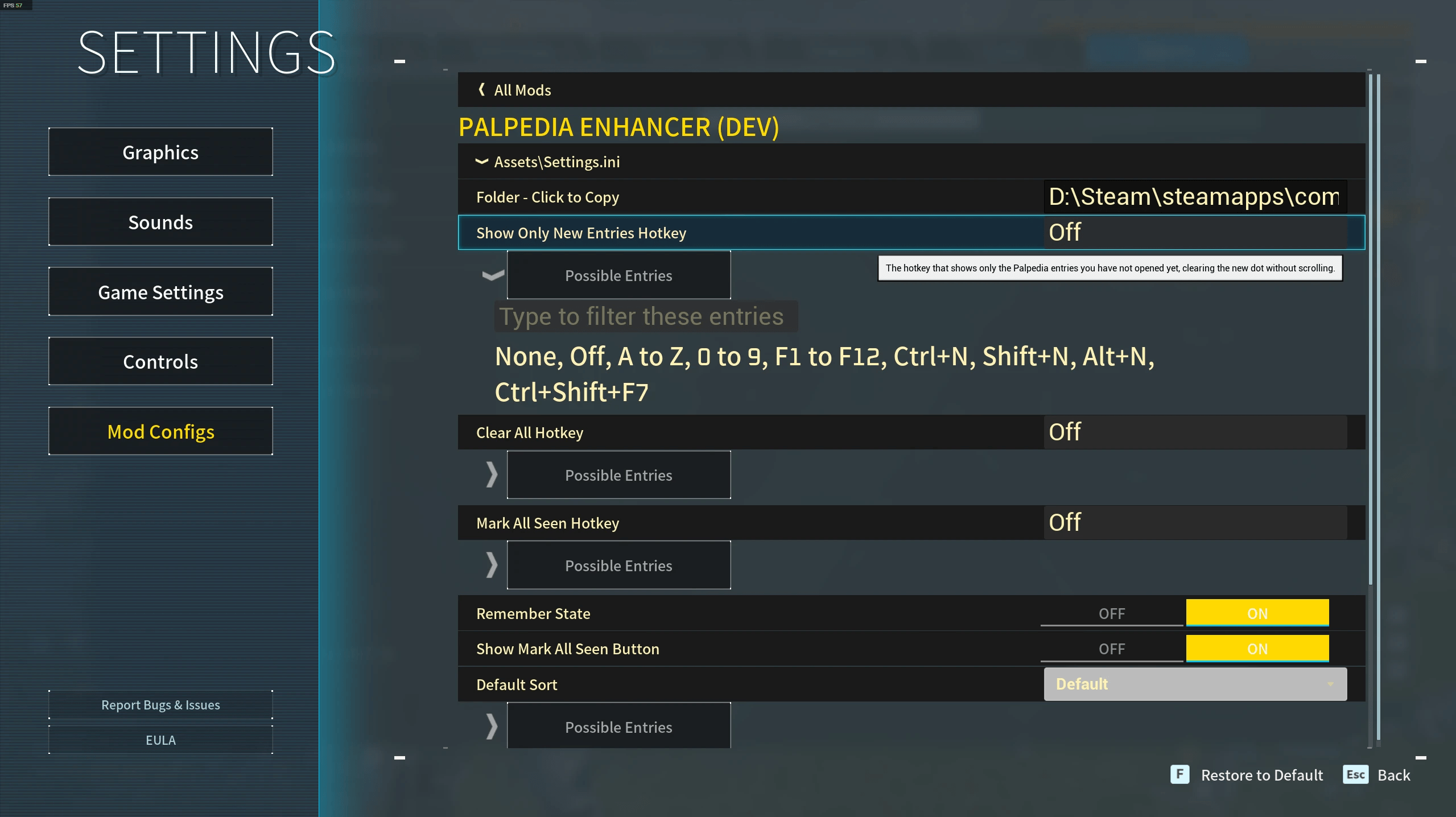
Edit every installed mod's settings from one Mod Configs tab in Palworld's options menu: switches, sliders and a page per mod, saved back into each mod's own file. Full controller support. No alt-tabbing to a text editor.
Client side. No mod author has to do anything for their mod to appear.
⭐ What It Does
- One tab for every mod - a Mod Configs category in the game's options screen, and a button on the pause menu that opens it.
- Full controller support - the D-pad reaches every row and button, sliders step in the interval a setting is written in, and typing opens an on-screen keyboard.
- Finds your mods by itself - it reads Lua config files, INI, JSON, Mod Config Menu files and plain key=value text, and works out what a file is by looking inside it.
- Shows each value as what it really is - switches for on and off, sliders with the exact number typeable beside the bar on a mouse and keyboard, dropdowns for fixed choices, text boxes for names, paths and hotkeys.
- Tells you what a setting does - hover it. Descriptions are written out for hundreds of settings across the popular mods, and each author's own comments fill in the rest.
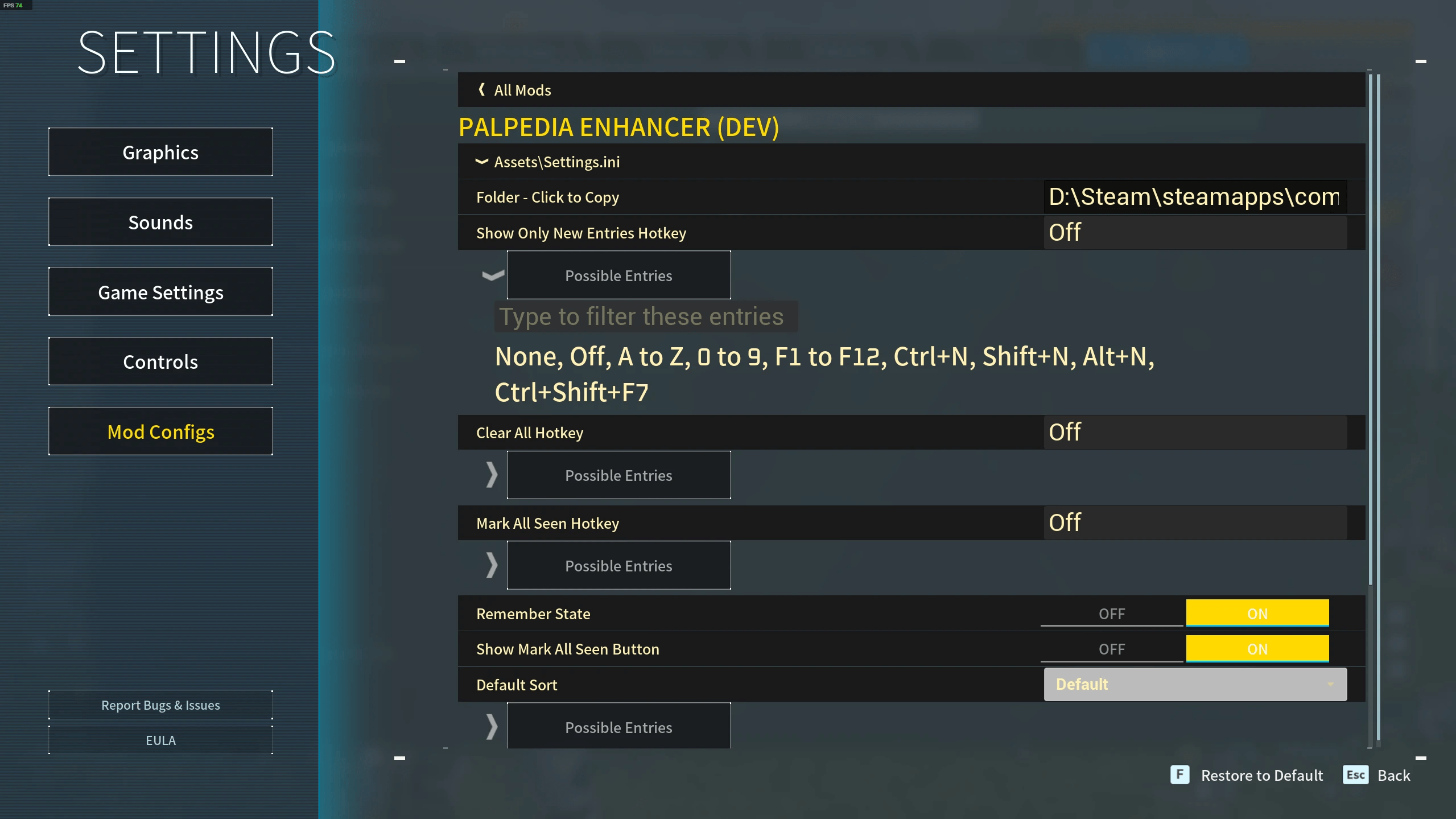
- Shows you what a setting accepts - Possible Entries opens under a text box or dropdown with everything that is valid, and a filter box for the long lists.
- Presets - save every setting as a named set and load it later. Each one is a plain file, so sending a preset to a friend is sending a file.
- Keeps the author's file intact - edits are written back into each mod's own config, comments and all.
- Save or revert what you changed - per mod, or everything at once, on a row that appears only when there is something to save. Leaving the screen saves the rest without asking.
- Speaks your language - every word follows your Palworld language setting, in all seventeen the game ships.
📋 Requirements
- Palworld on Steam. The Microsoft Store and Game Pass builds are not supported.
- UE4SS for Palworld, the experimental-palworld line, installed the normal UE4SS way.
📥 Installation
- Install UE4SS and launch Palworld once.
- Download the file and extract the zip into your Palworld folder, the one holding
Palworld.exe. - Open Options from the title screen or the pause menu. There is a Mod Configs category listing every mod you run.
The zip carries the full path, so Pal\Binaries\Win64\ue4ss\Mods\UniversalConfigManager\Scripts\main.lua ends up in place. To update, replace that folder; to remove it, delete it.
Nothing needs installing on a server. This mod edits files on your own machine.
⚙️ Configuration
Universal Config Manager needs no setup of its own. Advanced Mode and Search sit at the top of the mod list, and the Presets page shows you where preset files are kept.
The upload is optional and never automatic: nothing leaves your machine unless you press Automated Uploading, and the page names the host and says the link is public before you do. The list holds mod and setting names, never their values.
🖥️ Compatibility
- Client side. It edits files on your own machine and changes nothing in the world, so it is safe in singleplayer, in co-op and on a server, and other players do not need it.
- Host side: none. A setting that governs how another mod behaves for everyone is read by that mod on the host, so changing your copy in someone else's world does not change theirs.
- Works alongside Native Mod Options and Mod Options Framework.
- Reads Mod Config Menu's own settings. A mod configured through Mod Config Menu (UI) turns up here too, with the author's own descriptions, ranges and choices already filled in.
- Every mod that ships named settings in a format it already reads turns up on its own, including Passive Pals, Tidy Base Info and Palpedia Enhancer.
- A mod that re-reads its own config applies your change within seconds, and the tab says so. Any other mod's settings take effect the next time it loads.
🐛 Support
- Report bugs and ask questions in the Comments of this page.
- Include
Pal\Binaries\Win64\ue4ss\UE4SS.log, the mod version, the Palworld version from the title screen, and the name of the mod whose settings misbehaved.
🔧 For Mod Authors
Universal Config Manager reads your mod's own config file. You do not have to add a dependency, a framework, or a single line of code for your settings to appear: keep them as named entries in a Lua table, an INI, or a JSON file, one setting per line with a plain comment above it, and they show up on the Mod Configs tab with sensible controls and your comments as their tooltips.
Making an edit apply instantly, with no relaunch, takes about fifteen lines. Watch your own config file and re-apply when it changes:
local path = "Mods/YourMod/Scripts/settings.lua"
local last, current = nil, {}

LoopAsync(2000, function()
    local file = io.open(path, "rb")
    if not file then return false end
    local text = file:read("a"); file:close()
    if text == last then return false end
    last = text
    -- An empty environment: a config file is data, not a script with your mod's reach.
    local chunk = load(text, "settings", "t", {})
    if not chunk then return false end
    local ok, settings = pcall(chunk)
    if not ok or type(settings) ~= "table" then return false end
    current = settings
    ExecuteInGameThread(function() applySettings(current) end)
    return false
end)
Five things worth knowing:
- Read the file, do not
requireit.requirecaches its result inpackage.loaded, so it hands back the table read at boot forever. - Everything that touches the game goes in
ExecuteInGameThread. ALoopAsyncbody runs off the game thread, where touching a UObject corrupts the Lua state. - Reading and parsing the file itself is safe there, which is why only the apply step hops.
- Keep the last good values. A config file can be read halfway through somebody else's write. If the chunk does not parse, or does not return a table, ignore it and try again next tick.
- Write one
applySettings(settings)and call it at boot and on every reload. Undo whatever the previous values did, so a setting the player removes goes back to normal instead of sticking.
Name your interval liveReloadSeconds and this mod stops telling players to relaunch for your settings: it reads that key to know your mod applies edits on its own.
For a compiled mod the shape is the same: compare the file's last-write time on your poll, re-parse only when it moves, and route anything touching the engine through RegisterEngineTickPreCallback.
📄 License
License terms are in the Alkeari License Agreement.
If you want to see how it works, you can read the source code at github.com/Alkeari/UniversalConfigManager-PUBLIC.
Universal Config Manager Team