Ever wondered if that wild Pal is worth catching? Stop opening menus — just look at it.
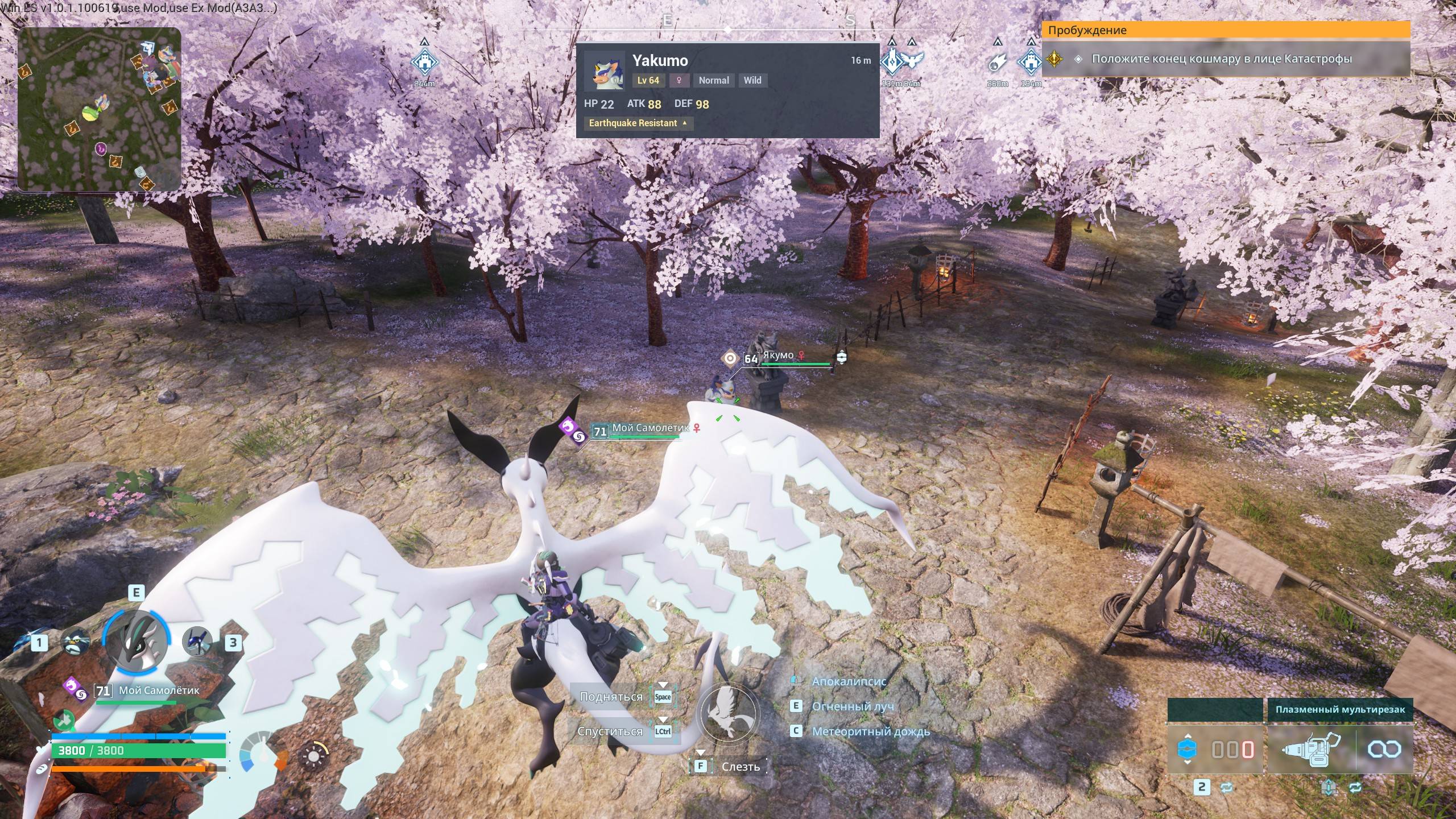
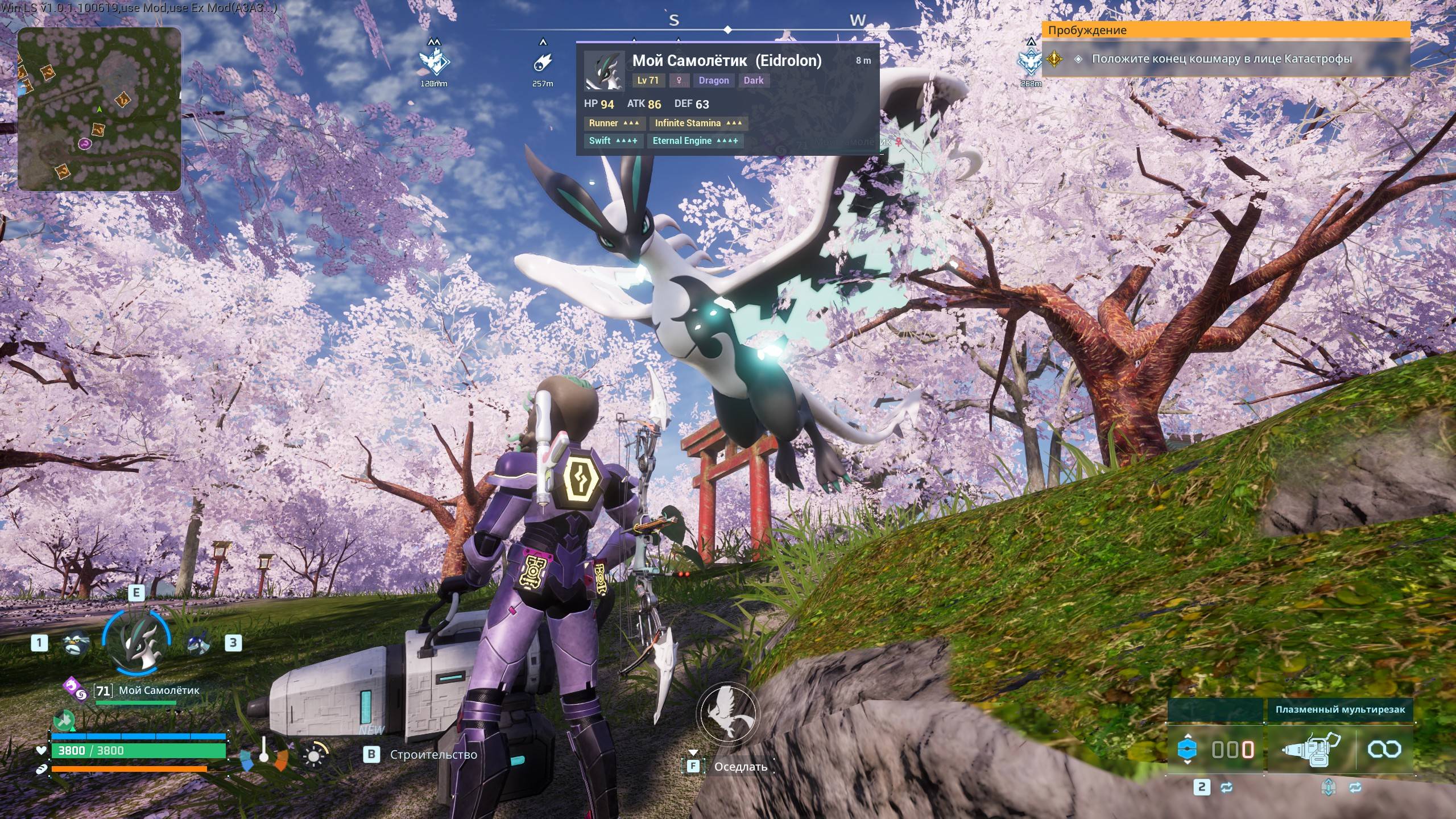
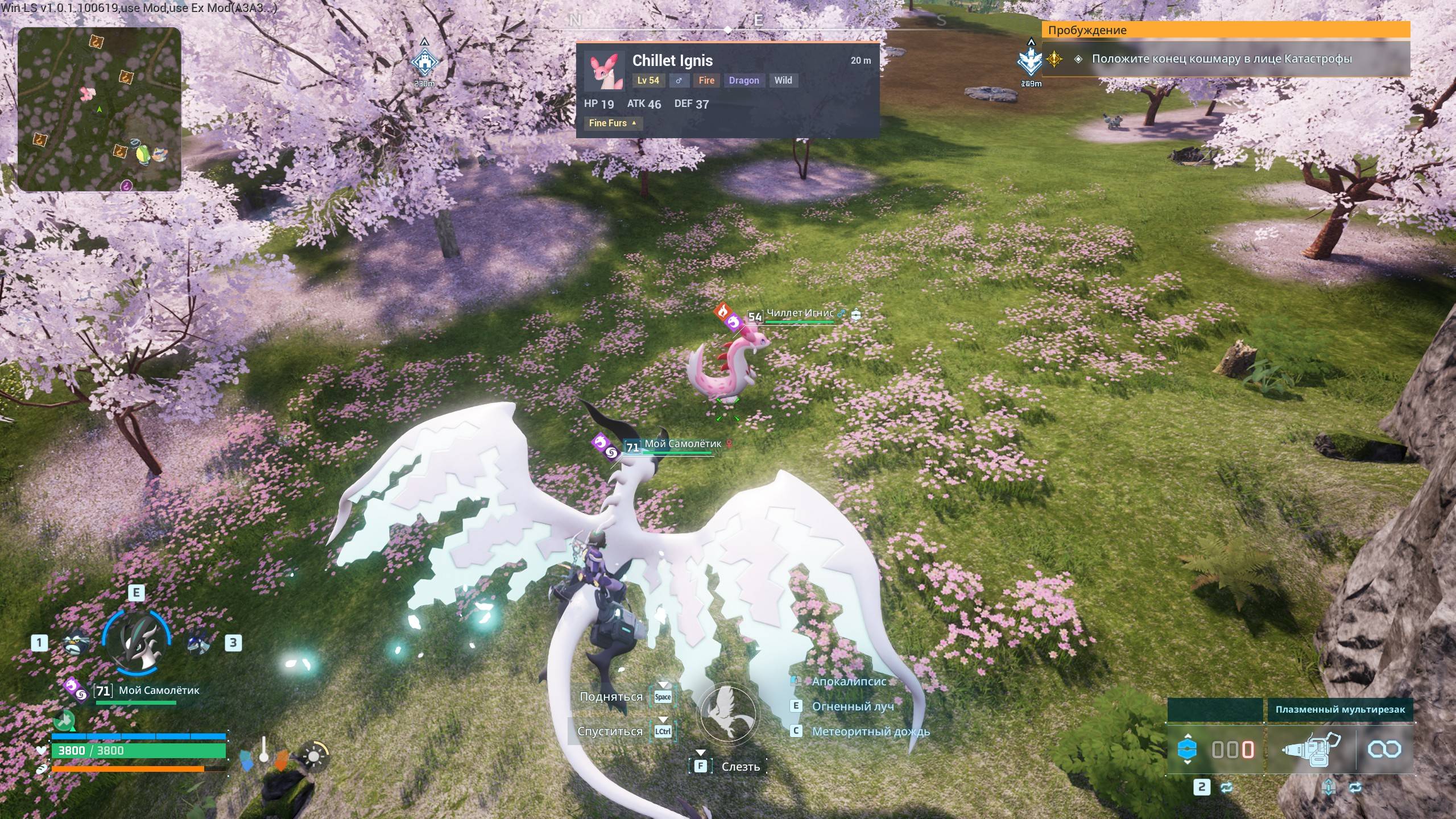
PalStats is a WAILA-style inspector (like Jade/WAILA in Minecraft): aim at any Pal — wild, yours, or an Alpha — and a clean overlay at the top of your screen instantly shows everything that matters. Look away and it disappears.
WHAT IT SHOWS
- Species and nickname, level, gender
- ALPHA and Wild badges
- Element chips colored like the game (Fire, Water, Dark, ...)
- IVs (HP / ATK / DEF) with color grading — spot a 90+ roll at a glance
- Passive skills as a 2x2 chip grid with game-accurate tiers: yellow for regular positives, teal for top-tier skills (Swift, Legend, Eternal Engine...), red for negatives, with strength chevrons
- Distance to the Pal
WHY IT'S SMOOTH
The HUD has a flat per-frame cost no matter how many Pals are around you — no stutter, even on a packed base or in dense wild areas.
CONTROLS
None needed — it works the moment you enter your world. F10 hides the HUD for clean screenshots.
REQUIREMENTS
- Palworld for PC (tested with 1.0.1)
- UE4SS Experimental for Palworld (NOT included — install it first)
INSTALLATION
1. Close Palworld.
2. Extract the ZIP.
3. Copy the PalStats folder to: Palworld\Pal\Binaries\Win64\ue4ss\Mods\
4. Start Palworld, enter a world and look at any Pal.
NOTES
- Fully read-only: no changes to saves, Pals, items, or game balance.
- Client-side only: every player who wants the HUD installs the mod themselves.
- Check out my other mods: Pal Breeding Assistant (full breeding planner for your Palbox) and Pal Breeding Preview (see what's inside the egg at your ranch).
CREDITS
Pal and passive-skill database derived from Pal Calc by Tyler Camp (https://github.com/tylercamp/palcalc), used under the MIT License. Full license text is included in the download.