Palished
Small details. Smoother everyday play.
Keep an eye on your tool's durability, repair with a keypress, and enjoy tidier equipment slots that fit Palworld's existing interface.
A cleaner inventory
Aligned slots, consistent section spacing, and a right column that ends level with your accessories. Palworld's native styling, slot sizes and controls stay intact.
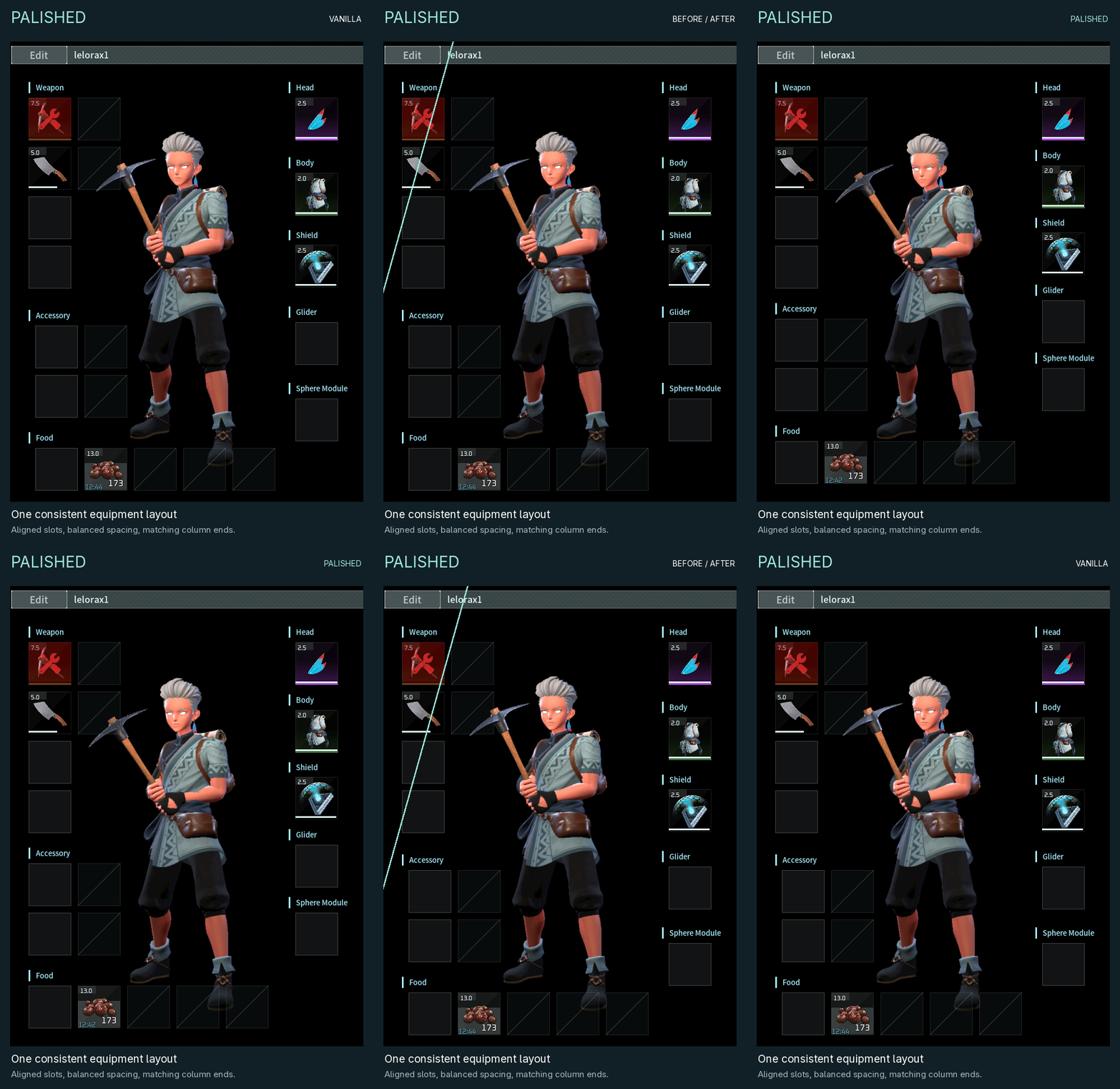
Native UI renders: original layout → Palished. Both columns and the accessory/food slots are included.
Durability at a glance
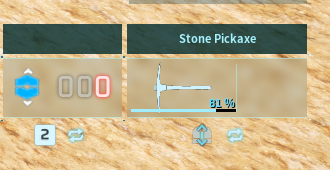
A compact bar and percentage show your equipped tool or weapon's condition. Red below 20%, like the game's own gauge. Empty hands get Palworld's native fist icon and localized Unarmed label.
Quick repairs
At a repair bench, R repairs the selected item and Ctrl+R opens the normal Repair All confirmation. The buttons show the shortcuts alongside their localized labels. Repair costs stay unchanged.
Getting started
Client only. Requires a compatible UE4SS loader for Palworld.
- Close Palworld.
- Copy
Palished into your existing UE4SS Mods folder.
- UE4SS hot reload uses Ctrl+R by default. Set
EnableHotReloadSystem = 0 in UE4SS-settings.ini, or change HotReloadKey.
- Restart the game.
Updating from 1.1.2 or earlier? Delete the old mod folder and its mods-list line first; see INSTALL.txt. Tested on Palworld 1.0.5.102999 with UE4SS 2281fa31 through Proton/Wine; other versions and UI mods may need adjustments.
Share your experience
We'd love to hear which little details make a difference for you! Leave a comment, share your experience, or report a bug so we can investigate and improve Palished together.
Source and compatibility notes
Made with OpenAI Codex and Claude under lelorax's direction. Screenshots are captured in game. Free to use; all rights reserved. Reuploads, published modifications and reuse require permission. Unofficial Palworld mod.