Description:
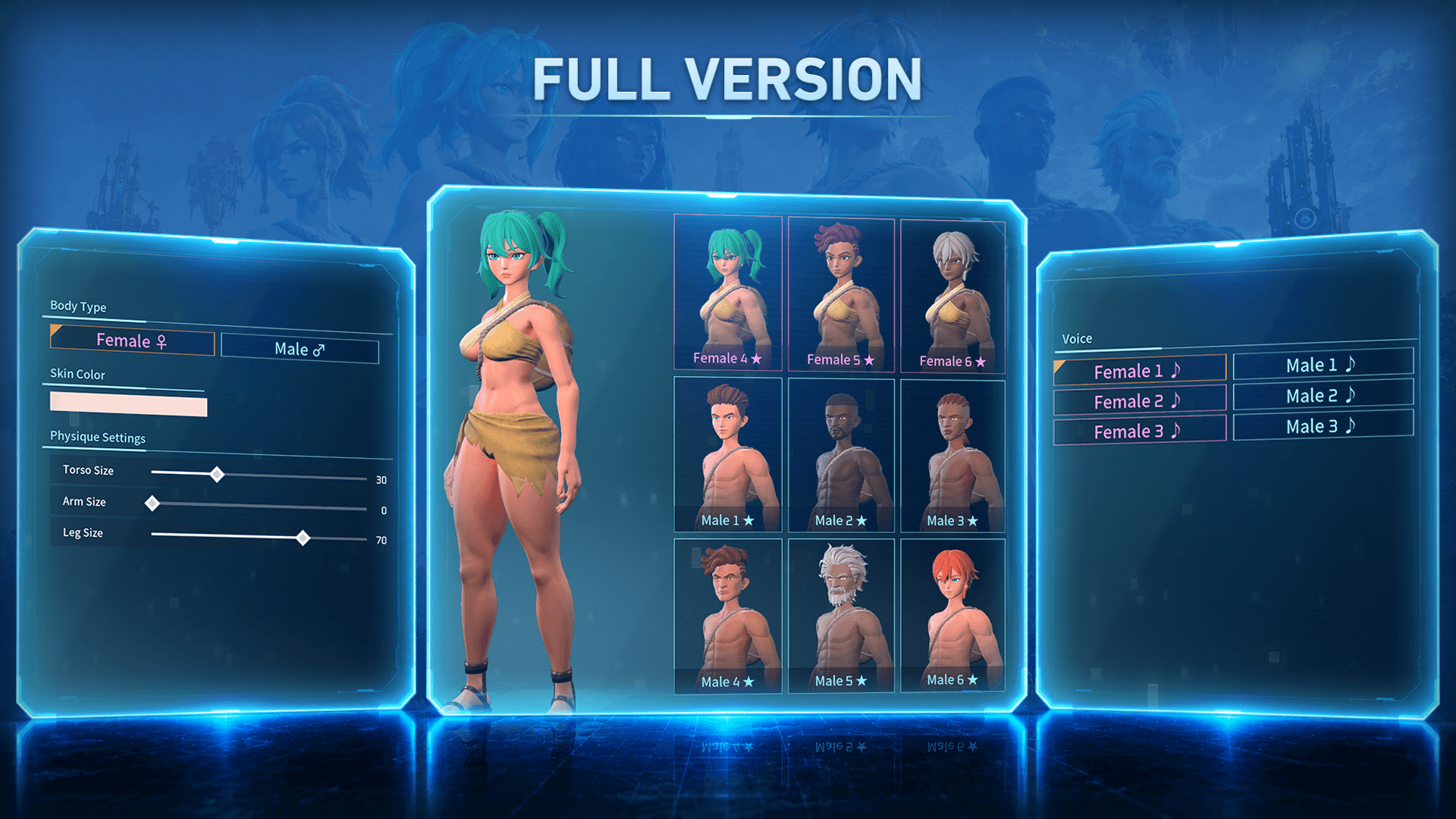
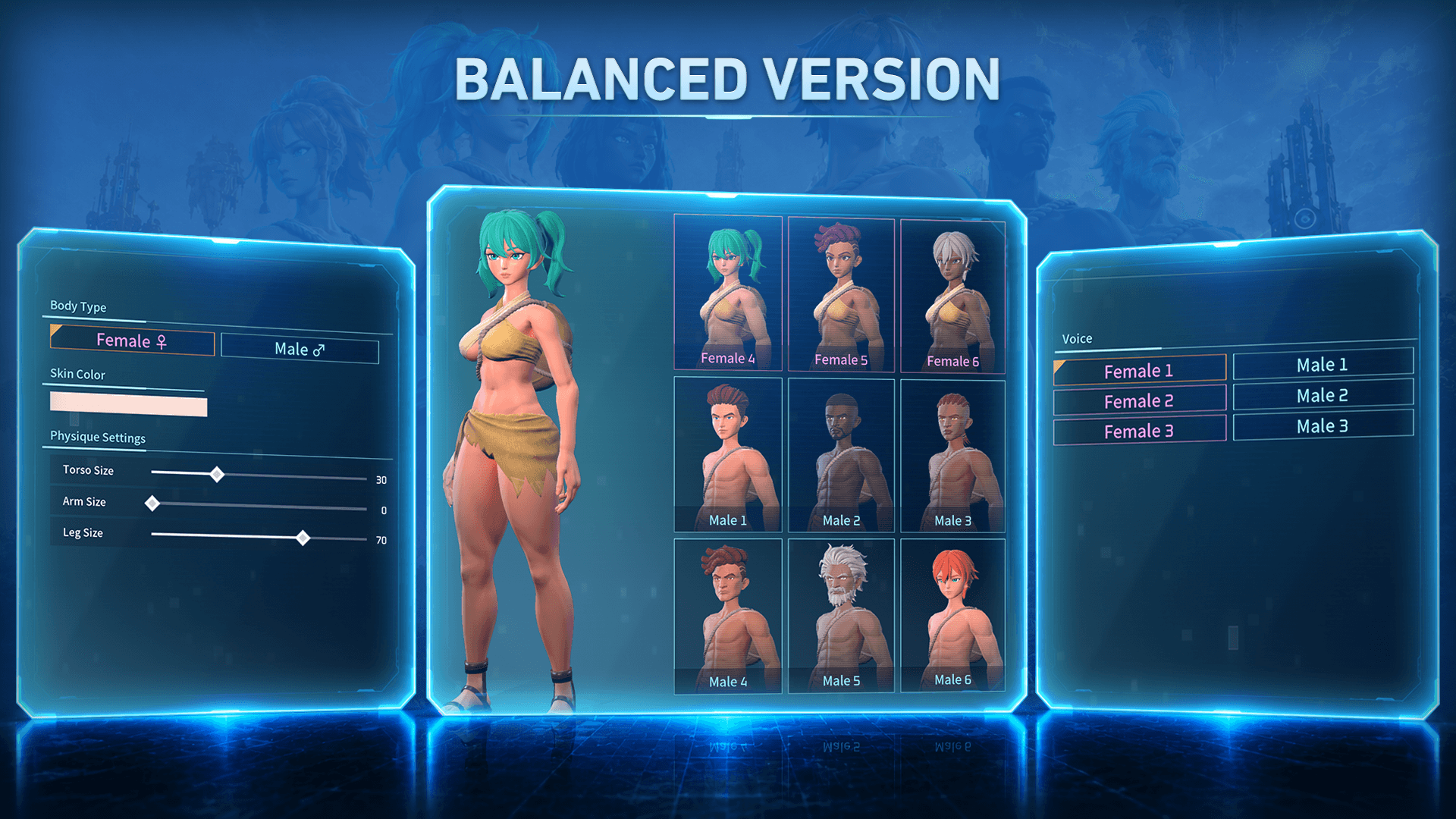
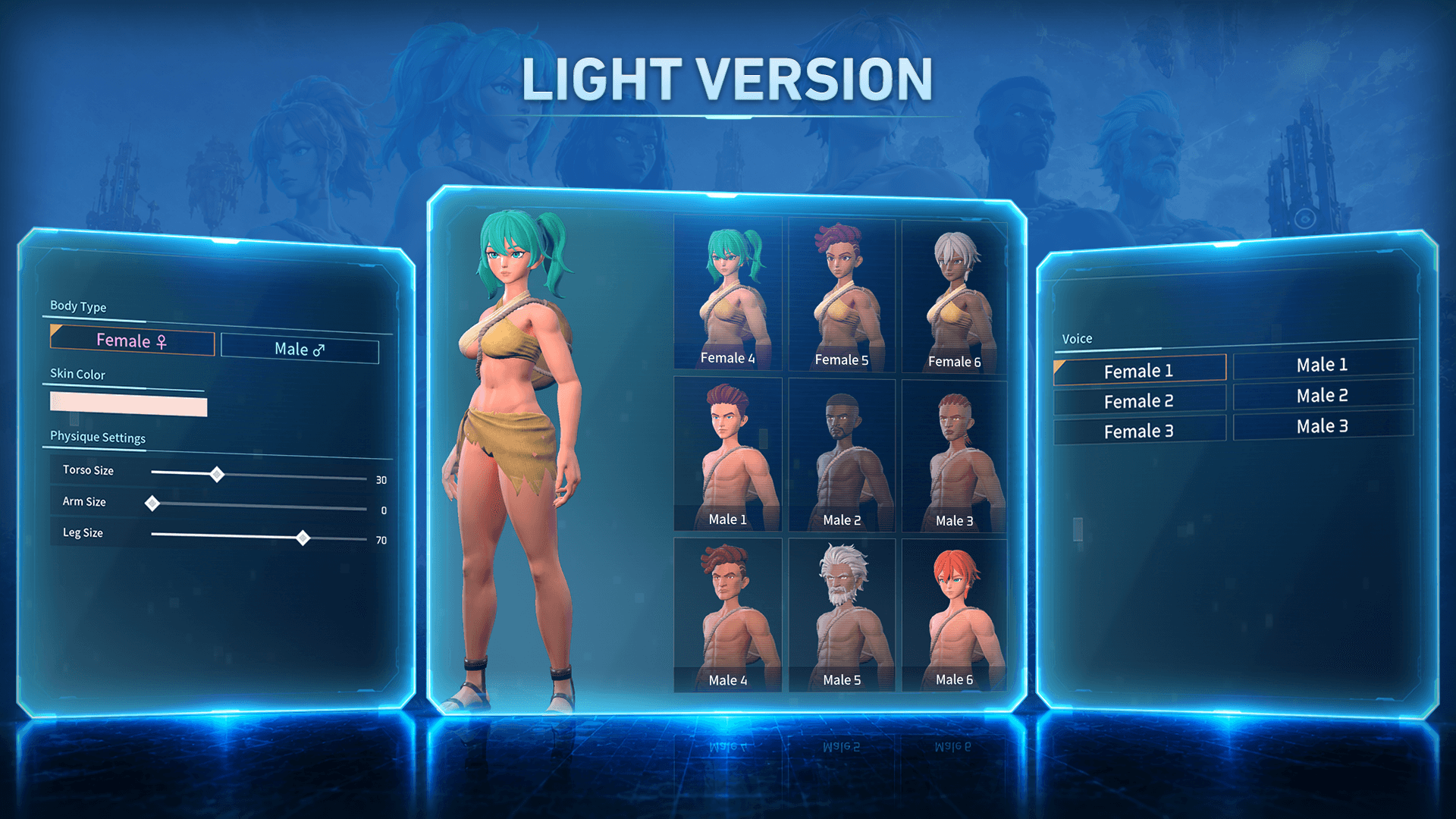
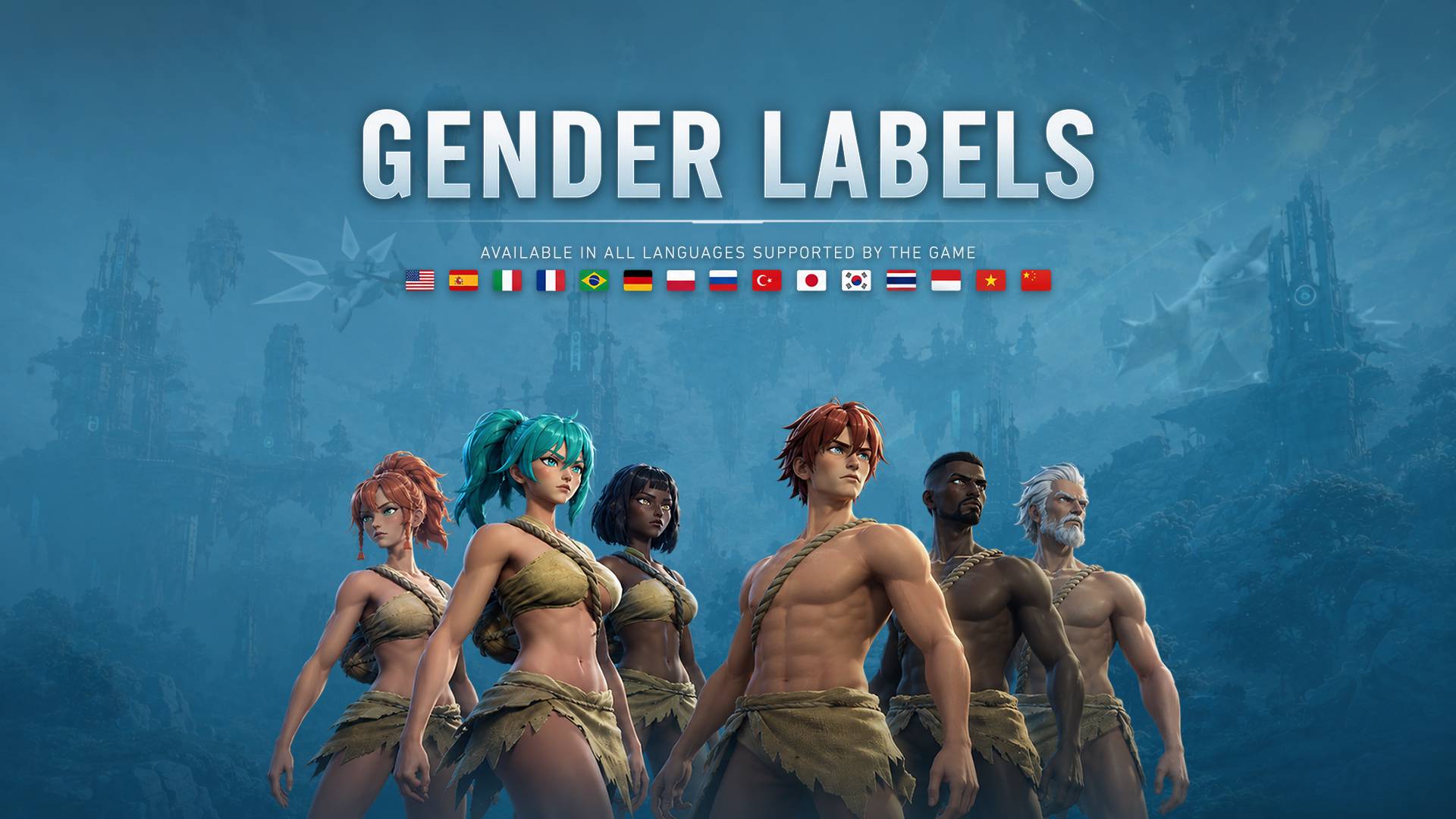
Replaces the generic "Type" labels shown in character creation and editing with Female and Male text across the body type switch, appearance presets, and voice options. Detects the game's current language automatically and applies the matching text, restarting the preset and voice numbering per gender (presets: Female 1-6, Male 1-6 / voices: Female 1-3, Male 1-3). The voice options are grouped by column, with Female voices on the left and Male voices on the right, for a cleaner and more intuitive layout. Optionally adds custom text colors and symbols (♀/♂, ★, ♪), plus matching colored button frames, across three selectable styling levels, see available versions below. Supports every language currently available in the game (v1.0.2.101103): English, Spanish, Spanish (Latin American), Italian, French, Brazilian Portuguese, German, Polish, Russian, Turkish, Japanese, Korean, Thai, Vietnamese, Indonesian, Simplified Chinese, and Traditional Chinese. If a language isn't supported yet (for example if Pocketpair adds a new one), text falls back to English by default.

Compatibility: This mod relabels the vanilla Body, Preset, and Voice text based on their fixed position in the base game's list (e.g. presets 1-6 as Female, 7-12 as Male). If you use another mod that adds, removes, or reorders presets or voices, some labels may end up incorrect, since this mod has no way of knowing about entries added by other mods. This is expected behavior when combining with such mods, not a bug in this mod on its own.
Main features:
- Body toggle: Female / Male, with symbols (♀/♂), custom text colors, and colored frames
- All 12 appearance presets relabeled, numbered per gender (Female 1-6, Male 1-6)
- All 6 voice options relabeled the same way (Female 1-3, Male 1-3)
- Voice options grouped by column (Female on the left, Male on the right) for a cleaner and more intuitive layout
- Automatic language detection, no settings menu or config file
- 17 languages covered, with an English fallback for anything not yet supported
- Three selectable styling levels (Full, Balanced, Light), from fully decorated to minimal
Available versions:
Three versions to choose from. They all replace the Body, Presets, and Voice labels with localized Female/Male text, they only differ in how much extra styling (symbols and custom text color) is applied. Download the one that matches your taste (see the images to see the differences), only install one at a time.
- Full (most decorated option):
. Type labels replaced with Female/Male
. Symbols on every tab (♀/♂ for Body, ★ for Presets, ♪ for Voice)
. Gendered text colors on every tab (Body, Presets, Voice)
. Gendered frame colors on every tab (Body, Presets, Voice)
. Voice options grouped by column
- Balanced (my personal choice):
. Type labels replaced with Female/Male
. Symbols on Body only (♀/♂)
. Gendered text colors on every tab (Body, Presets, Voice)
. Gendered frame colors on every tab (Body, Presets, Voice)
. Voice options grouped by column
- Light (most minimal option):
. Type labels replaced with Female/Male
. Symbols on Body only (♀/♂)
. Gendered text color on Body only
. Gendered frame colors on Body only
. Voice options grouped by column
Requirements:
Installation instructions:
- 1. Install UE4SS (Palworld build) first if you haven't already.
- 2. Copy the "GenderLabels" folder into your UE4SS Mods folder:
Palworld\Pal\Binaries\Win64\ue4ss\Mods\
- For PC Xbox/Microsoft Store version:
Palworld\Content\Pal\Binaries\WinGDK\ue4ss\Mods
- It should look like this:
ue4ss\Mods\GenderLabels\enabled.txt
ue4ss\Mods\GenderLabels\Scripts\main.lua
- 3. Launch the game and enjoy!
Uninstall:
- To uninstall, delete the "GenderLabels" folder from "ue4ss\Mods\".
Shout outs:
Changelog:
1.4
. Voice options are now grouped by column (Female 1/Male 1, Female 2/Male 2, Female 3/Male 3) instead of the game's default order.
. Light no longer colors Preset and Voice frames, keeping the game's original frame colors to better match its minimal styling.

1.3
• Replaces Body, Presets, and Voice labels with localized Female/Male text.
• Relabels all appearance presets and voices with gender-based numbering.
• Automatic language detection with support for all 17 languages currently available in Palworld, plus an English fallback.
• Three selectable versions: Full, Balanced, and Light.
• Custom gender-based text colors, symbols, and frame colors depending on the selected version.
• Colored frames are now available for Body, Presets, and Voice tabs in all versions.
• Preset and Voice text and frame colors in Full and Balanced now use the same vivid saturation as Body.