Pal Insight
Pal Insight lets you check a Pal's Potential, skills and drops directly in Palworld, and search the Palbox and other supported facilities by name, number or skill.
World beacons mark targets such as Lucky and high-Potential Pals. Browse one Pal's details after another, or batch-select Pals to sell at merchants, without repeatedly reopening details or selecting each Pal individually.
Native-style UI · All 17 game interface languages · Client-side; no server installation
Inspect Pals
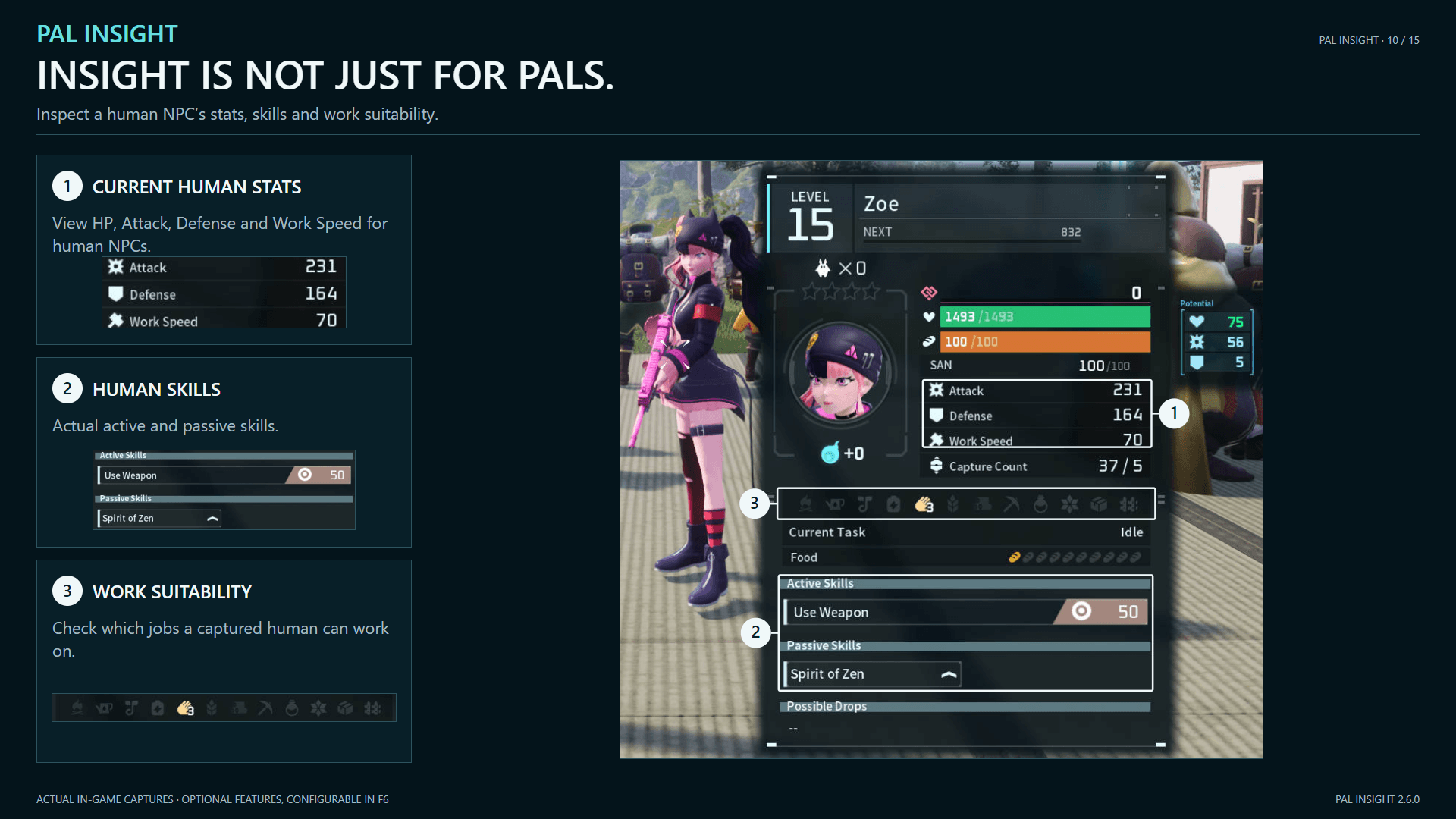
Hold Left Alt by default to inspect a target. Optional Party hover/focus inspection and human information are also supported.
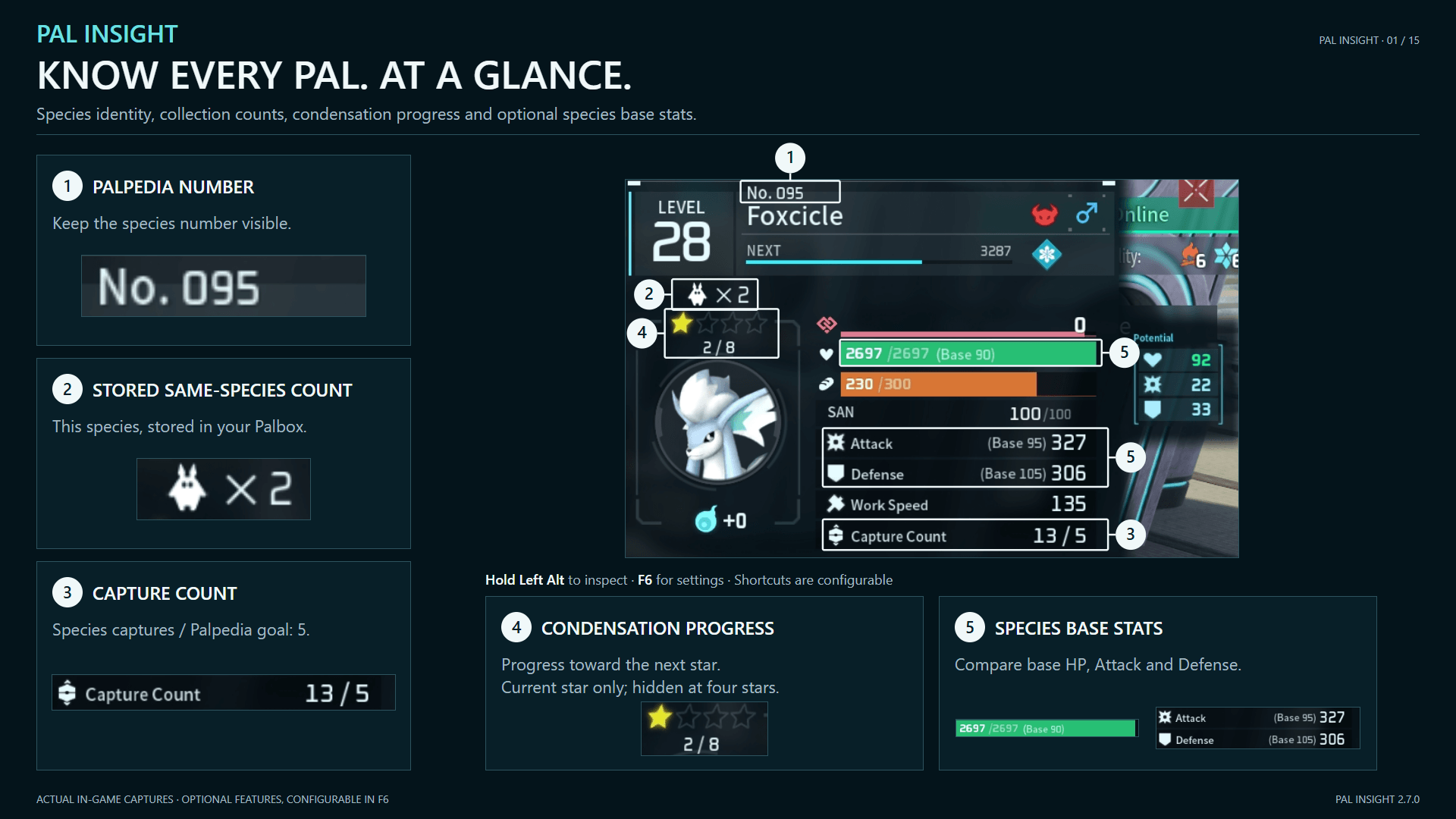
Condensation progress shows this star level's progress / total needed for the next star; hidden at four stars.
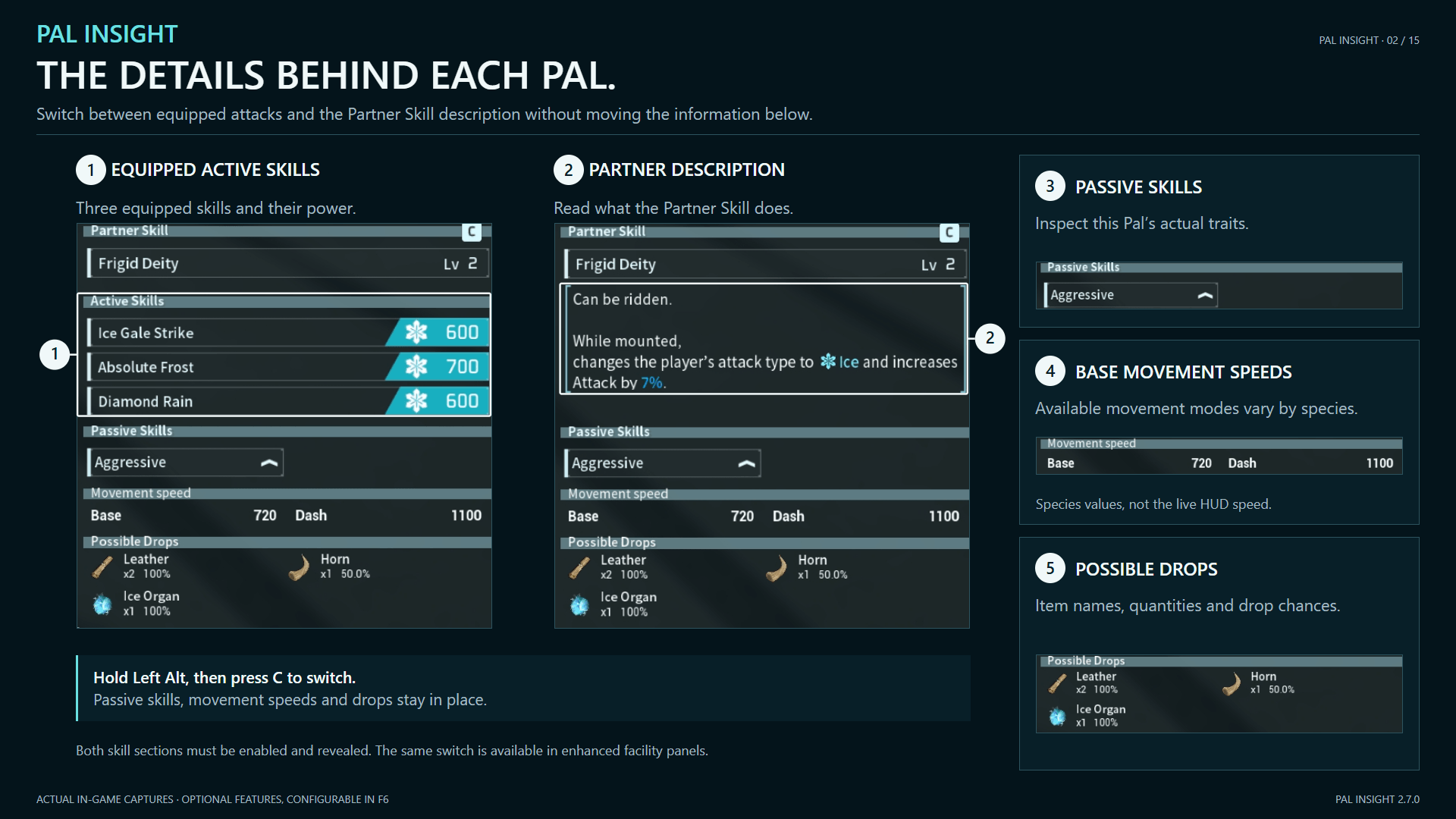
While holding Left Alt to inspect a Pal, press C to switch between Active Skills and the Partner Skill description. Both sections must be enabled for LAlt and facility panels. With Progressive Reveal on, only LAlt requires both to be unlocked.
- Stats, condensation stars, Work Suitability, Partner Skill effects, equipped Active Skills and their power, and Passive Skills.
- Paldeck number, species capture count, same-species Palbox count, species base stats, base movement speeds, and drop quantities and chances.

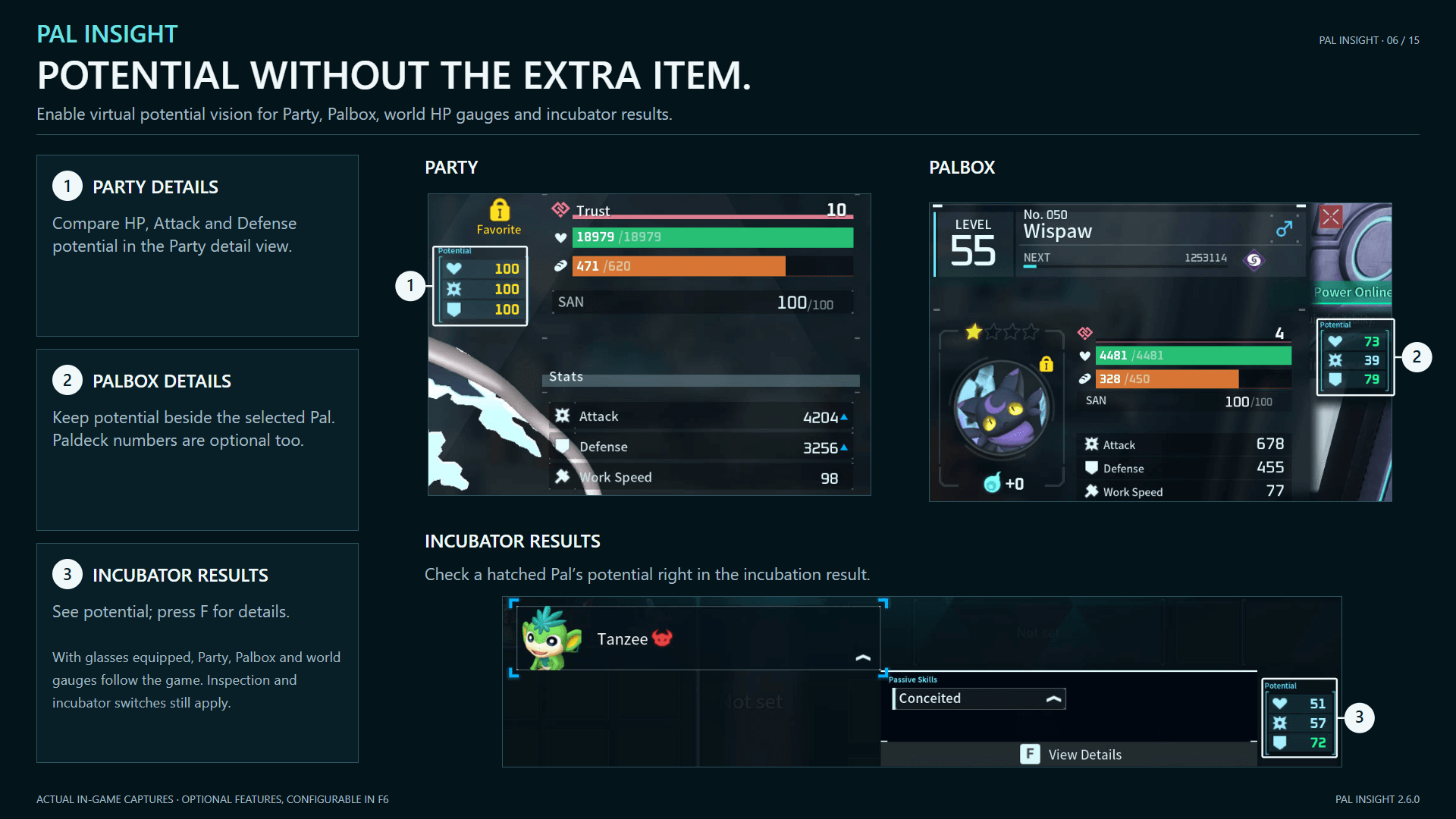
Potential: Show values without goggles in inspection, Party, Palbox, world HP gauges and hatch results. Choose game colors or a four-tier palette. F7 toggles virtual Potential Vision by default. With Pal Tamer Goggles equipped, Party, Palbox and world displays follow game rules; inspection and hatch results keep their own settings.
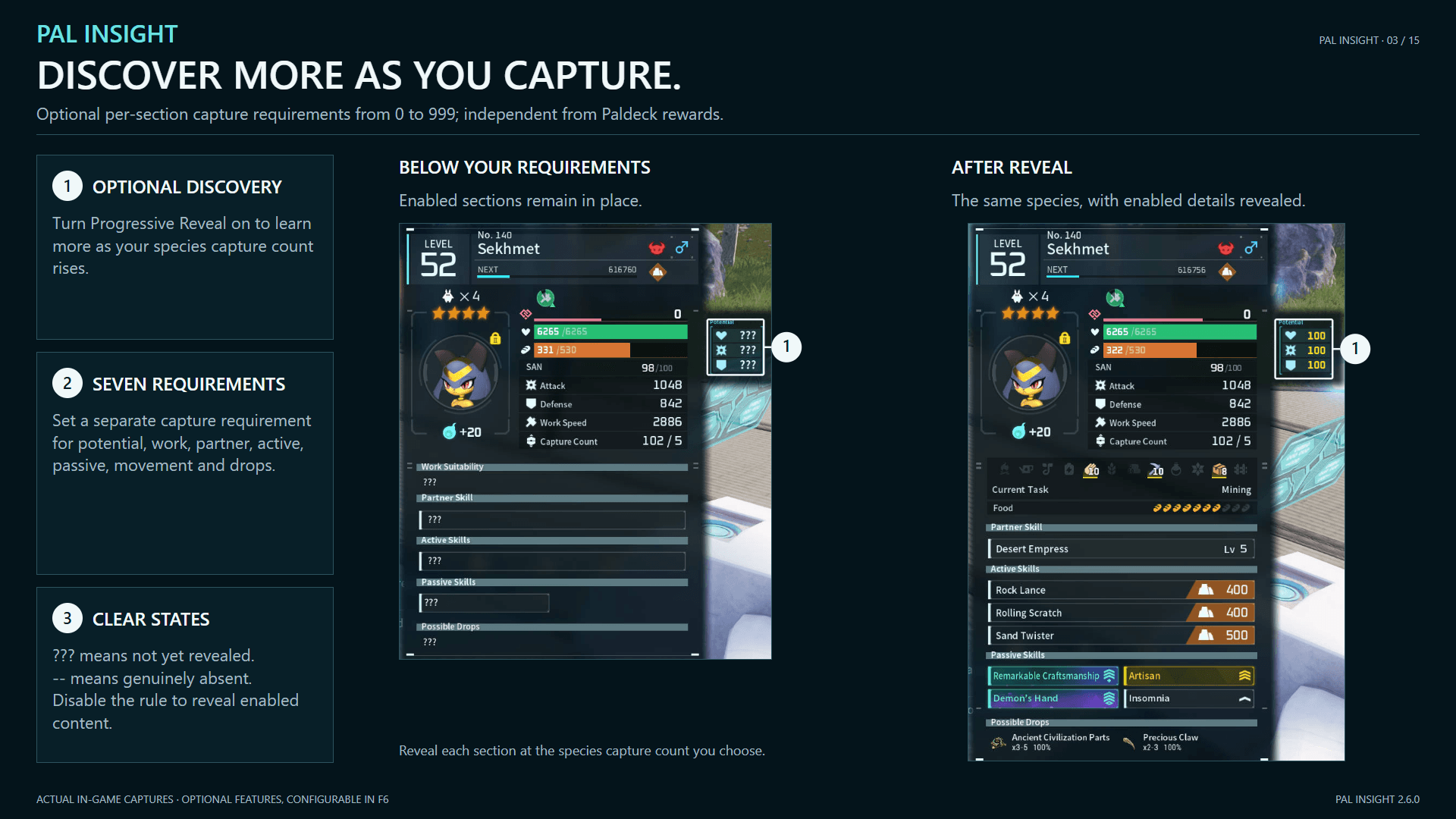
Progressive Reveal: Capture thresholds apply only to LAlt inspection and Potential on ordinary and Boss world health bars. Set thresholds separately for Potential, Work Suitability, skills, movement and drops; locked data shows ???. Party, hatch results and the four facilities have no capture requirements. Display toggles and goggles rules still apply.
World HUD and target beacons
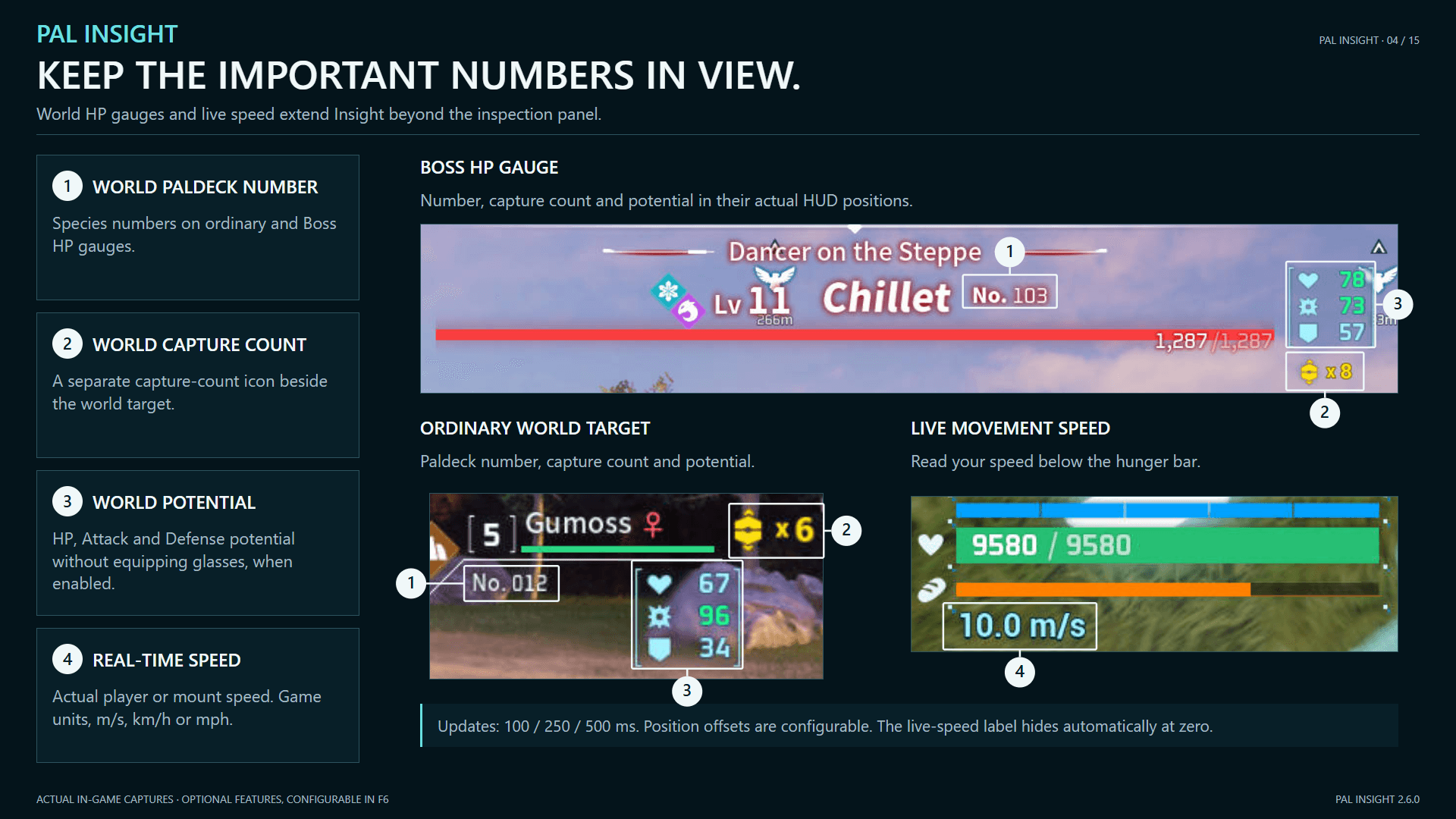
Ordinary and Boss HP gauges can show Paldeck numbers, capture counts and Potential. Live speed reports the player's or mount's current speed in game units, m/s, km/h or mph.

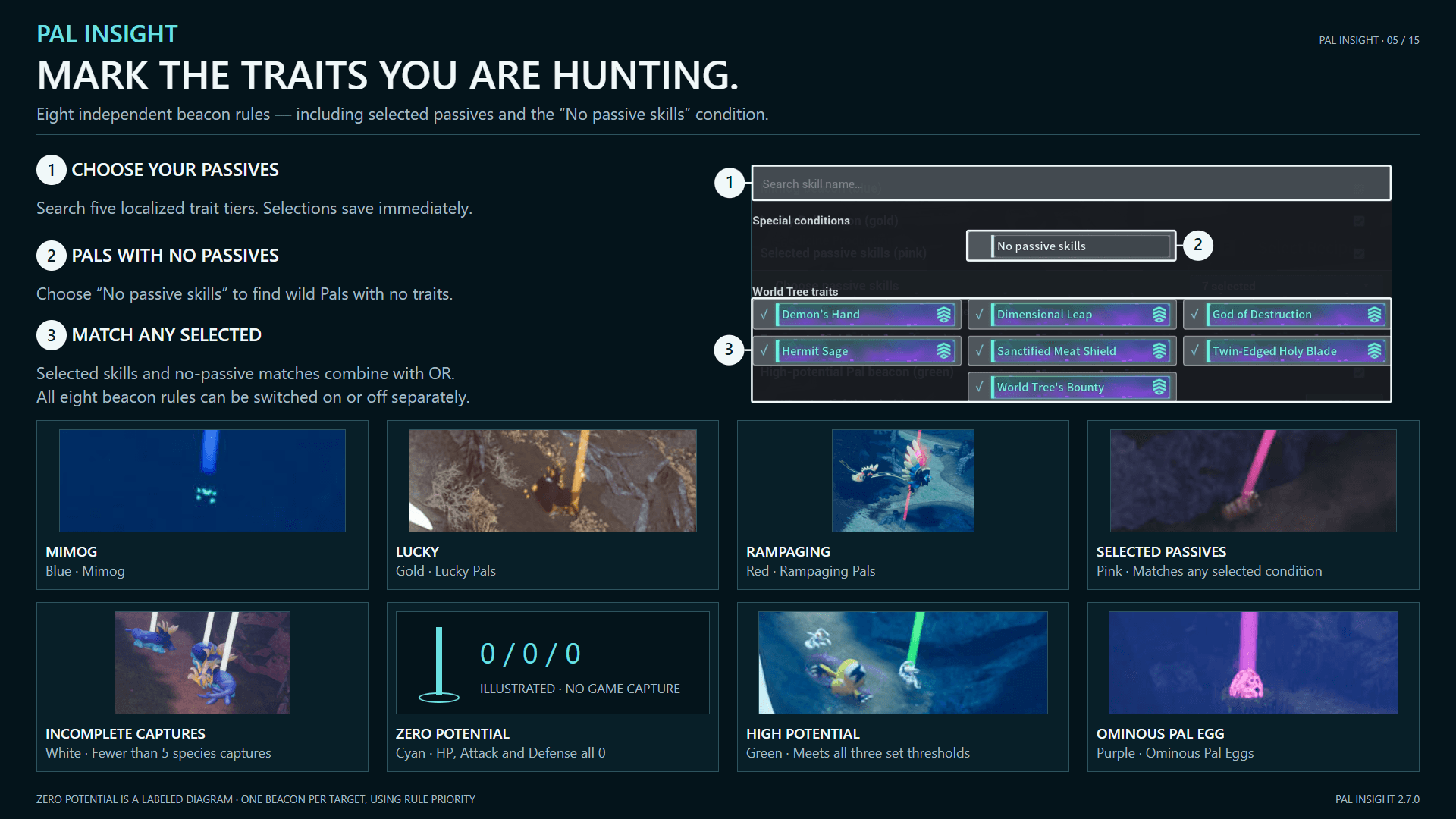
Eight beacon rules can be toggled separately:
- Mimog, Lucky Pals and Rampaging Pals.
- Species captured fewer than 5 times; Pals with 0/0/0 Potential; Pals meeting all three custom Potential thresholds.
- Selected Passive Skills, including "No passive skills": any selected condition matches. With none selected, this rule is inactive.
- Ominous Pal Eggs.
Adjust range, display limit and update behavior. Each target gets only its highest-priority beacon. Only spawned targets can be marked.

Palbox and facilities
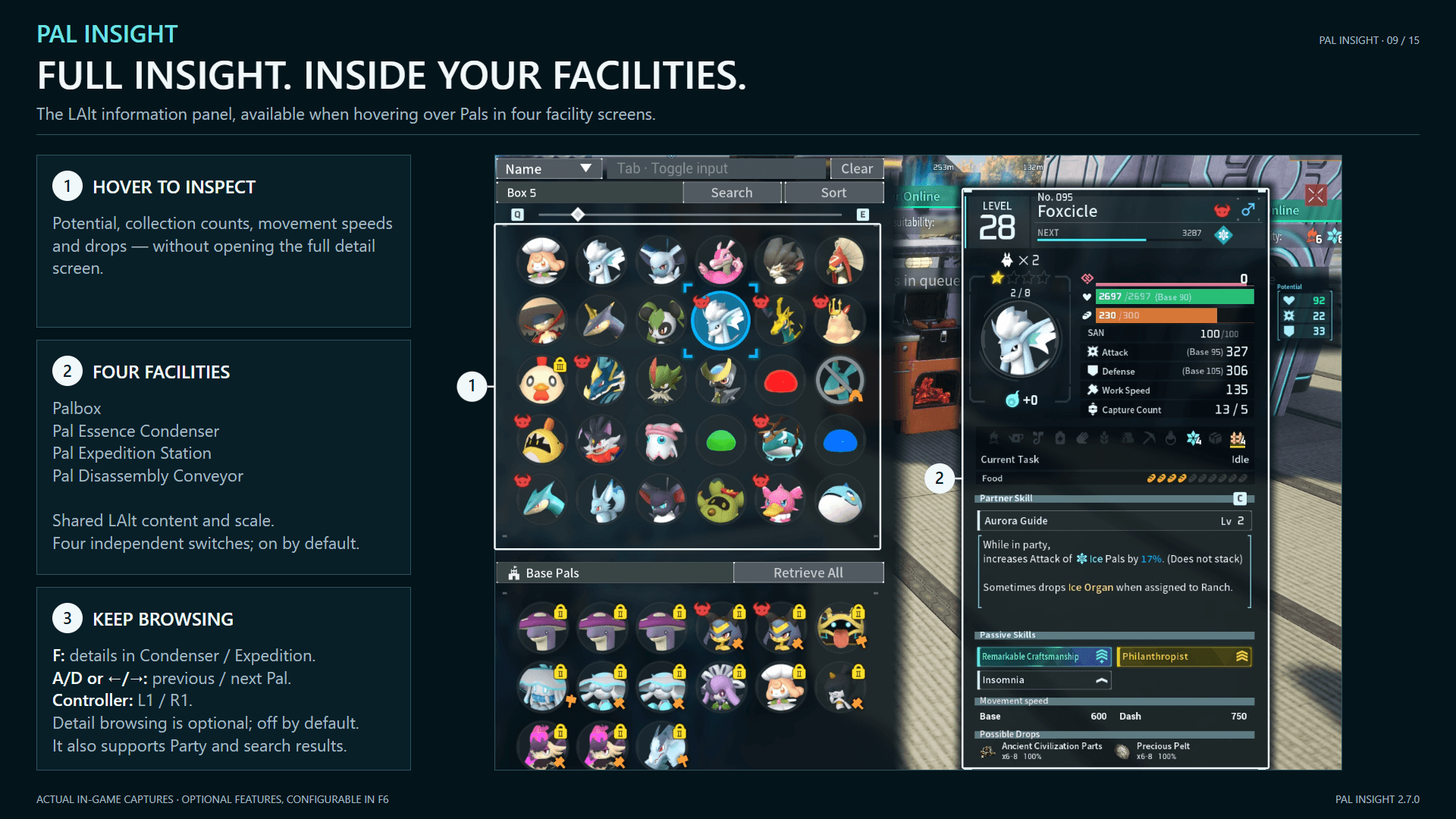
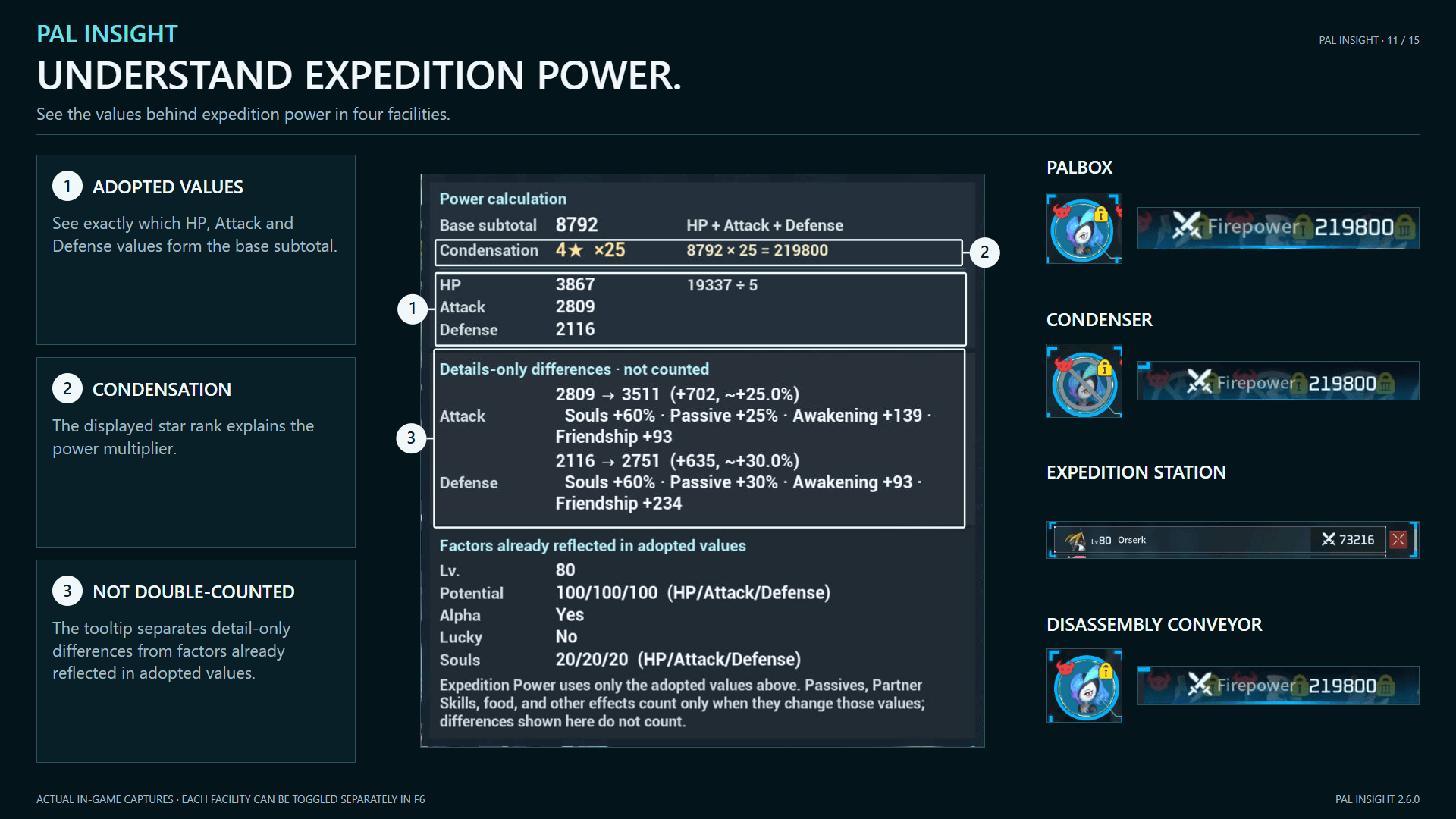
The Palbox, Expedition Station, Essence Condenser and Disassembly Conveyor support search, detail browsing and Expedition Power explanations.
The Palbox, Condenser, Expedition Station and Disassembly Conveyor use the LAlt information panel for hover details. Content and size follow your LAlt settings, while the game's original C action is preserved. Enabled by default, with a separate switch for each interface.
Search
Search by number, species name/nickname, Partner Skill, Active Skill or Passive Skill. Partner searches cover names and descriptions; Active searches cover all learned, equippable skills.
Separate queries with half-width or full-width commas. Number, name and Partner searches match ANY term; Active and Passive searches must match ALL terms.
Results update as you type, keeping game filters, sort order and paging. The last category is remembered; clearing restores the original list. Tab toggles text entry; Enter leaves it. Text entry needs keyboard/mouse; controllers can browse results.
Details and power
Press F for details in the Condenser or Expedition Station. Browse previous/next Pals in Party, these four facilities and search results with A/D, arrow keys or controller L1/R1. Detail browsing is off by default. Paldeck numbers follow the shared Panel Content setting.
Hover a power value for its calculation and an explanation of differences from the details screen. Assigned Expedition Pals are supported too. Search and power explanations have per-facility switches.

Merchant batch selection
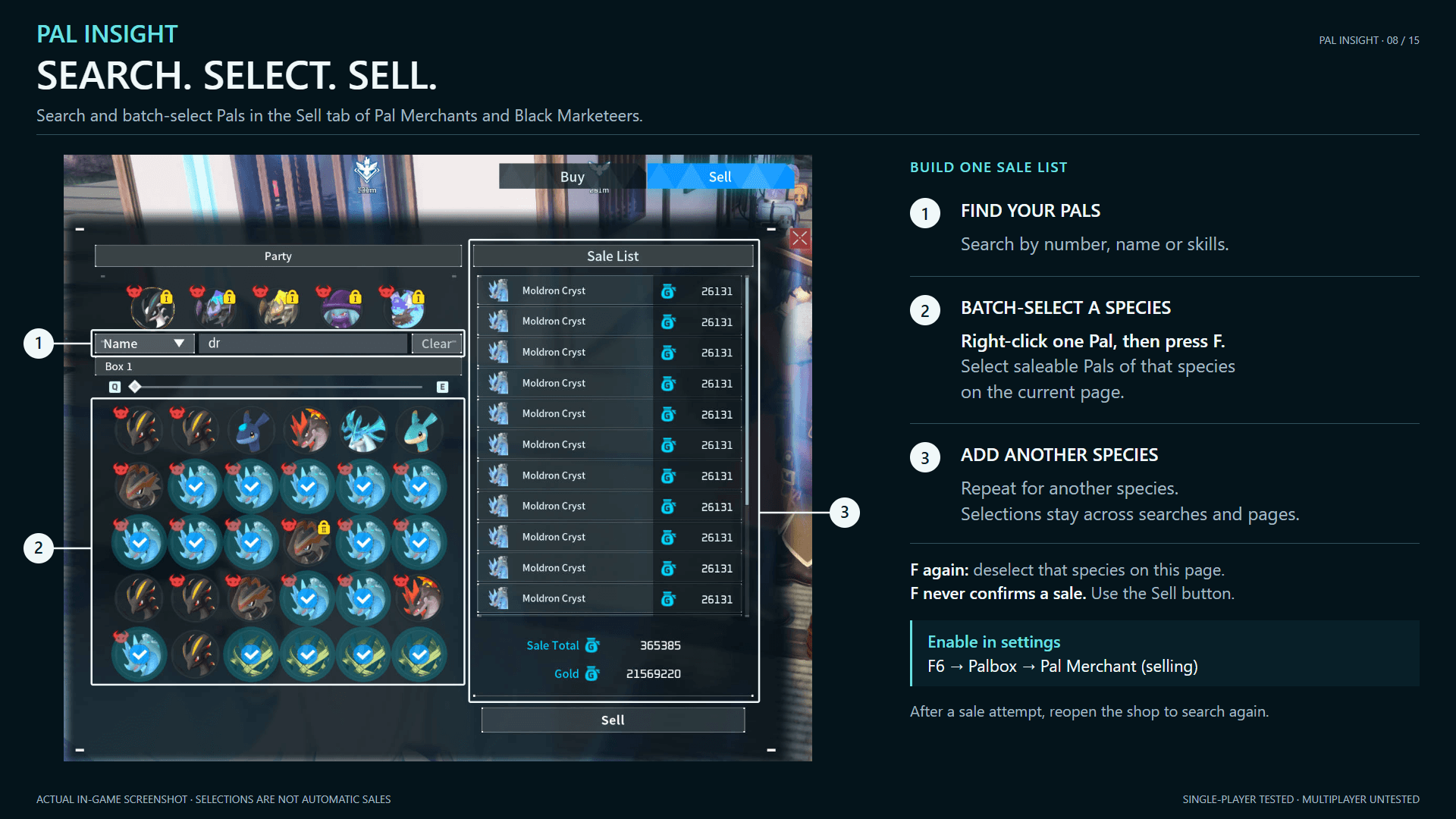
Search and batch selection work on Pal Merchant and Black Marketeer Sell tabs. Off by default; enable in F6's Palbox page.
Right-click a Pal, then press F to select saleable Pals of that species on the CURRENT PAGE. Press F again to deselect. Add multiple species; selections persist across pages and searches. You must confirm the sale yourself.
After any sale attempt, reopen the shop to continue. Tested in single-player; multiplayer untested.

Settings
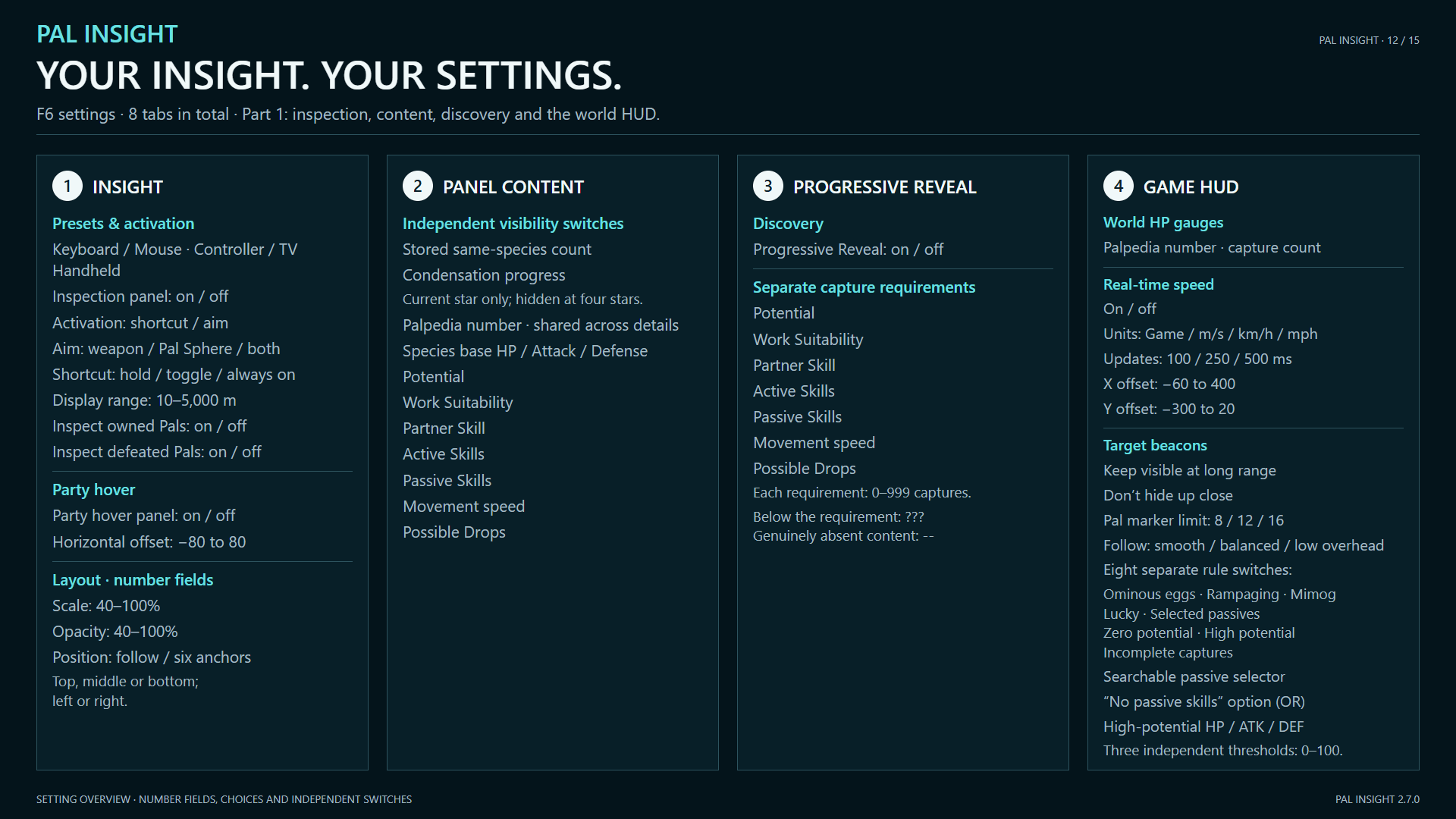
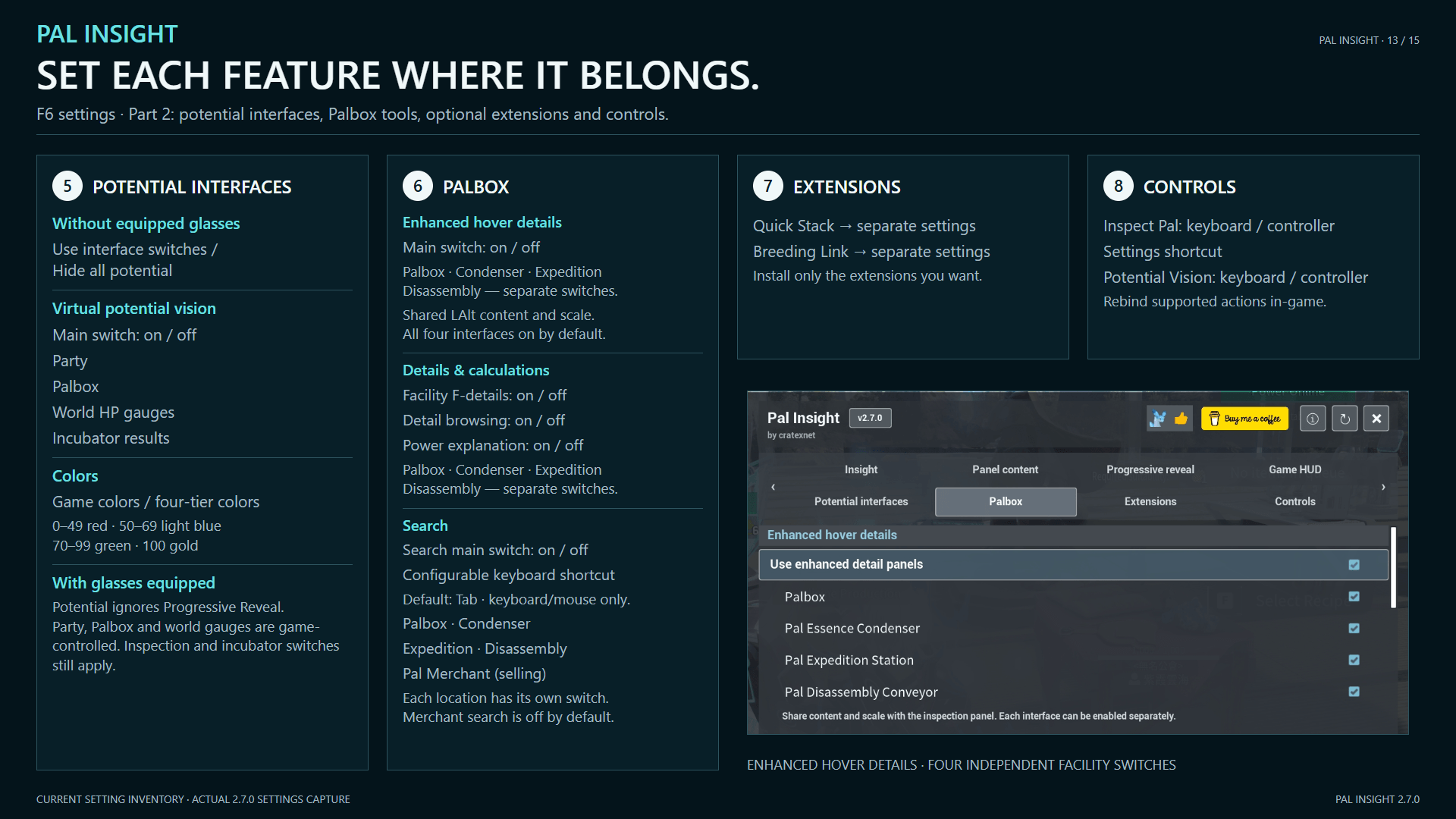
F6 opens Settings; controller default: L3 + R3. Adjust inspection behavior, content, layout, scale, opacity, range and bindings. Presets cover keyboard/mouse, controller/TV and handhelds. Changes apply immediately and save locally.
My other mods & tools
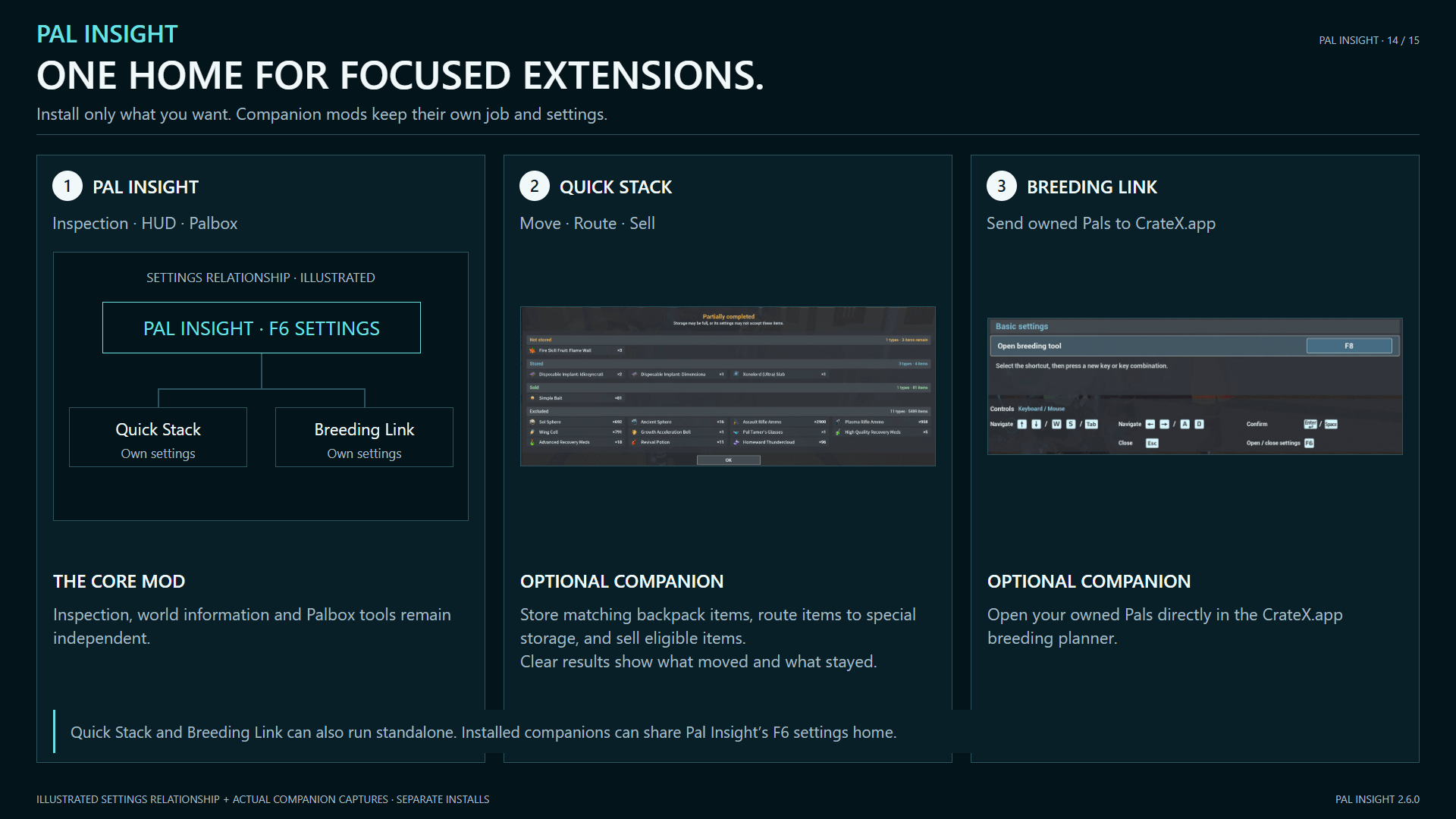
Install these separate mods if wanted; Pal Insight adds configuration under F6 > Extensions:
- Quick Stack: sell items by your rules and store backpack items in compatible storage.
- Breeding Link: load your current Palbox into CrateX.app from inside a base.
CrateX.app breeding tool: look up breeding combinations without a save, or import your Pals to plan routes using owned Pals and optional Passive Skill requirements. Both import and Passive Skill requirements are optional; skill requirements become available after importing Pal data. Saves are processed locally in your browser.

See owned/missing Pals, breeding steps, chances and estimated egg counts; compare recommended and alternative routes.

Installation and support
Steam / Win64: Install UE4SS Experimental for Palworld, then install Steam (Win64) through the CurseForge App or manually from Files. Set BPModLoaderMod : 1 in Pal/Binaries/Win64/ue4ss/Mods/mods.txt.
Game Pass / WinGDK: Manually install the additional file Game Pass (WinGDK) and matching UE4SS. The CurseForge App's Palworld support targets Steam. Check the loader in Pal/Binaries/WinGDK/ue4ss/Mods/mods.txt. Game Pass remains experimental; this release has not passed in-game acceptance on WinGDK.
Updating: Close Palworld, then replace the existing mod files. Settings and bindings are preserved. Use one installation channel only; do not mix Win64/WinGDK or leave duplicate Pal Insight PAKs.
For reports, include platform, game/mod/UE4SS versions, steps, input device, mod list, complete logs and original crash files. Credits: F6 > About > Special Thanks.
Steam Workshop · Nexus Mods