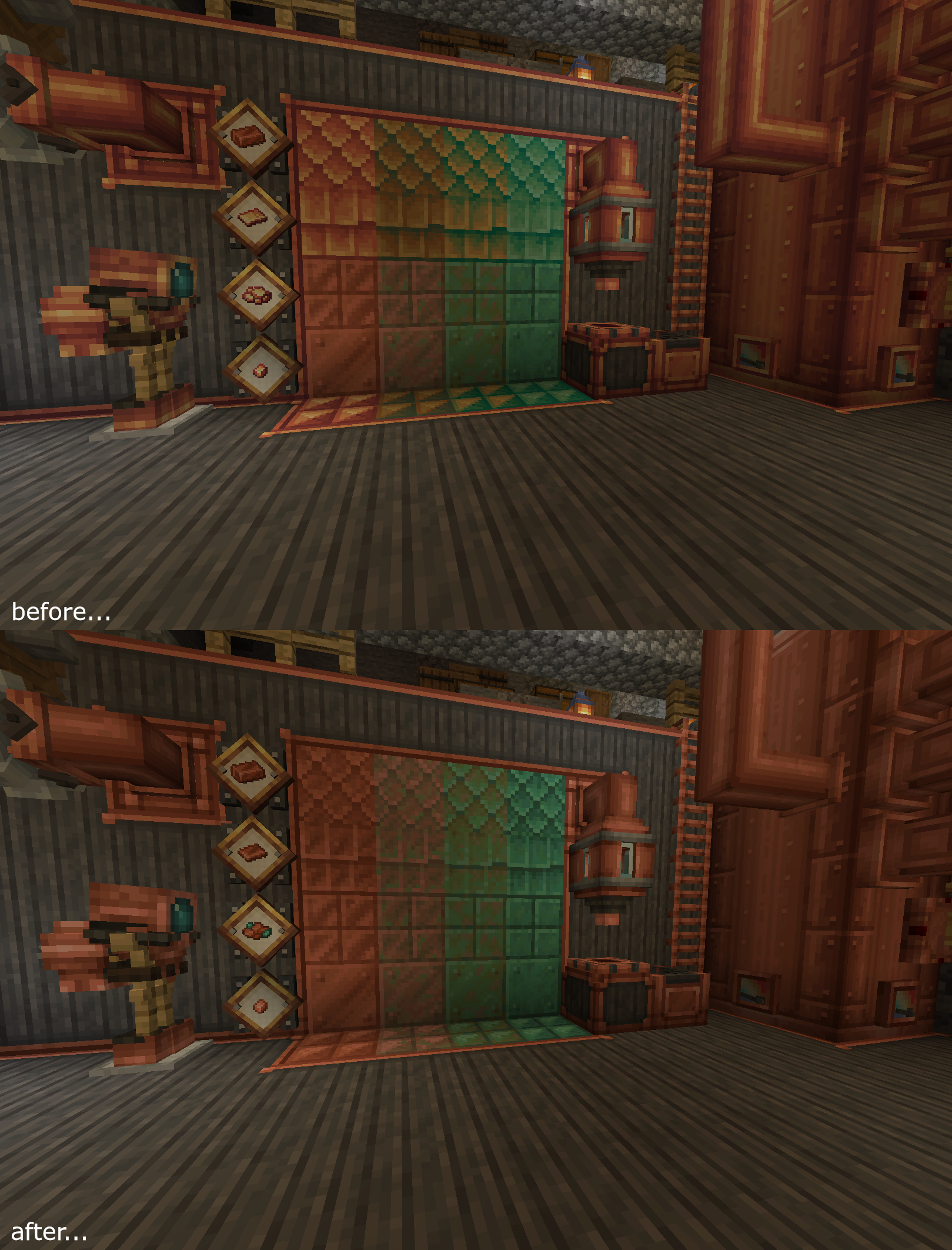
a before and after shot of most of the blocks/items changed
Description

Updates the Create Mod's copper-related blocks and items so that they match with the vanilla color palette. This is NOT an official creation by the Create team.

How to Install
• Download the resource pack, it should be a .zip file.
• Locate the folder you saved the resource pack to and copy the .zip file.
• Open Minecraft and go to "Options" and then "Resource Packs."
• Click on "Choose Resource Pack Folder"
• Paste the .zip file into the folder and then head back into the game.
• The pack should be there, if not hit "Escape" and go back into "Resource Packs."
Obligatory discord advertisement: https://discord.gg/2phEd2mQhc
Create Reoxidized Team

Owner