


Stop The Music!
- By
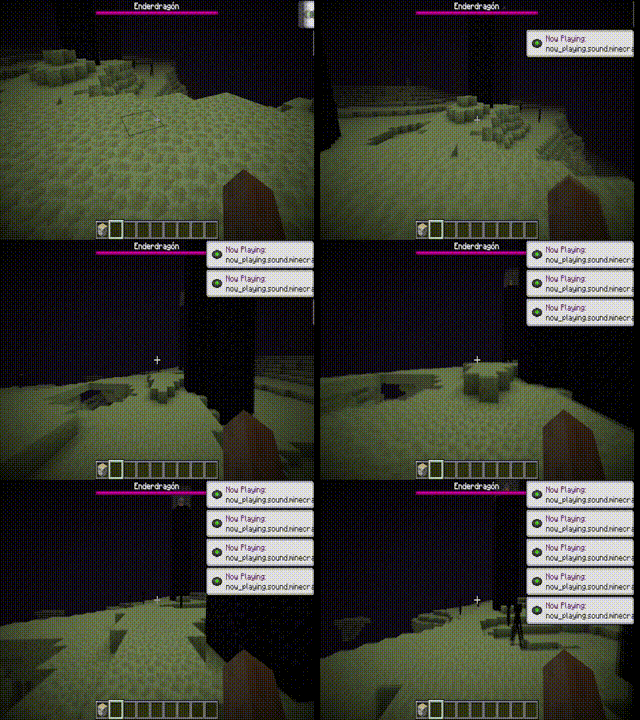
This is what would happen if you dare to do that for some reason, this only happens using the resourcepack unmodified, if used as template for a music pack and the lang file for Now Playing is added correctly, this won't happen :)
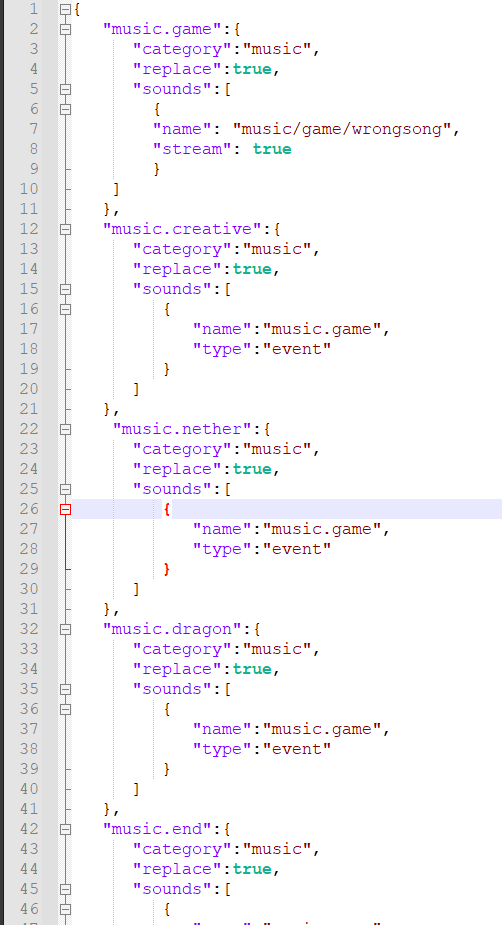
This is how the file looks, inside music.game would go the edited music
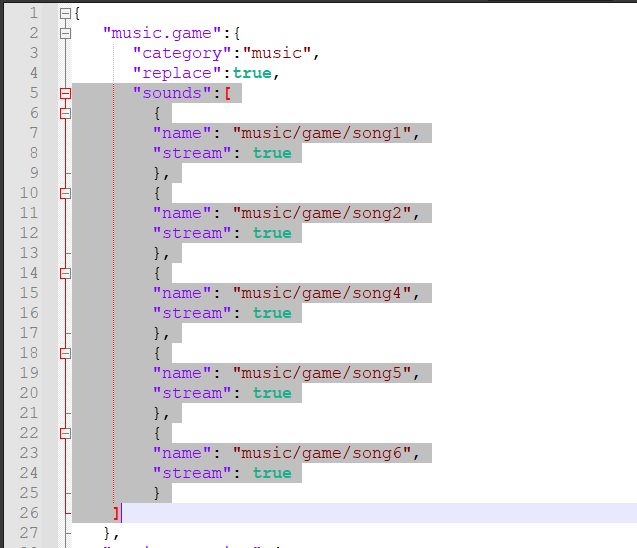
This is an example on how it should looked once edited to add custom songs
Description
This soundpack removes music by changing all music events to a single silent sound.
Just add this resourcepack to your Minecraft instance and voila, no more background music
Mod Support:
This should disable background music added by other mods as long as it's added to existing minecraft sounds events, if the mod creates its own sound event (for example to play music only in a specific dimension like music.nether or music.end does) then music from that mod will still play, if you find that music from a mod is still playing, report it to me.
If you are using a mod to add your own custom music, chances are this soundpack will disable it, in that case you can use the "Muted Sounds" version, that one will just replace the default sounds with a muted one without overriding sounds.json, that would let all mods play their background music.
(Also please don't use Infinite Music and Now Playing unless you want something like this) (If you have a custom music pack installed above this one (with Now Playing support) this won't happen, however you may still see ocasionally that faulty toaster because the game decided to play the sound)
Version Disclaimer
This should work in 1.9+, Minecraft will say it's incompatible since it was designed for a greater version, ignore that.
If for some reason music still plays in a certain version, report it to me.
How could this be useful, knowing that you can just set the music mixer to 0? Music Packs!
Let's say you want to create a music pack, and you don't want to use the replace names method, you can just edit sounds.json and add new music, however the original music would still play, if you want to remove the original music you would have three options.
1) Select some of the new music and use the replace names method on those, which would lead to some of the songs being unrecognizable by their name unless you open them...
2) Use Stop The Music! to disable the original music and edit the sounds.json from this resourcepack so only the new music will play!
3) Using a more intelligent approach which I don't know how to do ;)
How to make a music pack (You need to use the normal version btw)
When opening the sounds.json it should look like this.
Inside delete the "wrongsong" sound and add the songs as you normally do.
Now the new songs will play while the original won't.
Also by default this will make "music.game" play even if the game plays other music event like "music.end", which would make all songs that you put inside "music.game" play anywhere, neat right?
Stop The Music! Team
