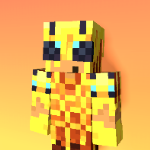
Here is a complete, detailed, and high-impact description rewritten specifically to fit CurseForge's guidelines and convince potential players to download your pack.
🧊 Ice Age Resource Pack
Created by: _Iceiscold
Development Time: 24+ Hours
Total Changes: Over 100+ Custom Textures & Assets
❄️ Overview
The Ice Age Resource Pack is an arctic-themed visual overhaul for Minecraft that bridges the gap between high-stakes PvP performance and clean aesthetic design. Rather than simply recoloring base textures, this pack re-imagines key gameplay elements through a sharp, frosty lens while actively improving in-game visibility and screen clarity.
Whether you are engaging in fast-paced Crystal PvP, tracking enemies across Lifesteal SMPs, or managing automated survival farms, Ice Age removes visual clutter and replaces base textures with high-contrast, polished custom assets.
⚡ Features & Gameplay Impact
⚔️ 1. Low-Profile Swords & Weapons
-
The Feature: Swords, axes, and bows feature shortened blades and sleek, re-textured handles with icy gradient accents.
-
Player Experience: Weapon models take up significantly less on-screen real estate during combat. When sprinting or attacking, your lower-right vision remains clear, allowing you to track opponent movements, off-hand items, and incoming projectiles without your sword blocking the view.
🔮 2. High-Contrast End Crystals, Anchors & Totems
-
The Feature: End Crystals, Respawn Anchors, Glowstone, and Totems of Undying are completely re-textured with bright, distinct ice-and-crystal color schemes.
-
Player Experience: In fast-paced PvP (Anchor/Crystal PvP), split-second decisions matter. The vibrant contrast allows you to immediately identify placed crystals, monitor anchor charges at a glance, and spot active totems in cluttered team fights.
🛡️ 3. Translucent & Reduced Fire Effects
-
The Feature: Flame and burning animations on the player screen are lowered and softened with an arctic blue frost tint.
-
Player Experience: You will no longer experience "blindness" when set on fire during combat. Your screen stays visible while taking fire damage, allowing you to continue aiming, bridging, or escaping without visual panic.
🖥️ 4. Clean Frost-Themed HUD & Custom Menus
-
The Feature: Inventory menus, chest interfaces, health hearts, armor bars, and the hotbar feature a polished dark-mode slate finish with icy cyan highlights.
-
Player Experience: Navigating inventories, looting enemy kits, and managing hotbars becomes less straining on the eyes. Darker GUI panels improve contrast, making it faster to organize items, swap armor, and sort loot during high-pressure moments.
🎆 5. Minimalist Particle Effects
-
The Feature: Critical hit, potion status, and explosion particles are trimmed down into sharp, modern visual cues.
-
Player Experience: Reduced particle clutter prevents frame rate drops (FPS drops) during heavy combat scenarios—such as mass crystal explosions or multi-player brawl fights—while still giving you clear visual feedback on hit confirmation.
💎 6. Defined Ore Borders & Clear Diamond/Netherite Textures
-
The Feature: Mineral ores feature subtle highlighted borders, and Diamond/Netherite gear is overhauled with clean, frost-touched highlights.
-
Player Experience: Deepslate mining and cave exploration become faster and more efficient. You won't overlook valuable resources in dim lighting, and wearing end-game gear gives your character a sharp, cohesive, frozen knight appearance.
🎯 Why Choose Ice Age Over Base Minecraft?
Vanilla Minecraft textures often clutter your screen with thick weapon models, screen-blocking fire, messy particles, and low-contrast menus.
Ice Age fixes these issues in a single download:
-
Better Visibility: See more of the battlefield with low-profile gear and low fire.
-
Cleaner Aesthetic: Enjoy a unified, modern ice theme across blocks, items, armor, and menus.
-
Performance Ready: Optimized texture resolution and lightweight particles ensure high frame rates across low-end and high-end setups alike.
📥 Installation Guide
-
Download the Ice Age Resource Pack
.zipfile. -
Launch Minecraft and go to Options ➡️ Resource Packs.
-
Select Open Pack Folder and drop the downloaded
.zipfile inside. -
Move Ice Age to the top of your Selected Packs list and hit Done!
Ice age! Team