Description
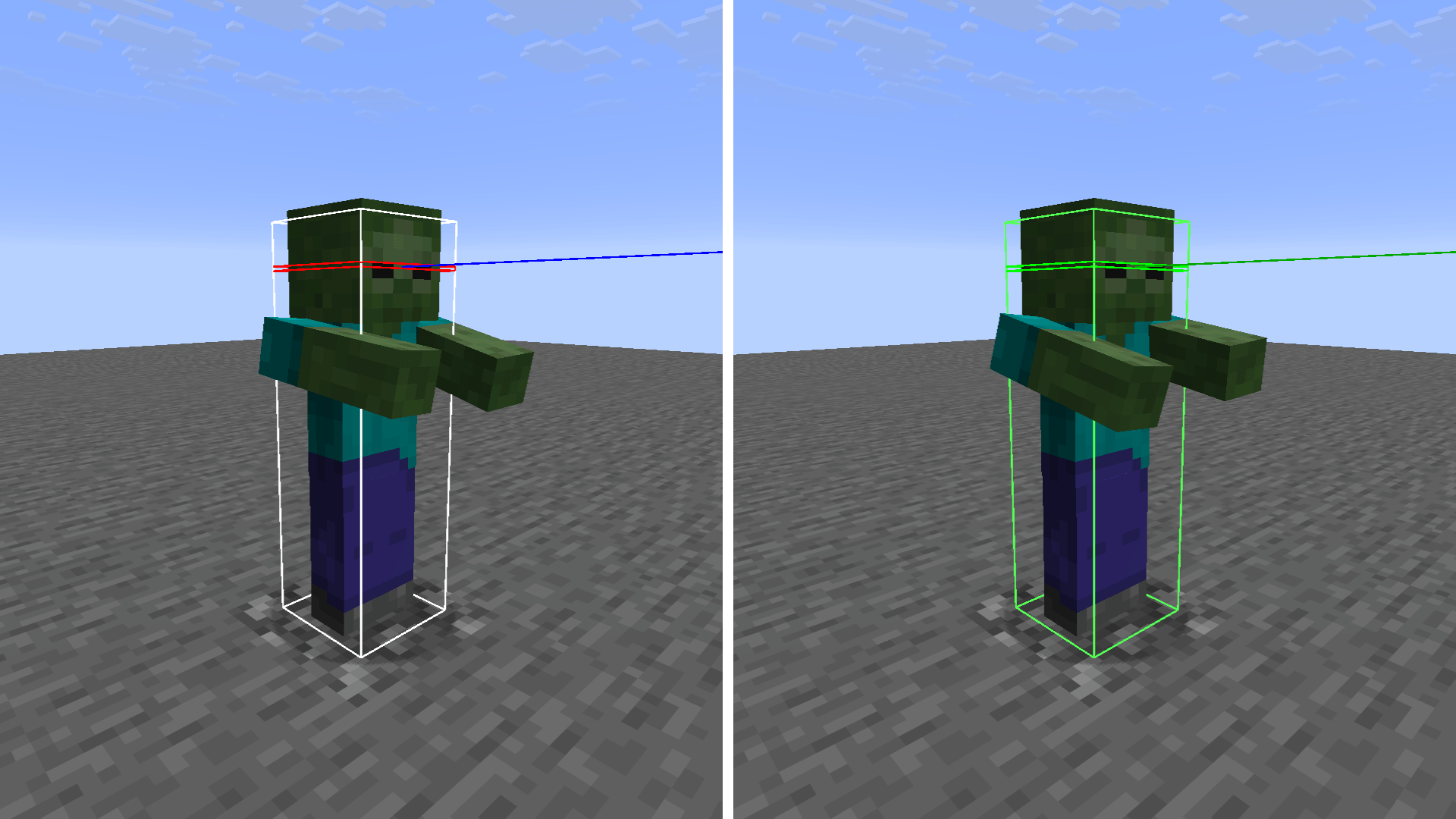
Green Hitbox revamps the default Minecraft F3+B entity debug hitboxes with a clean, high-contrast green color palette. Designed for PvP, mob tracking, and clean gameplay visibility without altering the standard block selection outline.
Features
- Entity Hitbox Box: Bright Green for instant visual clarity.
- Eye Level Line: Orange for immediately spotting head level.
- Look Vector Line: Dark Crimson Green for precise direction and line-of-sight tracking.
- Vanilla Block Outlines: Untouched! Keeps the original black block outline so building and mining feel completely natural.
- 100% Vanilla Core Shader: No mods required (works natively on Vanilla, Fabric, Forge, and NeoForge).
Compatibility
- Minecraft Versions: 1.21+ (utilizes modern #version 330 Core Shaders).
- Performance Mods: Works seamlessly with Sodium, Lithium, and Iris.
- Note: External shaderpacks (like Complementary or BSL) may override vanilla core shaders when active.
Installation
- Download the resource pack .zip.
- Place it into your .minecraft/resourcepacks folder.
- Enable Green Hitbox in your Resource Packs menu and press F3 + B in-game!
Green Hitbox Team

Owner