DUUTTO PVP
DUUTTO PVP is a custom resource pack designed for PvP and ultimate convenience, enhancing your Minecraft experience with optimized textures and clean visuals.
✨ Features
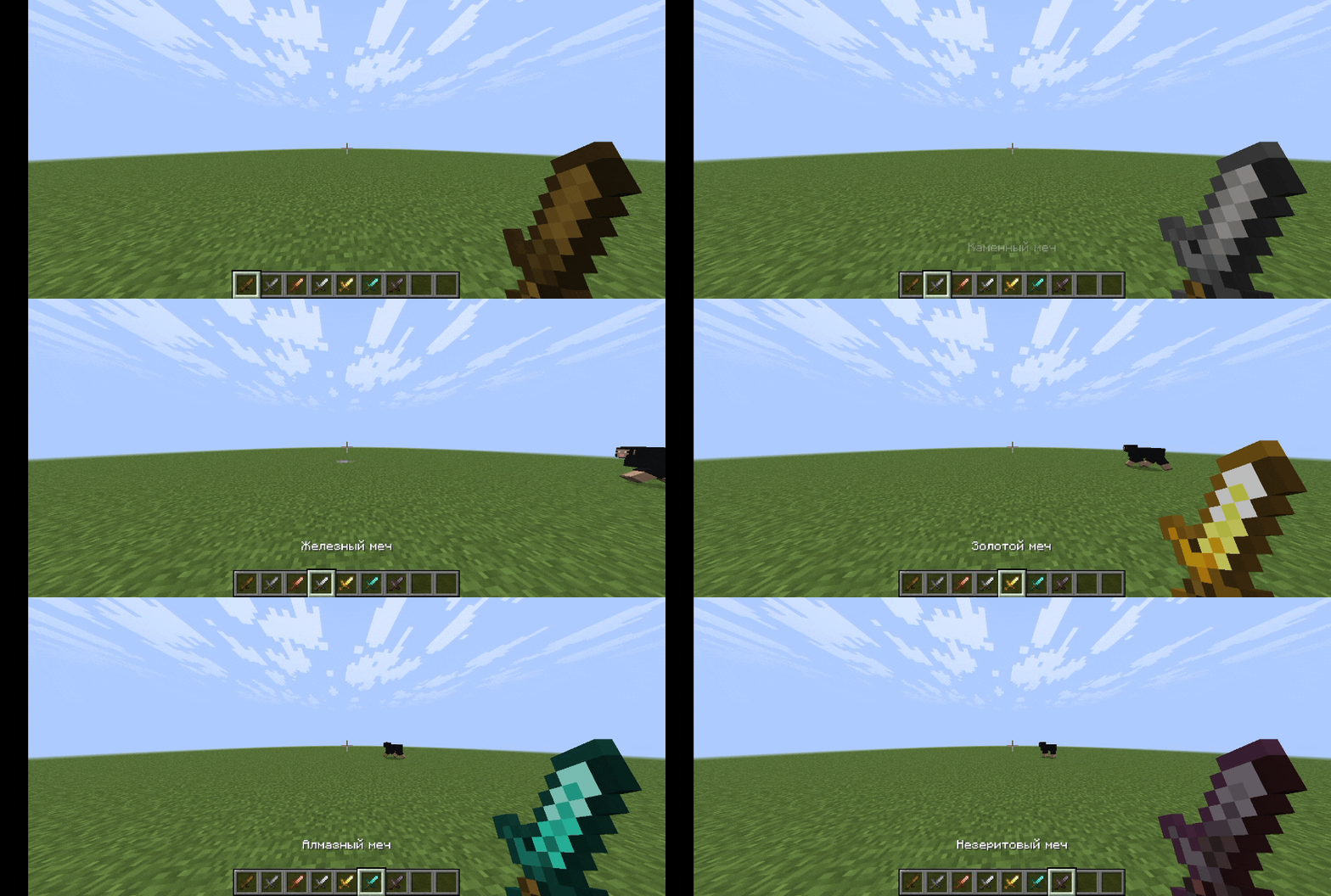
- ⚔️ Short Swords
- Optimized, but vanilla short sword textures for all tiers: Wooden, Stone, Iron, Golden, Diamond, Netherite, and even a custom Copper Sword.
- Shorter blades provide a cleaner view and are perfectly tailored for competitive PvP.
- 💎 Glowing Ores
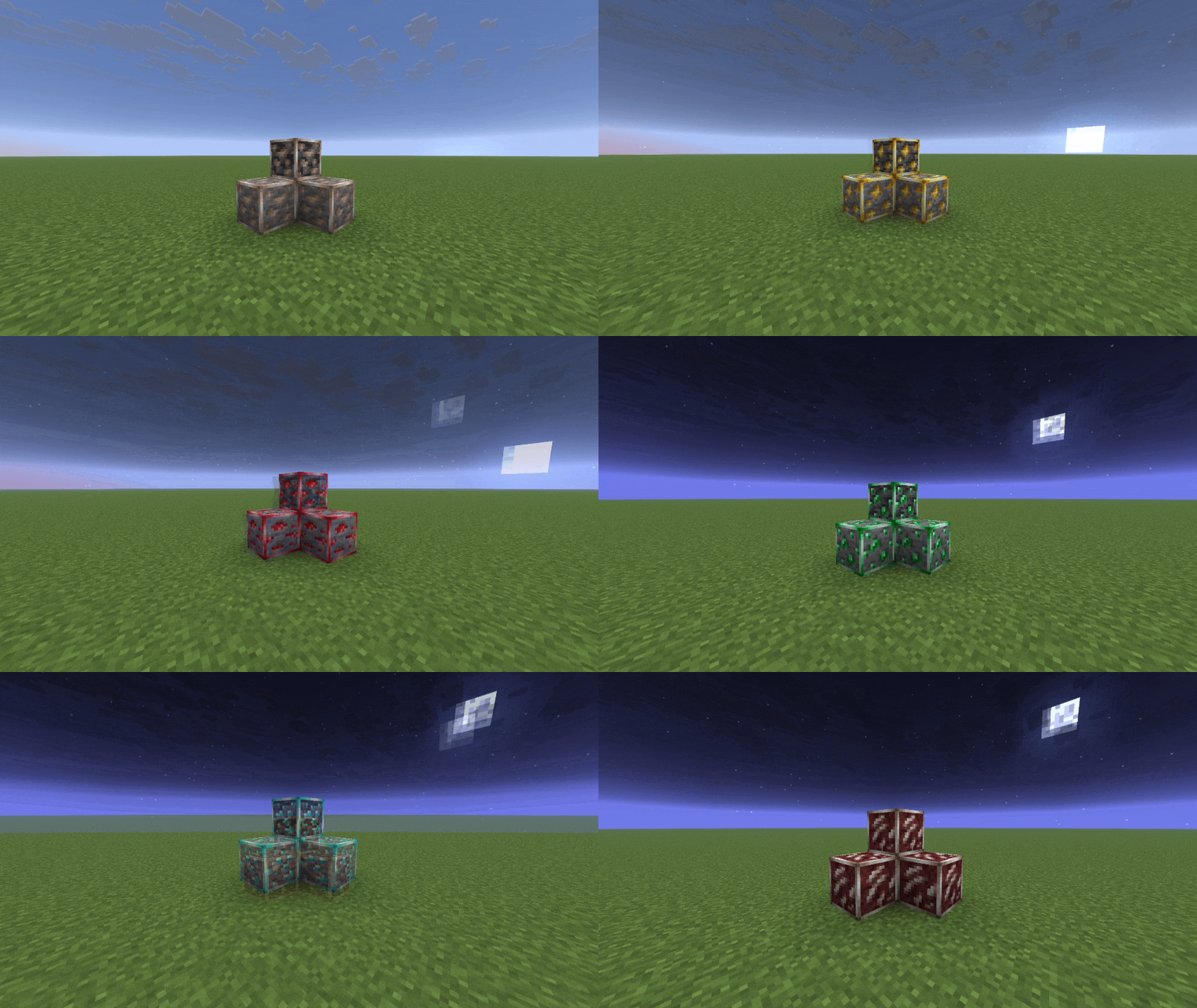
- All ores feature glowing textures with clean, highlighted borders for maximum visibility in dark caves.
- Designed to make mining faster and easier during intense gameplay.
- 🟩 Green Destroy Stages
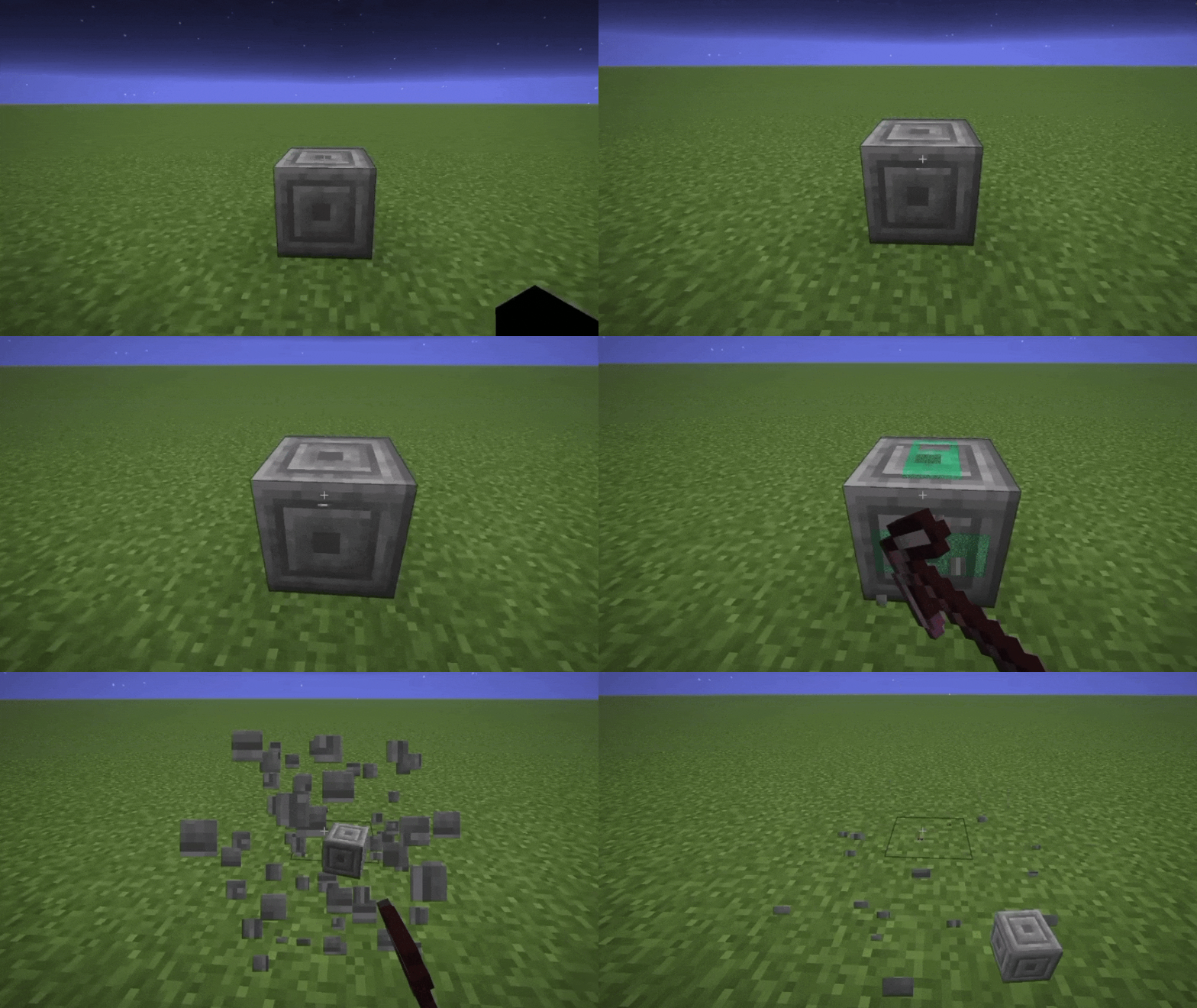
- Block breaking/destruction animations (
destroy_stage0 through 9) are colored in a clean, vibrant green. - Designed specifically to improve visibility during fast-paced PvP and mining.
- Block breaking/destruction animations (
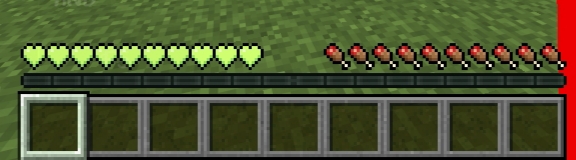
- ❤️ Custom HUD (Green Hearts)
- Replaces the standard health bar and hardcore hearts with custom, stylish green heart icons for a fresh UI look.
- 🧟 Updated Entities
- Customized textures for Zombies, Skeletons, Creepers, and Blazes.
- All of them now feature menacing red eyes for a cooler and more intense look!

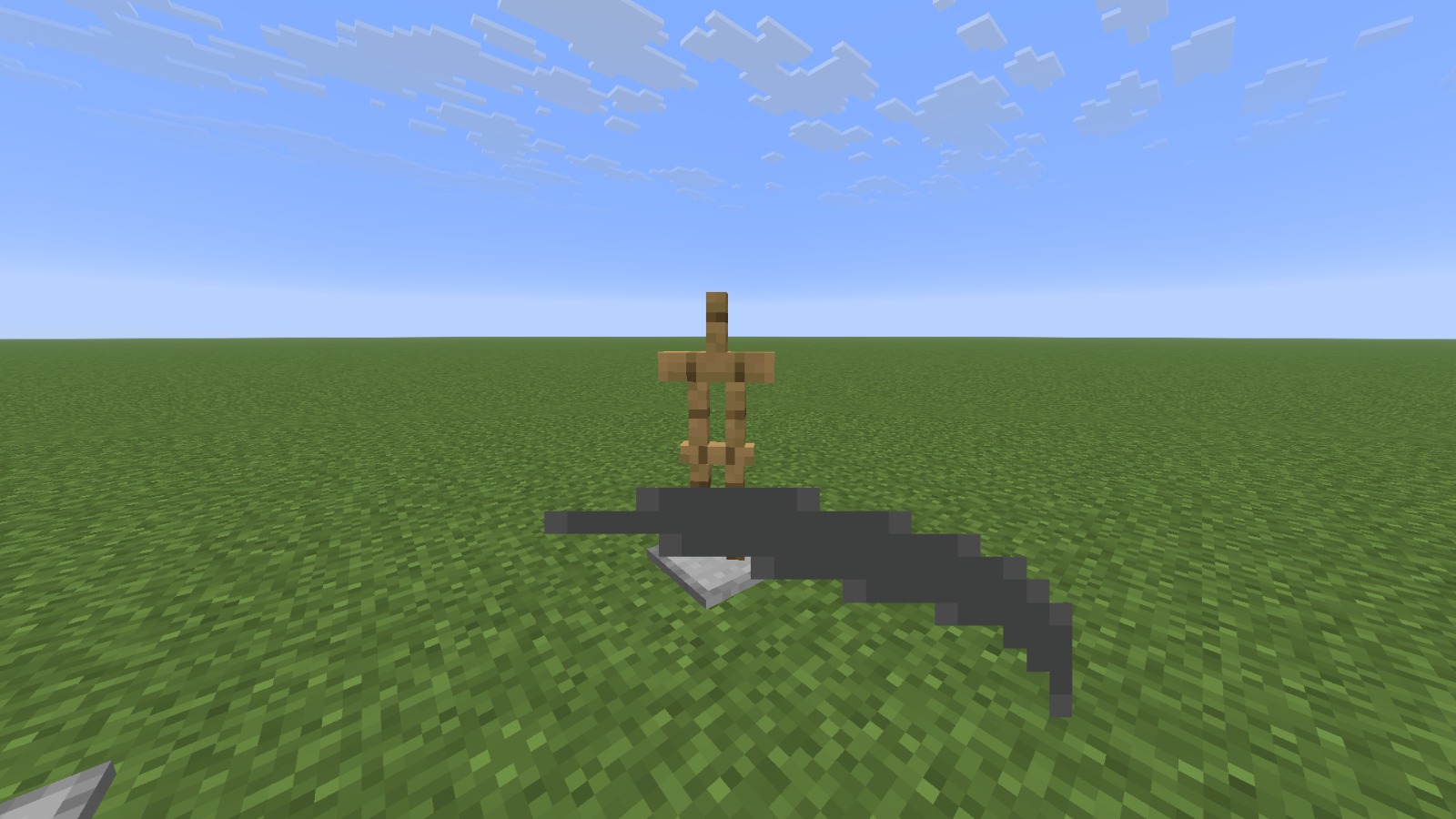
- 💫 Refined Sweep Particles
- Modified attack sweep animation particles (
sweep0–7) for better visual feedback during combat.
- Modified attack sweep animation particles (
❓ FAQ (Frequently Asked Questions)
Q: Do I need OptiFine for this pack to work?
A: OptiFine is not strictly required for standard textures, but it is recommended (and required if you want features like Glowing Ores to work properly). On Fabric, you can use the Continuity mod instead.Q: Why aren't my ores glowing?
A: Make sure you have OptiFine installed (with Emissive Textures turned ON in video settings), or if you are playing on Fabric, ensure you have installed the Continuity and Indium mods.Q: Can I use this resource pack in my videos or PvP montages?
A: Yes, absolutely! Feel free to use it, but linking back to this page is highly appreciated.Q: What versions of Minecraft does DUUTTO PVP support?
A: Check the file versions tab at the top of the page to see all currently supported game versions.
📥 How to Install
- Download the latest
.zipfile from the Files tab at the top of the page. - Open Minecraft and go to Options -> Resource Packs…
- Click the Open Pack Folder button in the bottom left corner.
- Drag and drop the downloaded
.zipfile directly into this folder (no need to unpack it!). - Go back into the game, find DUUTTO PVP in the left column, move it to the right column using the arrow, and click Done!
⚙️ Requirements & Compatibility
To make features like Glowing Ores work properly, this resource pack requires one of the following mods:
For Fabric:
- Continuity (required for glowing ores)
- Note: If you use an older version of Sodium (0.5.x), you will also need Indium.
For Forge / NeoForge / OptiFine:
- OptiFine (built-in support included via the
optifinefolder).
DuuttoPvP Team