




Névoa Azul – Blue-Gray GUI Overhaul
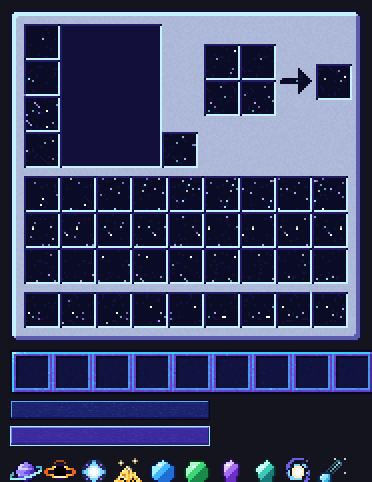
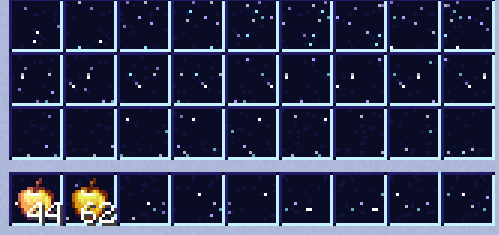
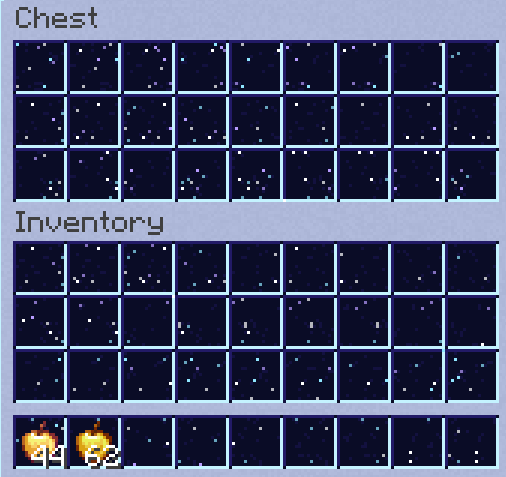
A clean, light blue-gray GUI/interface overhaul — buttons, hotbar and inventory redesigned with a soft glass look. Compatible from 1.8 up to the latest versions.
- 252
- October 18, 2026
Horror Blades: PvP Edition
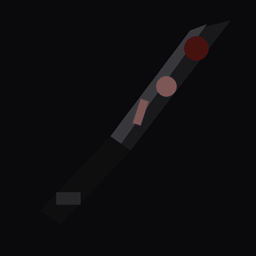
A horror-themed PvP resource pack: swords redesigned as blades in black tones with subtle dried blood, an ominous sky, and reskinned basic mobs
- 195
- September 20, 2026

QuantumBlade PvP
"Futuristic PvP pack with energy swords, chrome bow/crossbow and a neon crosshair — clean sci-fi visuals built for combat."
- 62
- September 20, 2026

ToxicFallout PvP
☣ Post-apocalyptic PvP resource pack inspired by Fallout. Toxic green weapons, rusted metals, contaminated blocks, custom HUD, crosshair, hotbar & inventory. Compatible with 1.8.9–1.20.1.
- 66
- August 13, 2026
Névoa Azul – Blue-Gray GUI Overhaul
A clean, light blue-gray GUI/interface overhaul — buttons, hotbar and inventory redesigned with a soft glass look. Compatible from 1.8 up to the latest versions.
- 252
- October 18, 2026
Horror Blades: PvP Edition
A horror-themed PvP resource pack: swords redesigned as blades in black tones with subtle dried blood, an ominous sky, and reskinned basic mobs
- 195
- September 20, 2026
QuantumBlade PvP
"Futuristic PvP pack with energy swords, chrome bow/crossbow and a neon crosshair — clean sci-fi visuals built for combat."
- 62
- September 20, 2026
ToxicFallout PvP
☣ Post-apocalyptic PvP resource pack inspired by Fallout. Toxic green weapons, rusted metals, contaminated blocks, custom HUD, crosshair, hotbar & inventory. Compatible with 1.8.9–1.20.1.
- 66
- August 13, 2026