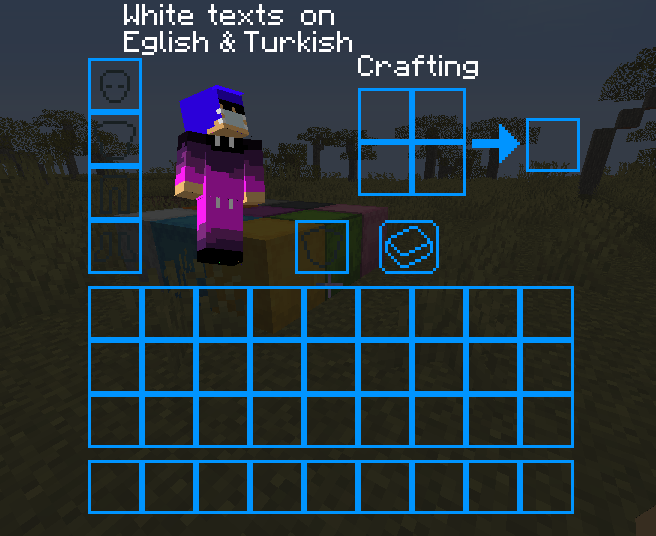
Survival inventory for texture pack preview
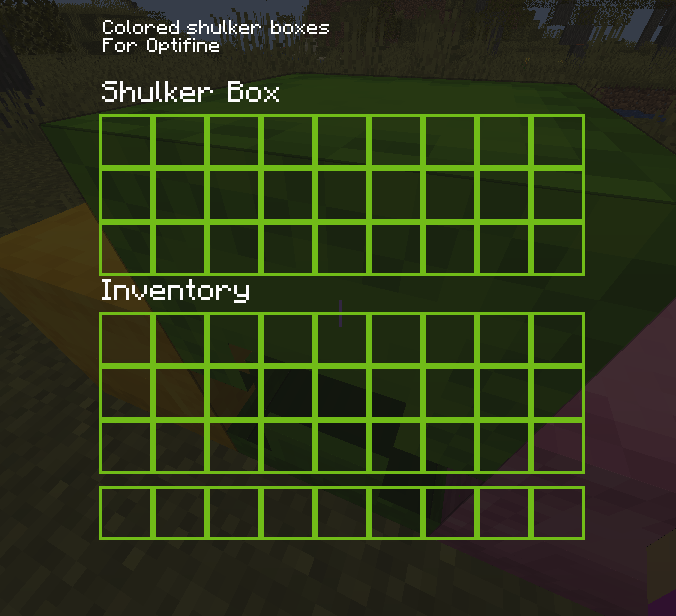
preview for colored shulker boxes
Description
Dark Gui Texture Pack
If your eyes get kinda blind when a menu opens while playing Minecraft in midnight, you can use this resource pack
This Texture Pack Support:
- All GUI Textures
- Colored shulker box menus (Optifine Required)
Versions:
- V1.1
- 1.19.X ("dark_gui_1-19-v1.1.zip")
- V1.0
- 1.18.X ("dark_gui_1-18.zip")
- 1.17.X ("dark_gui_1-17.zip")
- 1.16.X ("dark_gui_1-16.zip")
- 1.15.X ("dark_gui_1-15.zip")
- 1.14.X ("dark_gui_1-14.zip")
How To Install:
- Download File
- Open Minecraft
- Go to resource packs in settings
- Click "Open Pack Folder"
- Put the zip file to opened folder
- Right-Click zip file and Excraft to Folder
- Go back to the game and you should see the resource pack
- Click the arrow on the pack's logo
- Click "Done"
- Have fun and don't be blind!
Dark Gui - V1.1 Team

Owner