English
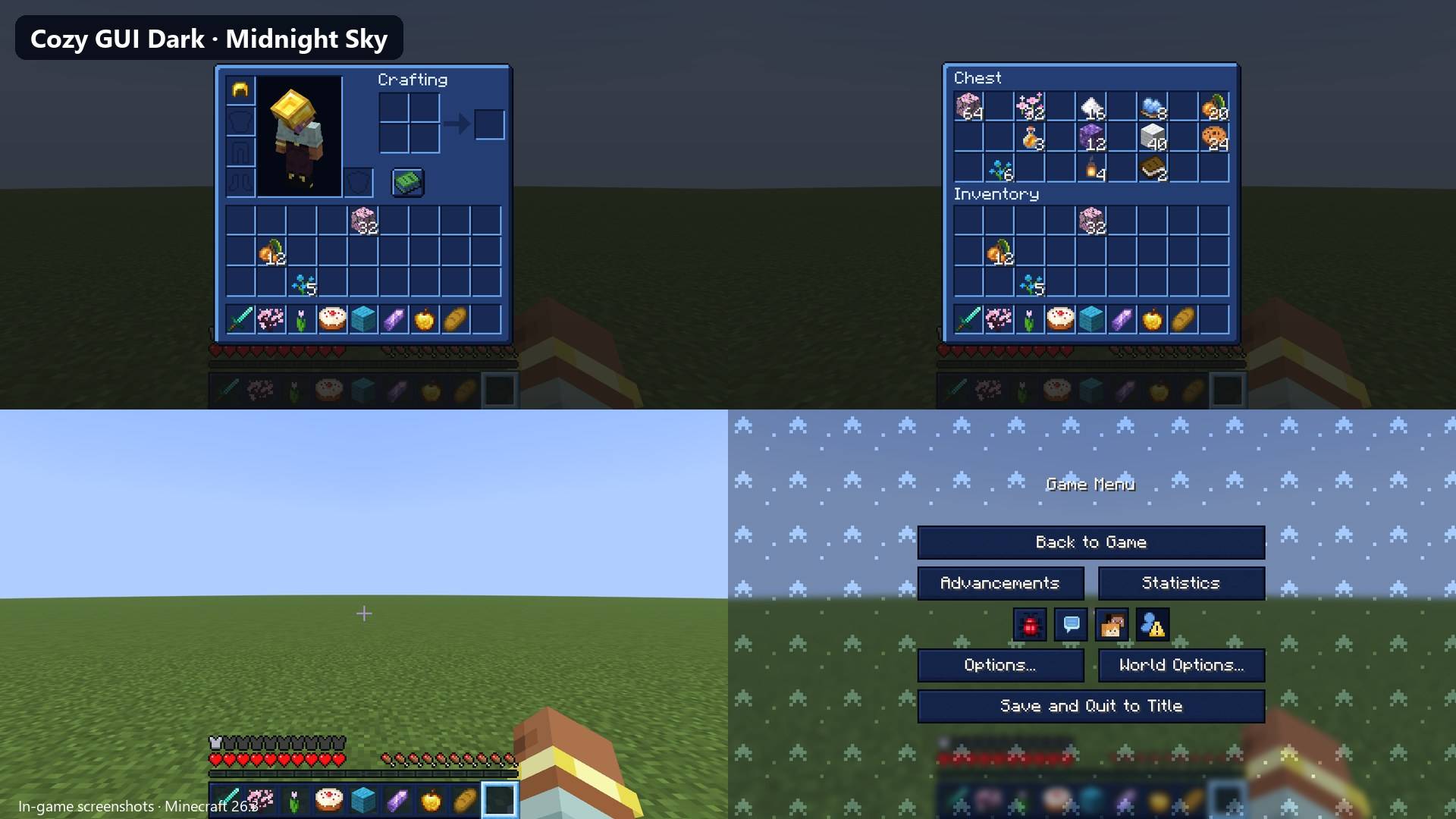
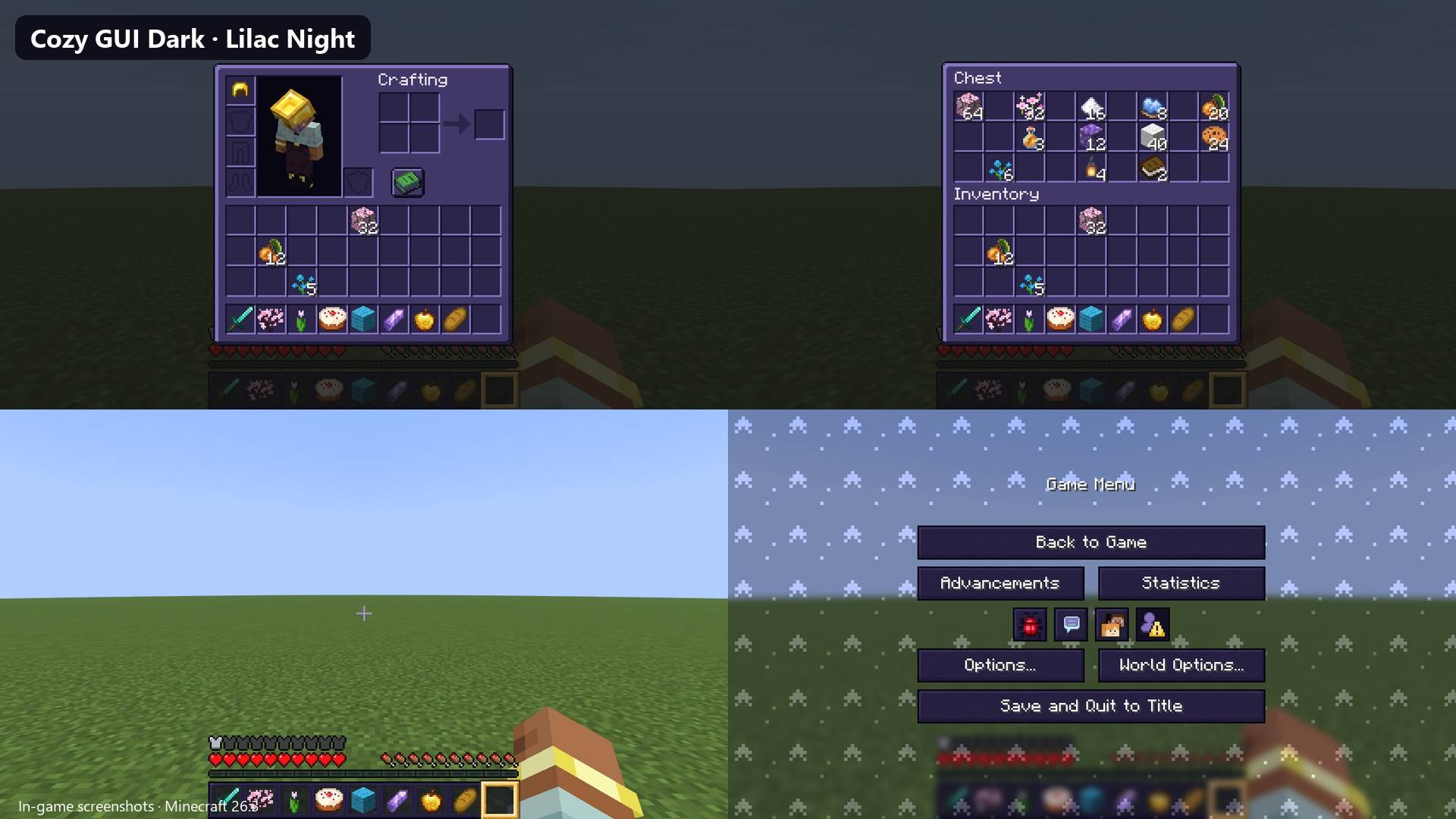
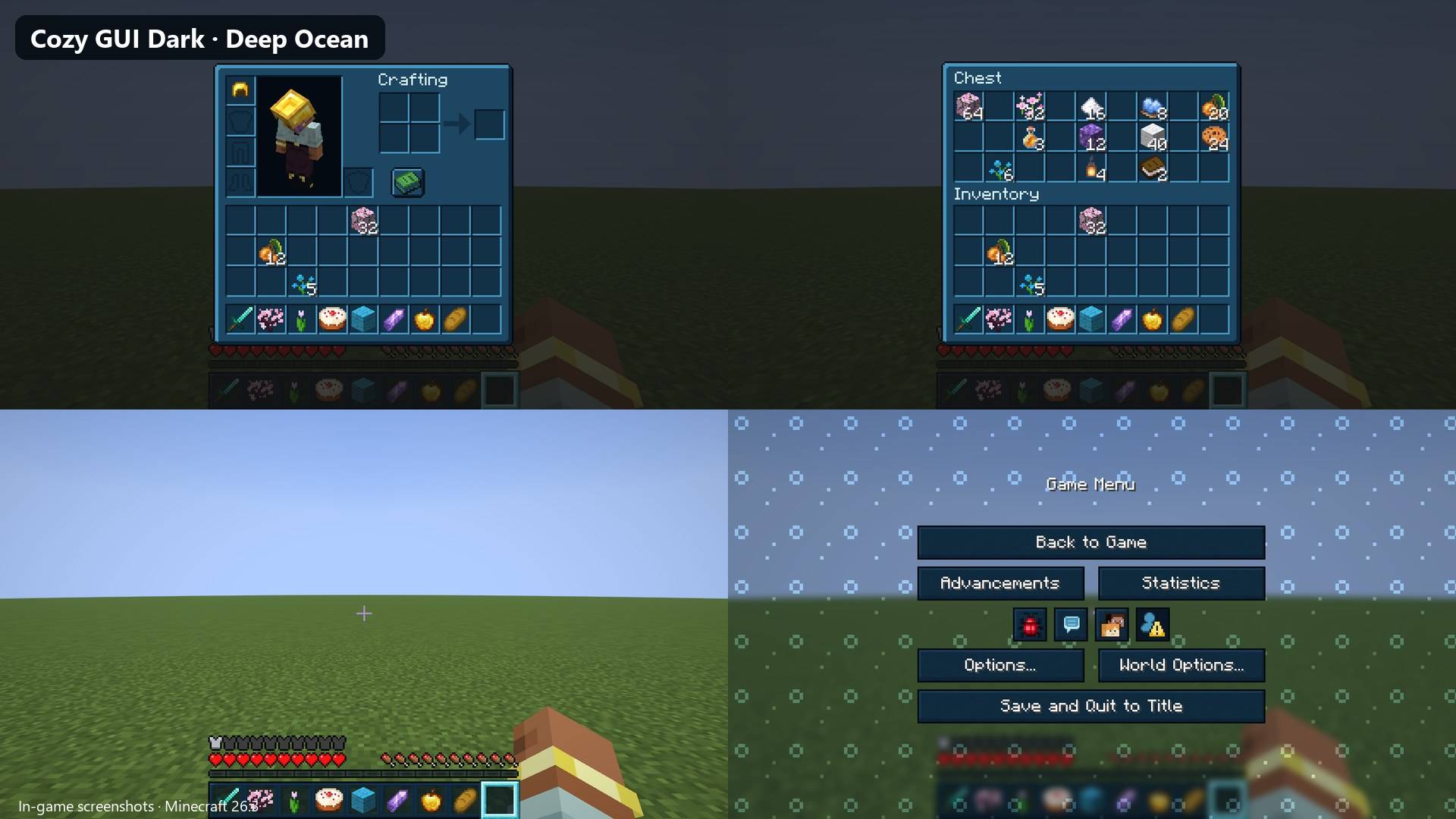
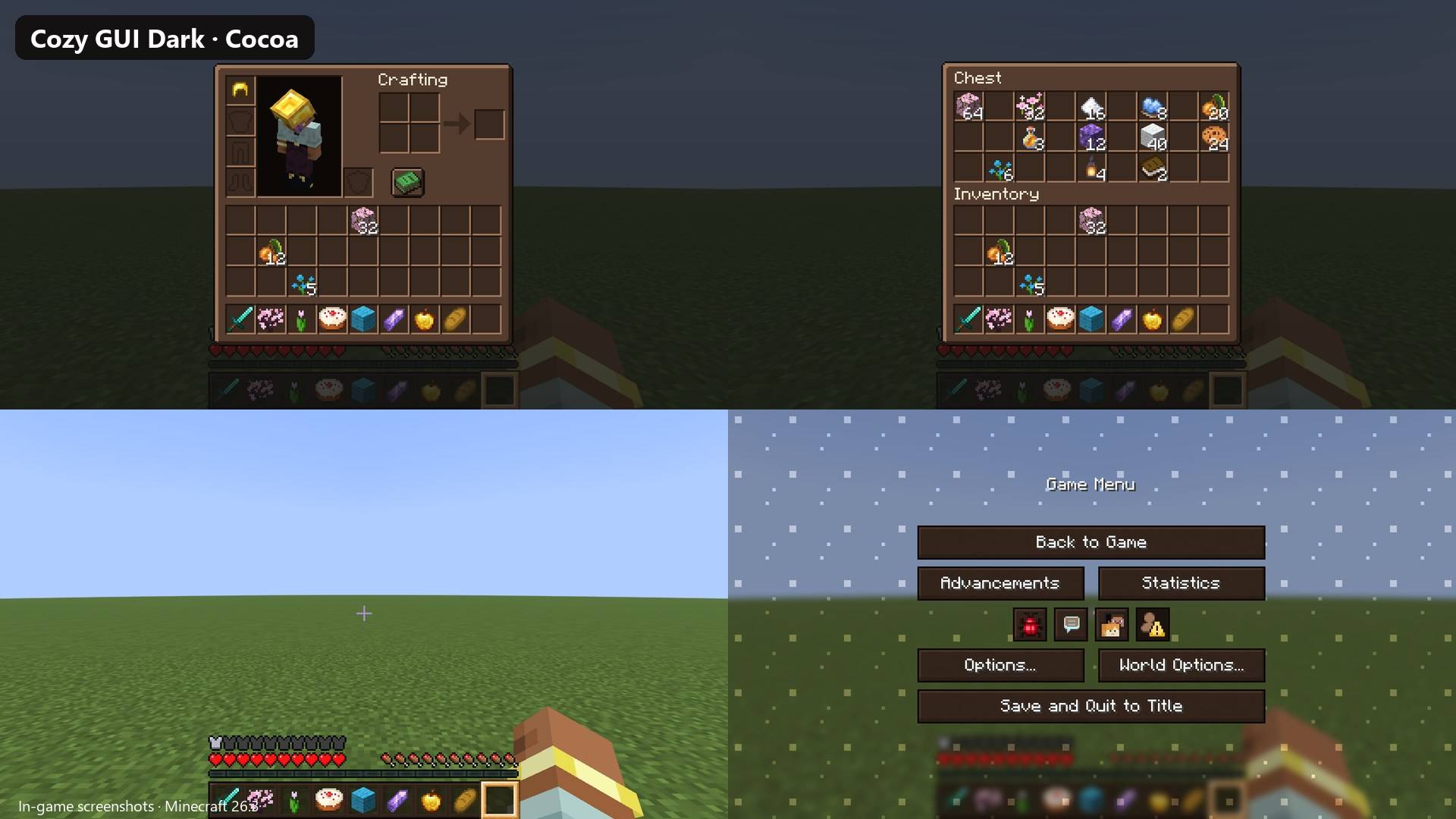
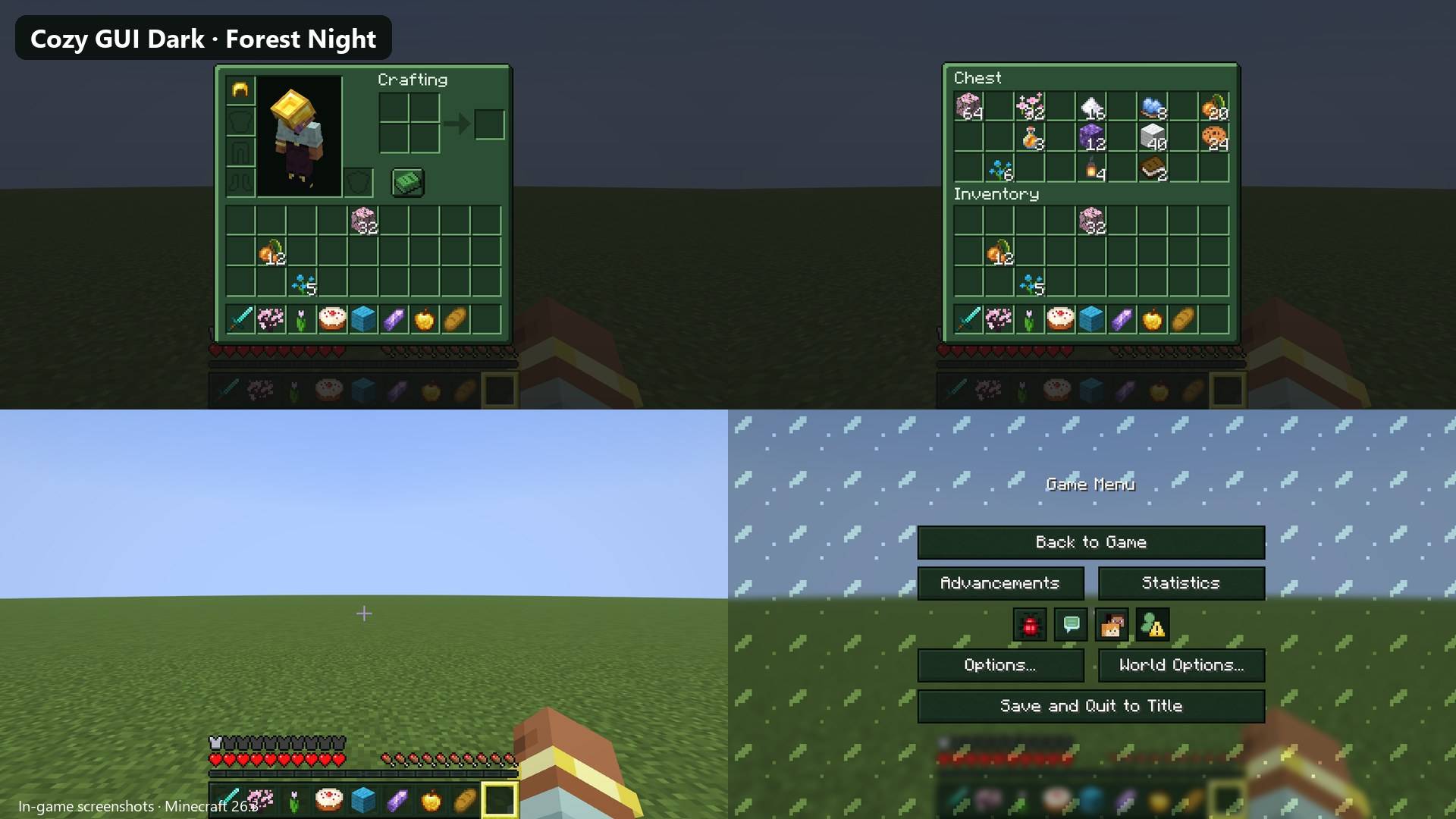
Cozy GUI Dark gives Minecraft's interface soft dark colors that are easy on the eyes at night. Inventories, chests, buttons and menus turn into cozy night shades, each theme has a little pattern on the menu background, and inventory titles are brightened so they stay easy to read.
What changes
- Every container screen: your inventory, chests, furnaces, crafting table, anvil, brewing stand, villager trades and more. The bevels and slot shading are kept, only the colors change.
- Light inventory titles ("Inventory", "Chest", "Crafting"…), so they read well on the dark panels.
- Buttons, sliders and menus, with a matching background pattern (stars, moons, hearts, flowers, leaves, bubbles, sparkles…).
- Hotbar in the theme color, and the selected slot glows in an accent color.
- Toasts and tooltips to match (tooltips on 26.3).
18 dark themes
Midnight Sky, Lilac Night, Deep Ocean, Cocoa, Forest Night, Midnight Cherry, Charcoal Rose, Cosmic Plum, Ink & Gold, Moonlit Mint, Twilight Peach, Galaxy Berry, Velvet Rose, Storm Blue, Witchy Moss, Nebula, Cozy Ember and Frosted Night.
Each theme is a separate file. Download the one you like (or several) from the Versions / Files tab.
Looking for light pastel themes? Check out Cozy GUI.
Compatibility
- Java Edition 26.3, 1.21 / 1.21.1 and 1.20 / 1.20.1. Pick the file whose name ends in your version.
- No mods needed. Works with Forge, NeoForge, Fabric and OptiFine. Tested in-game on 26.3 and 1.20.1. Screens added by mods keep their own colors.
- Not for Bedrock Edition.
- If another pack also changes the interface, put Cozy GUI Dark above it in the list.
Installation
- Download the .zip of the theme you want. Don't unzip it.
- In Minecraft: Options → Resource Packs → Open Pack Folder, and drop the .zip there.
- Move it to the right column and click Done.
To switch themes, just enable a different one. Only one theme should be active at a time.
FAQ
Can I use it in videos or modpacks? Yes. Credit with a link to this page is appreciated.
Credits
Made by ccrccne. The textures are recolors of Minecraft's original textures, generated with the open-source script in the GitHub repository (MIT). NOT AN OFFICIAL MINECRAFT PRODUCT. NOT APPROVED BY OR ASSOCIATED WITH MOJANG OR MICROSOFT.
Español
Cozy GUI Dark le da a la interfaz de Minecraft colores oscuros suaves para la vista, ideales para jugar de noche. Los inventarios, cofres, botones y menús pasan a tonos nocturnos acogedores, cada tema tiene un dibujito en el fondo de los menús y los títulos de los inventarios se aclaran para que se lean bien.
Qué cambia
- Todas las pantallas de contenedores: inventario, cofres, hornos, mesa de crafteo, yunque, soporte de pociones, aldeanos y más. Se conserva el relieve; solo cambian los colores.
- Títulos claros en los inventarios, para que se lean bien sobre el fondo oscuro.
- Botones, deslizadores y menús, con un fondo decorado (estrellas, lunas, corazones, flores, hojas, burbujas, destellos…).
- Barra rápida del color del tema, con la casilla seleccionada en un color de acento.
- Avisos y descripciones de objetos a juego (descripciones en 26.3).
18 temas oscuros
Midnight Sky, Lilac Night, Deep Ocean, Cocoa, Forest Night, Midnight Cherry, Charcoal Rose, Cosmic Plum, Ink & Gold, Moonlit Mint, Twilight Peach, Galaxy Berry, Velvet Rose, Storm Blue, Witchy Moss, Nebula, Cozy Ember y Frosted Night.
¿Buscas temas claros en colores pastel? Mira Cozy GUI.
Compatibilidad
- Java Edition 26.3, 1.21 / 1.21.1 y 1.20 / 1.20.1. Elige el archivo que termina con tu versión.
- No necesita mods. Funciona con Forge, NeoForge, Fabric y OptiFine. Probado en el juego en 26.3 y 1.20.1. Las pantallas que agregan otros mods mantienen sus colores.
- No es para Bedrock.
Instalación
- Descarga el .zip del tema que quieras. No lo descomprimas.
- En Minecraft: Opciones → Paquetes de recursos → Abrir carpeta de paquetes, y pon el .zip ahí.
- Pásalo a la columna de la derecha y pulsa Listo.
Créditos
Hecho por ccrccne. Las texturas son recoloreos de las originales de Minecraft, generados con el script abierto del repositorio de GitHub (MIT). No es un producto oficial de Minecraft. No está aprobado ni asociado con Mojang o Microsoft.
Support my work: https://ko-fi.com/ccrccne