Backport Everything
- By
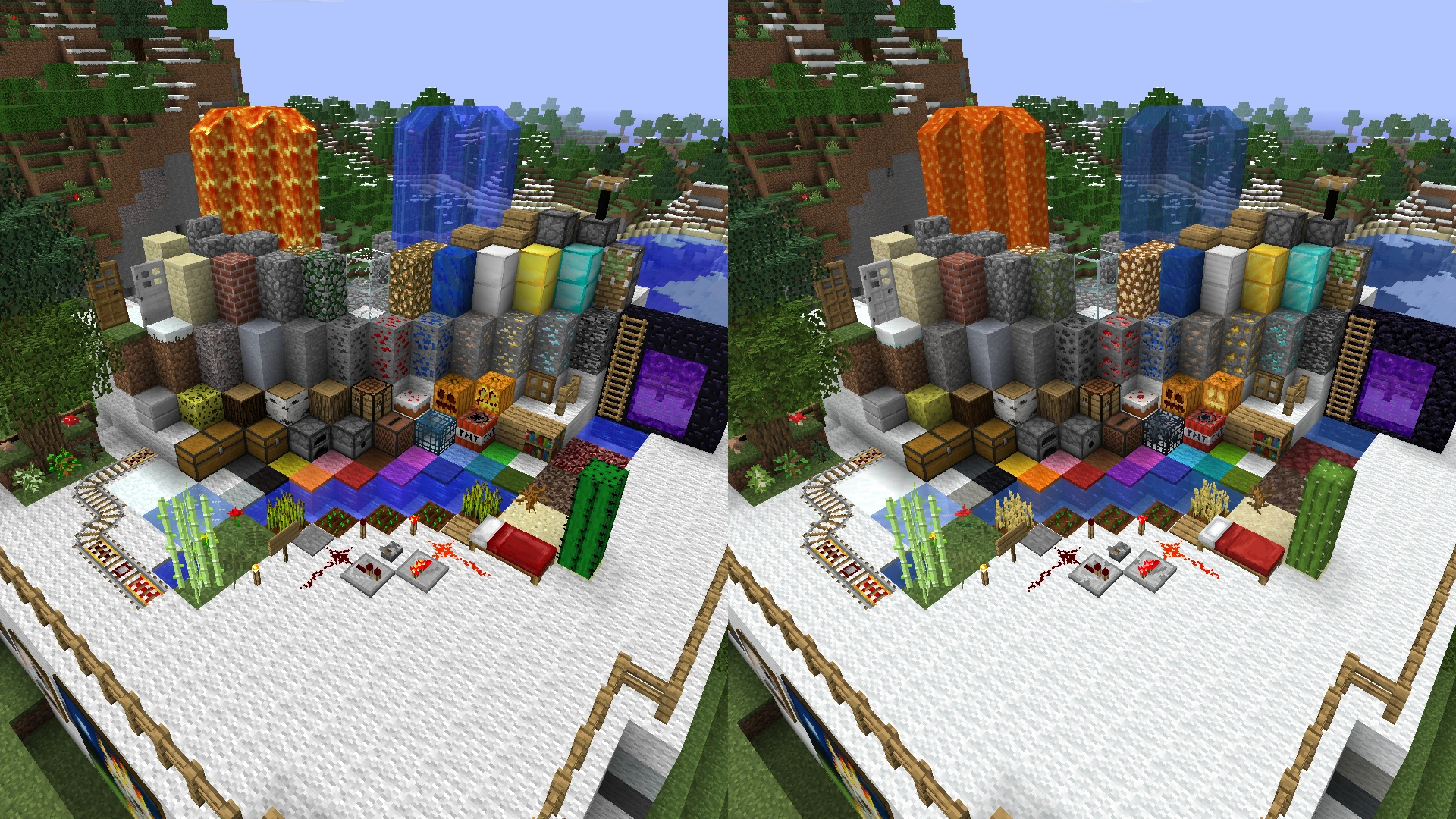
It's unusual to showcase this with default textures, but it's included here for nostalgia purposes. I couldn't be bothered watching wheat grow as well, so ignore that.
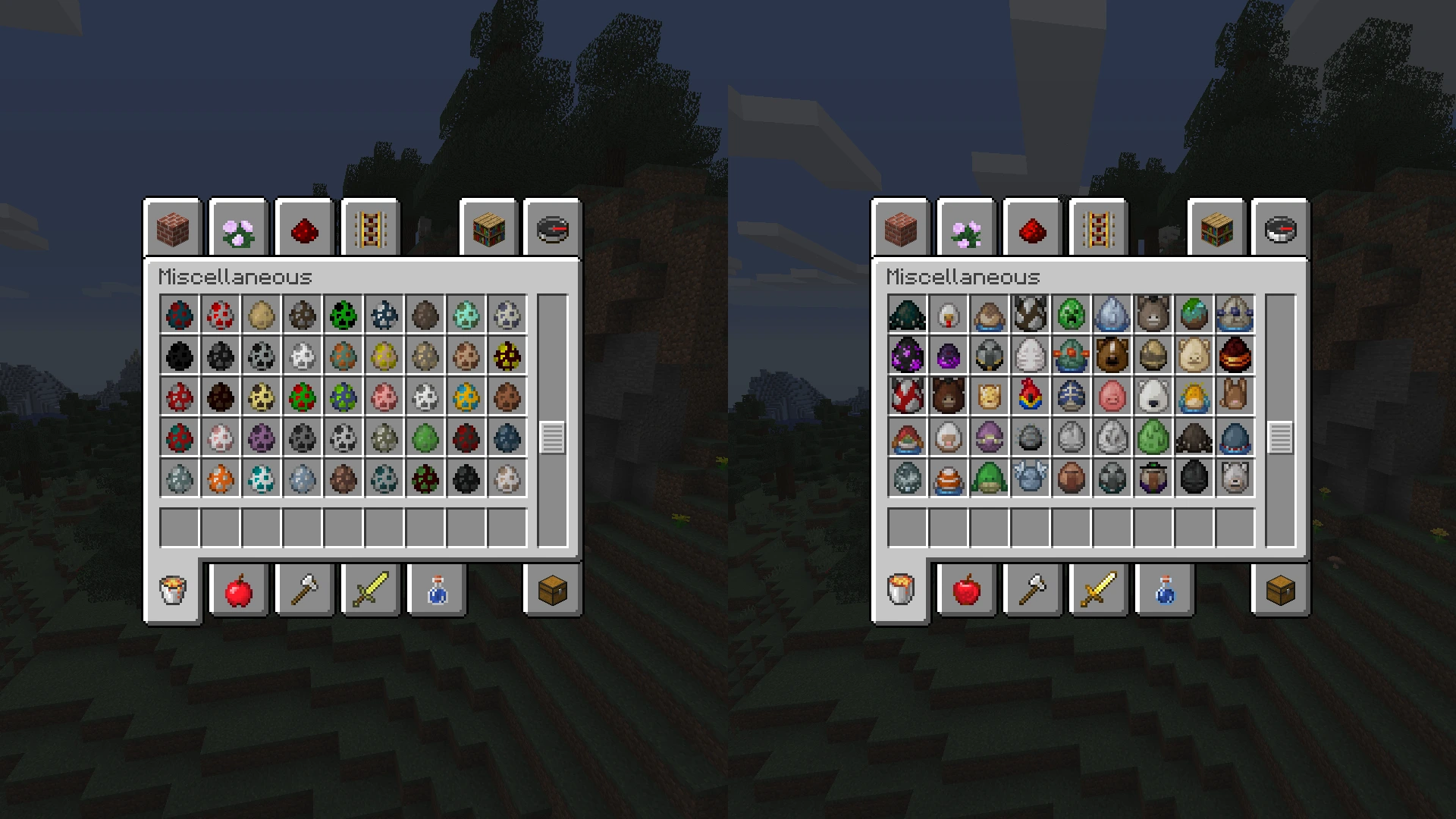
The spawn eggs were probably the most time-consuming part of the pack due to item models. It's supported for 1.20.1 to 1.8, with OptiFine required before 1.13.
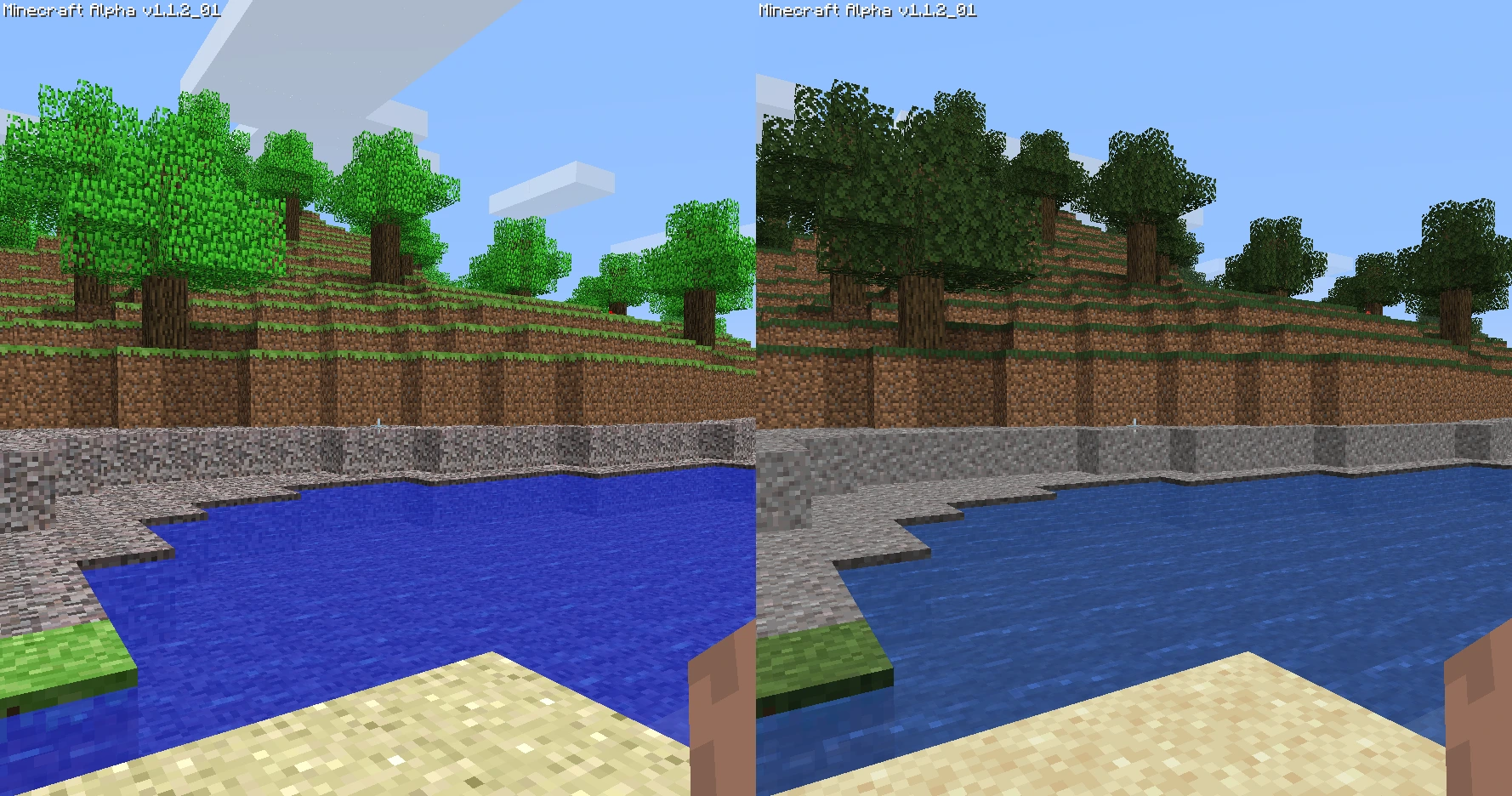
The first version of Minecraft that MCPatcher supports, but this doesn't feel right...
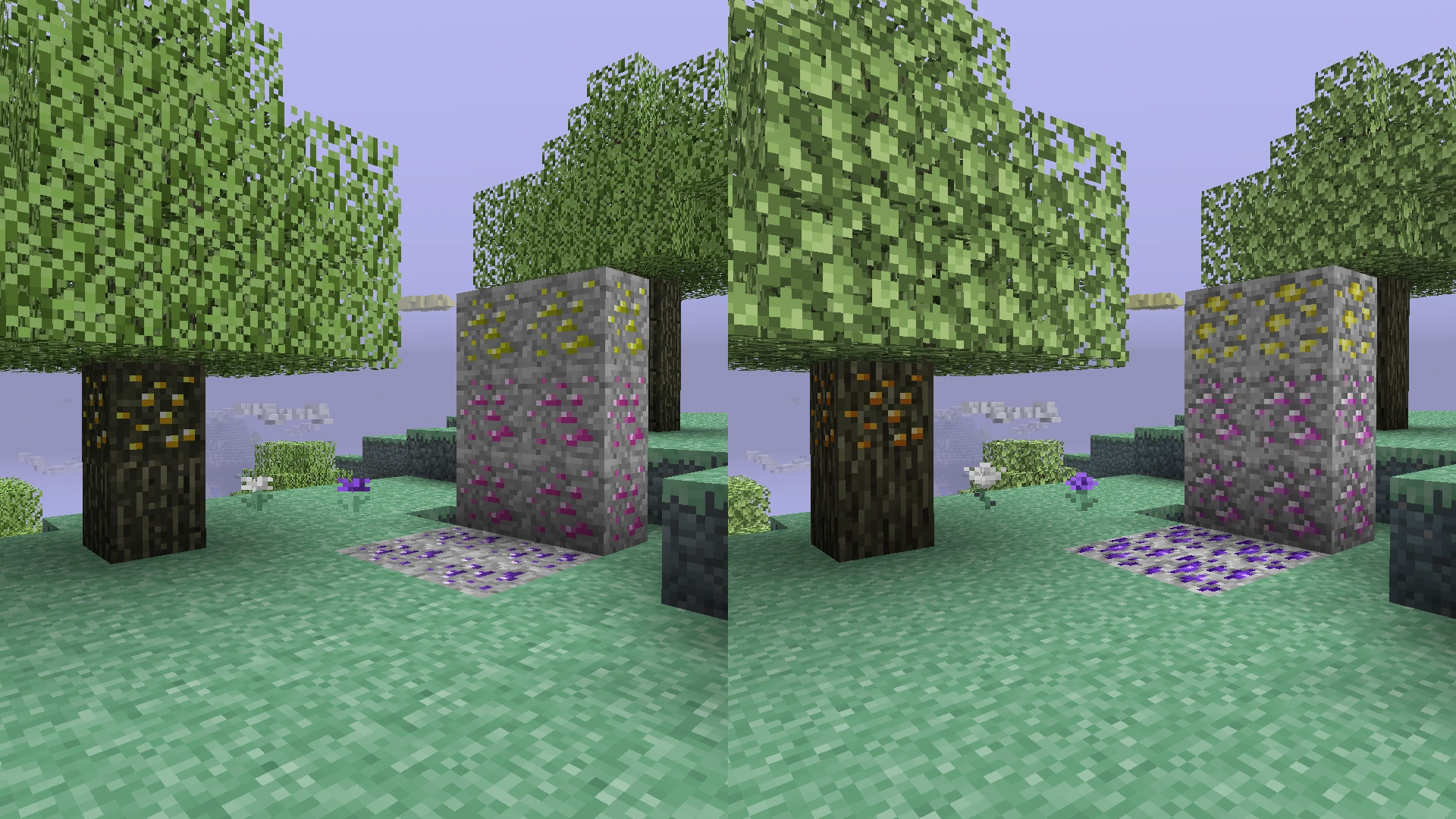
Added for the modded nostalgia people. The pack includes support for The Aether (1.2.5, 1.0 and b1.7.3) and Aether on Station API (b1.7.3).
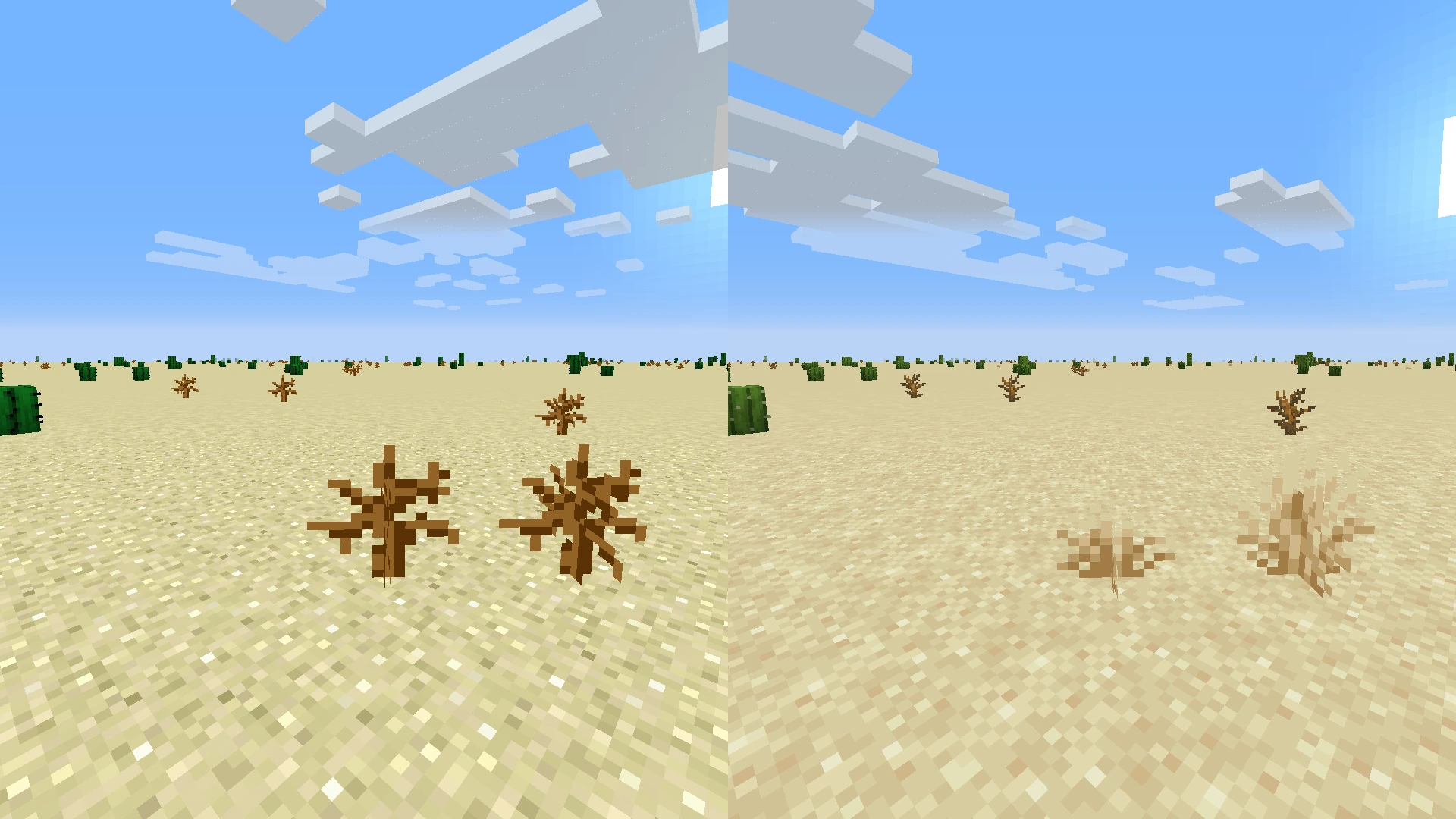
Dry grass has a 28% chance of replacing a dead bush. I can't remember why I picked 28% when I wrote this. It's supported for 1.20.1 to 1.8.
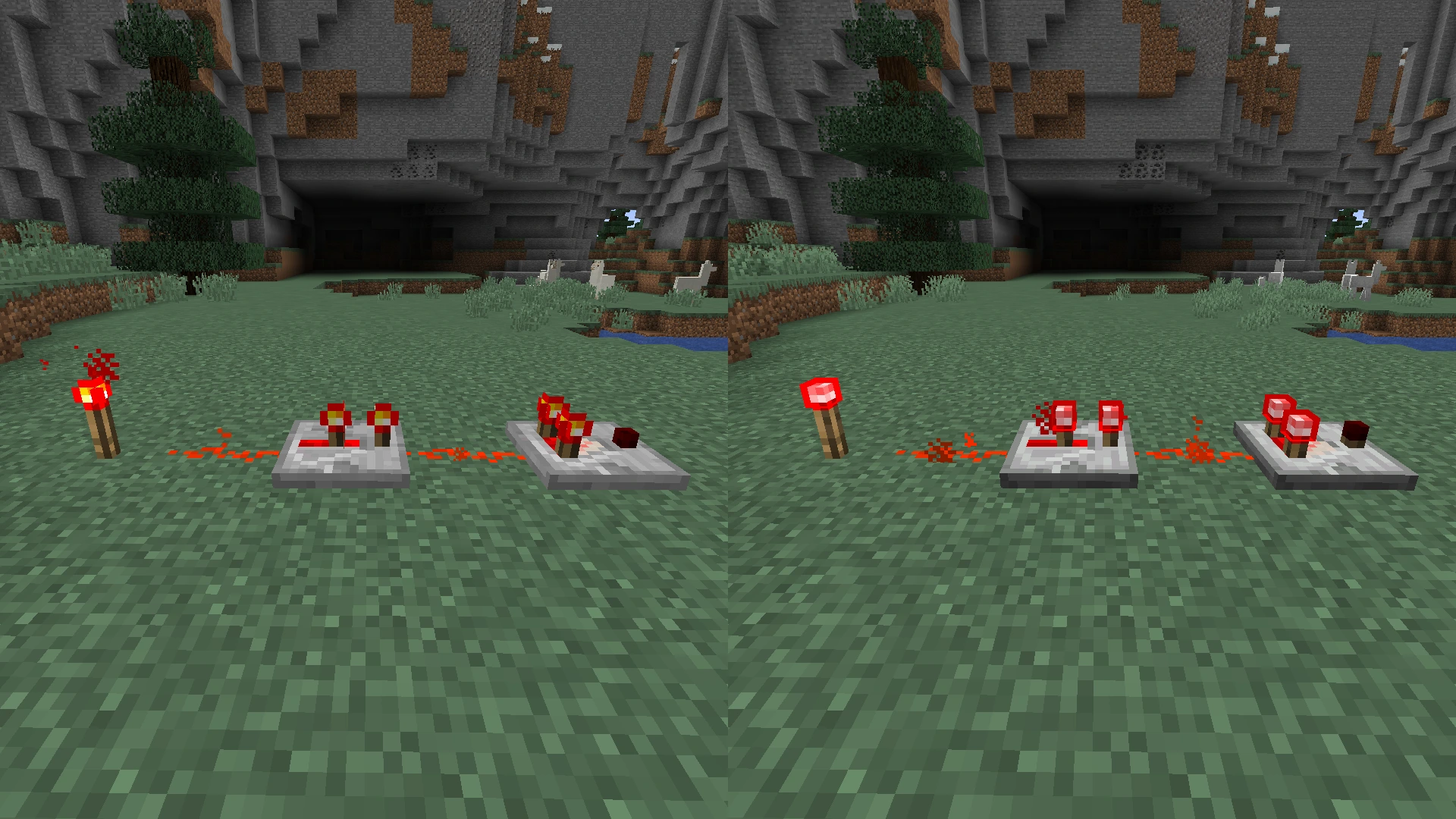
For the redstone lovers out there! Supported for 1.20.1 to 1.8.
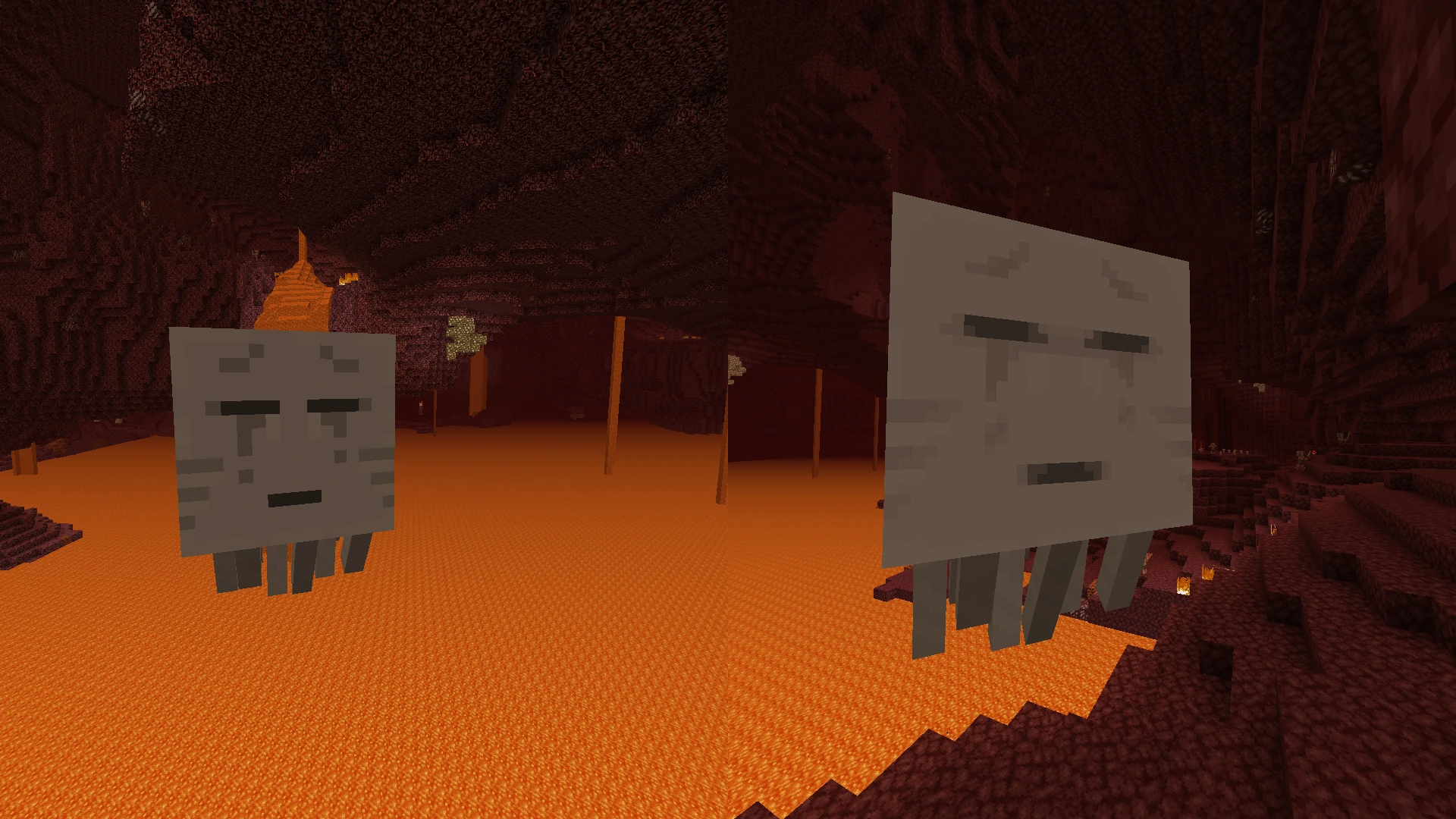
Absolute nightmare to screenshot. Supported for 1.201 to 1.6.1.
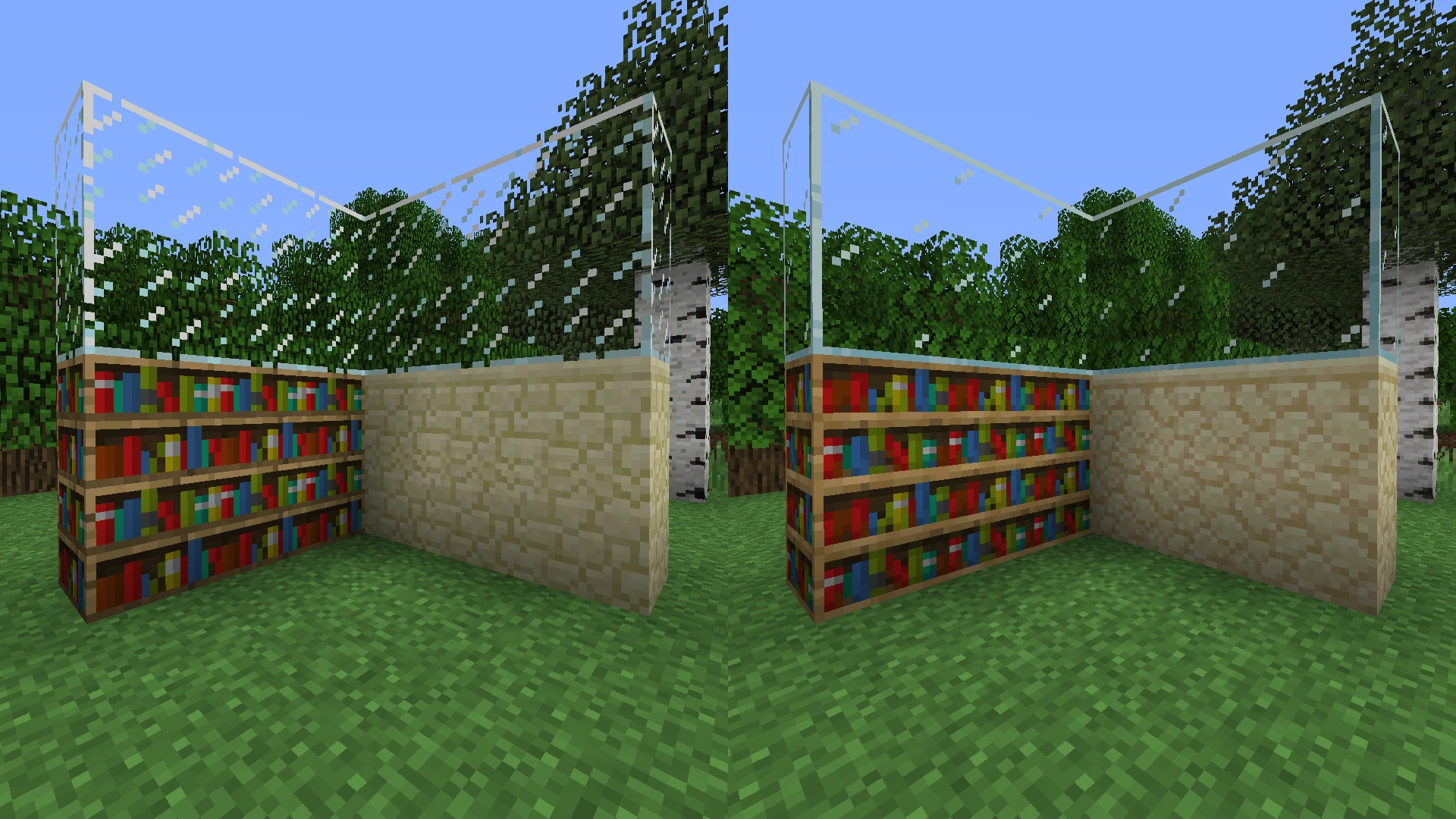
Modern textures for connected textures, OptiFine, MCPatcher or equivalent required.
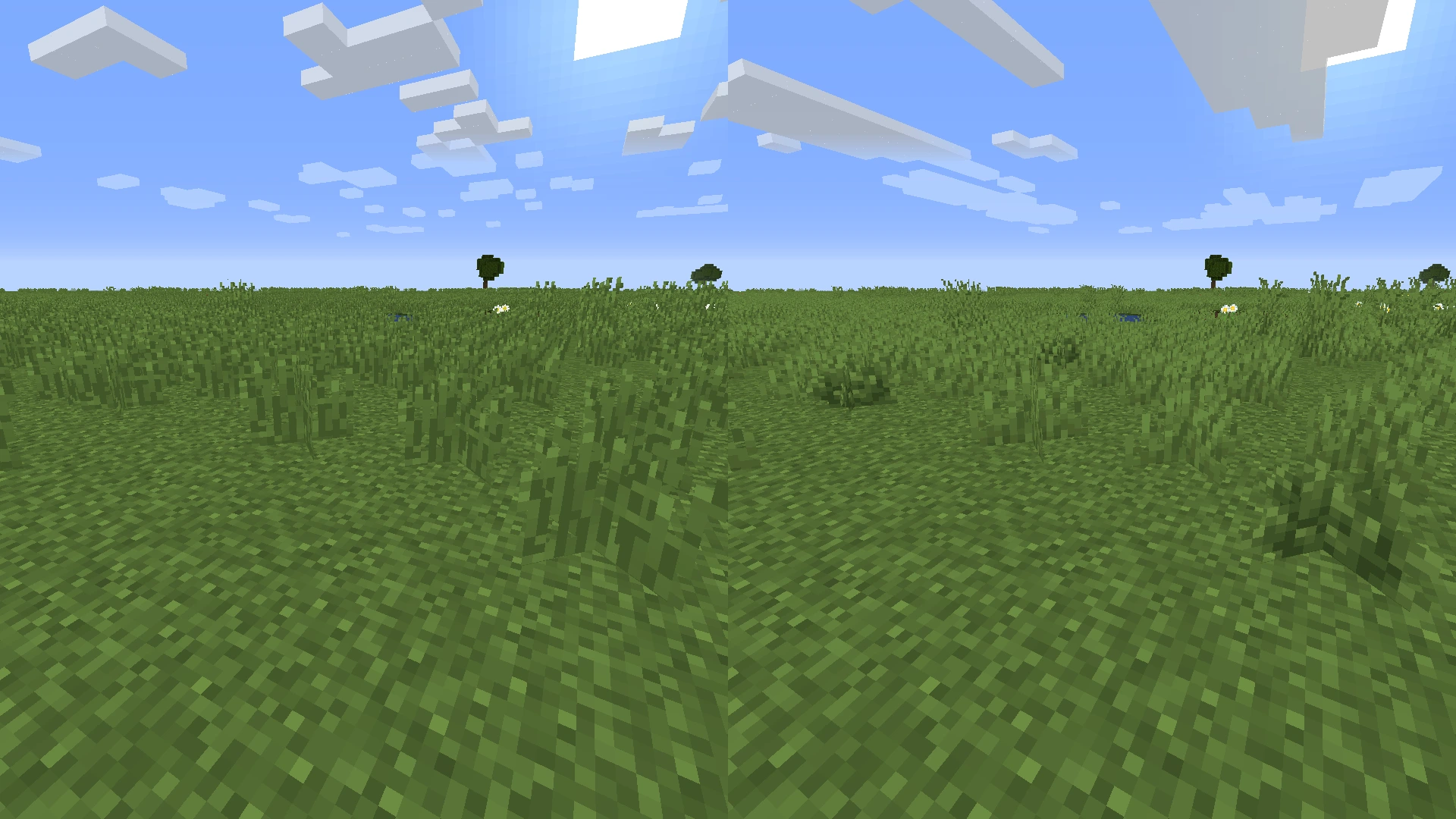
Finally... bush. Has a 2% chance of replacing short grass. 1.20.1 to 1.8 exclusive.
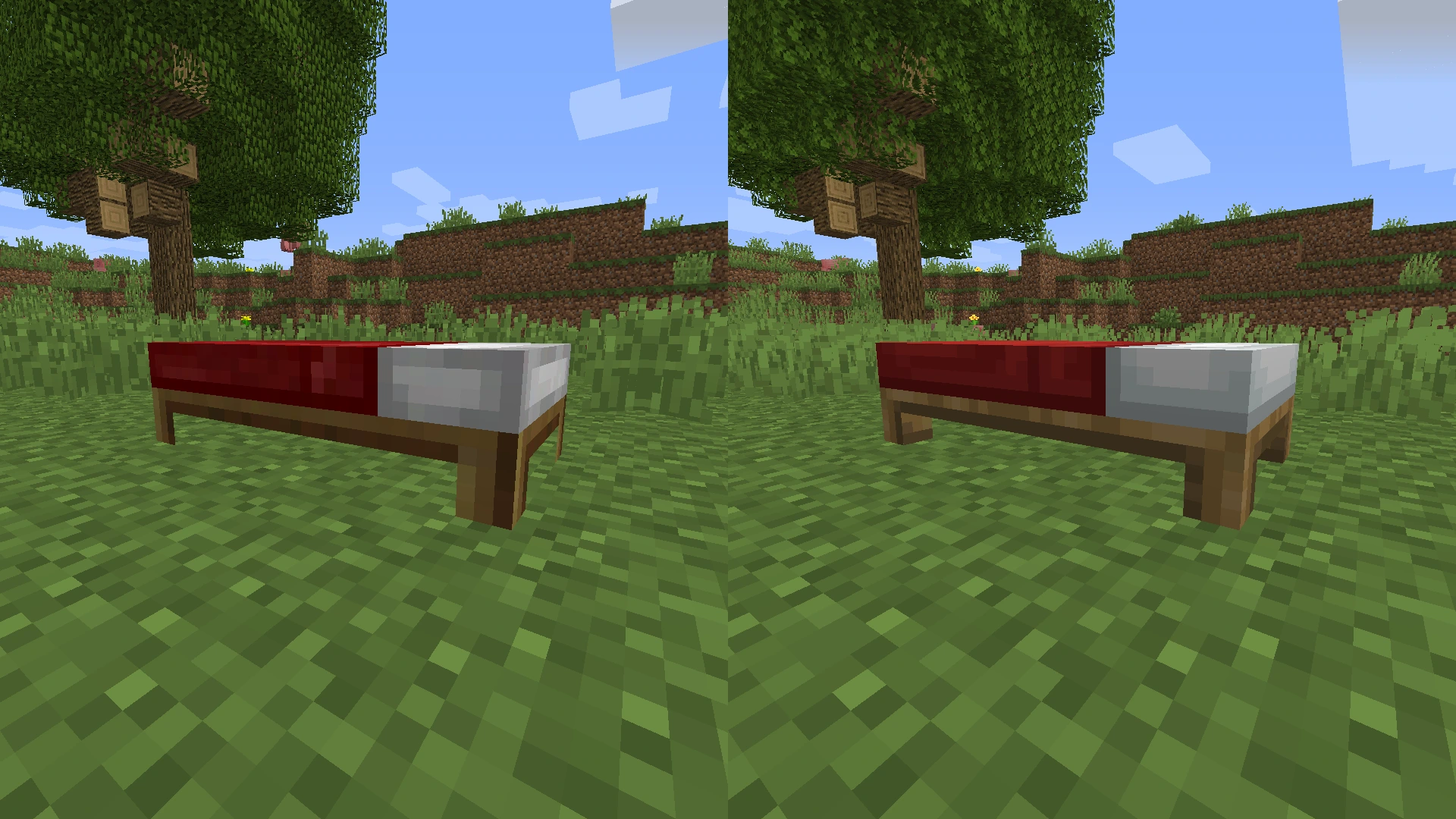
Gotta get the legs on camera. 1.11 to 1.8, added in vanilla from 1.12 onwards.
Description
Backport Everything attempts to convert modern Minecraft textures into older versions!
If you want to see what older versions look like with new textures, this is the pack for you. Test them out on older versions for a laugh, or start an alpha or beta survival world for a simpler time.
Currently updated for 1.21.11 textures, this pack aims to bring modern versions to older ones. Currently, the pack supports versions 1.20.1 and older, dating back to the first version in 2009 with the pre-classic build rd-132211, which features only grass and cobblestone.
Please note: CurseForge does not allow files to be marked with versions that are earlier than Beta 1.6.6. For those versions, you will need to head over to the Backport Everything GitHub page for further instructions on how to download them.
Beta 1.7 to Beta 1.7.3 isn't currently available on CurseForge as it contains a .mcproperties file that's required for Station API's animated textures, which isn't accepted on here. Download it from GitHub.
There are other packs available, but I find that they either miss out some textures (e.g. leather armour, fast leaves) or don't support the beta and alpha versions.
A couple of the things that this pack supports:
- Backported 1.21.11 textures to all versions (OptiFine, MCPatcher or equivalent required for some textures)
- New redstone repeater, comparator & torch (1.20.1 to 1.8)
- HD ghast texture from 1.21.6 (1.20.1 to 1.6.1)
- HD Minecraft logo (1.20.1 to b1.8)
- Unique spawn egg textures (1.20.1 to 1.8, OptiFine required before 1.13)
- Wolf colour variants (1.20.1 to 1.8, OptiFine/Entity Texture Features required)
- Bush texture (1.20.1 to 1.8)
- Cold & warm cow, pig & chickens (1.20.1 to 1.8, OptiFine/ETF required)
- Tall & short dry grass textures (1.20.1 to 1.8)
- The Aether (b1.7.3 & 1.2.5) and Aether on Station API (b1.7.3)
A few things this pack doesn't support at the moment:
- For new music released after 1.21.1, check out Tunes : Backport by wasabliss. I'd add it, but the zip file size would be huge.
- Horse, vex, bat & zombie piglin model backports, see Scutoel's packs linked. These models require OptiFine and break textures on vanilla versions. I'm not adding them because that would make OptiFine a dependency.
- Bogged models, see Bogged Backport by realllyrandommann. Not added for the same reason as above.
- Leaf litter and wildflowers, see ludo_silver_'s packs linked. Not added, as they are a little janky since they don't work as a standalone block, but they are an alternative grass texture.
This was a fun little project, but there are probably a few texture issues here and there from the conversion. If you notice any problems and are willing to let me know, please email backporteverything@gmail.com or message me on the forum, and I'll address the issue.
OptiFine 1.7.2 and newer can be found here. For archived versions of OptiFine, MCPatcher, and additional files, click here to access my GitHub archive. If you have any suggestions for mods, feel free to email me.
License
This pack’s original content is licensed under CC BY-SA 4.0.
Vanilla Minecraft assets are © Mojang Studios and are not included under CC BY-SA 4.0.
Select assets from Qwuiblington's actually correct new default texture backport are included under Public Domain.
OptiFine Custom Entity Model (.jem) files sourced from the pack: Farm Animals Backport, included with permission from SirJumpy8772.
Installing texture packs for versions 1.5.2 to Alpha v1.2.6
Texture packs are natively supported for these versions, making installation relatively easy.
- Run Minecraft, click the Texture Packs (1.1/1.0) or Mods and Texture Packs (b.1.8.1 and earlier) button in the main menu.
- Click the Open Texture Pack Folder button. This will open the folder where the texture packs can be installed.
- Drag the Backport Everything texture pack into the folder, and it should appear in Minecraft after a few seconds.
- Select the texture pack, and now it's applied and ready to go.
Installing texture packs for Alpha v1.2.5 and earlier
Texture packs are not supported natively before Alpha v1.2.2, but earlier versions can have their textures swapped out using a jar mod. I don't really know why you'd want to play those versions, but it's funny to see them working with the latest textures.
Just a note, rd-20090515 kept crashing for me on launch, and so I can't test it. But since it's just 13 textures, you won't be missing much if you can't run it yourself.
To add textures to old versions that don't support texture packs, you'll need to add them as a jar mod using Prism Launcher or MultiMC. They're pretty much the same, but Prism Launcher has fancy extra features.
- Download the ZIP file for the version of Minecraft you want to change. You'll need it for later.
- Download and install either Prism Launcher or MultiMC; take your pick.
- Open either Prism or MultiMC, log in to your Microsoft account and then click the 'Add Instance' button in the top-right corner.
- In the 'Custom' (Prism) or 'Vanilla' (MultiMC) section, on the right-hand side, tick the checkboxes for 'Betas' and 'Alphas' in the filter list.
- Scroll down to the version you want to play, select it and click the OK button in the bottom-right.
- Once you've clicked OK, an icon will appear for the version you selected. Right-click on the icon and click 'Edit…' (Prism) or 'Edit Instance' (MultiMC)
- Go to the 'Version' tab if you're on Prism Launcher.
- Once you're on the version tab, you should see a list of actions on the right-hand side. Click the button that says 'Add to Minecraft.jar'.
- A new window should appear, locate the Backport Everything file, select it and open it.
- The jar mod should now be installed. You can then launch Minecraft, and the new textures should work!
Backport Everything Team