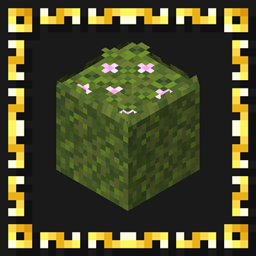
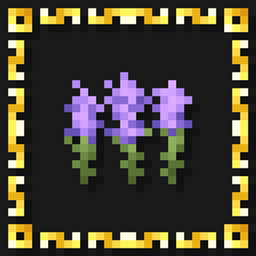
A growing all-in-one collection of vanilla-style visual improvements for Minecraft.

Artemis' Enhanced Visuals combines a growing collection of visual improvements into a single cohesive resource pack.
Instead of installing each of my standalone packs individually, this pack brings their models, textures and visual details together in one download while keeping Minecraft's familiar style and overall appearance intact.
The collection covers a wide range of blocks, items, plants and environmental details, ranging from small texture adjustments to custom models and more detailed variations.
Artemis' Enhanced Visuals will continue to grow over time as existing projects are updated and new visual packs are added to the collection.

Click an image to view it in full size.

| 📦 All-in-One |
Combines a growing collection of standalone visual projects into a single resource pack. |
| 🎨 Visual Improvements |
Enhances blocks, items, plants and environmental details with updated textures and models. |
| 🧊 Custom Models |
Includes additional geometry and model improvements where they help add depth and detail. |
| 🌿 Environmental Details |
Adds subtle visual details throughout the world while keeping them consistent with Minecraft's style. |
| ✨ Vanilla-Friendly |
Designed to improve Minecraft's visuals without replacing its recognizable pixel-art identity. |
| 🔄 Growing Collection |
New projects, improvements and updates can be added to the combined pack over time. |
📚 Standalone Packs
Artemis' Enhanced Visuals is intended for players who want the complete collection in one place.
The individual resource packs remain available separately for players who only want specific visual changes or prefer to build their own combination.
As new standalone projects are released and existing packs are expanded, compatible content may also be added to Artemis' Enhanced Visuals.
🧩 Compatibility
Artemis' Enhanced Visuals uses version-specific downloads so the included assets and models can remain compatible with changes between Minecraft versions.
The pack works with vanilla Minecraft and does not require OptiFine, shaders or additional mods.
Some visual features may only appear in Minecraft versions where the corresponding vanilla blocks, items or systems exist.
All changes are visual and do not alter normal gameplay.
📥 Installation
Recommended — CurseForge
The easiest way to install Artemis' Enhanced Visuals is directly through CurseForge.
If you use the CurseForge App, simply add Artemis' Enhanced Visuals to your Minecraft profile and CurseForge will handle the installation for you.
When browsing on the CurseForge website, use the available install option to open the project directly in the CurseForge App.
This is the recommended installation method, as it makes selecting and managing the correct resource pack version much easier.
Manual Installation
1. Download the Artemis' Enhanced Visuals file matching your Minecraft version.
2. Place the downloaded .zip file inside your Minecraft resourcepacks folder.
3. Open Options → Resource Packs in Minecraft.
4. Move Artemis' Enhanced Visuals to the active resource packs.
5. Enjoy!
If another resource pack changes the same assets, place Artemis' Enhanced Visuals above it if you want this pack's models and textures to take priority.
❓ Frequently Asked Questions
What is Artemis' Enhanced Visuals?
Artemis' Enhanced Visuals is an all-in-one resource pack that combines a growing collection of my standalone visual projects into a single download.
Does this replace the standalone resource packs?
No. The standalone packs remain available separately. Artemis' Enhanced Visuals is simply an alternative for players who want the combined collection.
Will more content be added?
Yes. The pack is designed as a growing collection and can be expanded as new visual projects are released and existing ones are updated.
Does the pack require any mods?
No. Artemis' Enhanced Visuals works with vanilla Minecraft and does not require OptiFine, shaders or additional mods.
Does the pack change gameplay?
No. The included changes are visual and do not alter Minecraft's normal gameplay mechanics.
Can I use Artemis' Enhanced Visuals together with other resource packs?
Yes. If another resource pack changes the same textures or models, whichever pack has the higher priority will generally override the conflicting assets.
Should I install the standalone packs together with Artemis' Enhanced Visuals?
Normally, no. If a standalone project is already included in Artemis' Enhanced Visuals, installing both is unnecessary unless you specifically want to control resource-pack priority or mix different versions of individual changes.
Can I use Artemis' Enhanced Visuals in a modpack?
Yes. Artemis' Enhanced Visuals may be included in public and private modpacks. Please link back to the original project rather than redistributing the pack as your own work.

Have feedback, found a problem, or want to follow future projects?
Join the Intelligence Modding community for project updates, previews, support, and general Minecraft modding discussion.




Artemis' Enhanced Visuals is created by DoomedArtemis as part of Intelligence Modding.