Always Bright
- By
A clean, lightweight client-side resource pack that grants full visibility in dark caves, night time, and dim dimensions across every Minecraft version.
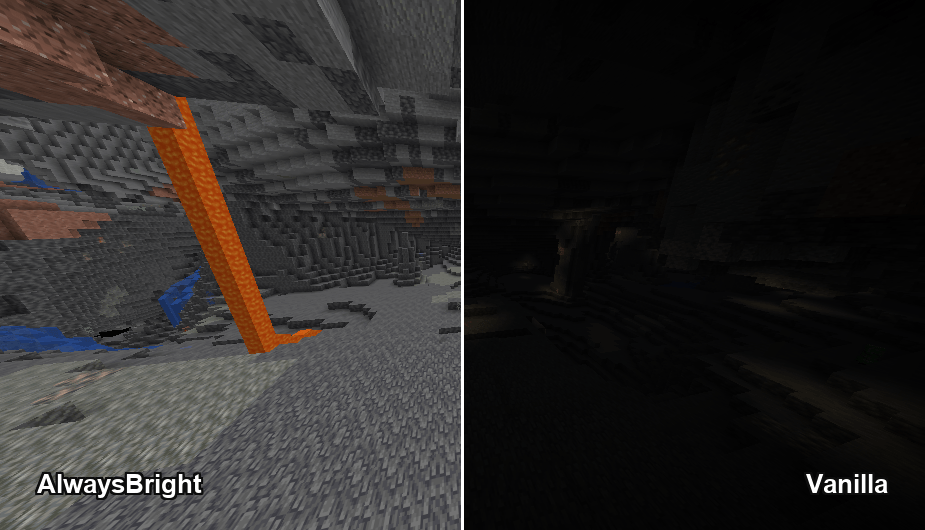
AlwaysBright grants 100% crystal clear visibility in deep underground caves and ravines where vanilla lighting is pitch black.
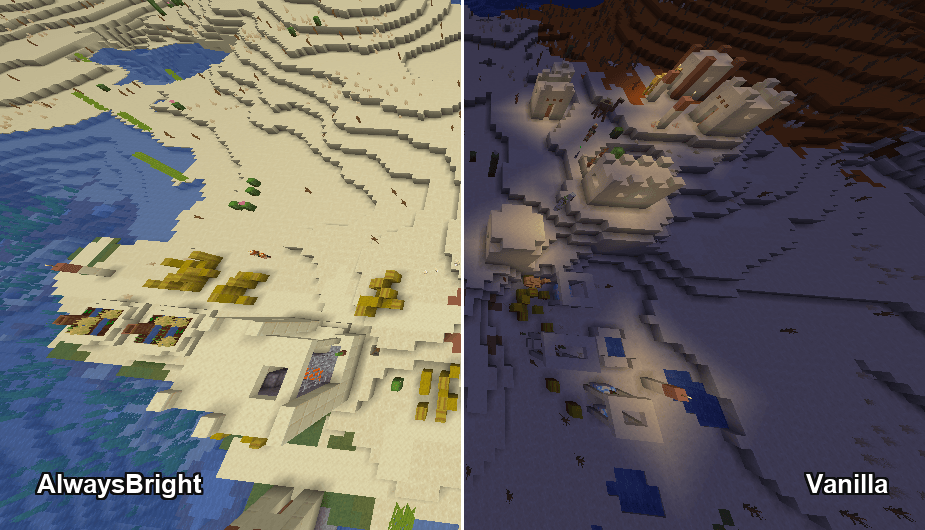
Eliminates dark night shadows across surface biomes and villages for effortless night exploration and building.
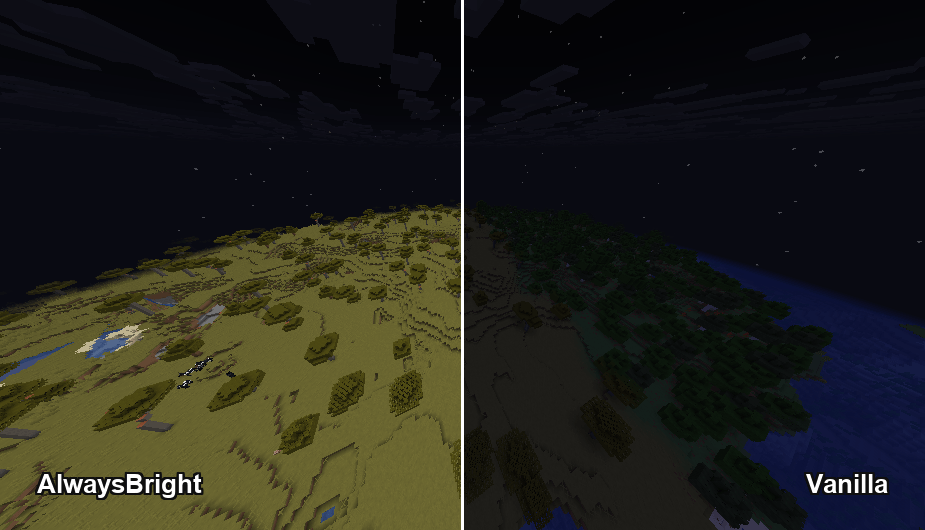
Bright, daytime-level terrain and block clarity even under pitch-black midnight skies.
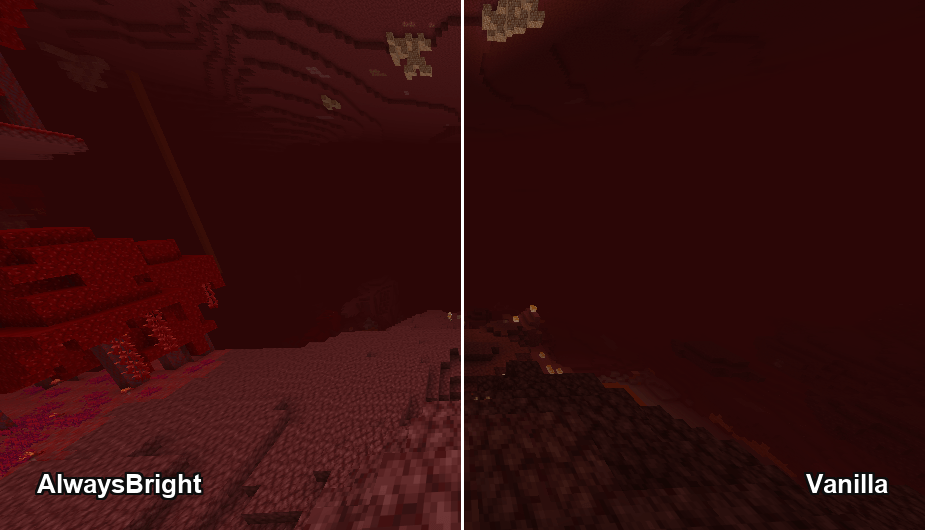
Removes gloomy Nether darkness, making Crimson Forests, Netherrack, and structure hunting crystal clear.
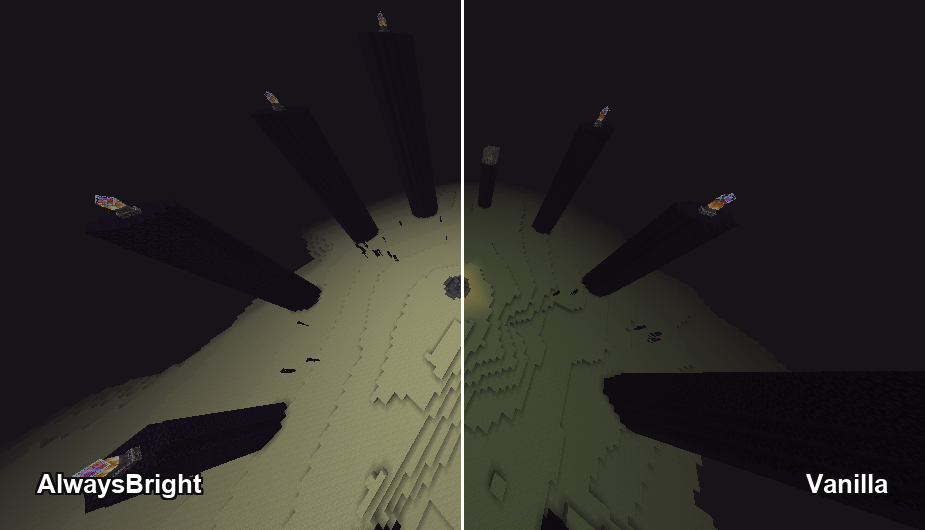
Brightens the Ender Dragon arena, End Stone terrain, and obsidian towers for ultimate End fight visibility.
Description
AlwaysBright
A clean, lightweight client-side resource pack that grants full visibility in dark caves, night time, and dim dimensions across every Minecraft version.
AlwaysBright removes pitch-black darkness by overriding Minecraft's lighting calculations. Whether you're exploring deep caves, navigating the Nether, or building at night, AlwaysBright ensures total visual clarity without lag or heavy shader performance penalties.
⚠️ IMPORTANT LOADER REQUIREMENT BY VERSION:
- Minecraft 1.8 – 1.21.8: REQUIRES OptiFine or Polytone (Fabric/Forge) to render custom lightmaps! Plain vanilla or Sodium without Polytone will ignore lightmaps.
- Minecraft 1.21.9 – 26.2+: Works natively in 100% Vanilla using modern core shaders (no mods or OptiFine required).
Features
Full Visibility Everywhere
- Maximum Lightmap: Overrides ambient lighting to keep every block crisp, bright, and fully visible regardless of light levels.
- Cave & Night Vision: Never worry about torches or night vision potions while mining or exploring at night.
- Zero FPS Impact: Pure texture/shader modification with zero background scripts or performance degradation.
Cross-Version Engineering
- OptiFine Lightmaps (1.8 – 1.21.8): Custom 32x32 white lightmap textures designed specifically for OptiFine & Polytone.
- Vanilla Core Shaders (1.21.9 – 26.2+): Built-in
#version 330 UBOcore shaders for native fullbright in modern vanilla Minecraft. - Precise Pack Formats: 18 version-targeted packs built to guarantee zero format mismatch warnings across legacy and modern versions.
Highlights
- 100% Client-Side: Works on any server, Realm, or singleplayer world without requiring server- side mods.
- Mod & Shader Support: Fully supported via OptiFine/Polytone on legacy versions, and works out-of-the-box in modern Vanilla.
- Zero Code Dependencies: Simple resource pack install—no heavy mod setup required.
Compatibility
| Game Version | Required Mod / Environment | Status |
|---|---|---|
| 1.8 – 1.21.8 | OptiFine OR Polytone | Required & Supported |
| 1.8 – 1.21.8 | Vanilla / Sodium (without Polytone) | Not Supported (Requires Polytone) |
| 1.21.9 – 26.2+ | Vanilla Minecraft (Native) | Native Core Shader Supported |
How to Use
- Download the specific AlwaysBright pack version matching your Minecraft version (e.g.
AlwaysBright-1.20-1.20.1.zip). - Place the downloaded
.zipfile into your.minecraft/resourcepacks/folder. - For 1.8 – 1.21.8: Make sure you have OptiFine or Polytone installed!
- Launch Minecraft and go to Options > Resource Packs.
- Move AlwaysBright to the top priority in the right-hand column and click Done.
Frequently Asked Questions
Q: Why isn't the pack working on version 1.20 / 1.21?
For all versions up to 1.21.8, Minecraft requires OptiFine or Polytone to read custom lightmap textures. If you are playing on Vanilla or Fabric with Sodium, make sure to install Polytone!
Q: Does 1.21.9+ require OptiFine or Polytone?
No! Starting with 1.21.9 up to 26.2+, AlwaysBright uses vanilla core shaders (#version 330 UBO) and works 100% natively in Vanilla without any mods.
Q: Does this work on multiplayer servers?
Yes. AlwaysBright is 100% client-side and functions seamlessly on vanilla servers, Realms, and modded servers.
Q: Why does my pack say "Made for an older/newer version of Minecraft"?
Make sure you download the exact zip matching your game version! There are 18 dedicated pack builds covering versions 1.8 all the way up to 26.2+.
Q: Will this decrease my FPS?
No! AlwaysBright has zero performance overhead and performs significantly faster than full shader packs.
Q: Can I use this in my modpack or video?
Yes! You are completely free to include AlwaysBright in any public or private modpack or feature it in videos.
Modpack & Usage Policy
You are free to include AlwaysBright in any modpack, launcher, or distribution platform without needing explicit permission.
License & Author
Created by Xeonz.
Distributed under the CC0 1.0 Universal (Public Domain) license. You are free to copy, modify, distribute, and perform the work, even for commercial purposes, all without asking permission.
The Always Bright Team


Owner

![Container Preview [Storage Tip] project image](https://media.forgecdn.net/avatars/thumbnails/1764/511/256/256/639121943831321269.png)