RAY TRACING POTATO 2 shaders
- By
Everything you loved about RAY TRACING POTATO — pushed to the extreme, without killing the vanilla Minecraft vibe and fps.
2026-11-21_14.01.25.png
2026-11-21_14.04.13.png
Description

RAY TRACING POTATO 2 🥔
MINECRAFT SHADER BY OCT2ONE
Everything you loved about RAY TRACING POTATO — now bigger, better and pushed further.
ENJOYING THE SHADER?
If you enjoy RAY TRACING POTATO 2, please consider downloading it, following the project, leaving a rating, or sharing your screenshots and benchmarks.
Your support helps me continue developing and improving the shader. Every download, follow and review motivates me to keep improving this project.
Thank you for your support!
ABOUT THE PROJECT
RAY TRACING POTATO 2 is the next evolution of the original RAY TRACING POTATO, bringing significantly upgraded Minecraft visuals with richer lighting, advanced atmospheric effects, detailed clouds, beautiful skies and enhanced reflections.
Experience sunlight streaming through cave openings, golden rays passing through forests, animated Aurora Borealis illuminating the night sky, and detailed water reflections.
Whether you're exploring caves, building at sunset, watching the Northern Lights or enjoying a peaceful Minecraft world, RAY TRACING POTATO 2 aims to make every environment feel more alive.
Advanced visuals, atmospheric lighting and optimized rendering come together to deliver an enhanced Minecraft experience.
RAY TRACING POTATO vs. RAY TRACING POTATO 2
| FEATURE | RAY TRACING POTATO | RAY TRACING POTATO 2 |
|---|---|---|
| Target Hardware | Low-end PCs and iGPUs | Integrated and dedicated GPUs |
| Clouds | Single-layer soft volumetric clouds | Double-layer detailed 3D clouds |
| Volumetric Lighting | Basic bloom and lens flare | 3D cave shafts and forest sunbeams |
| Aurora Borealis | Not included | Animated 3D Northern Lights |
| Rainbow | Not included | Pixelated Minecraft-style rainbow |
| Night Sky | Stars and realistic moon | Milky Way, shooting stars and enhanced stars |
| Shadows | Standard 4-tap / 16-tap grid | Rotated Poisson soft shadows |
| Water | Standard screen-space reflections | Optimized adaptive SSR |
| World Lighting | Direct lighting and warm torches | Indirect GI, leaf translucency and emissive lighting |
FEATURES
VISUALS
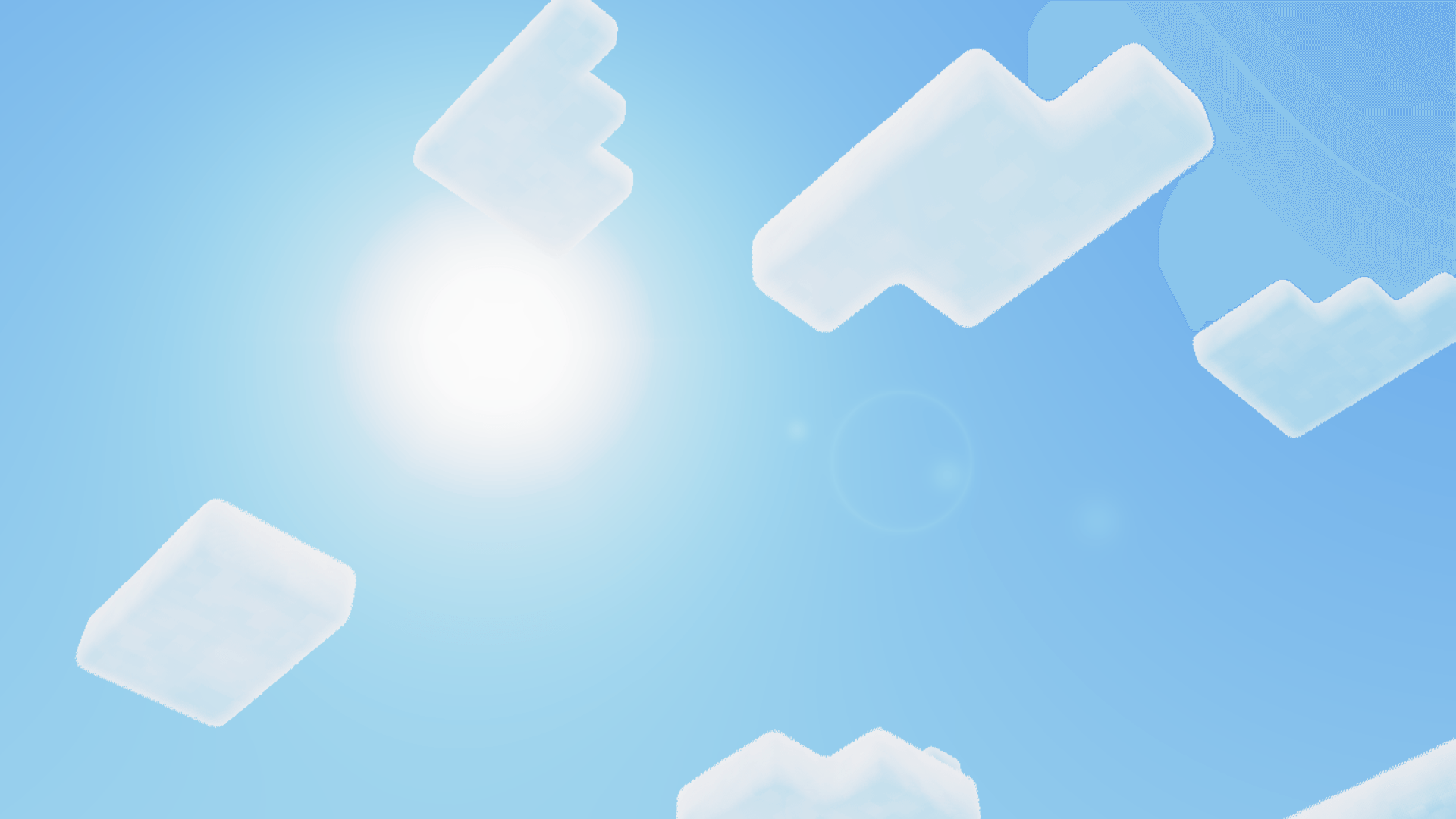
- Fluffy Double-Layer Clouds — Detailed, rounded, Minecraft-style 3D clouds with textured surfaces, sculpted shading and additional high-altitude cloud layers.
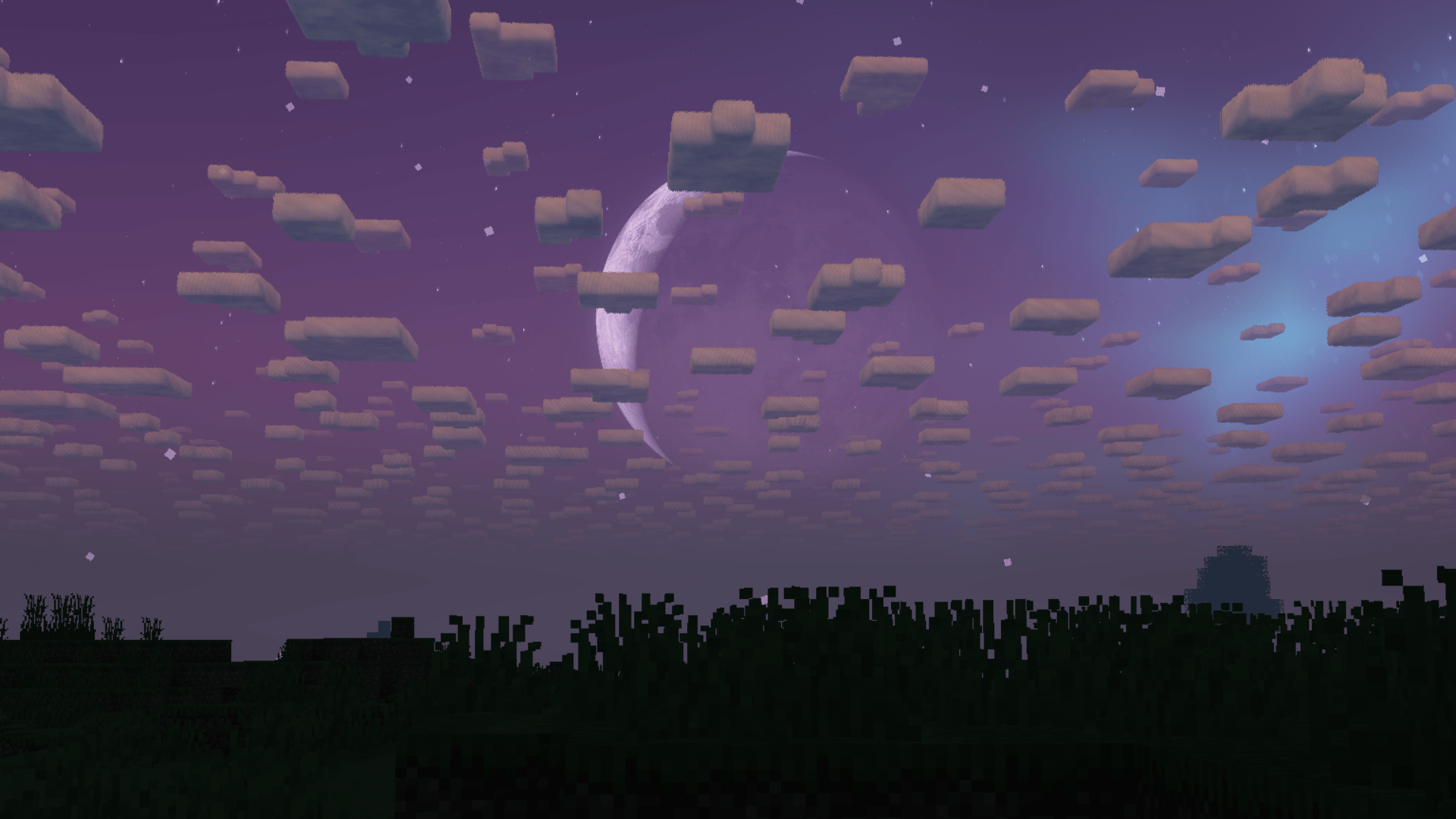
- Aurora Borealis — Animated emerald, cyan and violet Northern Lights curtains that illuminate the night sky, cloud undersides and calm water surfaces.
- Ray-Traced Pixelated Rainbow — A Minecraft-style rainbow positioned along the anti-solar dispersion cone, becoming more visible during rainy weather.
- Upgraded Skies — Enhanced daytime skies, golden-hour sunsets, rainy overcast environments and atmospheric night skies.
- Milky Way and Shooting Stars — A more detailed night sky featuring multi-scale stars, a subtle Milky Way band and occasional shooting stars.
- Enhanced Water Reflections — Improved screen-space reflections with adaptive ray marching and sharper reflective details.
- Atmospheric Lighting — Beautiful sunlight, moonlight and environmental lighting effects.
LIGHTING AND SHADOWS
- 3D Volumetric Cave Rays — Shadow-mapped sunlight and moonlight shafts entering caves, doorways, arches and windows.
- Forest Sunbeams — Golden crepuscular rays passing through trees.
- Enhanced Soft Shadows — Rotated Poisson filtering for smoother shadow penumbra.
- Indirect Global Illumination — Two-bounce indirect lighting and sunlight spill around cave entrances.
- Leaf Translucency — Improved backlit leaf lighting.
- Emissive Block Lighting — Enhanced glow effects for lanterns, sea lanterns, shroomlights, froglights, torches, candles and other supported light sources.
- Wet Surface Effects — Subtle wet-ground sheen during rainfall.
PERFORMANCE AND CUSTOMIZATION
RAY TRACING POTATO 2 includes three built-in shader profiles:
- Fast — For improved performance.
- Default — Balanced visual quality and performance.
- Max — For higher-end hardware.
Additional features:
- Customizable shader settings.
- Optimized water reflections.
- Improved shadow filtering.
- Optimized cloud raymarching.
SCREENSHOTS
Some screenshots captured using RAY TRACING POTATO 2.


PERFORMANCE
RAY TRACING POTATO 2 includes several rendering optimizations designed to balance its advanced visual effects with good performance.
Unlike many visually demanding shader packs, RAY TRACING POTATO 2 can also deliver playable performance on older integrated graphics.
Actual FPS depends on your hardware, Minecraft configuration, shader profile and world complexity.
DEDICATED GRAPHICS
| GPU | ESTIMATED FPS |
|---|---|
| GTX 1650 / RX 580 | 50–75 FPS |
| RTX 3060 / RTX 4060 | 110–150+ FPS |
Estimates based on the Default profile at 1080p. Actual results may vary.
INTEGRATED GRAPHICS
| GPU | Resolution | Profile | Performance |
|---|---|---|---|
| Intel UHD 620 | 900p | Default | 30+ FPS |
YES, EVEN INTEL UHD 620 CAN RUN RAY TRACING POTATO 2!
The shader is designed to deliver playable performance even on older integrated graphics.
The UHD 620 result is based on an actual test. Performance on other integrated GPUs has not been independently benchmarked.
WHAT AFFECTS PERFORMANCE?
- GPU and CPU
- RAM capacity and configuration
- Minecraft version
- Render distance and shadow distance
- Shader profile and lighting quality
- Volumetric ray and cloud settings
- Resolution
- Installed mods
- World complexity
PERFORMANCE TIP
For additional FPS, try the Fast profile or lower shadow distance, light ray quality and reflection ray steps in Shader Settings.
Your benchmarks are appreciated! Share your GPU, CPU, RAM, resolution, shader profile and FPS to help others understand how the shader performs.
INSTALLATION
IRIS SHADERS (RECOMMENDED)
- Install Iris Shaders.
- Download RAY TRACING POTATO 2.
- Launch Minecraft.
- Navigate to Options → Video Settings → Shader Packs.
- Open the shader pack folder.
- Place the downloaded RAY TRACING POTATO 2
.zipfile inside. - Return to Minecraft.
- Select RAY TRACING POTATO 2 from the shader pack list.
- Click Apply and enjoy!
OPTIFINE
- Install OptiFine and launch Minecraft using the OptiFine profile.
- Navigate to Options → Video Settings → Shaders.
- Open the shader folder.
- Place the RAY TRACING POTATO 2
.zipfile inside. - Return to Minecraft.
- Select RAY TRACING POTATO 2 from the shader list.
- Apply the shader.
RECOMMENDED SETTINGS
These settings are a starting point for a balanced experience.
| SETTING | RECOMMENDED |
|---|---|
| Shader Profile | Default |
| Resolution | 1080p–1440p |
| Render Distance | 10–16 chunks |
| Simulation Distance | 6–10 chunks |
For extra performance without losing too much visual quality, try lowering:
- Shadow distance
- Light ray quality
- Reflection ray steps
For high-end GPUs, experiment with the Max profile.
CONTENT CREATORS
You are welcome to feature RAY TRACING POTATO 2 in:
- YouTube videos
- Livestreams
- Screenshots and showcases
- Reviews
- Shader comparisons
- Minecraft cinematics
VIDEO MONETIZATION PERMITTED
You may monetize videos and livestreams featuring the shader.
Credit is appreciated:
RAY TRACING POTATO 2 by oct2one
Please link viewers to the official Modrinth or CurseForge project page instead of redistributing the shader files.
REDISTRIBUTION AND LICENSE
RAY TRACING POTATO 2 is distributed under an All Rights Reserved license.
You may not:
- Reupload or redistribute the shader.
- Sell or republish the shader.
- Claim the shader as your own work.
- Distribute modified versions or forks without permission.
- Include it in publicly distributed modpacks without prior permission from oct2one.
Please download RAY TRACING POTATO 2 only from its official distribution pages.
Refer to the included LICENSE.txt for the complete license terms.
BUG REPORTS
Found a graphical issue, compatibility problem or significant performance issue?
Please include:
- Minecraft version
- Iris or OptiFine version
- GPU
- CPU
- RAM
- Shader version and profile
- Resolution and render distance
- Screenshot of the issue
Providing these details makes it easier to reproduce and diagnose problems.
FUTURE UPDATES
RAY TRACING POTATO 2 is continuously being improved.
Possible future improvements include:
- Additional performance optimizations
- Lighting and shadow improvements
- Better water reflections
- Improved cloud rendering
- Additional customization options
- Bug fixes
- Compatibility improvements
CREDITS AND INFORMATION
Shader: RAY TRACING POTATO 2
Creator: oct2one
Copyright: © 2026 oct2one
License: All Rights Reserved
Minecraft is a trademark of Microsoft Corporation.
RAY TRACING POTATO 2 is an independent community project and is not affiliated with, sponsored by, or endorsed by Microsoft or Mojang Studios.
RAY TRACING POTATO 2 🥔
Created by oct2one
© 2026 oct2one. All Rights Reserved.
PROJECT SEARCH & COMPATIBILITY
RAY TRACING POTATO 2 is a Minecraft shader pack designed for players looking for advanced Minecraft graphics, enhanced lighting, realistic atmospheric effects, volumetric lighting, improved reflections and beautiful skies.
It features double-layer 3D Minecraft-style clouds, Aurora Borealis, pixelated rainbows, volumetric cave light rays, forest sunbeams, enhanced shadows, indirect global illumination and optimized screen-space water reflections.
With its Fast, Default and Max profiles, RAY TRACING POTATO 2 offers different rendering configurations for integrated and dedicated graphics cards.
PROJECT: RAY TRACING POTATO 2
CREATOR: oct2one
CATEGORY: Minecraft Shader Pack
RAY TRACING POTATO 2 shaders Team